3OM-1011-001.pdf - 第308页
10. Camera Gain & Level T eaching Error Code and List of Error Messages Shown below are the contents of error codes which might be issued in the camera gain & level teaching processing. 10. Camera Gain & Leve…
0305-001 4-102 Tg0859-PM-ER
9. Camera Magnification Teaching Error Code and List of Error Messages
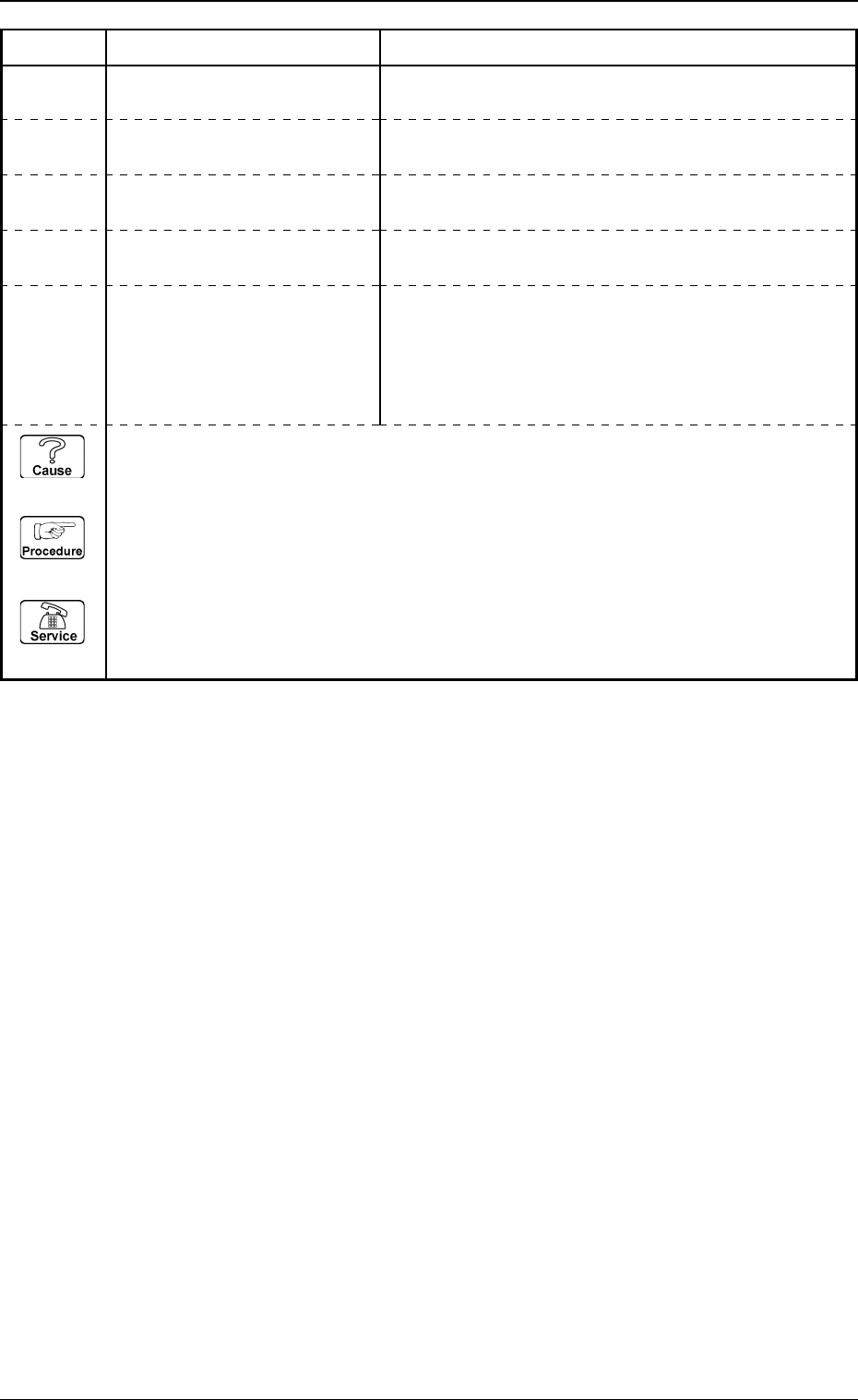
Error Code Display A Display B
60000000 TEACH CAMERA MAGNIFICA-
TION ERROR
THERE IS A BIG DIFFERENCE X AND Y IN THE
RESULT OF MAGNIFICATION.
THE MEASURED MAGNIFICATION DOES NOT MEET
THE SPECIFICATIONS OF THE MACHINE.
60XXXXXX TEACH CAMERA MAGNIFICA-
except the TION ERROR
above-
described
codes
ETC.
60000001 TEACH CAMERA MAGNIFICA-
TION ERROR
CONTRAST BETWEEN DOT AND BACKGROUND IS
TOO LOW.
60676030 TEACH CAMERA MAGNIFICA-
TION ERROR
THE DOTS CANNOT BE DETECTED ADEQUATELY.60676031 TEACH CAMERA MAGNIFICA-
TION ERROR
(Cause 1) This is the device’s self-diagnostic message.
(Reset Procedure in the case of Cause 1)
Reset Procedure
(1) Press the [ZERO] button to return all the axes to their original positions.
(2) Re-start.
(3) If the device can’t be re-started, contact our service personnel.
Table 3D9
10. Camera Gain & Level Teaching Error Code and
List of Error Messages
Shown below are the contents of error codes which might be issued in the
camera gain & level teaching processing.
10. Camera Gain & Level Teaching Error Code and List of Error Messages
0305-001 4-103 Tg0859-PM-ER
0305-001 4-104 Tg0859-PM-ER
10. Camera Gain & Level Teaching Error Code and List of Error Messages
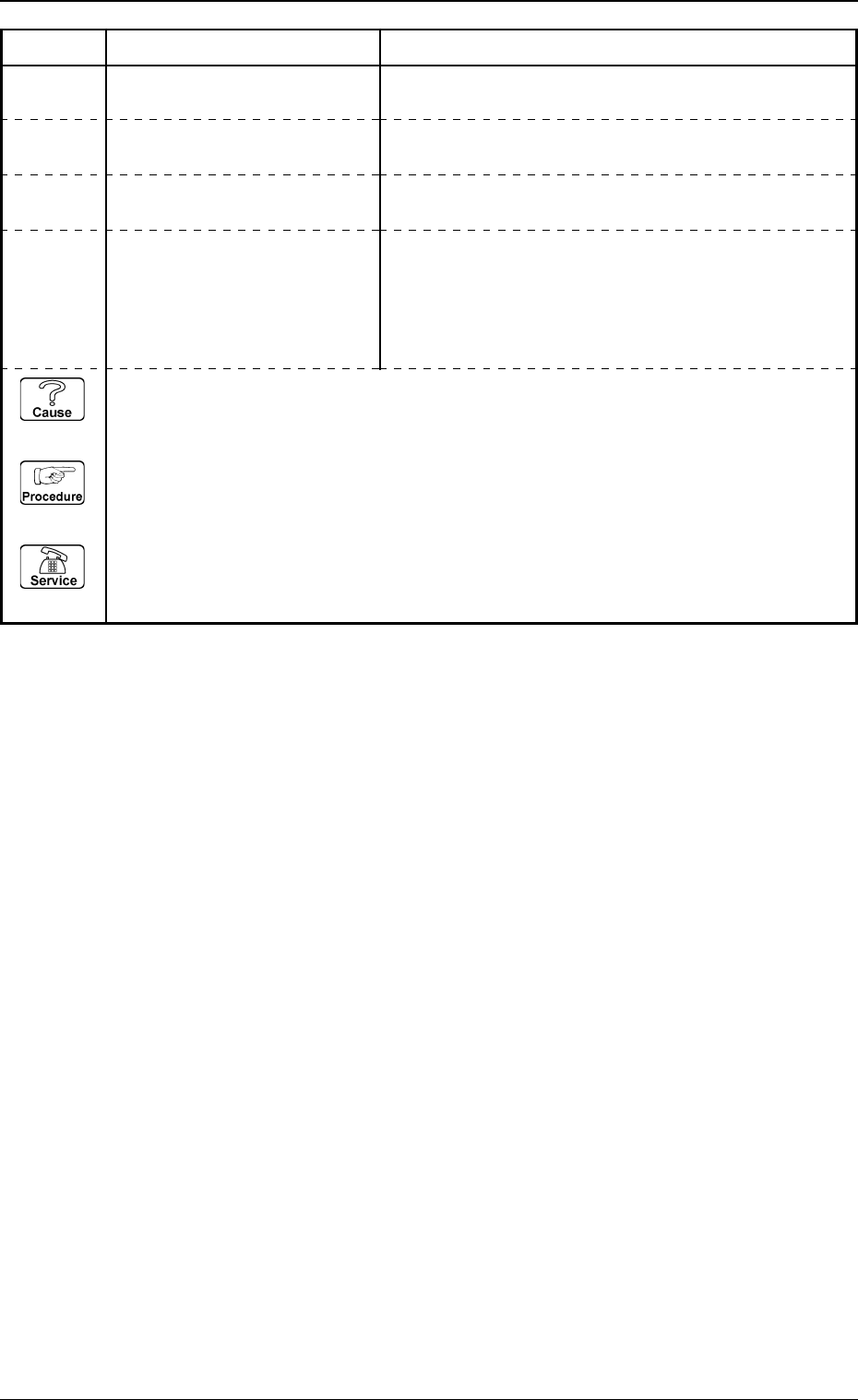
Error Code Display A Display B
61010000 TEACH CAMERA GAIN/LEVEL
ERROR
THE TEACHING OPERATION DID NOT END WITHIN
THE SPECIFIED NUMBER OF TIME.
HEAD LIGHTING OFF.
61XXXXXX
TEACH CAMERA GAIN/LEVEL
except the ERROR
above-
described
codes
ETC.
61010001 TEACH CAMERA GAIN/LEVEL
ERROR
GAIN OR LEVEL EXCEEDS THE RANGE OF TUNING.61010002 TEACH CAMERA GAIN/LEVEL
ERROR
(Cause 1) This is the device’s self-diagnostic message.
(Reset Procedure in the case of Cause 1)
Reset Procedure
(1) Press the [ZERO] button to return all the axes to their original positions.
(2) Re-start.
(3) If the device can’t be re-started, contact our service personnel.
Table 3D10