3OM-1011-001.pdf - 第45页
0305-001 2 -B Tg0859-PM-ER

Section 2
Error Messages
0305-001 2-A Tg0859-PM-ER
This section details trouble shooting, prompted by error dis-
play (error code).

0305-001 2-B Tg0859-PM-ER
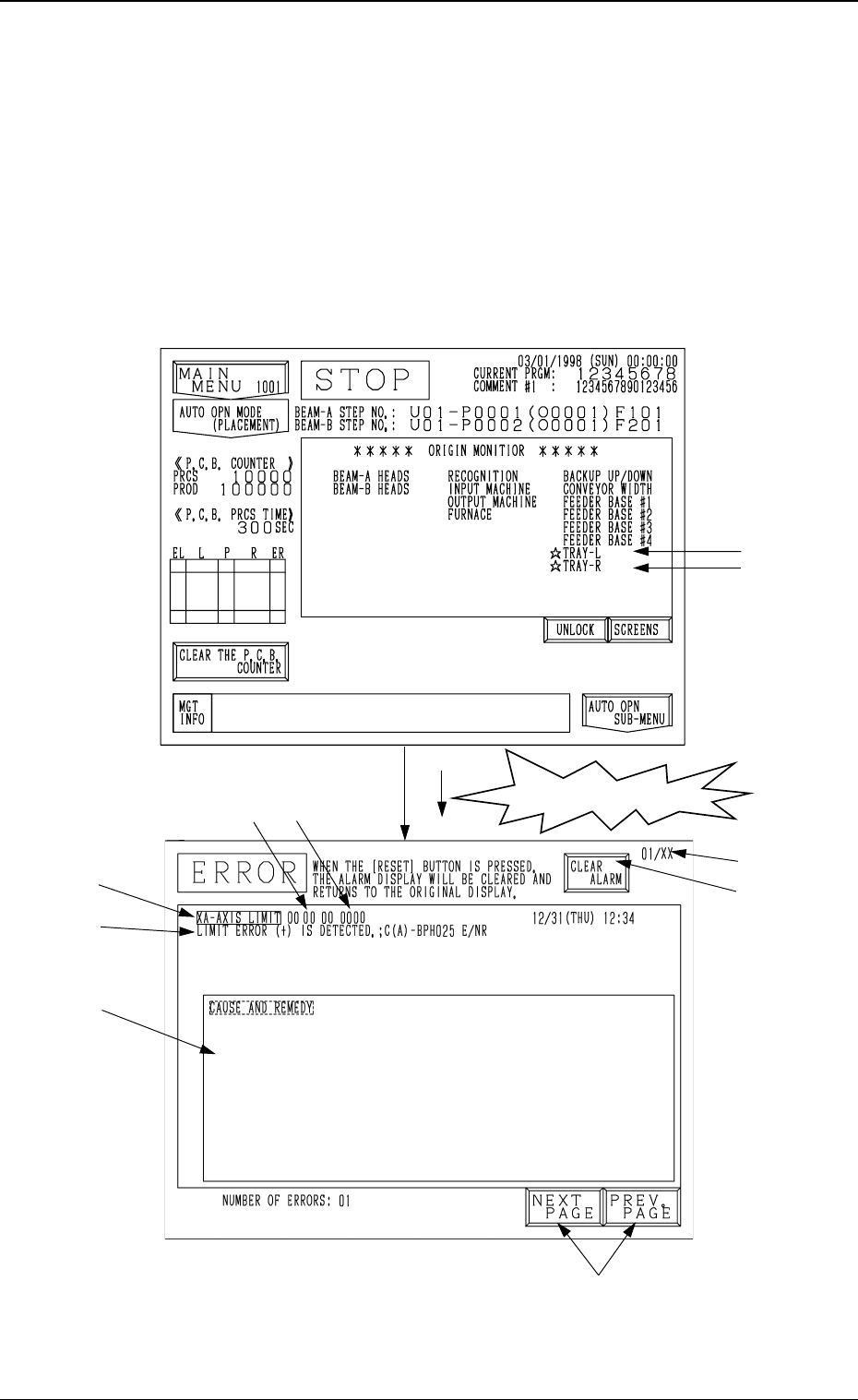
1. ERROR Display
When a device in operation is interrupted or stopped in an error condition
(error condition detected as impossible to continue the operation), the “ER-
ROR” display (Fig. 3B2) appears on the screen.
• When an error occurs during automatic operation, the tower light illumi-
nates (standard setting) and the “ERROR” display appears on the screen.
The “ERROR” display also appears when an error occurs while a device is
running (while the LED of the [START], [MOVE], [ZERO], or [READY]
button is ON).
Note: The ♦-marked functions are optional.
Fig. 3B1
An error has occurred!
Fig. 3B2
0305-001 2-1
Tg0859-PM-ER
1. ERROR Display
A
B
C
E
F
G
H
D