SIPLACE X-Series (SIPLACE X-Series S, from SC 708.1) Edition 05/2015 EN User manual.pdf - 第376页
6 Station extensions User manual SIPLACE X-Series 6.5 Waffle pack changer (WPC5/WPC6) From software version 708.1 Version 05/2015 376 6.5.9 C ontrols 6 F i g. 6.5 - 4 W PC - cont rols (1) EMERGENCY ST OP button (2) Main …
User manual SIPLACE X-Series 6 Station extensions
From software version 708.1 Version 05/2015 6.5 Waffle pack changer (WPC5/WPC6)
375
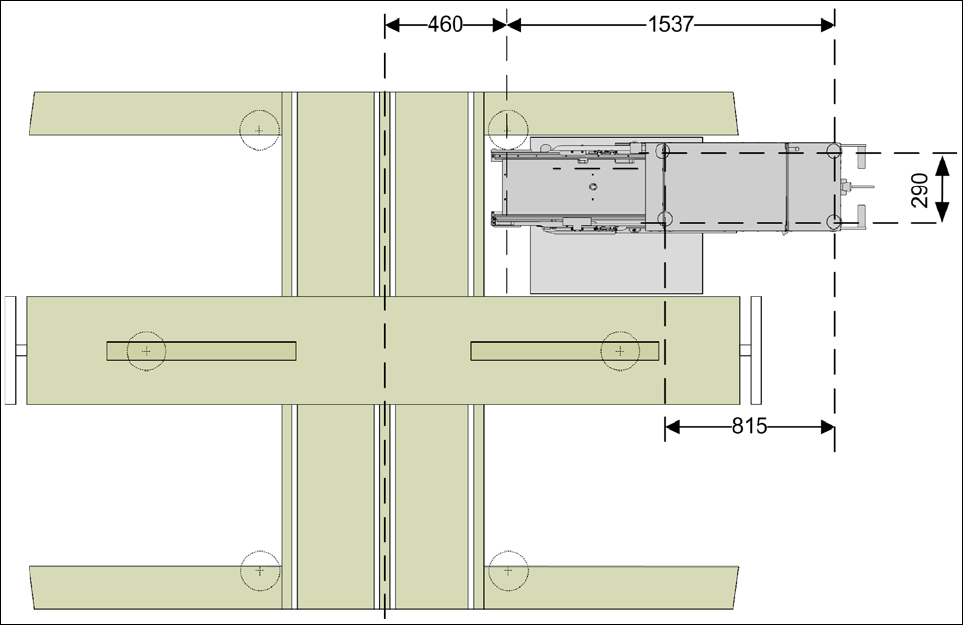
6.5.8 Dimensions with WPC5/WPC6
6
Fig. 6.5 - 3 Dimensions for WPC5/WPC6 at the SIPLACE X-Series S
6 Station extensions User manual SIPLACE X-Series
6.5 Waffle pack changer (WPC5/WPC6) From software version 708.1 Version 05/2015
376
6.5.9 Controls
6
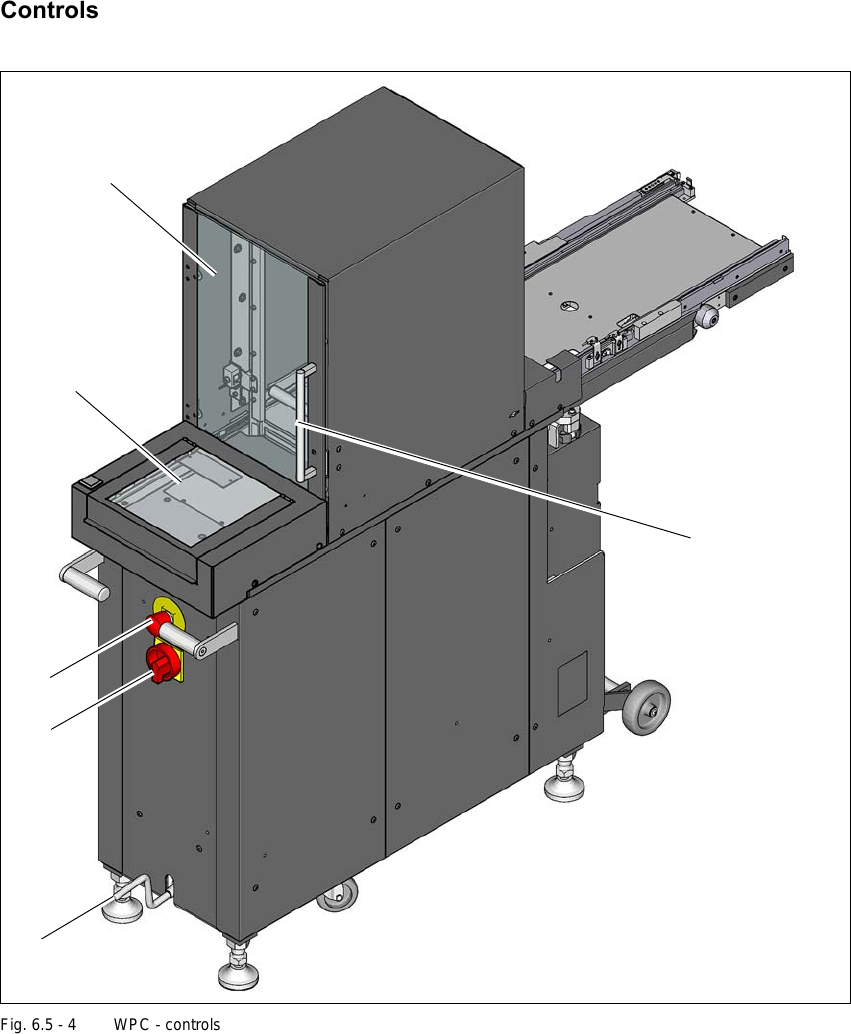
Fig. 6.5 - 4 WPC - controls
(1) EMERGENCY STOP button
(2) Main switch
(3) Crank for raising or lowering the chassis
(4) Safety door
(5) Waffle pack tray storage unit
(6) Non-stop module (WPC6 only)
(3)
(2)
(1)
(4)
(5)
(6)

User manual SIPLACE X-Series 6 Station extensions
From software version 708.1 Version 05/2015 6.5 Waffle pack changer (WPC5/WPC6)
377
6.5.9.1 Safety features
EMERGENCY STOP button 6
After pressing the EMERGENCY STOP button, the entire system, with SIPLACE machine and
waffle pack changer, is immediately stopped. After releasing the EMERGENCY STOP button, the
entire system can be restarted again by pressing the start button on the SIPLACE machine. Place-
ment can then be continued or terminated.
6
Safety door 6
When you open the protective door, the lifting axis and the feed axis of the Waffle Pack Changer
are stopped. When the door is closed again, the Waffle Pack Changer continues its operation.
6
Non-stop module (WPC6 only) 6
Waffle pack trays can be refilled or extracted during operations via the flap in the non-stop module,
without stopping the SIPLACE machine. The operating control indicates whether a waffle pack
tray is in the non-stop module, whether the non-stop module is empty or whether a waffle pack
tray is currently being moved.
6
PLEASE NOTE
Watch out for any incompletely placed PCBs.
CAUTION
Do not open the Waffle Pack Changer protective door while a component is being
picked up by the Waffle Pack Changer.
CAUTION
Triggering the emergency STOP by opening the flap!
If the operating control flashes, the waffle pack tray is being moved inside the non-stop
module and the activity has not yet been completed. Opening the flap triggers the emer-
gency STOP.
To open the flap, wait until the operating control is no longer flashing.