M1series_ServiceManual_e.pdf - 第46页
3 Mechanical Section 3-18 ■ Application of grease on a Nozzle Holder 【 Steps 】 ⑧ Rub the inside of the Nozzle Holder with materials like a dry cotton swab to cl ean out the grime, such as old grease. ⑨ Use the head vacuu…
3 Mechanical Section
3-17
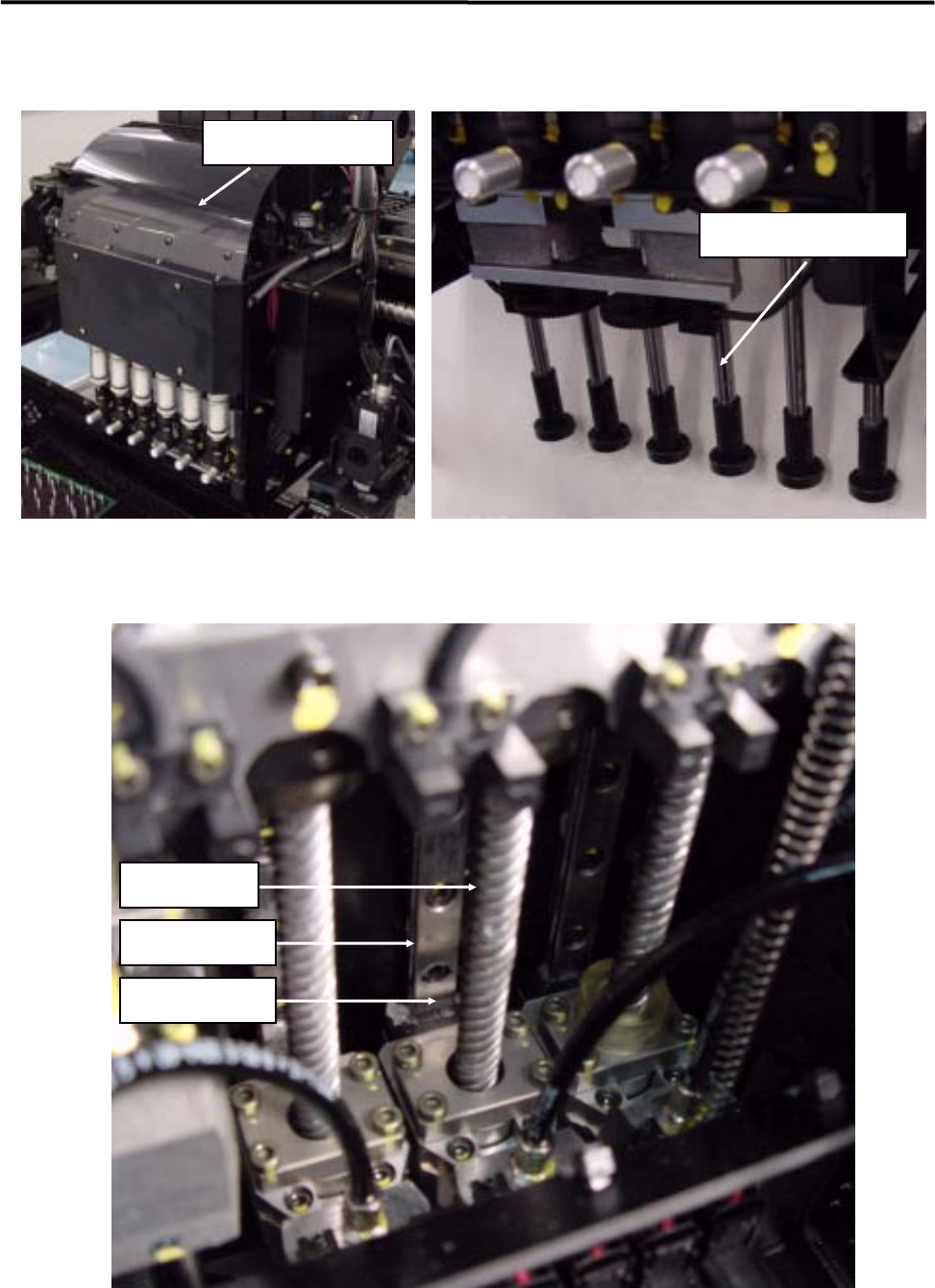
■ Lubrication Points for Z-axis
Remove the cover.
Spline Shaft
Grease Hole
Linear Way
Ball Screw
3 Mechanical Section
3-18
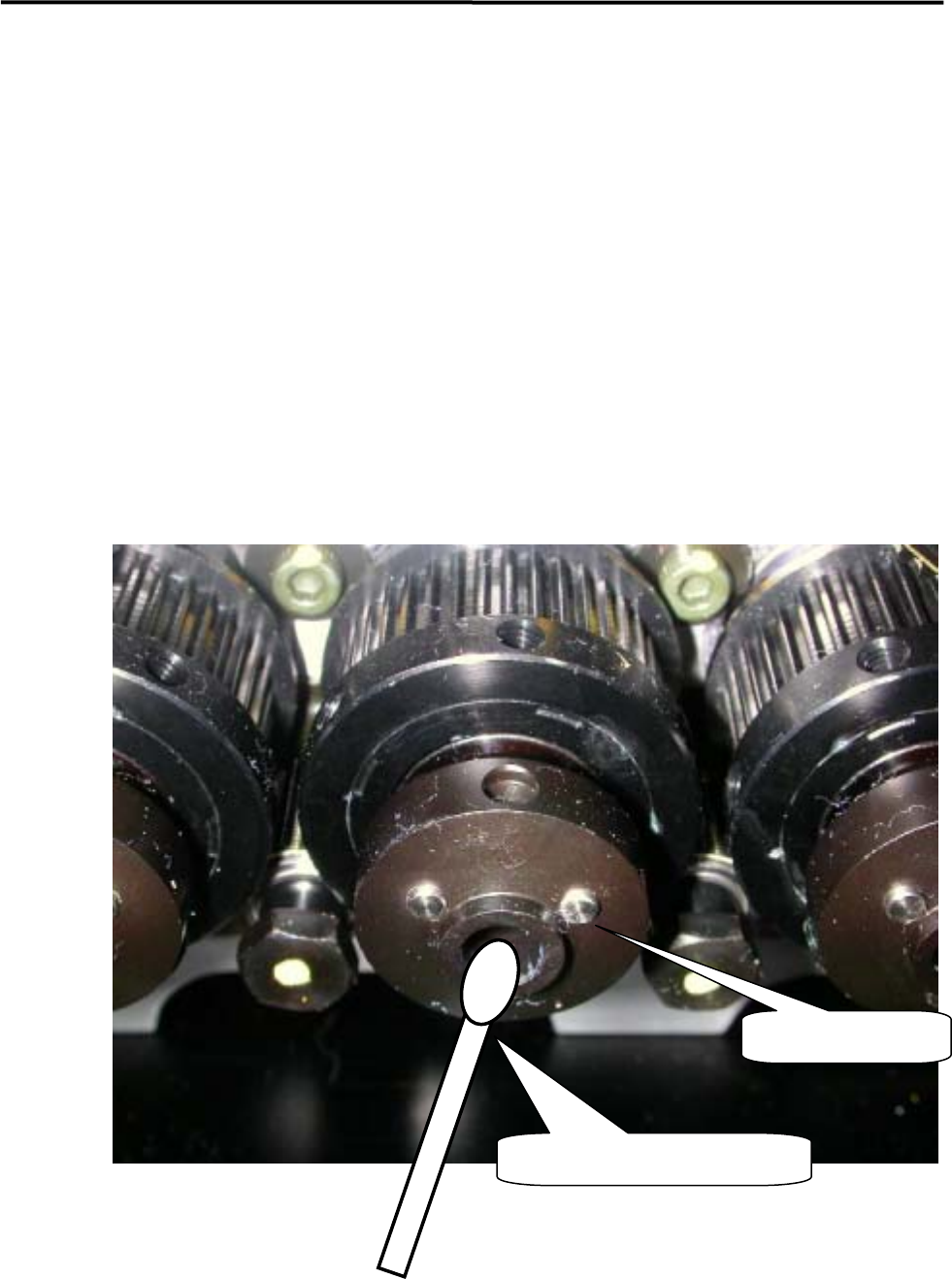
■ Application of grease on a Nozzle Holder
【Steps】
⑧ Rub the inside of the Nozzle Holder with materials like a dry cotton swab to clean out the grime, such
as old grease.
⑨ Use the head vacuum breaker to blow out the dust, such as fibers from a cotton swab.
NOTE: The head vacuum breaker can be executed by clicking the button at required head on the window of Main
Menu > Manual Menu > Actuator > On/Off > Head Vacuum.
⑩ Apply silicon grease evenly on the new cotton swab and rub the inside of the Nozzle Holder softly and
evenly with it.
⑪ After grease is applied, insert a nozzle and confirm that the nozzle escaping works smoothly.
Nozzle Holder
Such as a cotton swab
3 Mechanical Section
3-19
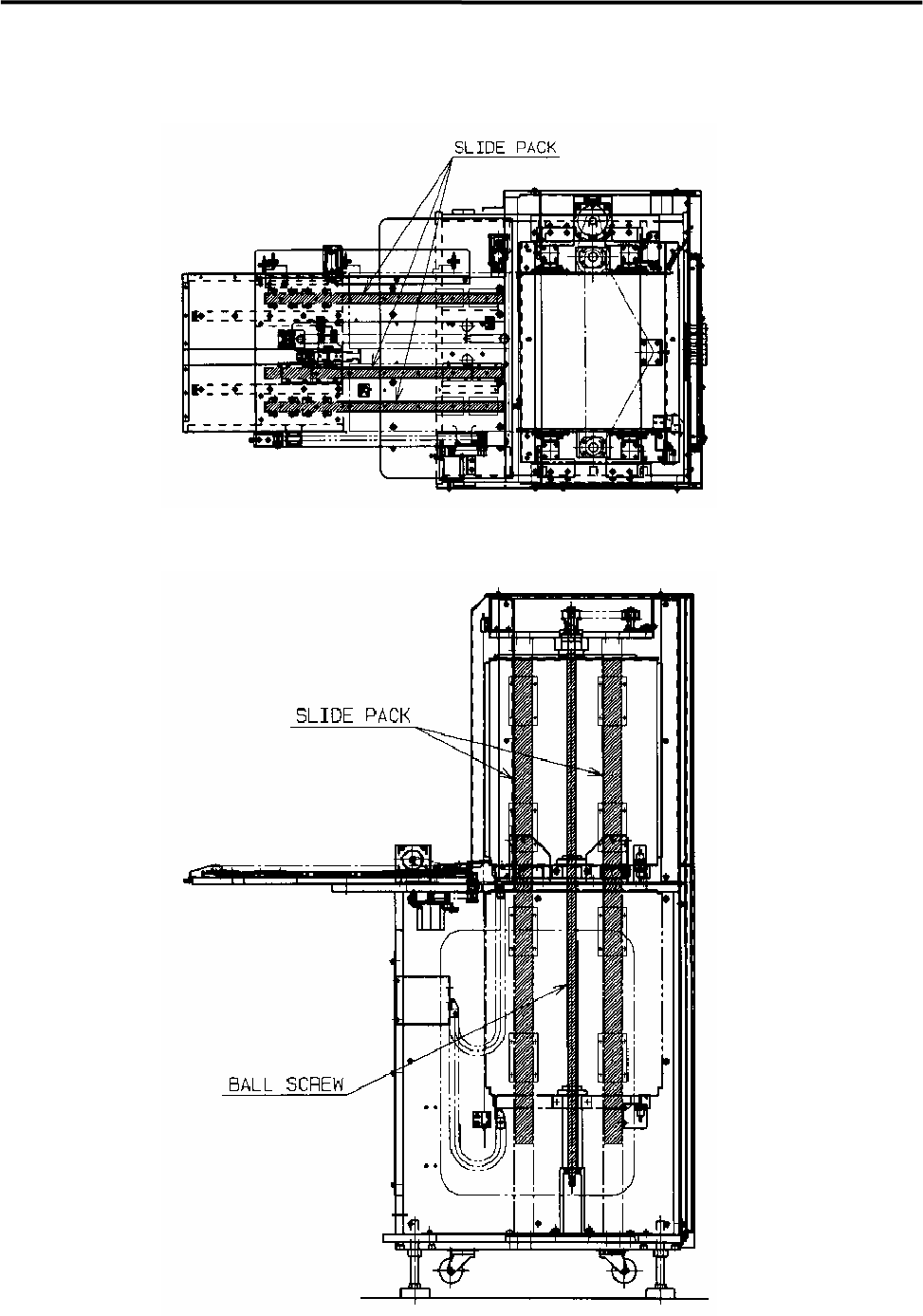
■ Lubrication Points for MX-20 (Option)