00196433-02_AI_Vakuumpumpe_X-Serie_70XDE+EN.pdf - 第114页
Assembly instructions: Vacuum pump for SIPLACE X-se ries 04/2009 Edition 114 : Loosen the fixing scre w on the sile ncer . : Carefully lever out the silence r . 2 Be careful no t to dam age the DP d rives. 2 2 Fig. 2.9 -…
Assembly instructions: Vacuum pump for SIPLACE X-series
04/2009 Edition
113
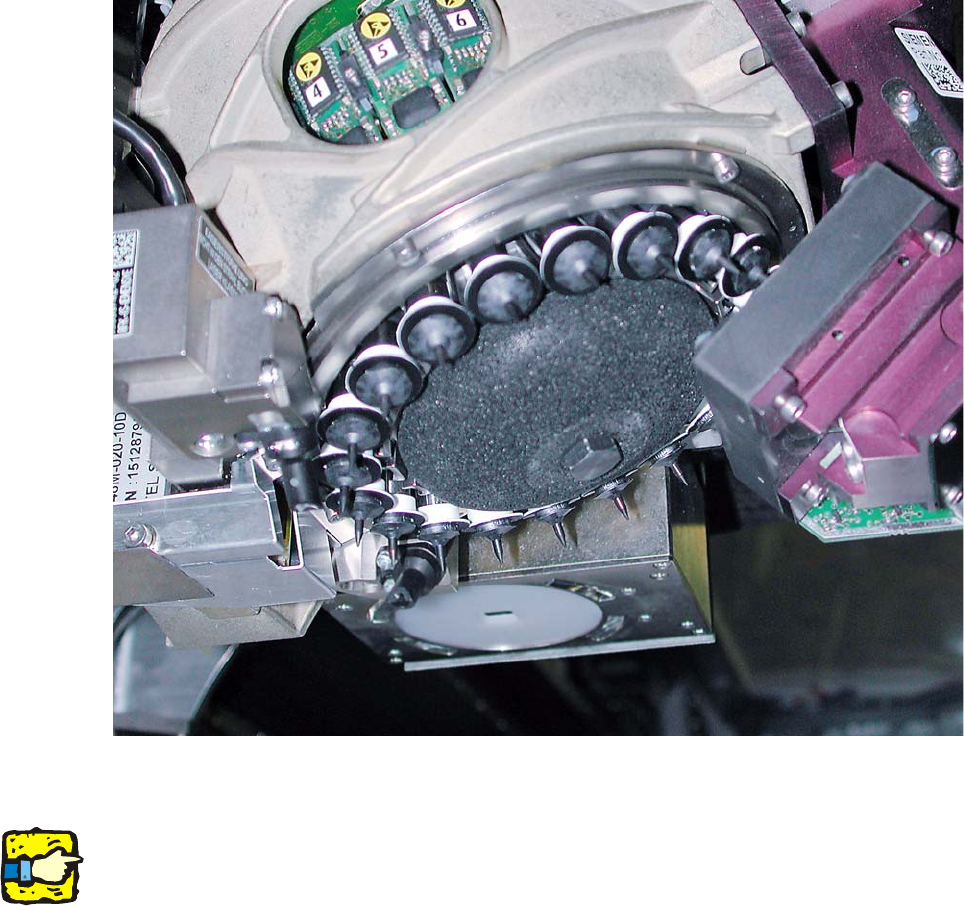
Fig. 2.9 - 2 C&P20 with porous silencer (for compressed air)
2
2
Be careful not to soil or damage the camera lens.
2
2
2
2
2
2
2
2
2
2
Assembly instructions: Vacuum pump for SIPLACE X-series
04/2009 Edition
114
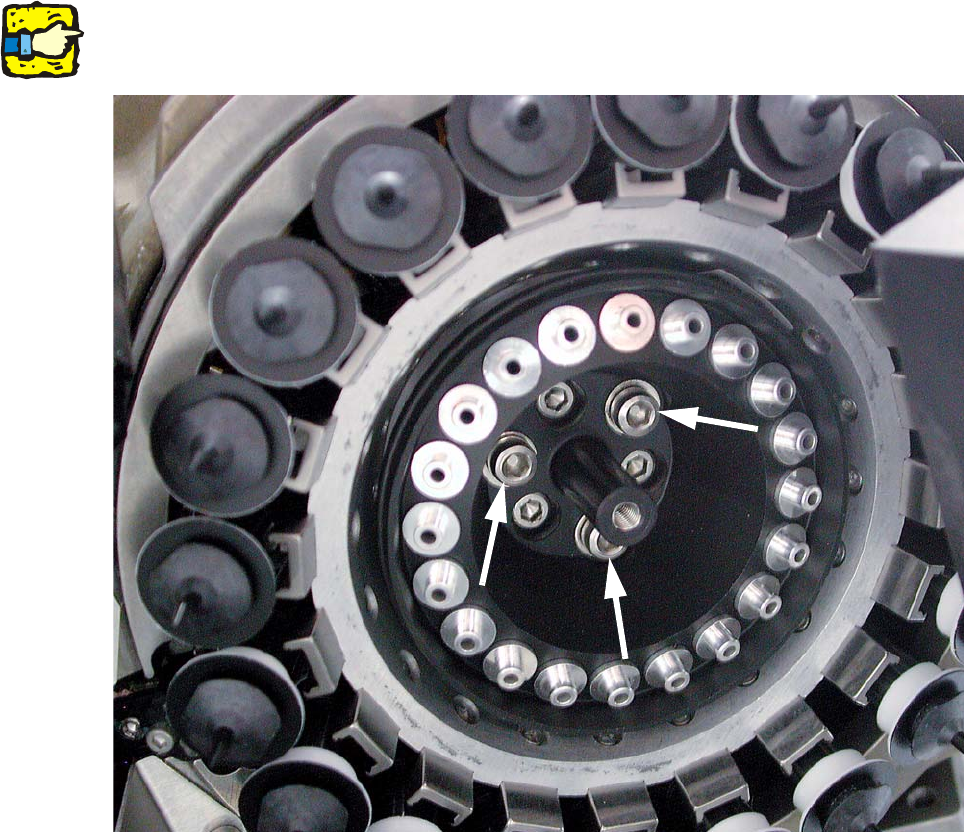
: Loosen the fixing screw on the silencer.
: Carefully lever out the silencer.
2
Be careful not to damage the DP drives. 2
2
Fig. 2.9 - 3 C&P20 with holding circuit vacuum unit (03005122-)
2
2
2
2
2
2
2
Assembly instructions: Vacuum pump for SIPLACE X-series
04/2009 Edition
115
: Unscrew the three raised screws and remove the “Vacuum unit, holding circuit C&P20“.
2
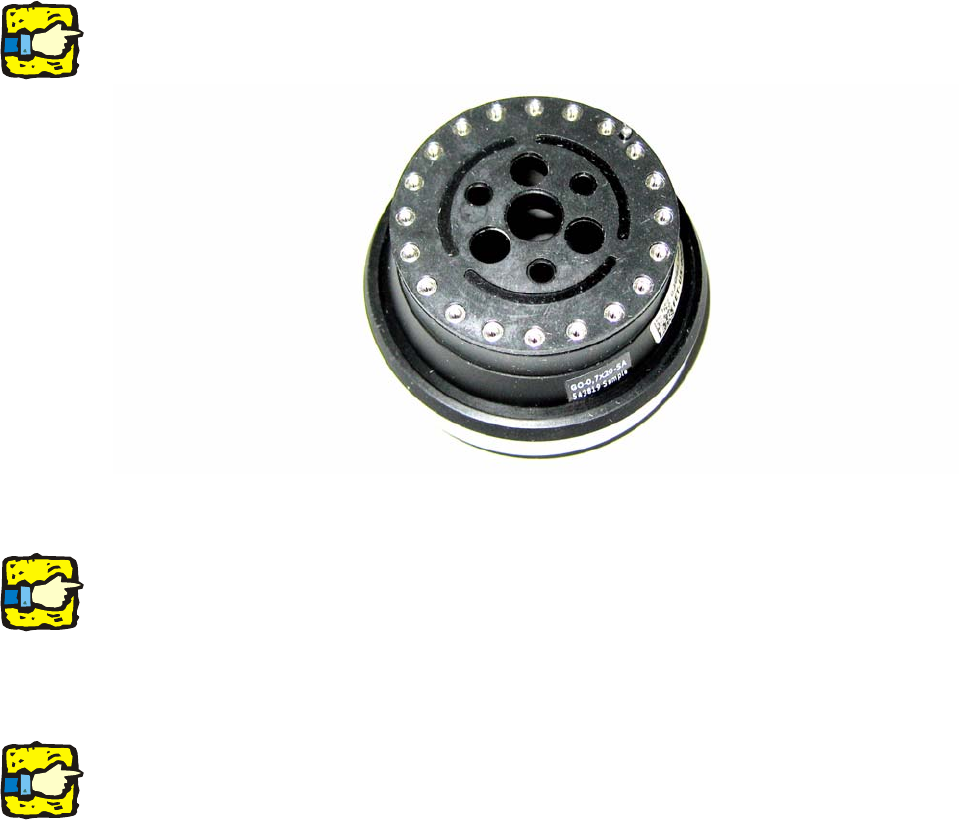
Before inserting the orifice ring, make sure that the sealing disk (03046345-) is oriented correctly
on the “Orifice ring C&P20” (03046344-). 2
Fig. 2.9 - 4 Orifice ring C&P20 with sealing disk
2
When you insert the new “Orifice ring C&P20”, make sure that the pin extends into the relevant
hole on the star mount. The orifice ring should stick in place its own. 2
2
: Carefully hold the star (as you tighten the screws) in place on the star mount in the vicinity of
the segment guides.
2
Be careful not to damage the nontransparent switching disks and nozzles. 2
2
2
2
2
2
2
2
2
2
2
2