KE-2030使用说明书 - 第121页
4 – 22 4.3 Editing W hen y ou select t he [Edit] com mand on the menu bar , the following commands menu appears on the screen. Selecting t he range of data T o cut or copy data, select the data r ange to be copied or cut…
4 – 21
4.2.8 Exit
This command exits from the Program Editing utility.
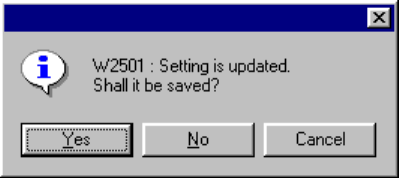
If a program is edited and not saved, the following dialog box appears on the
screen.
Yes: Saves a program. Before saving, the machine checks the consistency of
the program. If no error is detected, the machine saves the program, then
exits from the Program Editing utility.
No: Exits from the Program Editing utility without saving a program.
Cancel: Terminates the Exit process.
4 – 22
4.3 Editing
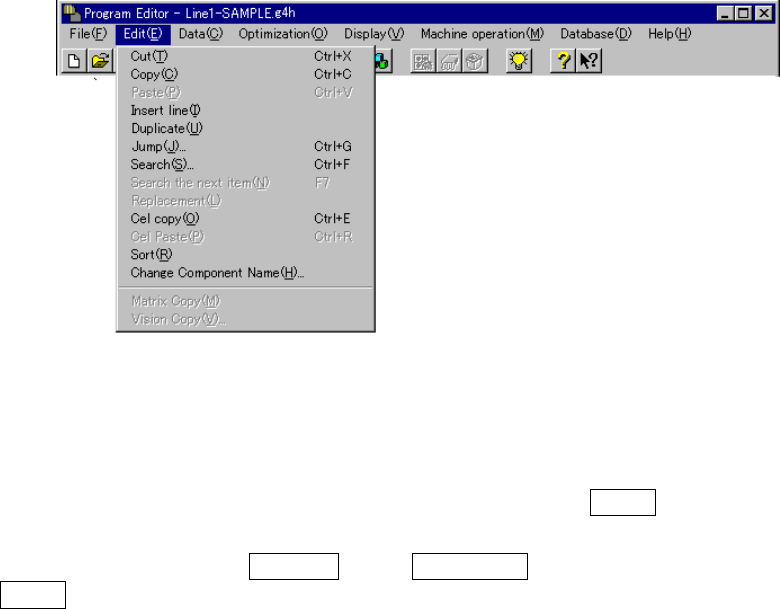
When you select the [Edit] command on the menu bar, the following commands menu
appears on the screen.
Selecting the range of data
To cut or copy data, select the data range to be copied or cut in advance.
When you drag the trackball, the lines to be selected are highlighted.
When you press the up or down arrow key while holding the SHIFT key of a keyboard,
the lines to be selected are highlighted.
Every time you press the Page UP key or Page Down key while holding down the
SHIFT key, a page (lines displayed on the screen) is selected one by one
sequentially.
4.3.1 Cut
This command deletes the line(s) which is (are) selected and highlighted. The
deleted data cannot be used with the [Paste] command.
After deletion, data preceded by the deleted data is moved up to the deleted line(s).
If you do not specify the data range to be cut, this command is disabled.
4.3.2 Copy
This command loads the data which is selected and highlighted into the memory
buffer. To paste it in another data, execute the [Paste] command.
4 – 23
4.3.3 Paste
This command inserts the data which was cut or copied into the memory buffer at or
before which the cursor is located.
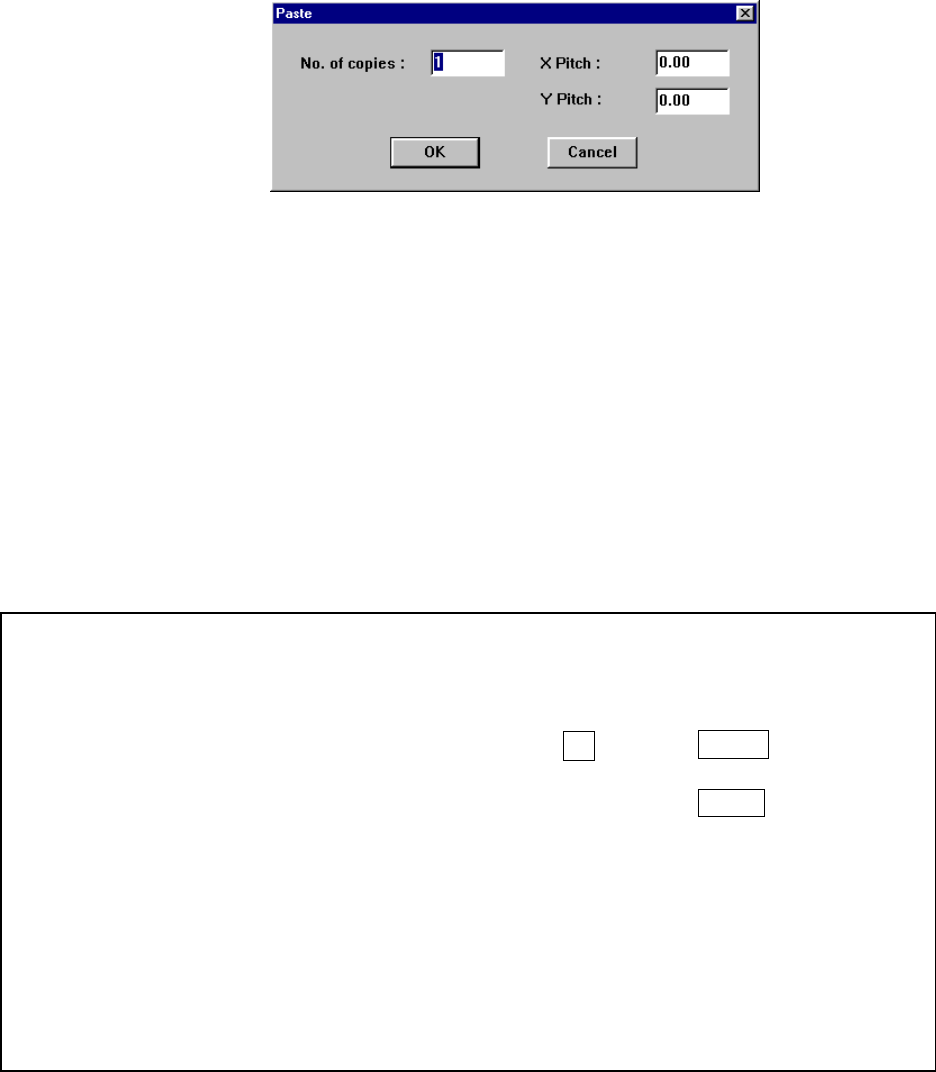
After you select the [Cut] command, the following dialog box appears on the screen.
When you specify the “X pitch” and “Y pitch”, you can execute the incremental copy
function which copies data with adding or subtracting the specified values to/from
the X placement position and Y placement position.
After executing the [Paste] function for Placement data, all of the component IDs are
set to “#” and data is pasted.
If there is no data in the memory buffer, this command is disabled.
① No. of copies: Specifies the number of times for copying data. The default
value is “1”.
② X pitch: Specifies the amount to increment or decrement the placement
position in the X direction. The default value is “0.00”.
③ Y pitch: Specifies the amount to increment or decrement the placement
position in the Y direction. The default value is “0.00”.
④ OK: Executes the “Paste” command.
⑤ Cancel: Cancels the “Paste” command.
Example of the paste result
When normally executed
例
)
Component IDs X Y Angle Component name
R1 5.00 10.00 45.00 1608-A
R2 10.00 10.00 0.00 1608-A
No. of copies 3 X Pitch: 0.50
Y Pitch: 1.00
# 5.50 11.00 45.00 1608-A
# 10.50 11.00 0.00 1608-A
# 6.00 12.00 45.00 1608-A
# 11.00 12.00 0.00 1608-A
# 6.50 13.00 45.00 1608-A
# 11.50 13.00 0.00 1608-A
• The copied block is inserted above the specified line.
• All of the Component IDs are set to “#”.
• The input focus is located at the first inserted Component ID.