KE-2030使用说明书 - 第175页
4 – 76 ④ Feed waiting time Set the rat io of t he component f eeding t ime to t he waiting time f or t he next component to be pick ed up af ter the cur rent com ponent is picked up. A unique value is provided to each co…
4 – 75
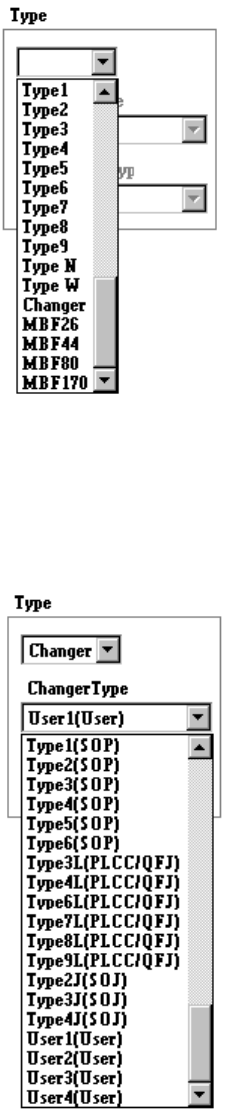
① Type
Select the stick feeder type.
② Changer Type
Select the stick changer type.
This item is available only when you select “Changer” at the menu item
“Type” above.
③ Belt Feeder Type
Select the belt feeder type.
This item is available only when you select “Belt” at the menu item “Type”
above.
4 – 76
④ Feed waiting time
Set the ratio of the component feeding time to the waiting time for the next
component to be picked up after the current component is picked up. A
unique value is provided to each component type. Specify this unique value
in percentage here.
⑤ Supply angle
Select the desired component supply angle with using the corresponding
radio button.
When you select “Other” as the component type, enter the appropriate angle
in the edit field (0 to 359 degrees).
3) When “Bulk” is selected
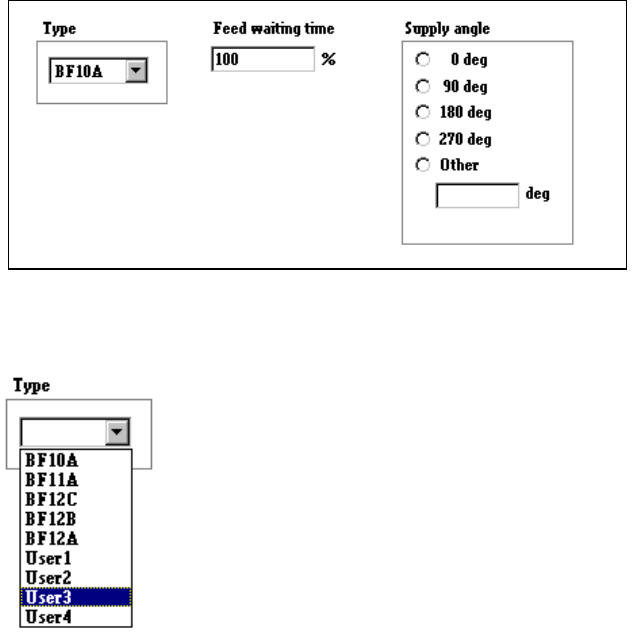
① Type
Select the bulk feeder type in the combo box.
② Feed waiting time
Set the ratio of the component feeding time to the waiting time for the next
component to be picked up after the current component is picked up. A
unique value is provided to each component type. Specify this unique value
in percentage here.
③ Supply angle
Select the component supply angle with using the corresponding radio
button.
4 – 77
4.7.4 Tack control section (Centering page)
Select “Laser” because this item is specific only to “Laser”.
Note: When you read data from another machine or database into this machine, the
menu items “Vision” and “Mechanical” are disabled, then Component data
becomes incomplete.
Two menu items “Vision” and “Mechanical” are disabled, so you cannot set any data
for these items.
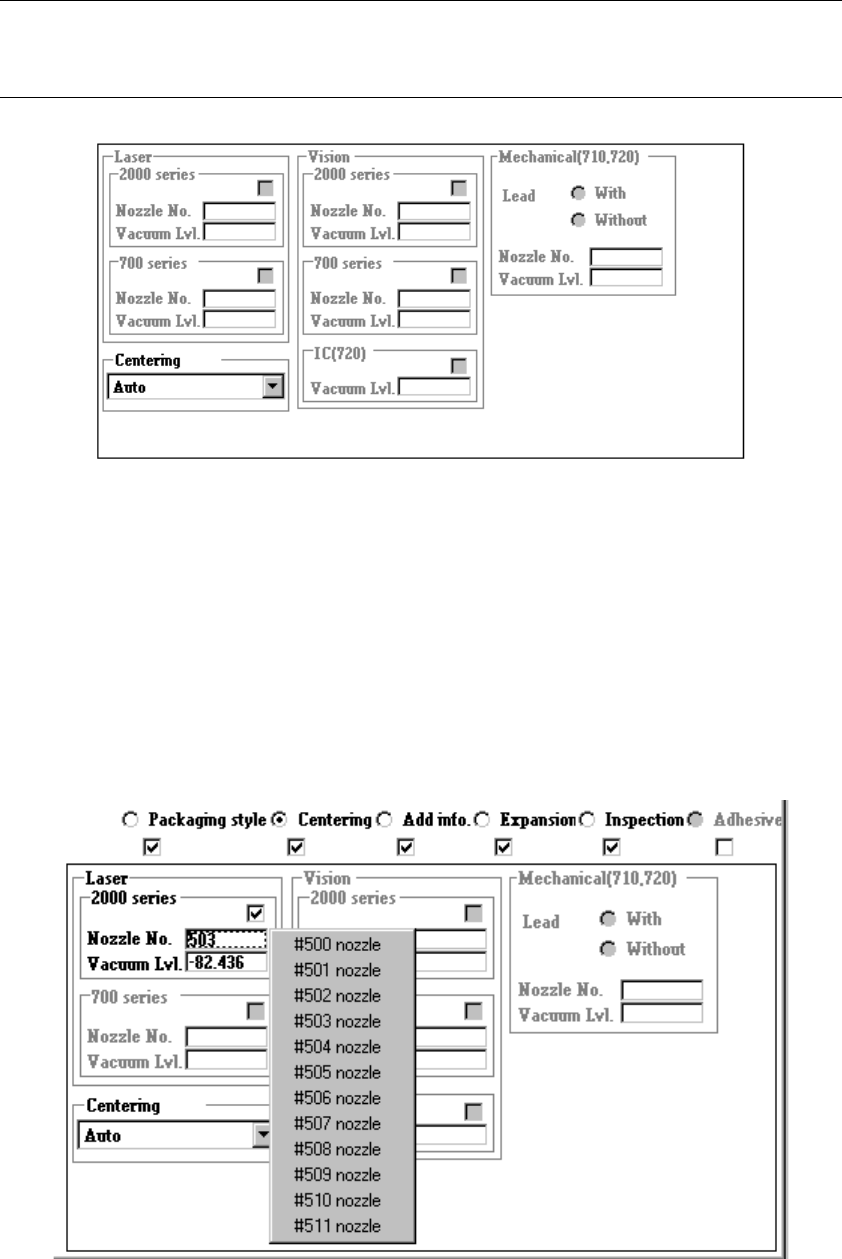
① Nozzle No.
Directly enter the nozzle number into the edit box or select one from the pop-up
menu which is shown below.
When you press the right button of a track ball or F2 key of a keyboard, the
following pop-up menu appears on the screen. Select the desired nozzle number.