KE-2030使用说明书 - 第250页
4 – 151 • Perm. Nozzle (Permanent nozzle): Nozzle lay out which is set on the Machine setup menu. • Opt. Nozzle (Opt imized nozzle): Nozzle lay out which is output with the Opt imization utility . • No. o f Nozz les: Num…
4 – 150
4.10.3
Nozzle layout
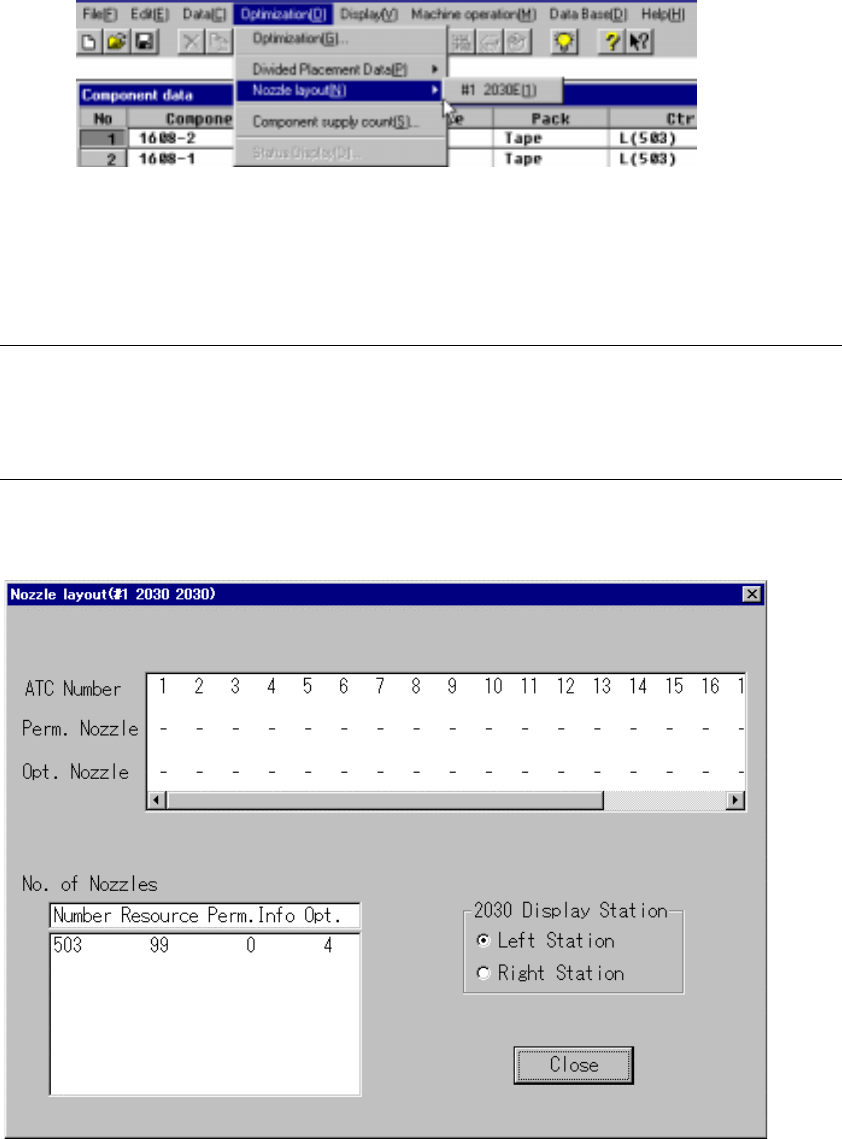
This command displays the nozzles assigned to each station by the Optimization
utility.
Figure 4.10.3.1 Nozzle Layout Selection
Select the “Nozzle Layout” menu command from “Optimization” menu. The sub-menu
appears which allows you to select a station. Select the desired station on this
sub-menu.
Notes:
①
This menu cannot be selected if optimization has not been preformed or
if the production program has been changed after optimization.
②
Nozzle displayed here are nozzles that are set in the Machine setup
menu and nozzle used in the program data.
The following window displays after a station is selected:
Figure 4.10.3.2 Nozzle Layout Display Example
4 – 151
• Perm. Nozzle (Permanent nozzle):
Nozzle layout which is set on the Machine setup menu.
• Opt. Nozzle (Optimized nozzle):
Nozzle layout which is output with the Optimization utility.
• No. of Nozzles:
Number of nozzle resources (Resource), the number of nozzles set as
the permanent information (Perm. Info) and the number of nozzles output
with the Optimization utility (Opt.) are displayed here.
• 2030 Display Station:
Select a station to be displayed.
• Close: Quits the Nozzle layout dialog box.
4 – 152
4.10.4
Component supply count
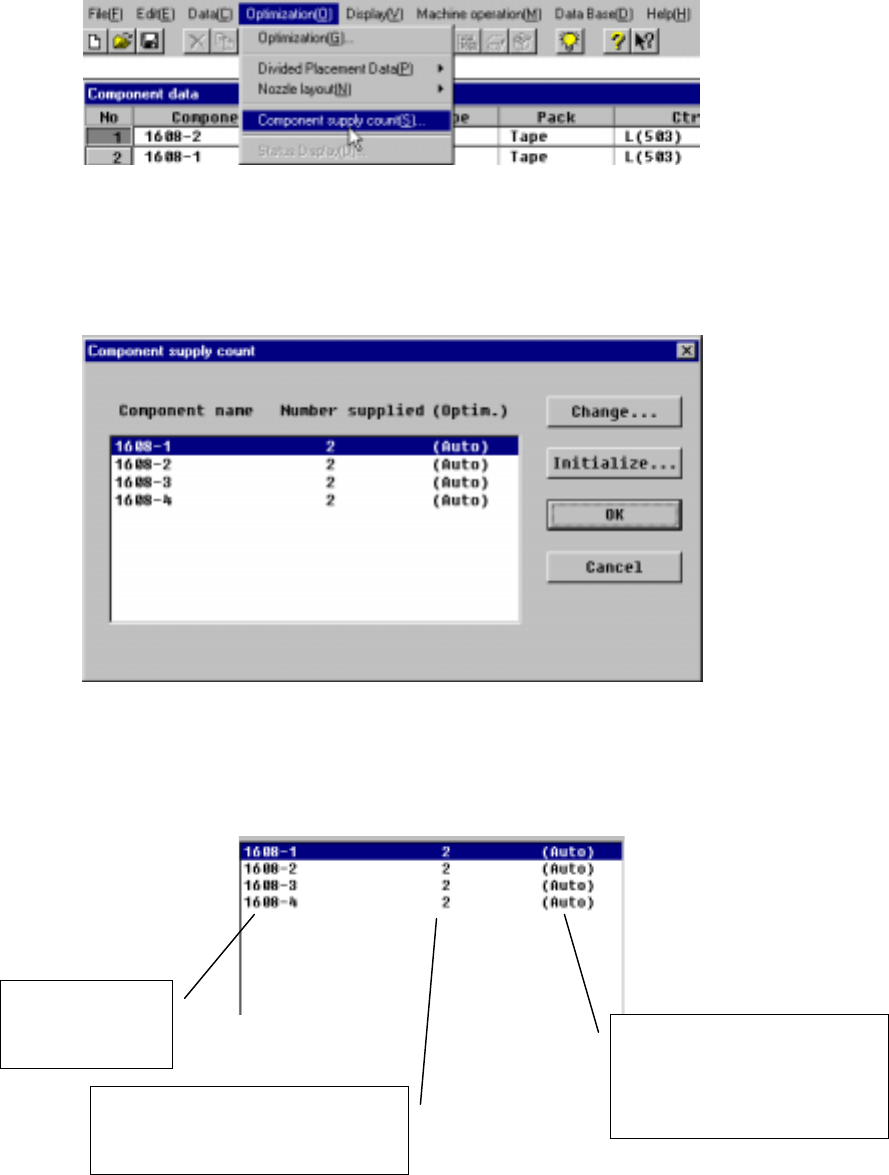
Specify the number of components to be supplied which can be assigned by the
Optimization utility. By using two or more components (reel or tray), the productivity
can be improved.
Figure 4.10.4.1 Component supply count command
When the [Component supply count] menu command is selected, the following dialog
box displays:
Figure 4.10.4.2 Component supply count dialog box example
The detailed descriptions of each item displayed on the Component supply count
dialog box are shown below:
Figure 4.10.4.3 Component supply count dialog box details
Component name
included in the
program
Displays the number of feeders output
by the Optimization utility or the
number of feeders manually assigned
Indicates that the Optimaization
utility is to set the number of
feeders automatically.
When specified manually, it
displays “—“