KE-2030使用说明书 - 第317页
4 – 218 4.13 Database W hen y ou reg ister Component data or Vision data on the Component database, you can browse or copy data with the Program Editing utility . See the FLEXLI NE database f or details. 4.13.1 Register …
4 – 217
(2) Operation
① <Rename> button
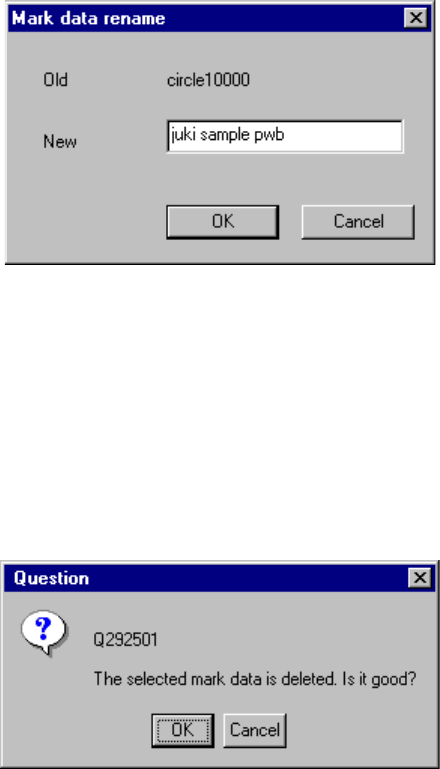
This button allows you to change the registered name. Move the cursor to
the data line you want to change, then click the <Rename> button. The
right dialog box appears on the screen. Enter a new name.
Figure 4.12.4.2 "Mark data rename" dialog box
② <Delete> button
This button allows you to delete the registered data. Move the cursor to the
data line you want to delete in the list, then click the <Delete> button.
The right dialog box appears on the screen. Click the <OK> button.
Figure 4.12.4.3 "Question - to delete mark data" dialog box
4 – 218
4.13 Database
When you register Component data or Vision data on the Component database, you
can browse or copy data with the Program Editing utility.
See the FLEXLINE database for details.
4.13.1 Register
This command registers Component data in the Component database while you are
editing a program. Since this command updates the Component database in real
time, you can call the registered data immediately with the [Call list] command.
When you register data in the Component database on the Program Editing screen,
data whose name already exists in the database is written over the old data.
① Screens which allow you to register data into the Component database
− Component data form screen
− Component data list screen
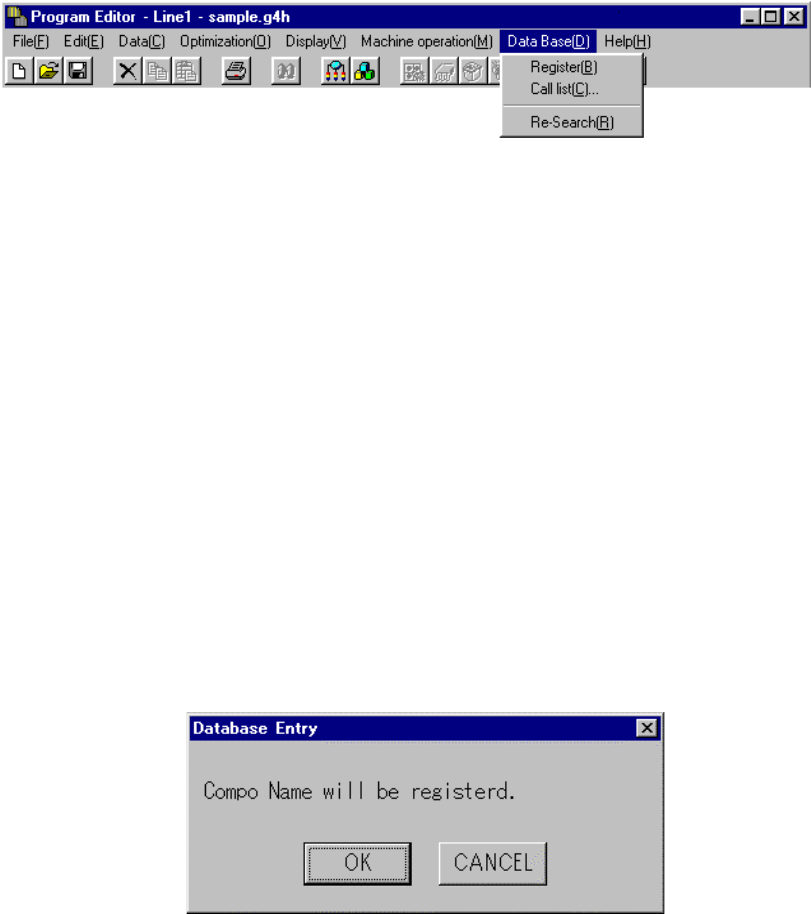
② When you select the [Register] command in the Component data screen
Component data you have edited is registered onto the Component database.
When you select the [Register] command, the following confirmation dialog box
appears on the screen.
When you click the <OK> button, data is registered into the Component
database.
When you click the <Cancel> button, the machine returns to the state before
you selected the [Register] command without registering any data.
4 – 219
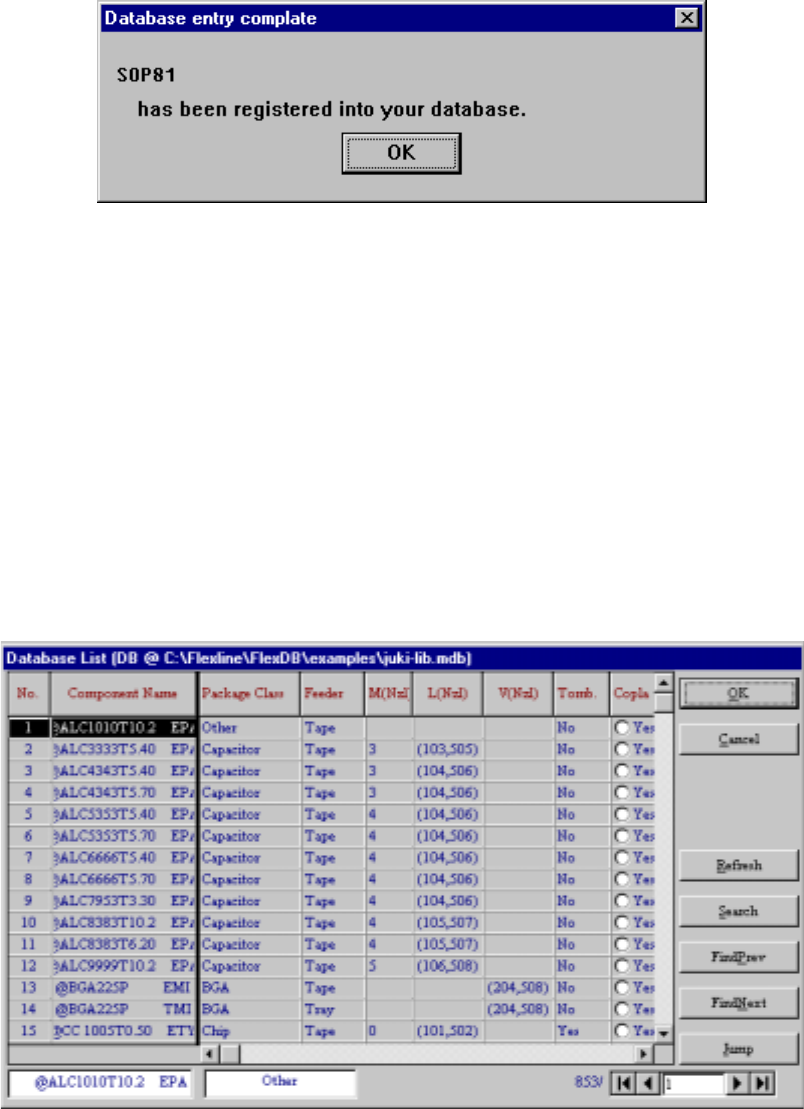
③ When you select “Yes” for “Notification of database entry completion” on the
“Environment setting” dialog box, the following message appears on the screen
to inform you that data is registered onto the database completely.
When you select “No” for “Notification of database entry completion”, the
message above will not appear on the screen.
4.13.2 Call list
When you invoke this command from the Placement data or Component data
screen
If any component name is not entered to Placement data, you can select this
command from the Placement data screen. If any component name is entered,
you cannot execute this command: this command is dimmed on the screen.
If you select the [Call list] command when no component name is entered, the data
selection screen like one shown below appears on the screen.