KE-2030使用说明书 - 第400页
6 − 54 Figure 6.4. 1.2 "Question" dial og box • W hen you click the <Yes> button, t he system remeasures a com ponent f ed by a feeder which failed to be measur ed. • W hen you click the <No> button…
6 − 53
6.4 Operation during Board Production
6.4.1 Run-out of components stock
When one of the following events (indicating a runout of components stock) occurs,
take the actions stated below.
(1) Occurrence of a Runout-of-Components-Stock event
① If a retry over error occurs when the machine picks up a component from a
tape feeder or stick feeder
(2) Machine’s action for run-out of components stock
① Blinks the signal lamp in yellow.
② Continues processing.
Places another type of components that can be placed.
Uses an alternate feeder (if available) in the next and later pickup and
placement cycles. However, when the "Stop the system when components
runout" operational option is selected, the machine immediately stops,
displays a dialog box shown below, and waits for a user's input.
When you check the operation option "Stop the system when components
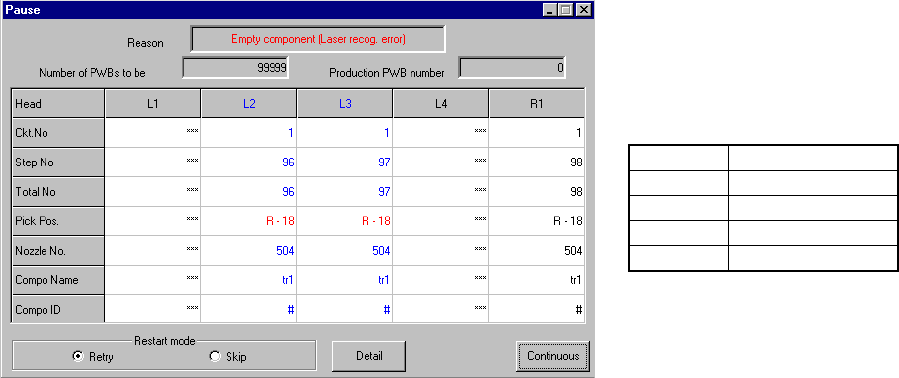
run-out" and the machine pauses, the dialog box shown in Figure 6.4.1.1
appears on the screen.
Figure 6.4.1.1 Empty component dialog box
(Screen example when you use a KE-2020)
Pressing the <START> switch on the operation panel restarts the production.
Pressing the <STOP> switch puts the production temporarily in halt with the
temporarily halt dialog box displayed.
When "The height of component is measured on restart component run out"
operational option is selected, the system resumes production after it
measures the height of a chip or MELF which runs out.
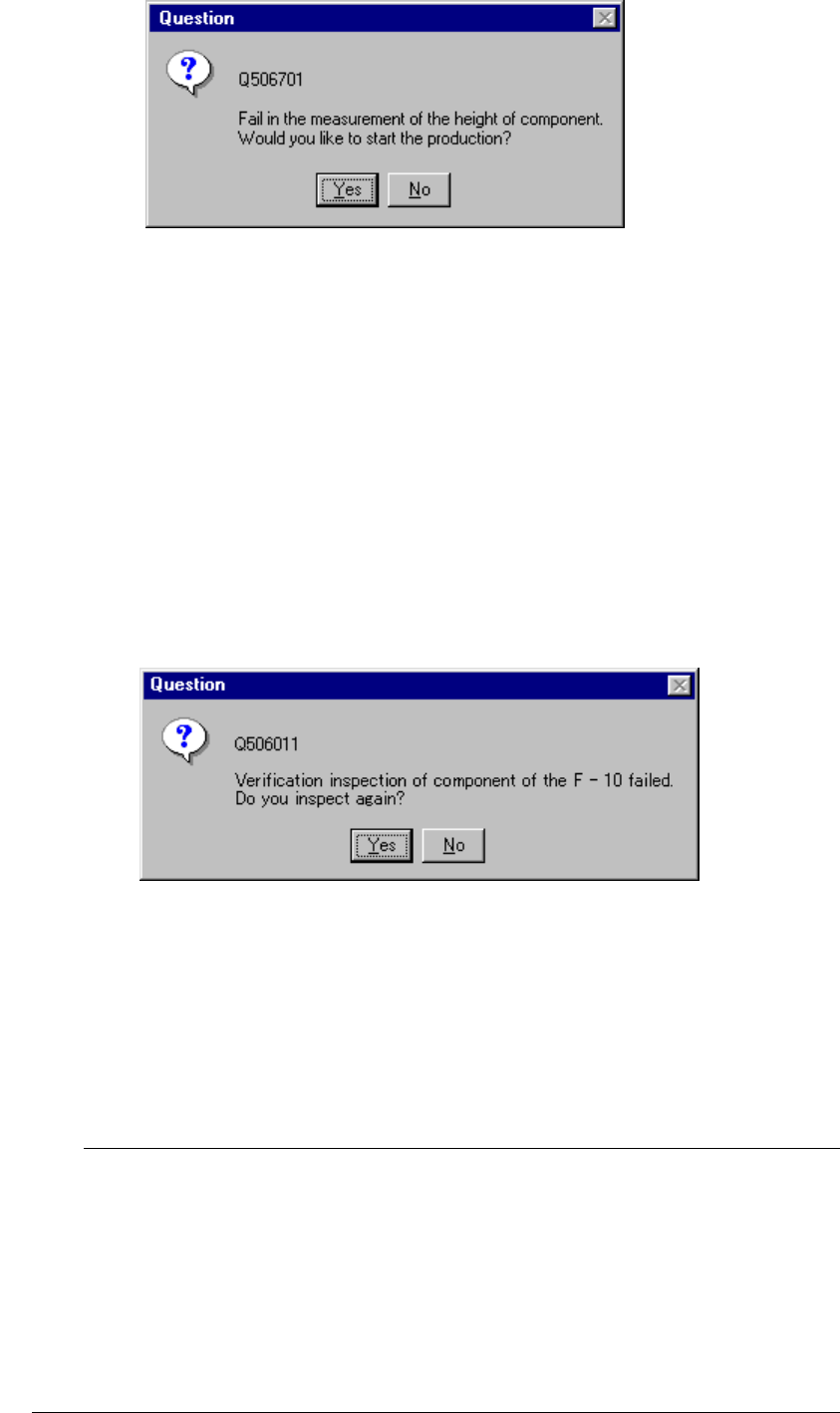
If the system fails to measure the height, the dialog box shown in Figure
6.4.1.2 appears on the screen.
• The actually displayed names
under the caption “Head” vary
depending on the model you use.
Model
Head name
KE-2010 L1 to L4
KE-2020 L1 to L4, R1
KE-2030 L1 to L4, R1 to R4
KE-2040 L1, R1
6 − 54
Figure 6.4.1.2 "Question" dialog box
• When you click the <Yes> button, the system remeasures a component fed by a
feeder which failed to be measured.
• When you click the <No> button, the system measures the height of a component
fed by the next feeder whose stocked components run out, or tries to restart
production.
■ In the same manner, when you check the check box “The verification inspection is
done on restart component run out.” on the Production (Pause) tab invoked from
the Operation option dialog box, the machine restarts production after performing
verification check for a chip or MELF component that runs out.
◇ If the machine fails to perform a verification check, the dialog box shown in
Figure 6.4.1.2.1 appears on the screen.
Figure 6.4.1.2.1 Question dialog box
• When you click the <Yes> button, the system re-checks components of a feeder
that failed to be checked.
• When you click the <No> button, the system performs a verification check for
components fed by the next feeder whose stocked components run out, or tries to
restart production.
If you check both of the check boxes “Re-measure component height
when components run out.” and “The verification inspection is done
on restart component run out.” on the Production (Pause) tab invoked
from the Operation option dialog box, the system measures the height of all
applicable components, and then performs a verification check.
It does not measure the component height and performs a verification
check alternately.
The system does not perform a verification check for a component whose
height fails to be measured.
L
6 − 55
In the same manner, when the Operation option “Pick and trace before retry.” is
checked, the system picks up a component and tracks this picking-up operation
according to the specified requirements before resuming the suspended production.
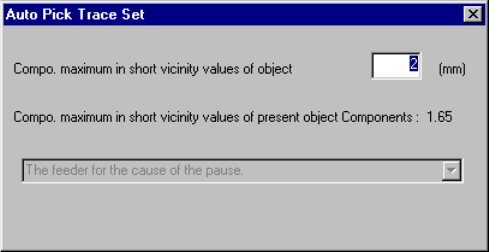
Before picking up and tracking a component, the “Auto Pick Trace Set” dialog box
appears on the screen as shown in Figure 6.4.1.3.
Figure 6.4.1.3 “Auto Pick Trace Set” dialog box
Enter the maximum length of the shorter side of a component to be picked up/tracked
in the input area. The system will not pick up and track a component whose shorter
side is longer than the value you specified here.
When you press the <START> switch, the system picks up and tracks a component,
and then resumes the suspended production. When you press the <STOP> switch,
the system enters Pause mode again.
The combo box displayed on the dialog box above indicates the setting of the
Operation option, and you cannot change or select it.