KE-2030使用说明书 - 第430页
6 − 84 ● Depending on whether there is a boar d on the PW B transport pat h, or whether the system obtains the PW B transport path inf ormat ion when the current product ion was interrupted, you may not be able to per fo…
6 − 83
(1) Detailed explanations of the “Processing before production begins” dialog box
① Continuous production information
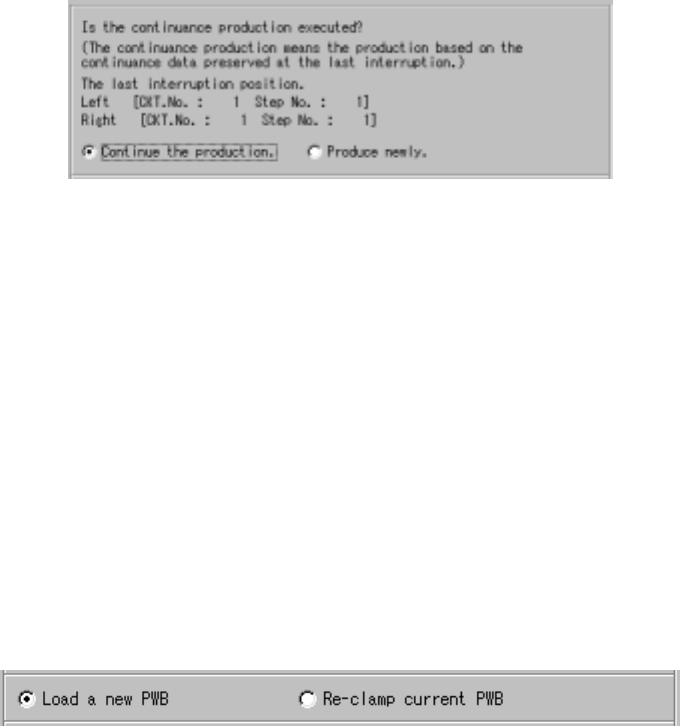
When there is a continuous production file, the “continuous production
information” and the radio buttons; “Continue the production.” and “Produce
newly.” are displayed on the “Processing before production begins” dialog
box as shown below.
Figure 6.4.15.1.1 Continuous production information
◇ When you select the radio button “Continue the production.” , the system
resumes the production.
◇ When you select the radio button “Produce newly”, the system starts new
production at the position specified at the menu item “Starting pos.” on the
“Production conditions” screen.
(However, if “0” is entered at either the “Circuit” or “Step No” column of the
menu item “Starting pos.”, the system starts production from the beginning
of the first circuit.)
② Production operation
Regardless of whether there is a continuous production file, the “Processing
before production begins” dialog box displays the radio buttons specifying
whether the system will start production after load a new PWB or after
re-clamp current PWB.
Figure 6.4.15.1.2 Choice whether the Load a new PWB or Re-clamp current PWB
◇ When you select the radio button “Load a new PWB”, the system ejects a board if
any board is located on the PWB transport path, and produces a PWB after
loading a board at start of production.
◇ When you select the radio button “Re-clamp current PWB”, the system clamps a
board located on the PWB transport path, and starts PWB production without
loading any board at start of production.
6 − 84
● Depending on whether there is a board on the PWB transport path, or whether the
system obtains the PWB transport path information when the current production
was interrupted, you may not be able to perform PWB production on the
“Production resume” dialog box as shown below:
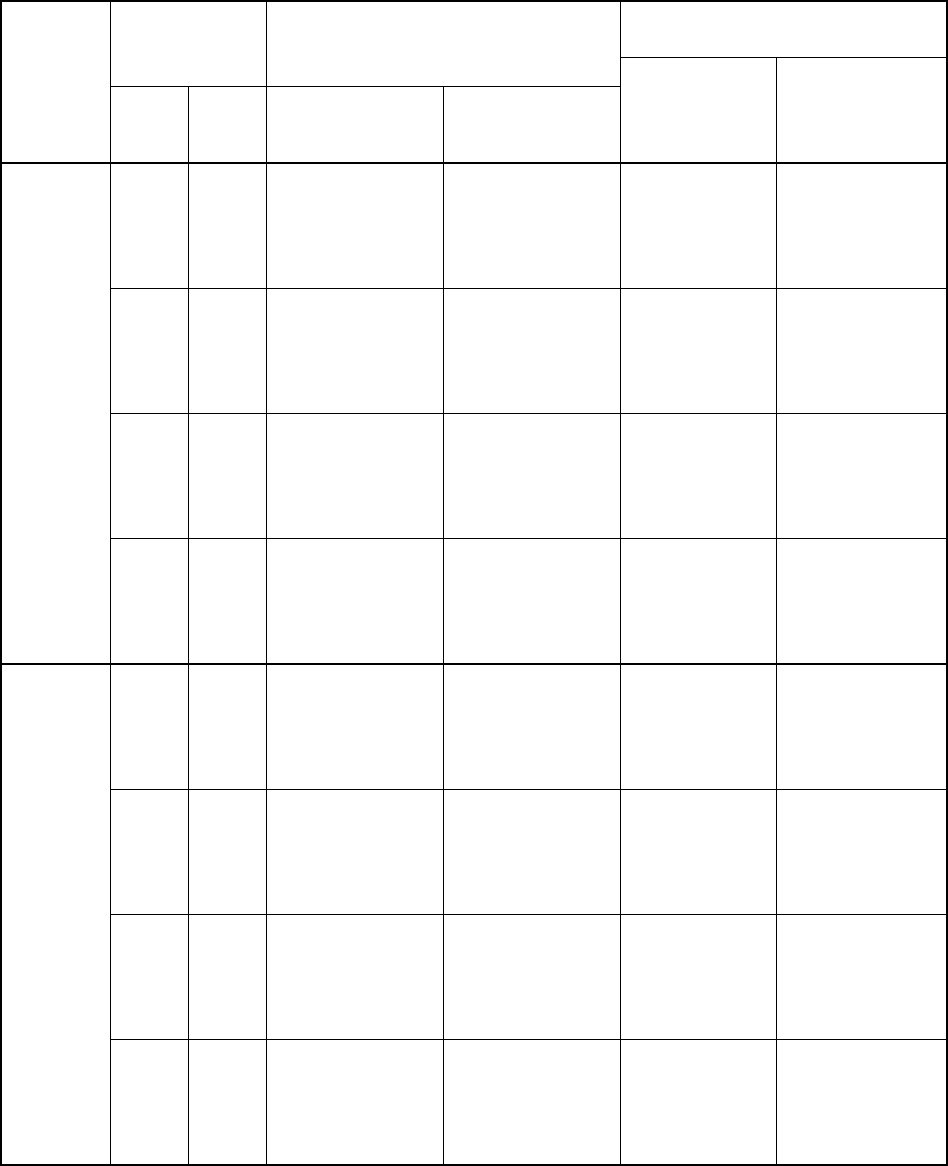
Table 6.4.14.1 List of production possibilities
Choice of the radio button
Whether a board
is located on the
PWB transport
path
PWB transport path information obtained
when production was interrupted
Whether to
continue
the
production.
Left Right Left Right
“Load a new
PWB”
(Production after
a board is
loaded)
“Re-clamp current
PWB” (Production
after a board is
clamped)
Yes Yes
A board is located.
A board is located.
No board is located.
No board is located.
No information
A board is located.
No board is
located..
A board is located.
No board is located.
No information
Not visible
Not visible
Not visible
Visible
Visible
Visible
Visible
Visible
Yes Note
A board is located.
A board is located.
No board is located.
No board is located.
No information
A board is located.
No board is
located..
A board is located.
No board is located.
No information
Not visible
Not visible
Not visible
Visible
Visible
Visible
Visible
Visible
Note Yes
A board is located.
A board is located.
No board is located.
No board is located.
No information
A board is located.
No board is
located..
A board is located.
No board is located.
No information
Not visible
Not visible
Not visible
Visible
Visible
Visible
Visible
Visible
Yes
Note Note
A board is located.
A board is located.
No board is located.
No board is located.
No information
A board is located.
No board is
located..
A board is located.
No board is located.
No information
Visible
Visible
Visible
Visible
Visible
Visible
Visible
Visible
Yes Yes
A board is located.
A board is located.
No board is located.
No board is located.
No information
A board is located.
No board is
located..
A board is located.
No board is located.
No information
Visible
Visible
Visible
Visible
Not visible (None)
Not visible (None)
Not visible (None)
Visible
Yes Note
A board is located.
A board is located.
No board is located.
No board is located.
No information
A board is located.
No board is
located..
A board is located.
No board is located.
No information
Visible
Visible
Visible
Visible
Not visible (None)
Not visible (None)
Not visible (None)
Visible
Note Yes
A board is located.
A board is located.
No board is located.
No board is located.
No information
A board is located.
No board is
located..
A board is located.
No board is located.
No information
Visible
Visible
Visible
Visible
Not visible (None)
Not visible (None)
Not visible (None)
Visible
No
Note Note
A board is located.
A board is located.
No board is located.
No board is located.
No information
A board is located.
No board is
located..
A board is located.
No board is located.
No information
Visible
Visible
Visible
Visible
Not visible (None)
Not visible (None)
Not visible (None)
Visible
6 − 85
Choice of the radio button
Whether a board
is located on the
PWB transport
path
PWB transport path information obtained
when production was interrupted
Whether to
continue
the
production.
Left Right Left Right
“Load a new PWB”
(Production after a
board is loaded)
“Re-clamp current
PWB” (Production
after a board is
clamped)
Yes Yes
A board is located.
A board is located.
No board is located.
No board is located.
No information
A board is located.
No board is
located..
A board is located.
No board is located.
No information
Not visible (None)
Not visible (None)
Not visible (None)
Visible
Visible
Visible
Visible
Visible
Not visible (None)
Visible
Yes Note
A board is located.
A board is located.
No board is located.
No board is located.
No information
A board is located.
No board is
located..
A board is located.
No board is located.
No information
Not visible (None)
Not visible (None)
Not visible (None)
Visible
Visible
Visible
Visible
Visible
Not visible (None)
Visible
Note Yes
A board is located.
A board is located.
No board is located.
No board is located.
No information
A board is located.
No board is
located..
A board is located.
No board is located.
No information
Not visible (None)
Not visible (None)
Not visible (None)
Visible
Visible
Visible
Visible
Visible
Not visible (None)
Visible
If there is
no
continuous
production
file
Note Note
A board is located.
A board is located.
No board is located.
No board is located.
No information
A board is located.
No board is
located..
A board is located.
No board is located.
No information
Visible
Visible
Visible
Visible
Visible
Visible
Visible
Visible
Not visible (None)
Visible
Note: Not visible(not selectable) if the system starts new production, while
visible(selectable) if the system resumes production.
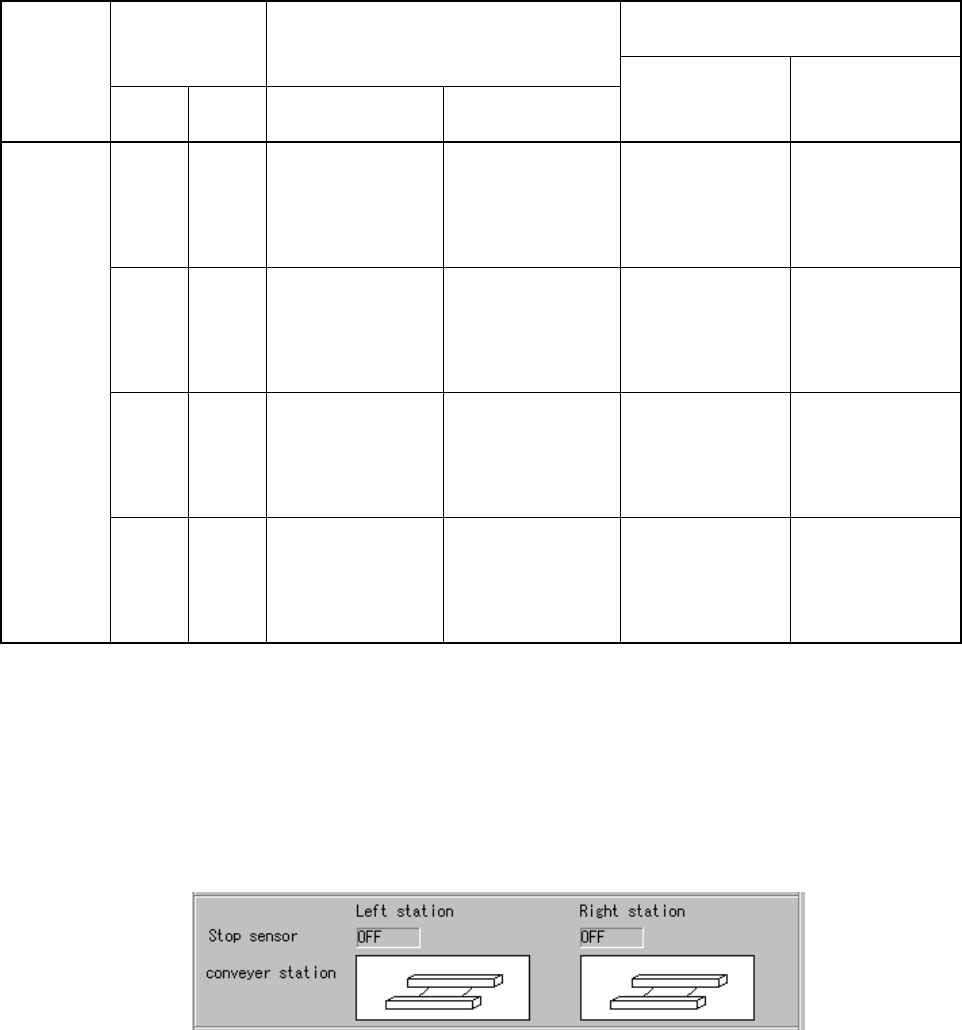
③ Condition of the PWB transport path
The “Processing before production begins” dialog box displays the condition of
the PWB transport path regardless of whether there is a continuous production file
or not as shown below:
Figure 6.4.15.1.3 “Processing before production begins” dialog box (Condition of
the PWB transport path)
■ The stop sensor detects whether there is a board on the PWB transport path.
• When “ON” appears on the screen, there is a board on the PWB transport
path.
• When “OFF” appears on the screen, there is no board on the PWB transport
path.