KE-2030使用说明书 - 第572页
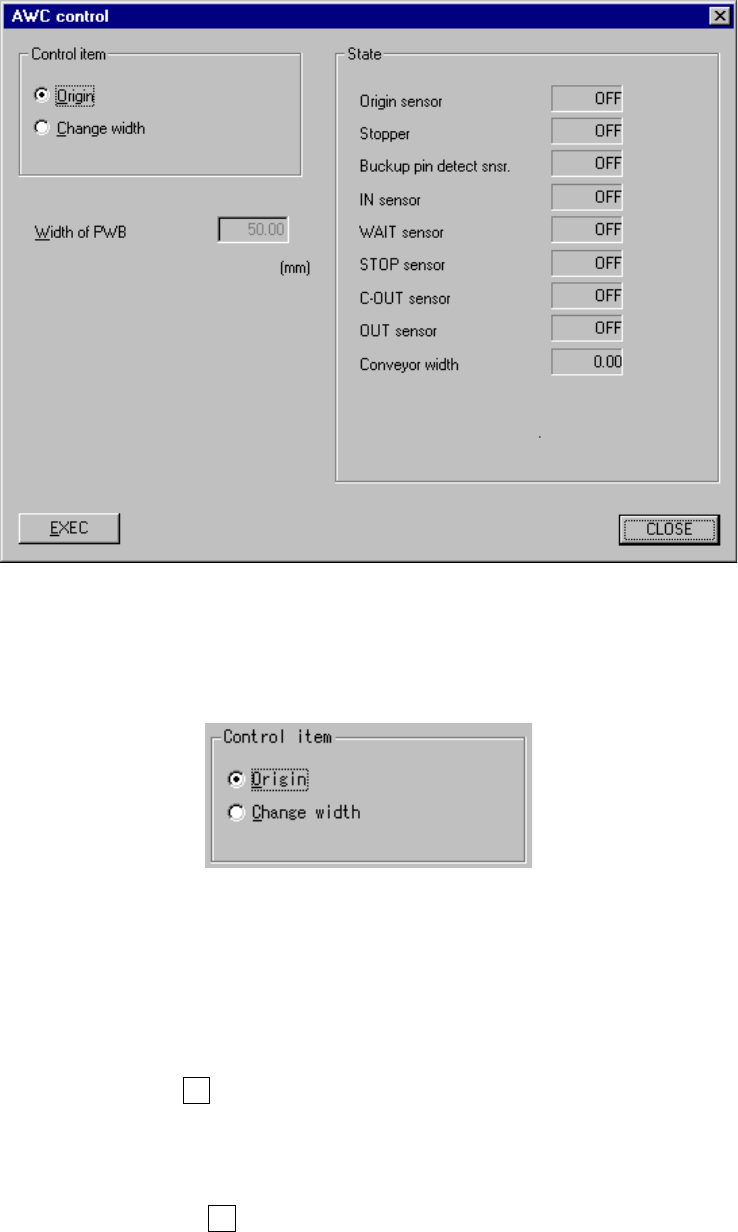
8 − 39 8.3.3 A utomatic PWB w idth adjustment control W hen y ou select the [ Conveyor] command on the [Ct rl] menu, then the [ Auto width conveyor control], the f ollowing “AW C control” dialog box appears on the screen…

8 − 38
② ①
IN station OUT station
8 − 39
8.3.3 Automatic PWB width adjustment control
When you select the [Conveyor] command on the [Ctrl] menu, then the [Auto width
conveyor control], the following “AWC control” dialog box appears on the screen.
Figure 8.3.3 “AWC control” dialog box
(1) Control item
Select a control item with the corresponding radio button.
(2) Control button
With the control button, execute the control item you selected.
1) Origin
This item returns the automatic PWB width adjustment unit to its home
position.
When the control item “Origin” is checked, click the <EXEC> button or
press the F3 key.
2) Change width
This item changes the PWB transport width.
When the control item “Change width” is checked, click the <EXEC> button
or press the F3 key.
(3) State display
The state of each sensor and each unit is always displayed on the screen.
8 − 40
8.3.4 Movable station control
When you select the [Conveyor] command on the [Ctrl] menu, then the [Movable
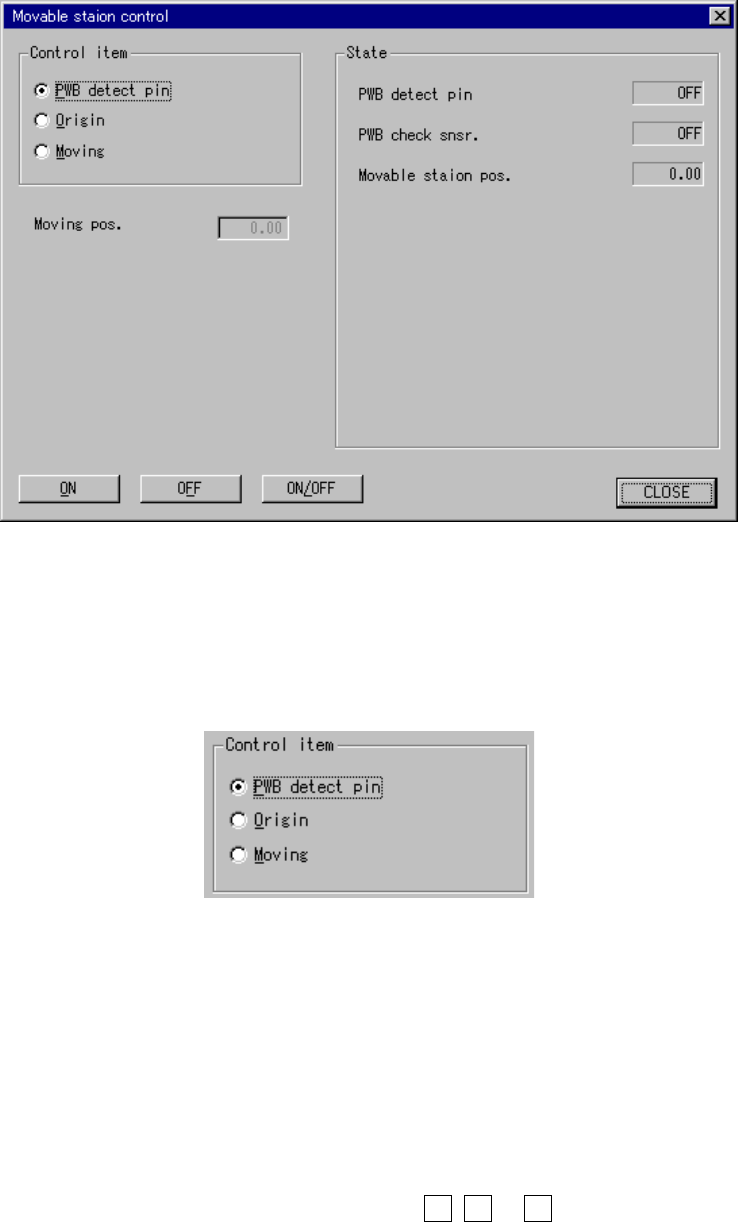
station control] command, the following “Movable station control” dialog box appears
on the screen.
Figure 8.3.4 “Movable station control” dialog box
(1) Control item
Select a control item with the corresponding radio button.
(2) Control button
With the control button, execute the control item you selected.
The control buttons displayed vary depending on the control item you selected.
1) PWB detect pin
This item turns on and/or off the PWB detecting cylinder valve.
When the control item “PWB detect pin” is checked, click the <ON>, <ON>
or <ON/OFF> button, or press the F3, F4 or F5 key.
The state display is updated when the cylinder is controlled completely.