KE-2030使用说明书 - 第580页
8 − 47 8.5 Others 8.5.1 A TC control W hen you select the [Others] command from the [Ctrl] menu, then the [A TC control] command, t he following A T C control dialog box appears on the screen. Figure 8.5.1. 1 A TC contro…
8 − 46
(4) Control button
Each control item can be executed with the control button.
The display of the control buttons vary depending on the control item you
selected.
1) Tape feeding action
This item feeds a tape.
When the control item “Tape feeding action” is checked, select the< EXEC>
button, or press the F3 key to control the tape feed.
2) Direct knock action
This item executes knock operation per feeder bank.
When the control item “Direct knock action” is checked, select the< “EXEC>
button, or press the F3 or F4 key to control the direct knock.
3) FPI cont. (Independent)
This item turns on or off the feeder position indicator.
When the control item “FPI cont.” is checked, select the <ON>, <OFF>,
<ON/OFF> or <BLINK> button, or press the F3, F4, F5 or F6 key.
4) FPI cont. (All)
This item turns on or off the feeder position indicators on the front feeder
bank or rear feeder bank.
When the control item “FPI cont.” is checked, select the <ON>, <OFF>,
<ON/OFF)> or <BLINK> button, or press the F3, F4, F5 or F6 key.
8 − 47
8.5 Others
8.5.1 ATC control
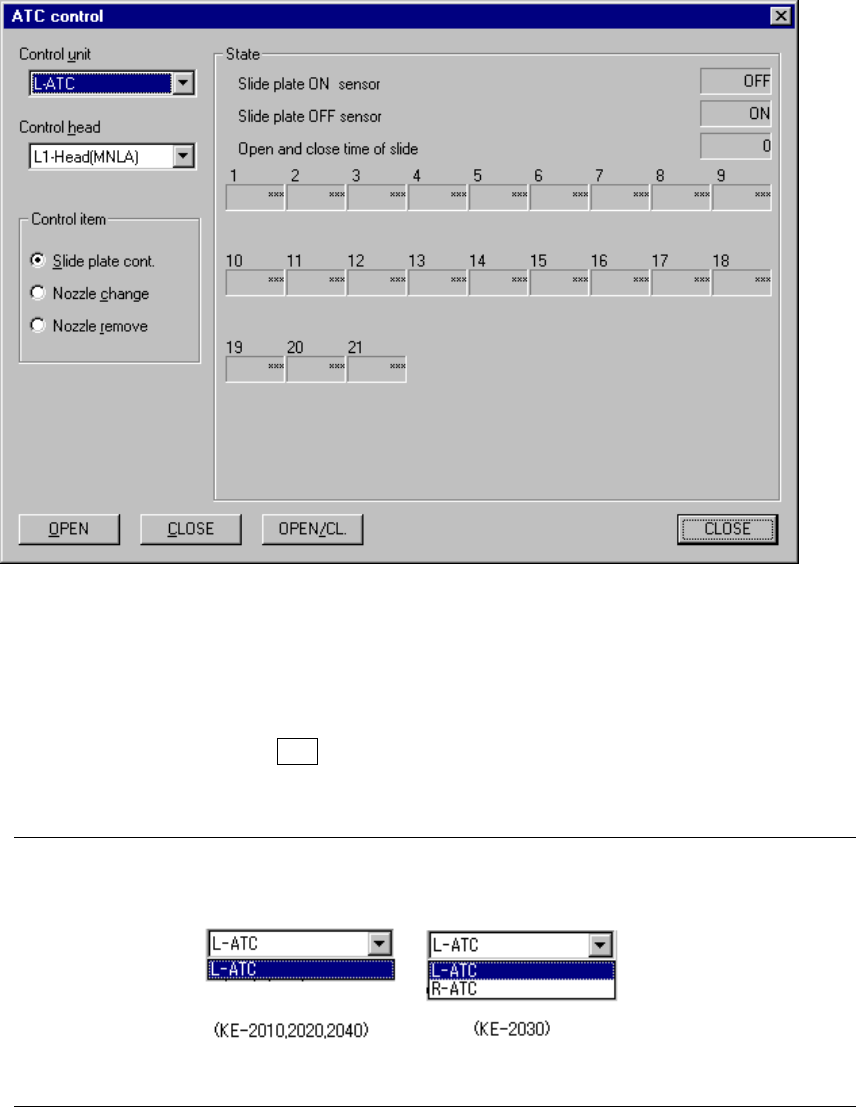
When you select the [Others] command from the [Ctrl] menu, then the [ATC control]
command, the following ATC control dialog box appears on the screen.
Figure 8.5.1.1 ATC control screen
(1) Control unit
Select the unit to be controlled from the combo box.
When you press the ALT key and down arrow key at the same time, the
following list appears on the screen.
Note: You can select “R-ATC” only when you use a KE-2030.
8 − 48
(2) Control head
Select the head to be controlled from the combo box.
This selection does not affect the settings of the “Device enable” menu invoked
from the Machine Setup menu: this means that a not-checked (not used) unit
can be selected.
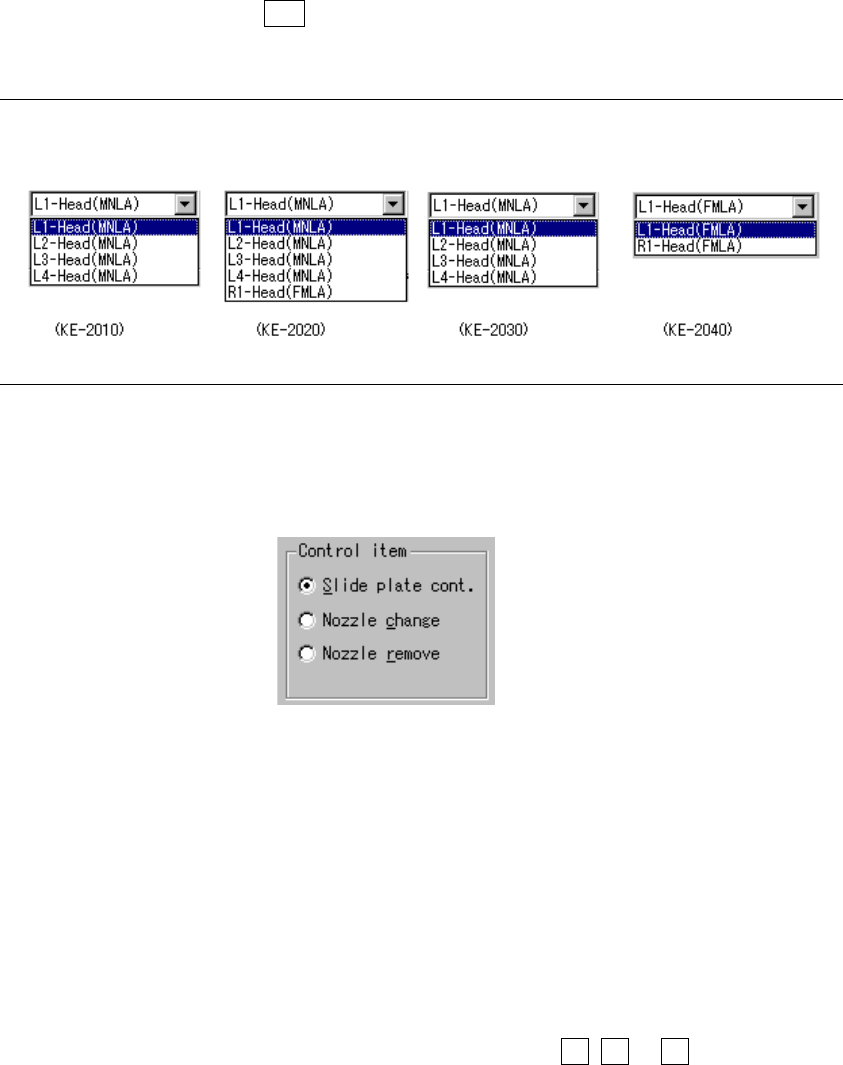
When you press the ALT key and down arrow key at the same time, the
following list appears on the screen.
Note: You can select only a head located on the selected ATC side for a KE-2030.
(3) Control item
Select a control item with the corresponding radio button.
(4) Control button
Each control item can be executed with the corresponding control button.
The display of the control buttons varies depending on the control item you
selected.
1) Slide plate cont.
This item controls open/close the ATC slide plate.
When the control item “Slide plate cont.” is checked, select the <OPEN>,
<CLOSE> or <OPEN/CL> button, or press the F3, F4 or F5 key to control
the slide plate.
The state display of the sensor is updated when the control is completed.