KE-2030使用说明书 - 第611页
9 − 18 9.4.5.3 Sett ing the w arni ng level W hen y ou select t he [Tool] command on the m enu bar, t he [The W arning level is set] command on the displayed menu, t hen the [Each nozzle] Command the scr een appears as s…
9 − 17
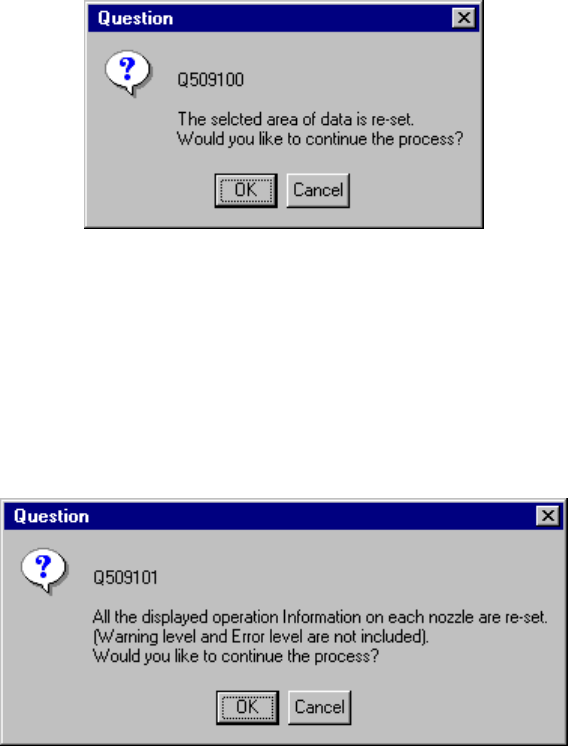
Figure 9.4.5.2.3 Frequency resetting confirmation dialog box
When you click the <OK> button, the selected data is reset. When you click the
<Cancel> button, the system does not reset the selected data.
When you click the [All reset] on the pop-up menu shown in Figure 9.4.5.2.2, the
following dialog box appears on the screen.
Figure 9.4.5.2.4 All frequency data resetting confirmation dialog box
When you click the <OK> button on the dialog box above, the system resets all of the
operation information of each nozzle. When you click the <Cancel> button, the
system does not reset any data.
9 − 18
9.4.5.3 Setting the warning level
When you select the [Tool] command on the menu bar, the [The Warning level is set]
command on the displayed menu, then the [Each nozzle] Command the screen
appears as shown in Figure 9.4.2.3.1.
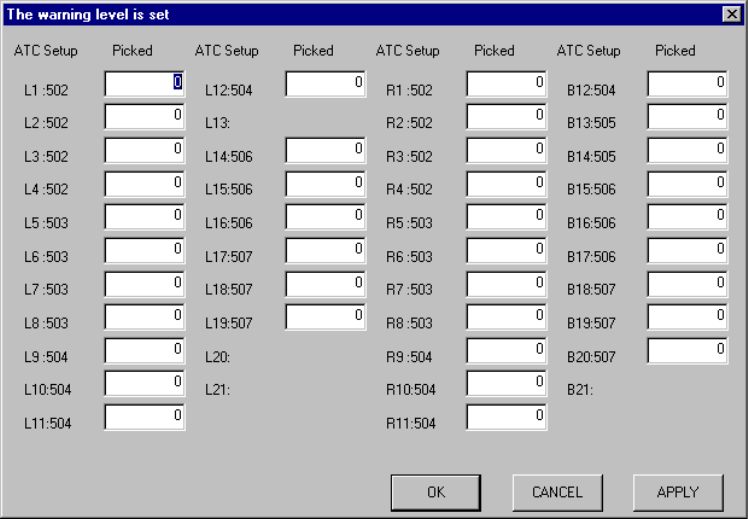
Figure 9.4.5.3.1 <Warning level is set> dialog box
◆ If the number of times components were picked up actually exceeds the warning
level you set here, the nozzle is displayed in yellow on the "Operation Information
of each nozzle" screen shown in Figure 9.4.2.1.1.
The signal lights lighting condition remains unchanged.
9 − 19
9.4.5.4 Setting the error level
When you select the [Tool] command on the menu bar, the [The Error level is set]
command on the displayed menu, then the [Each nozzle] command, the screen
appears as shown in Figure 9.4.5.4.1.
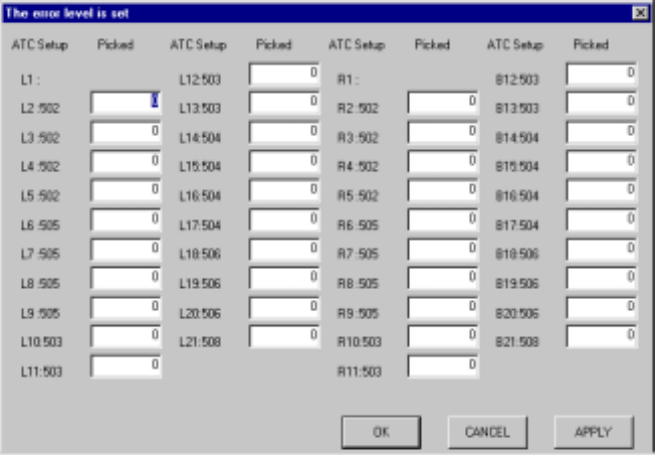
This screen allows you to set the error level.
Figure 9.4.5.4.1 "The error level is set" dialog box
◆ If the number of times components were picked up actually exceeds the error
level you set here, the nozzle is displayed in red on the "Operation Information of
each nozzle" screen shown in Figure 9.4.5.1.1.
The signal lights lighting condition remains unchanged.