KE-2030使用说明书 - 第647页
10 − 25 ◆ Measurement ① The head you selected moves over the vacuum calibration unit, t hen measures the pr essurization breaking condition three t imes. - T he machine tak es an average of the values measured f or t he …
10 − 24
◆
Measurement
①
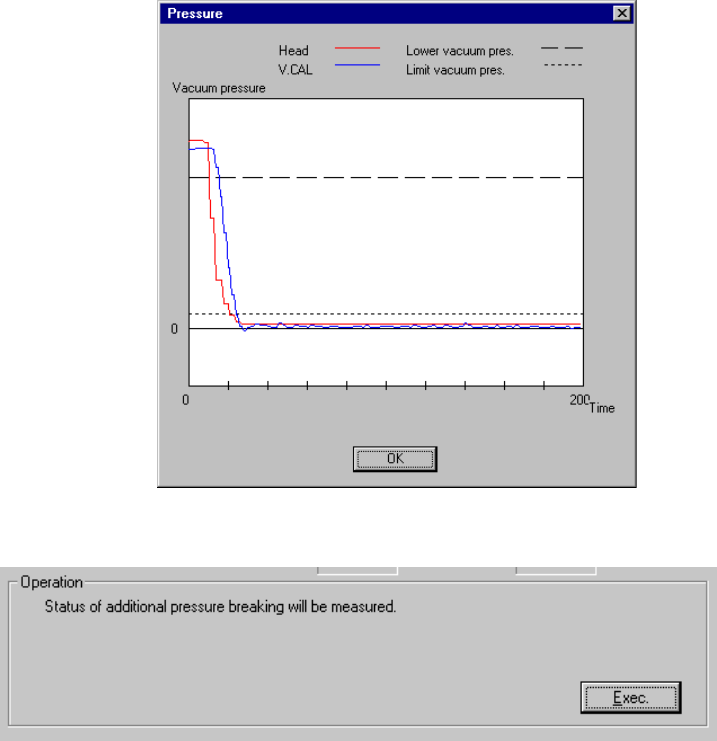
The head you selected moves over the vacuum calibration unit, then
measures the natural vacuum breaking condition three times.
- The machine takes an average of the values measured for the second time
and third time, then displays it.
- After measurement, the machine displays a graph of the pressure values
obtained by the measurement performed for the third time.
Set the head you selected from the "Select Head" combo box.
- Click the <Exec.> button.
- When you click the <Exec.> button, the machine automatically measures the
pressurization breaking condition.
10 − 25
◆
Measurement
①
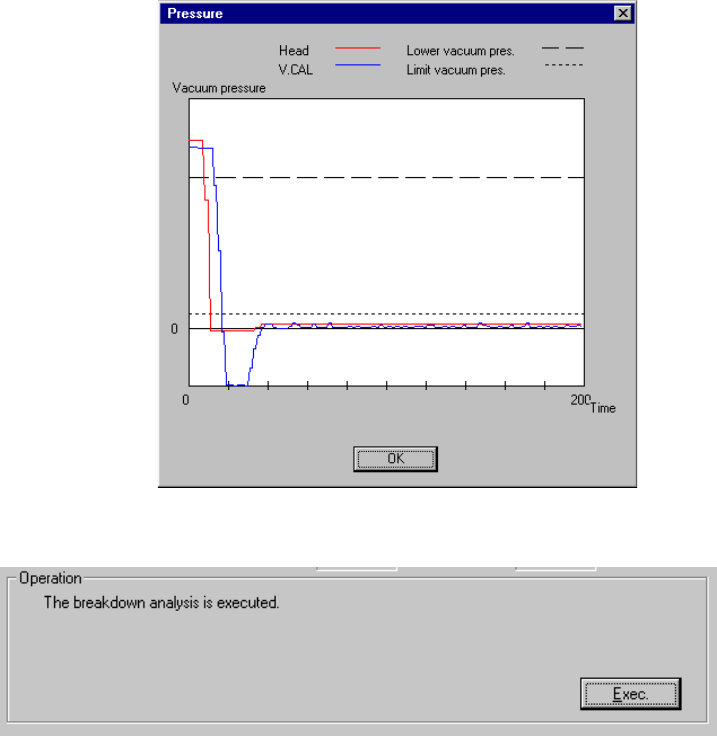
The head you selected moves over the vacuum calibration unit, then
measures the pressurization breaking condition three times.
- The machine takes an average of the values measured for the second time
and third time, then displays it.
- After measurement, the machine displays a graph of the pressure values
obtained by the measurement performed for the third time.
Set the head you selected from the "Select Head" combo box.
- Click the <Exec.> button.
- When you click the <Exec.> button, the machine executes the malfunction
analysis.
10 − 26
●
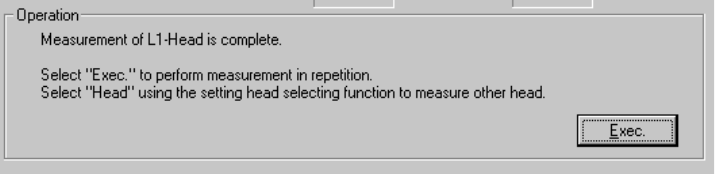
The machine finished measuring the vacuum condition of the selected head
at this point.
- To repeat measurement, click the <Exec.> button.
- When you click the <Exec.> button, the initial screen reappears.
- To measure another head vacuum condition, select the desired head from
the "Select Head" combo box.
- When you change the selected head, the initial screen reappears.
◆
To quit the vacuum condition measurement operation, click the <OK> button.