KE-2030使用说明书 - 第76页
3 − 11 ③ Editing the dat a entered in the edit f ield using the f orm ula bar (af ter the EDIT funct ion key has been pressed) No. Key Action 1 Back Space Deletes the character to the left of the cursor ’s position, shif…
3 − 10
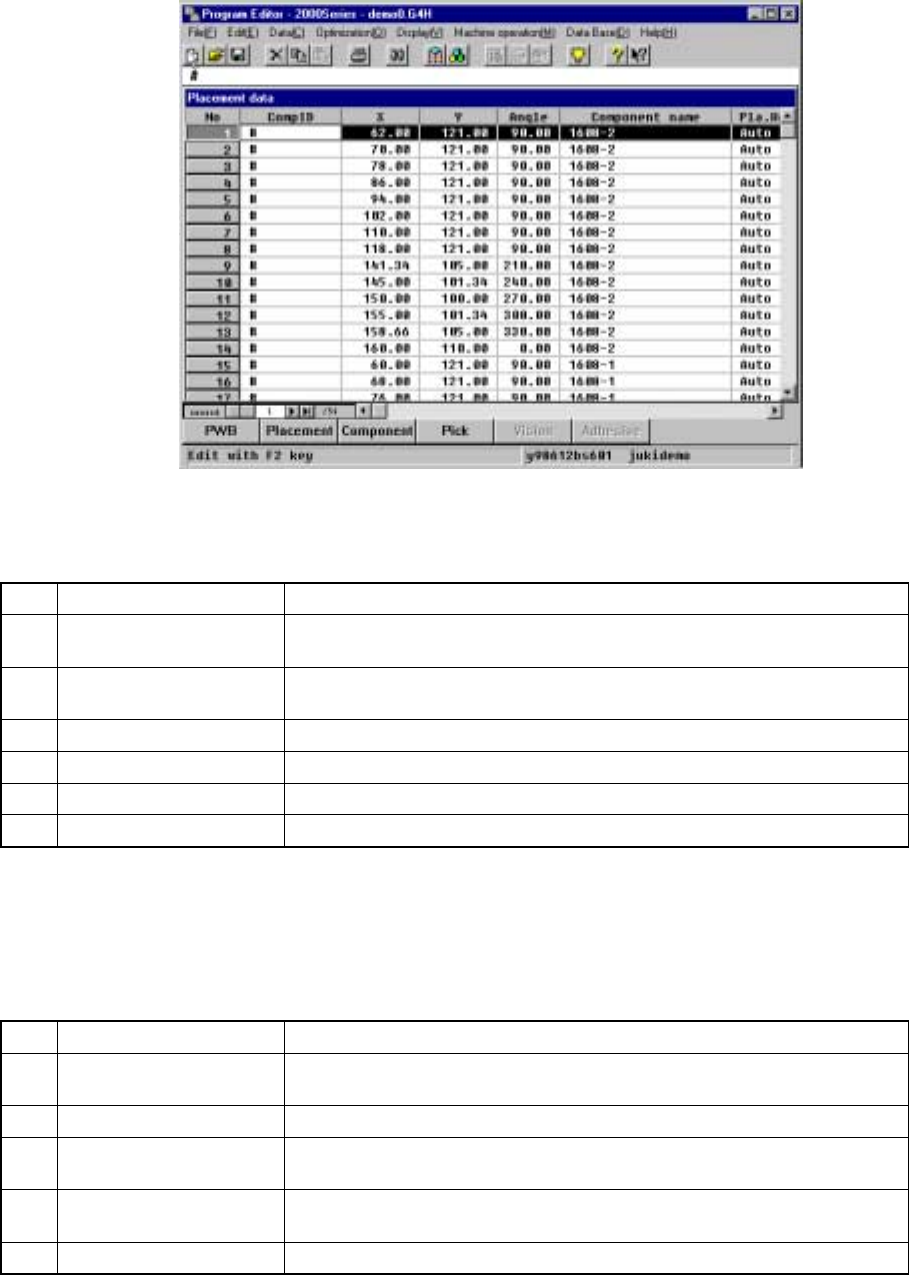
3.3.4 Editing
This section describes the basic data editing method and keyboard operations (Page
Up/Page Down, Home/End, Scroll, Insert and Tab keys operation).
① Dialog
No. Key Action
1 Back Space
Deletes the character to the left of the cursor’s position, shifting the
character string following the cursor one character space each to the left.
2 Delete
Deletes the character at the cursor, shifting the character string following
the cursor one character space each to the left.
3 Cursor keys (Left, Right) Moves through the characters entered in the edit box.
4 ENTER Quits the dialog box operation at the same time you press the OK button.
5 ESC Closes the dialog box.
6 Field selection keys Moves through different boxes.
② Rewriting data entered in the edit field (one or more characters have been
entered)
No. Key Action
1 Back Space
Deletes the character to the left of the cursor’s position, shifting the
character string following the cursor one character space each to the left.
2 Cursor keys Moves the cursor in the formula bar.
3 ENTER
Fetches the characters shown in the formula bar into the cell.
The input cell is not moved.
4 ESC
Interrupts the data entry procedure.
Empties the data entered so far if pressed during data entry.
5 Field selection keys Fetches the data in the formula bar into the field and advances the field.
3 − 11
③ Editing the data entered in the edit field using the formula bar (after the EDIT
function key has been pressed)
No. Key Action
1 Back Space
Deletes the character to the left of the cursor’s position, shifting the
character string following the cursor one character space each to the left.
2 Cursor keys
Moves the cursor in the formula bar in the direction of the cursor arrow.
The cursor stops moving ahead when it reaches the starting or ending
character string.
3 ENTER
Fetches the characters shown in the formula bar into the cell.
The input cell is not moved.
4 ESC
Interrupts the data entry procedure.
Empties the data entered so far if pressed during data entry.
5 Field selection keys
Validates your input in the formula bar, then advances the cell to the
direction the key indicates.
④ Entering the data into a cell of the spread sheet.
No. Key Action
1 Back Space
Deletes the character to the left of the cursor’s position, shifting the
character string following the cursor one character space each to the left.
2 Cursor keys
Fetches the characters shown in the formula bar into the cell, and moves to
the next cell in the cursor direction.
When the current cell is the first or last cell on a line, it laps round to the
previous or next line. The current cell stays still when you are at the first
cell on the top line or at the last cell on the bottom line.
3 ENTER
Fetches the characters shown in the formula bar into the cell.
The input cell is not moved.
4 ESC
Interrupts the data entry procedure.
Empties the data entered so far if pressed during data entry.
5 Field selection keys Function in the same manner as the cursor keys do.
(1) Basic editing method
Data entered from the operation panel is entered into the formula bar or edit box.
Data entered in the formula bar is validated at the cursor position by pressing the
ENTER key or moving the cursor. Data entered in the edit box is validated by
pressing any of the filed selection keys or ENTER key.
(2) Keyboard operations
① Page up, Page down
When the information covers two or more screen pages, the Page Down key
accesses the following page and the Pageu Up key does the preceding
page.
There is a scroll bar appearing on the right side of the window when
information covers two or more screen pages. It indicates that there is more
information up or down the screen than the one currently shown on the
display. The scroll box inside the scroll bar tells you the approximate location
you are currently viewing in the entire body of information.
3 − 12