00198503-02_IM_SIPLACE_Pro_15.1_R18-1_EN - 第49页
SIPLACE Pro 15.1 (R18 - 1) / Installat ion Manual 05/2018 Edition 49 If it exists, perfor m the following actions: Figure 7-4: Shutting down co mponent ► - Right - click the com ponent and sele ct Shut down . Figure 7-5:…
SIPLACE Pro 15.1 (R18-1) / Installation Manual 05/2018 Edition
48
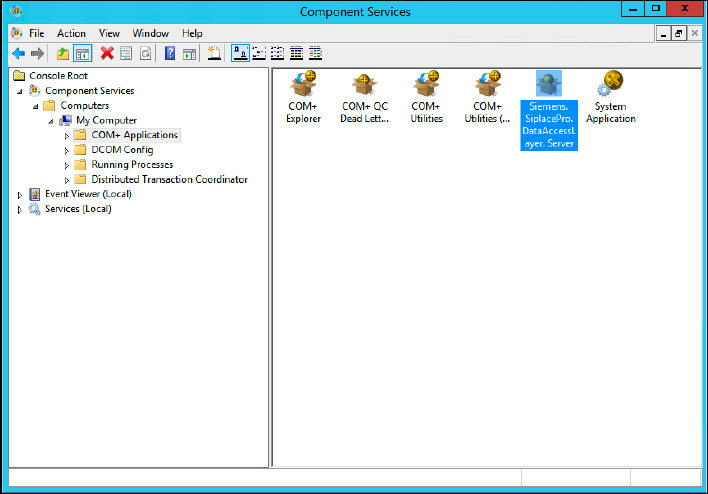
The Component Services window opens.
Figure 7-3: Component Services window
► In the left pane, navigate to Component Services – Computers – My Computer – COM+
Applications.
► In the right part of the window, verify if the Siemens.SiplacePro.DataAccessLayer.Server
component exists.
SIPLACE Pro 15.1 (R18-1) / Installation Manual 05/2018 Edition
49
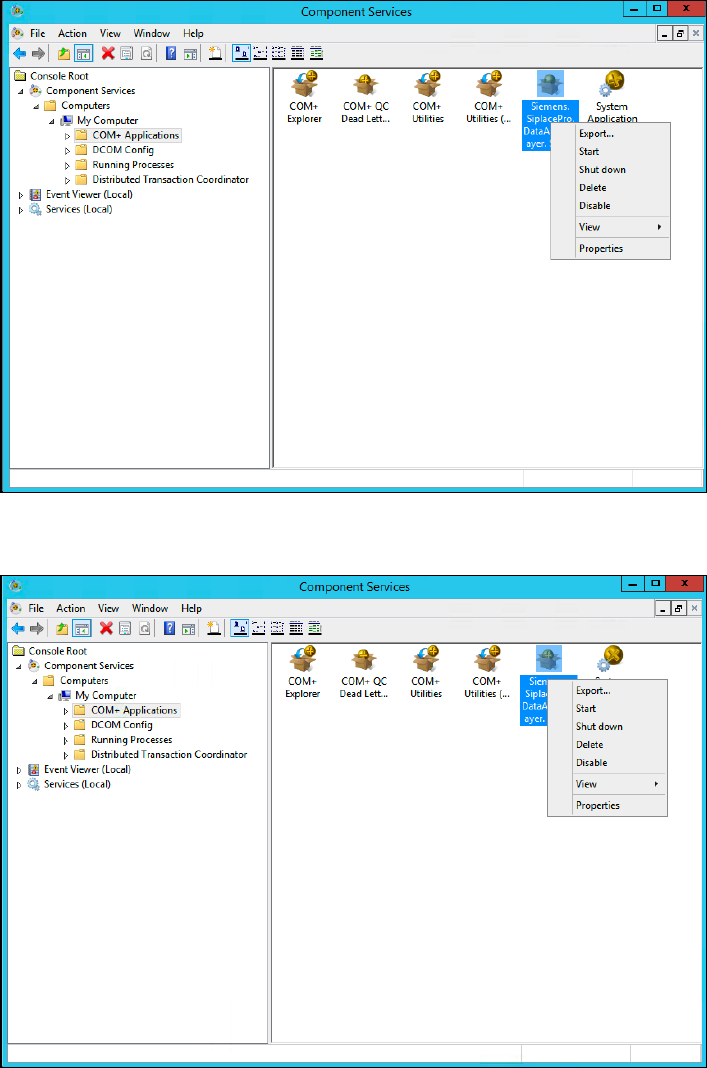
If it exists, perform the following actions:
Figure 7-4: Shutting down component
► - Right-click the component and select Shut down.
Figure 7-5: Deleting component
► Right-click the component and select Delete.
SIPLACE Pro 15.1 (R18-1) / Installation Manual 05/2018 Edition
50
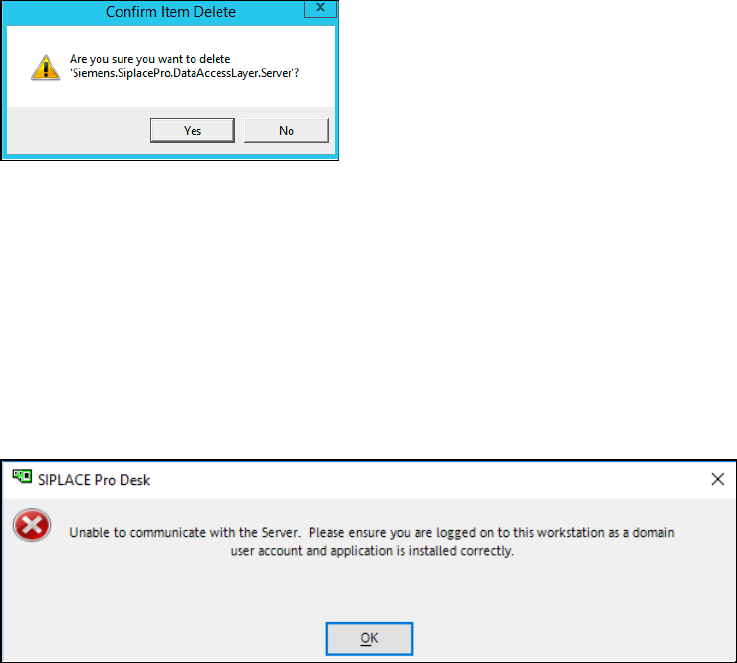
Figure 7-6: Confirming deletion
► Accept the confirmation message by clicking Yes.
► After that perform a new installation of SIPLACE Pro, but ensure you already have stopped
relevant applications and services before, as described above.
7.1.3 Client Server Installation – Client Does Not Open
The following error message may be displayed:
Figure 7-7: Client does not open
There are multiple possible causes for this problem.
► If the account you are currently using is local, please ensure that it also exists on the Server
with the same password.
► Please ensure that the account you have configured during setup for the COM+ component on
the Server also exists on the Client with the same password.