Host Computer System.pdf - 第153页
AVK3 HOST COMPUTER SYSTEM 6.1 Remot e Contr o l : C5 D77HEC-55- 010-A0 6.1- 2 PC board convey control co mmand No. Sub command Data name Remarks LP PC board unl oad i nhi b i t comm and Inhi bits unl oading of PC boar …
AVK3
HOST COMPUTER SYSTEM
6.1 Remote Control: C5
D77HEC-55-010-A0
6.1-1
6.1. Remote Control: C5
D77HEC-55-010-A0
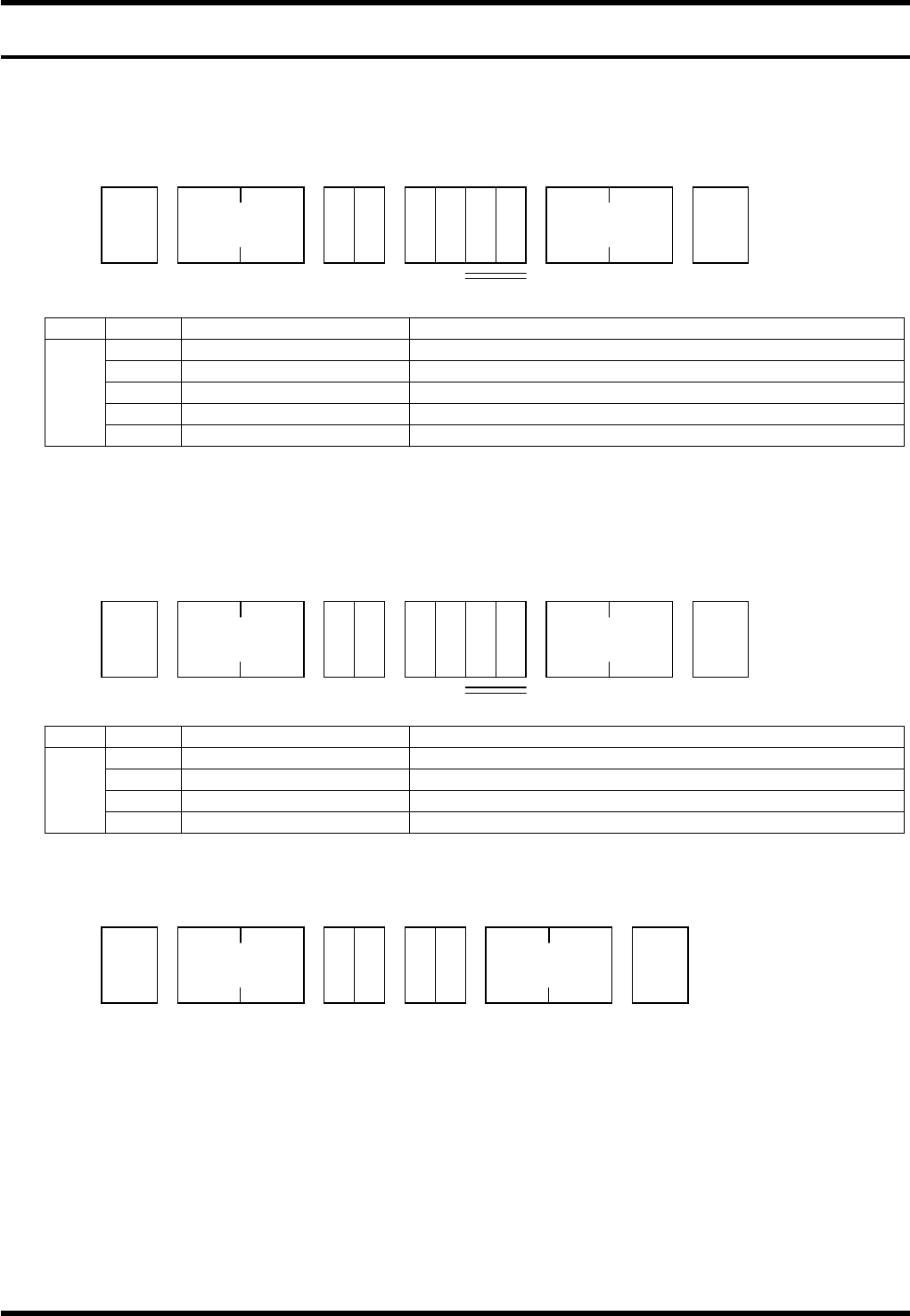
This command is used when host computer actively operates the machine according to the production plan.
This command is optional, so consult with us separately.
Command data details are given as follows.
Starting command
No. Code Data name Remarks
None Start Machine starts without changing the stop mode.
BL 1BLOCK start Starts with switching to 1 BLOCK stop mode.
EP EOP start Starts with switching to EOP stop mode.
CT CONT start Starts with switching to CONT stop mode.
1
RC Recovery start Conducts recovery.
=REMARKS=
If insertion error is occurred, it becomes recovery skip start except the RC code.
If insertion error is not occurred, ‘A4E00’ is returned to RC code.
Stopping command
No. Code Data name Remarks
BL 1BLOCK start Switches to 1 BLOCK stop mode.
EP EOP start Switches to EOP stop mode.
CT CONT start Switches to CONT stop mode.
1
HT HALT command Inhibits start key on control panel.
Reset command
The machine can be reset from the host computer.
STX
C 5 S T
No. of
characters
ETX
1
* *
Check sum
STX
C 5 S P
No. of
characters
ETX
1
* *
Check sum
STX
C 5 R E
No. of
characters
ETX
Check sum
AVK3
HOST COMPUTER SYSTEM
6.1 Remote Control: C5
D77HEC-55-010-A0
6.1-2
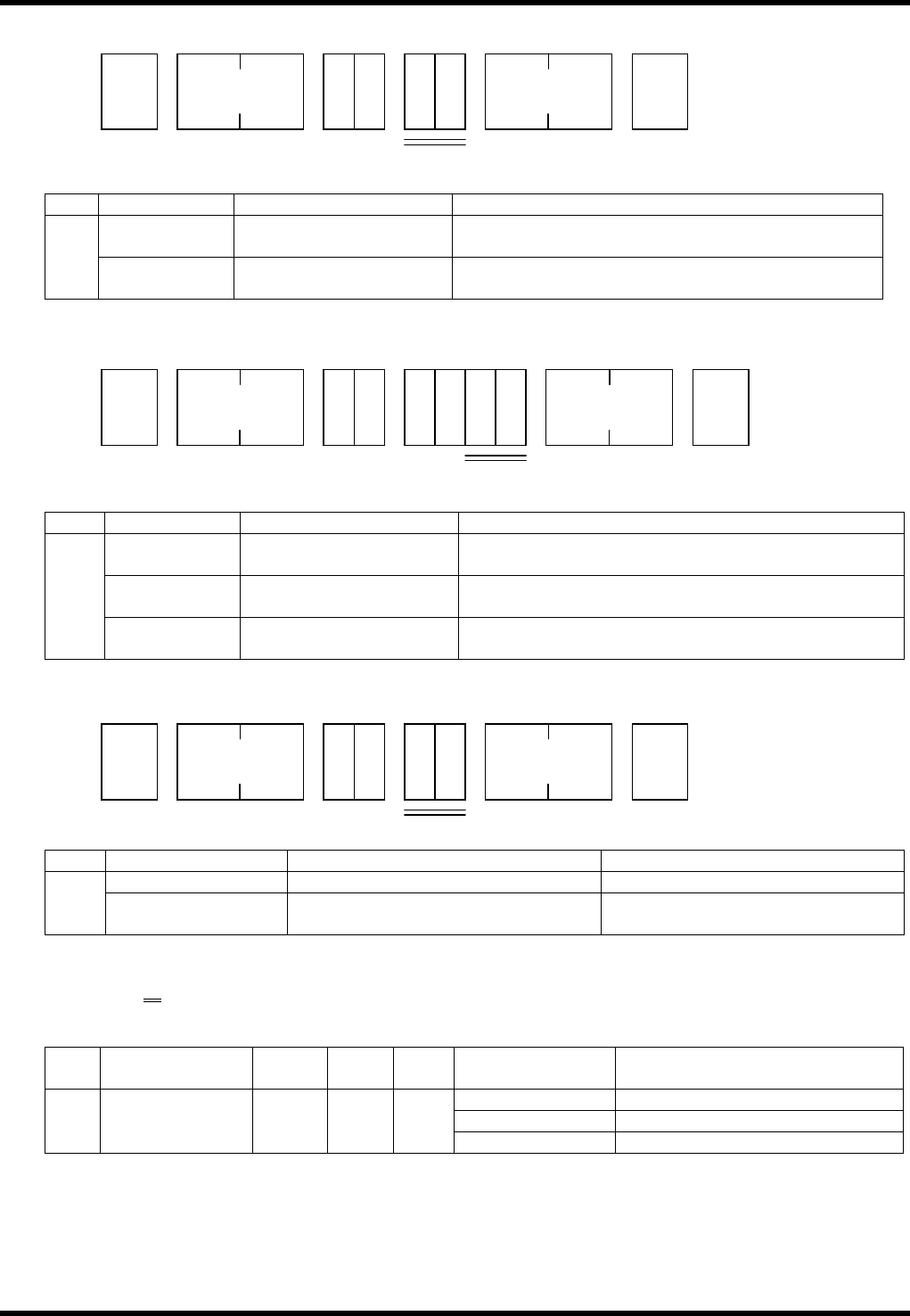
PC board convey control command
No. Subcommand Data name Remarks
LP PC board unload inhibit
command
Inhibits unloading of PC board from magazine. 1
UP PC board sweep out
command
Sweeps out PC board from XY table.
Magazine stocker control command
No. Subcommand Data name Remarks
None Unloader magazine
sweep out command
Sweeps out magazine from unloader.
UM Unloader magazine
sweep out command
Sweeps out magazine from unloader.
1
LM Loader magazine sweep
out command
Sweeps out magazine from loader.
Mode switching command
No. Subcommand Data name Remarks
O1 ONLINE running lamp ON command Turns ONLINE running lamp ON. 1
O2 ONLINE running lamp OFF
command
Turns ONLINE running lamp OFF.
=REMARKS=
C5O2xx
1
No. Data name
Max.
digits
Sup-
press
Vari-
able
Input range Remarks
ML Switching manual mode
SA Switching semiauto mode
1 Mode 2
× ×
FA
Switching auto mode
STX
C 5
No. of
characters
ETX
1
* *
Check sum
STX
C 5 S K
No. of
characters
ETX
1
* *
Check sum
STX
C 5
No. of
characters
ETX
1
* *
Check sum
AVK3
HOST COMPUTER SYSTEM
6.1 Remote Control: C5
D77HEC-55-010-A0
6.1-3
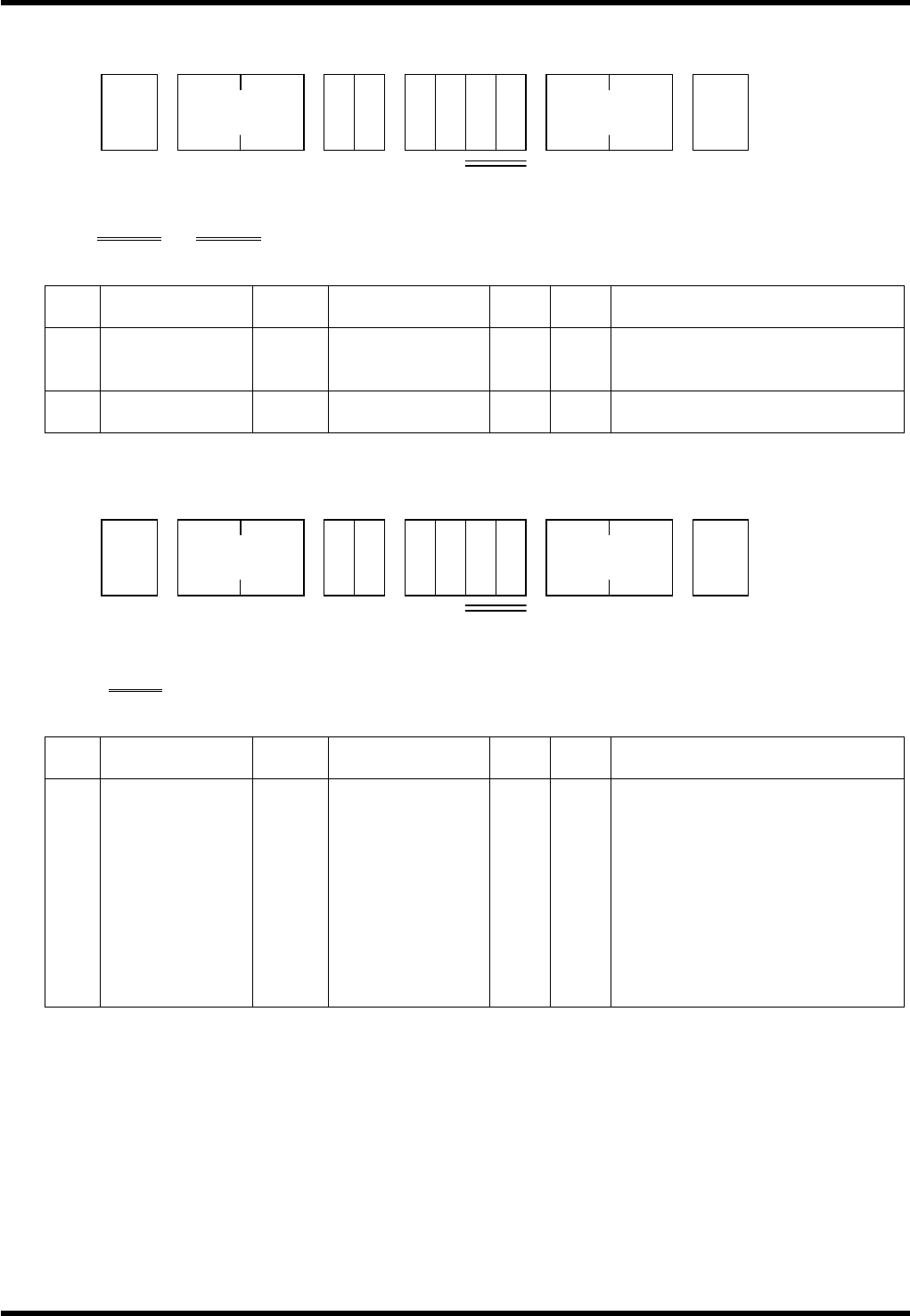
Z data alteration command
If parts are exhausted in the feeder carriage, this can alter Z data where parts exhaustion occurred.
=REMARKS=
Z***
Z***
1 2
No. Data name
Max.
digits
Input range Omit
Vari-
able
Remarks
1 Parts exhaust 3 001 to 121
×
Z121 is a jumper.
Z axis No. where parts
exhaustion occurred.
2 Z axis No. 3 001 to 121
×
Z121 is a jumper.
Newly registered Z axis No.
NC program selection
=REMARKS=
P***
1
No. Data name
Max.
digits
Input range Omit
Vari-
able
Remarks
1
Program
control No.
3 000 to FFF
×
If other than the valid character
within 3 digits, it becomes an
error.
If less than 3 digits, ‘0’ is affixed
to the front.
Ex.) P1 → P001
Even if a program name is
added after the control No., the
name is ignored.
If unregistered, it becomes an
error.
STX
C 5 S E
No. of
characters
ETX
Remarks
* *
Check sum
STX
C 5 S E
No. of
characters
ETX
Remarks
* *
Check sum