STM1-S_SDV_Maintenance(Eng_Ver1).pdf - 第49页
W ee kly Inspe ction Chap ter 4 Multi -Func tional Placer ST M1-S M ain ten an ce Ha nd bo ok 4-6 Cleaning the conveyor chamber W eekly Inspection Step 4 . Aft er th e han dler s tops , a doo r will ope n. Step 5. Whil e…
Weekly Inspection
Chapter 4
Multi-Functional Placer
STM1-S Maintenance Handbook
4-5
Cleaning the conveyor chamber
Tool for Maintenance
cloth
Measures
Step 1.
Press the 'STOP' and 'RESET' buttons in order after
pressing the 'EMG' button on the OP panel to stop
operation.
For more details, refer to "How to perform emergency stop" on page
1-2.
Step 2.
Shut the main pneumatic pressure supplied to the
machine.
Step 3.
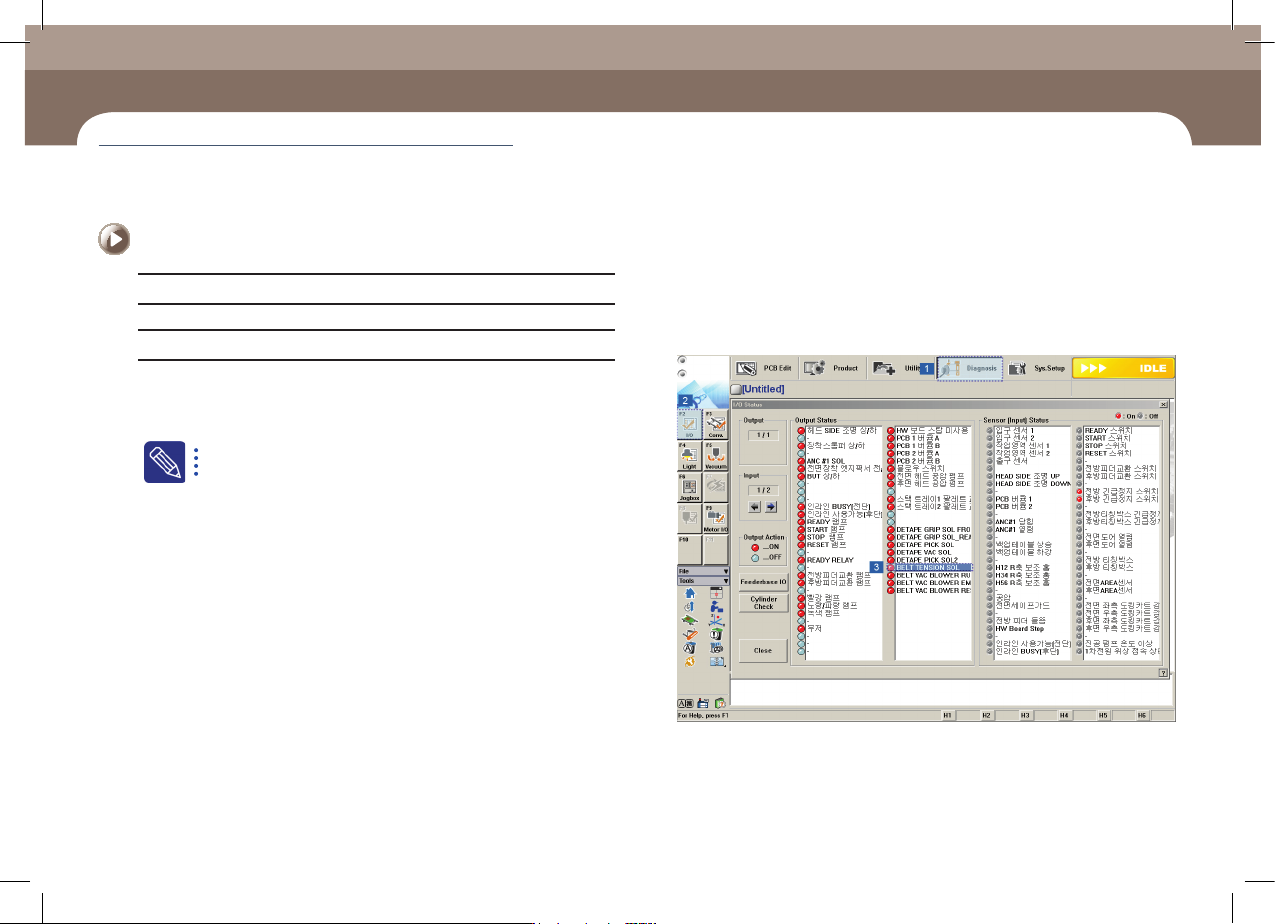
BELT TENSION SOL in IO status dialog box is changed
to Off.
Cleaning the conveyor chamber
(Time required: 15min / No. W-3)
Weekly Inspection
Chapter 4
Multi-Functional Placer
STM1-S Maintenance Handbook
4-6
Cleaning the conveyor chamber
Weekly Inspection
Step 4.
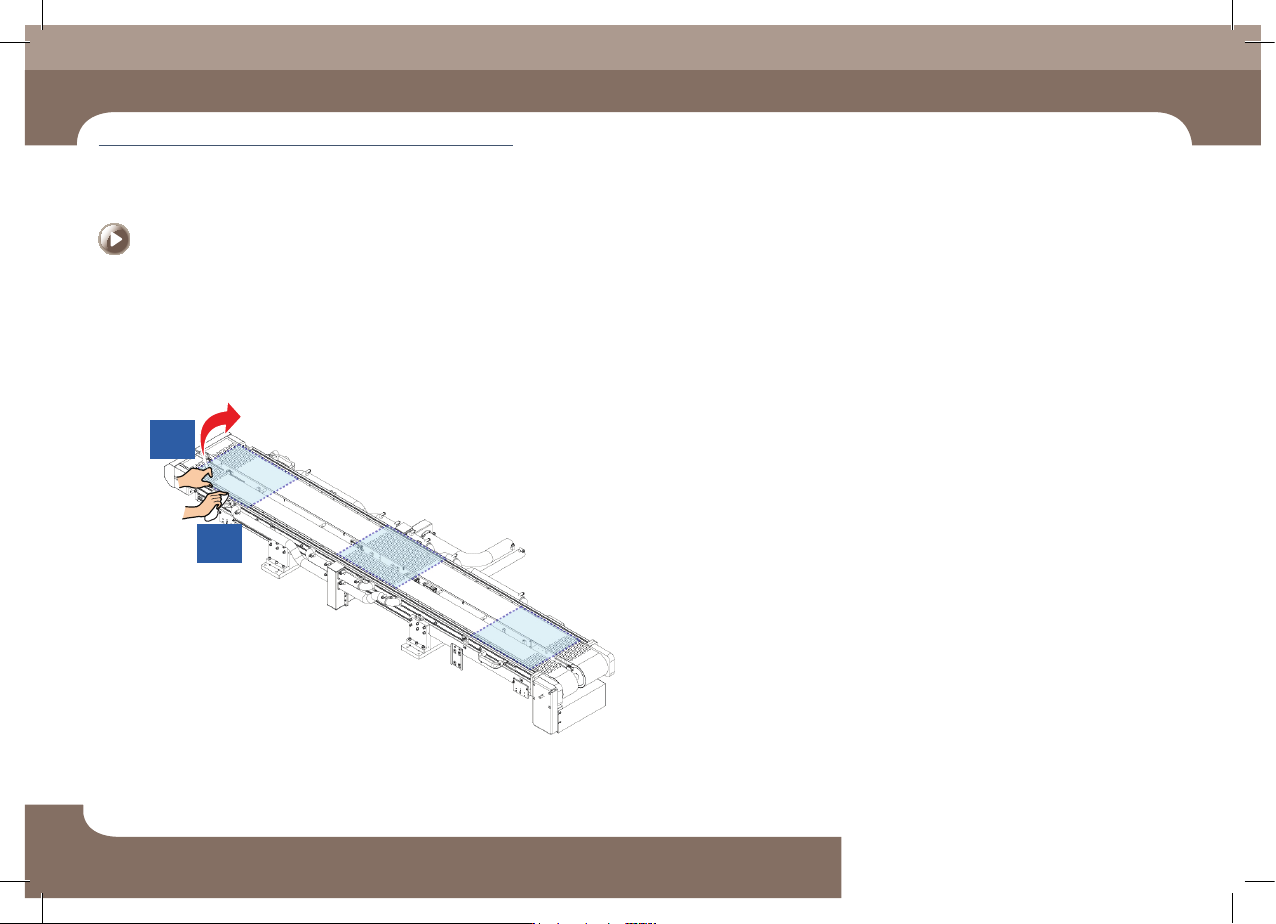
After the handler stops, a door will open.
Step 5.
While holding the belt up, clean the Chamber floor with
a cloth.
2
1
Weekly Inspection
Chapter 4
Multi-Functional Placer
STM1-S Maintenance Handbook
4-7
Replace the Detach vacuum ejector filter
Measures
Step 1.
Press the 'STOP' and 'RESET' buttons in order after
pressing the 'EMG' button on the OP panel to stop
operation.
For more details, refer to "How to perform emergency stop" on page
1-2.
Step 2.
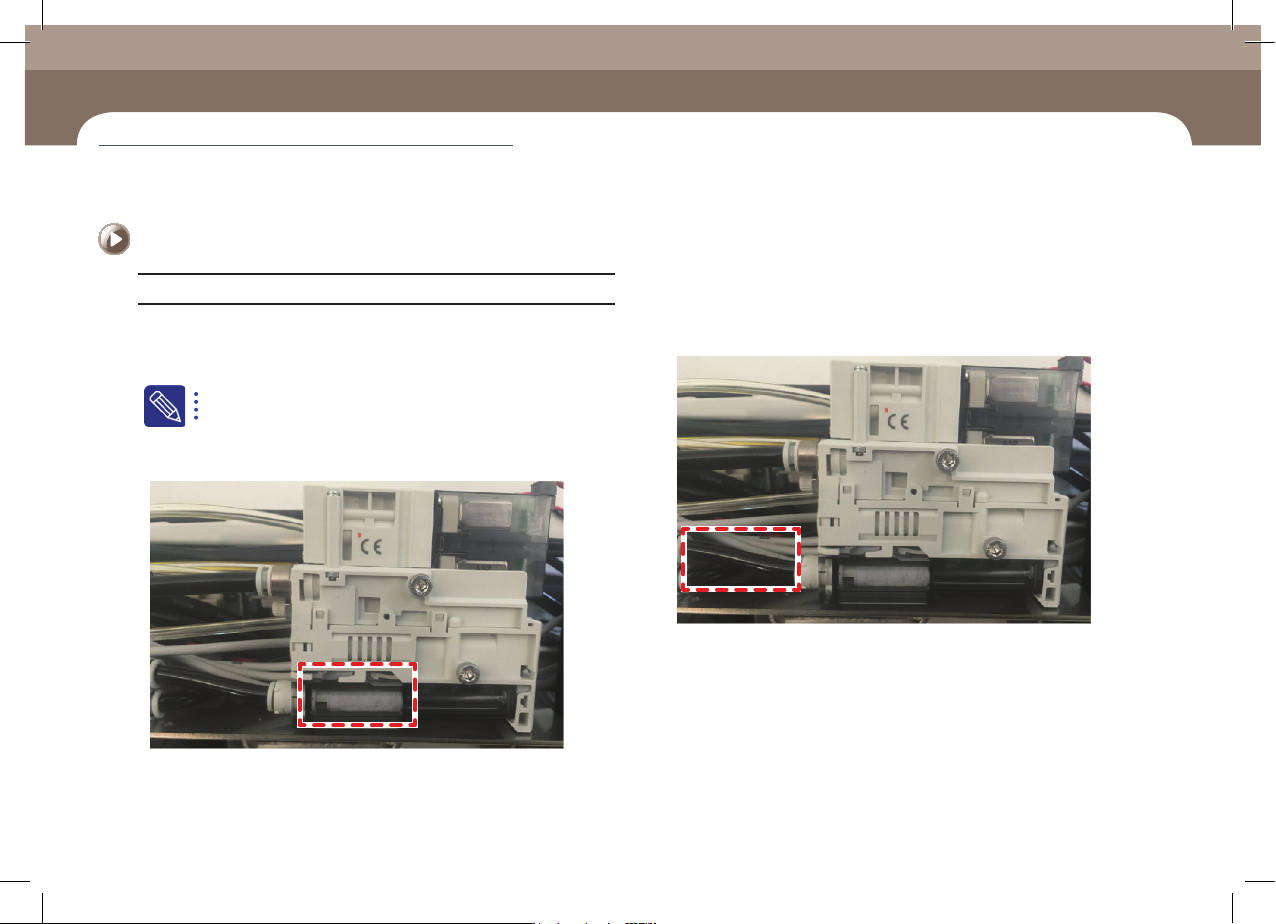
After the Detach door is opened, check whether a filter
of the vacuum ejector is contaminated.
Step 3.
If a filter is contaminated, detach the tube that is
connected to the vacuum ejector.
Replace the Detach vacuum ejector filter
(Time required: 10min / No. W-4)