MPM UP2000印刷机中文操作手册 - 第25页
1.3.3 選擇 Calc. Pr e-Boa rdstops-X 進入基 板 X 方向停止位置 參數設定 P r e boa rd stop posi tio n lea rned ( 機器自 行計算 基板停 止位置 ) Pr ess S ELECT to continue ( 按 SELECT 繼續 ) Pr ess Don e when fin ished. ( 當 你做 完 上述之步 驟, 按 Done ) 1.4 選擇 S t…
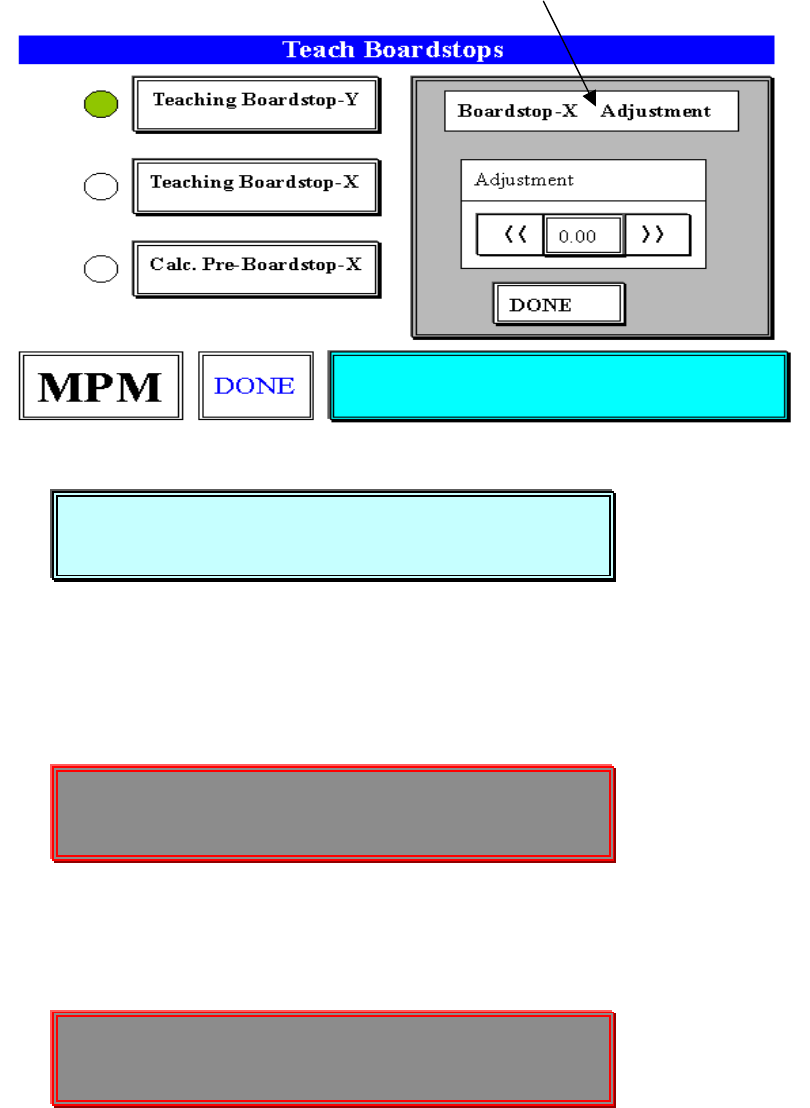
(將基板往前及往後送到印刷平台中心點位置)
你按 SELECT 之後,出現下列訊息:
Please insert a stencil. (請放入鋼板)
Press NEXT to continue! (按 NEXT 繼續)
你按 NEXT 之後,出現下列訊息及視窗:
Jog to any target on the board! (請移動到基板上任一個對位 Mark 點)
Center the object. Press EXIT(對正 Mark 中心點,按 EXIT 離開)
你按 EXIT 之後,出現下列訊息及視窗:
Jog to the same target on the stencil!(請移動到鋼板上任一個對位 Mark 點
Center the object. Press EXIT ,對正 Mark 中心點,但必須與基板上
Mark 點一樣,按 EXIT 離開)
※但如果 X 軸方向,超過軟體保護極限會出現下列訊息,可能需重做對位點。
Please insert a stencil.
Press NEXT to continue!
Jog to any target on the board!
Center the object. Press EXIT
Jog to the same target on the stencil!
Center the object. Press EXIT
锡膏印刷机 www.smt11.cn
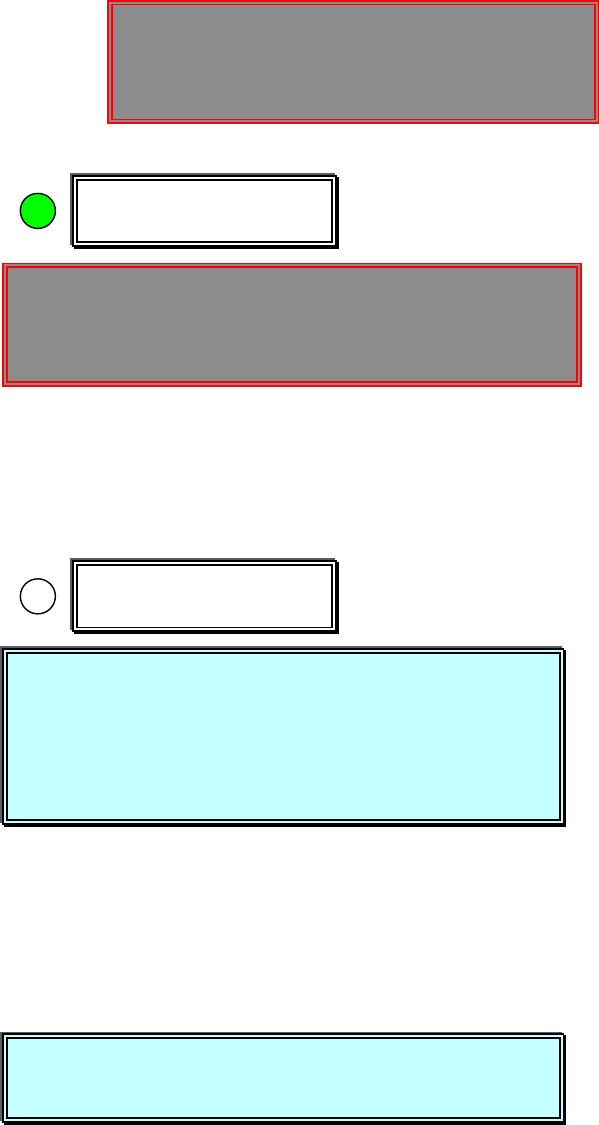
1.3.3 選擇 Calc. Pre-Boardstops-X 進入基板 X 方向停止位置參數設定
Pre board stop position learned (機器自行計算基板停止位置)
Press SELECT to continue(按 SELECT 繼續)
Press Done when finished. (當你做完上述之步驟,按 Done)
1.4 選擇 Stencil 進入測鋼板高度參數設定
Hardware Required:
Board , Stencil , Tactile ,
Please install a stencil now. (請現在放入鋼板)
The FRAME CLAMPS will activate when (按 NEXT 後,啟動鎖住鋼板)
you press NEXT.
Press NEXT to Continue, or EXIT to Quit. (按 NEXT 繼續, 按 EXIT 離開)
你按 NEXT 之後,出現下列訊息及視窗:
The next step is to set STENCIL HEIGHT. (然後進行測鋼板高度)
Press NEXT to Continue, or EXIT to Quit. (按 NEXT 繼續, 按 EXIT 離開)
你按 NEXT 之後,出現下列訊息及視窗:
Calc. Pre-Boardstop-X
-----Warning Message-----
X AXIS – SOFTWARE LIMIT WARNING!
Press NEXT to Continue.
Stencil
Pre board stop position learned
Press SELECT to continue
Press Done when finished.
Please install a stencil now.
The FRAME CLAMPS will activate when
y
ou press NEXT.
Press NEXT to Continue, or EXIT to Quit.
The next step is to set STENCIL HEIGHT.
Press NEXT to Continue, or EXIT to Quit.
锡膏印刷机 www.smt11.cn

CAUTION, The machine is now going to(警告,機器現 在要移動,內部不能有
move. STAY CLEAR.任何東西,需清除)
Press NEXT to Continue, or EXIT to Quit. (按 NEXT 繼續, 按 EXIT 離開)
你按 NEXT 之後,出現下列訊息及視窗:
Press SELECT to JOG the sensor clear of(按 SELECT 移動偵測感應器,勿
paste or stecil apertures,碰到鋼板上錫膏及鋼板上 PAD 孔)
or Press NEXT to CONTINUE. (按 NEXT 馬上開始在本位置偵測鋼板高度)
Press SELECT or NEXT to Continue. (按 SELECT 或 NEXT 繼續)
你按 SELECT 之後,出現下列訊息及視窗:
JOG ACTIVE…(移動現在刮刀行程位置)
SQUEEGEE STROKE -112.050
Press EXIT to quit. (按 EXIT 離開)
你按 NEXT 與 EXIT 之後,出現下列訊息及視窗:
JOG ACTIVE…
SQUEEGEE STROKE -112.050
Press EXIT to quit.
CAUTION, The machine is now going to
move. STAY CLEAR.
Press NEXT to Continue, or EXIT to Quit.
Press SELECT to JOG the sensor clear of
paste or stecil apertures,
or Press NEXT to CONTINUE.
Press SELECT or NEXT to Continue.
Locating the board…
CAUTION:
::
:Auto height sensor in
progress. Please wait…
锡膏印刷机 www.smt11.cn