MPM UP2000印刷机中文操作手册 - 第54页
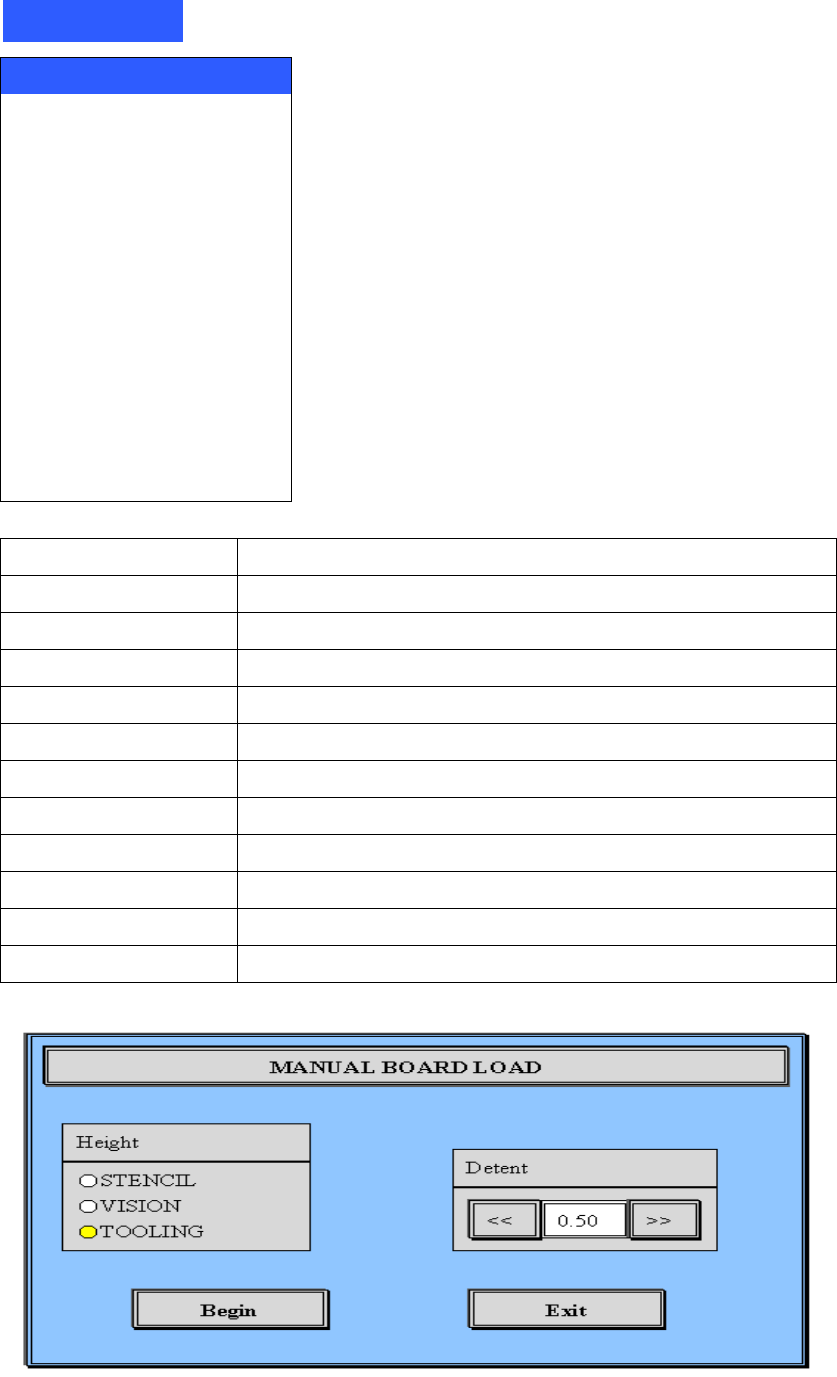
10 ※ L oad Board 進板指令集是將 PC 板送進機器內 ,Z AXI S 將會升高到不同高度 , 當你在下拉式選項 Utilities 中選擇時 , 螢幕上會出現手動進板 (Manual L oad Board) 的螢幕如上圖。 1. 鋼板高度 (Ste ncil Height) :將 PC 板上升至鋼板的高度 , 這是可以查看 PC 板 是否完全密和頂到鋼板及 PC 板與鋼板有無對位。 2. 鏡 頭 高度 (V isio…
9
Utilities
Load Board
Stencil Height
Set Stroke
Level Squeegee
Squeegee Height
Knead Paste
Cycle Squeegee
Cycle Wiper
Cycle Dispenser
Verify Stencil
Cal Prestop Position
ECU Utilities
Load Board
載入 PC 板於中心點位置及視覺系統位置,頂到鋼板位置
Stencil Height
測 PC 板到鋼板高度
Set Stroke
設定刮刀組行程
Level Squeegee
測前/後刮刀到鋼板高度(可程式刮刀組用)
Squeegee Height
測前/後刮刀到鋼板高度(標準刮刀組用)
Knead Paste
手動攪拌錫膏
Cycle Squeegee
手動更換前/後刮刀組方向
Cycle Wiper
手動擦拭鋼板一次
Cycle Dispenser
手動自動加錫器加錫一次(需有自動加錫器)
Verify Stencil
辨識鋼板身分
Cal Prestop Position
重新校正 PC 板停止位置
ECU Utilities
溫溼度控制器設定使用視窗
1. Load Board 載入 PC 板於中心點位置及視覺系統位置,頂到鋼板位置
锡膏印刷机 www.smt11.cn

10
※ Load Board 進板指令集是將 PC 板送進機器內,Z AXIS 將會升高到不同高度,
當你在下拉式選項 Utilities 中選擇時,螢幕上會出現手動進板(Manual Load
Board)的螢幕如上圖。
1. 鋼板高度(Stencil Height):將 PC 板上升至鋼板的高度,這是可以查看 PC 板
是否完全密和頂到鋼板及 PC 板與鋼板有無對位。
2. 鏡頭高度(Vision Height):將 PC 板上升至視覺影像高度,這是可以查看 PC
板 Mark 點是否錯誤。
3. 定位工具高度(Tooling Height):將 PC 板上升至定位工具高度,這是可以查
看 PC 板吸真空是否定位良好及調整支撐
PIN(Support PIN)位置。
4. Begin:開始送板到印刷區位置並依照上述設定上升高度
5. Detent:載入 PC 板向前與向後於中心點位置
6. Exit :跳出手動進板的畫面,回到主畫面
2. Stencil Height 測 PCB 板到鋼板厚度
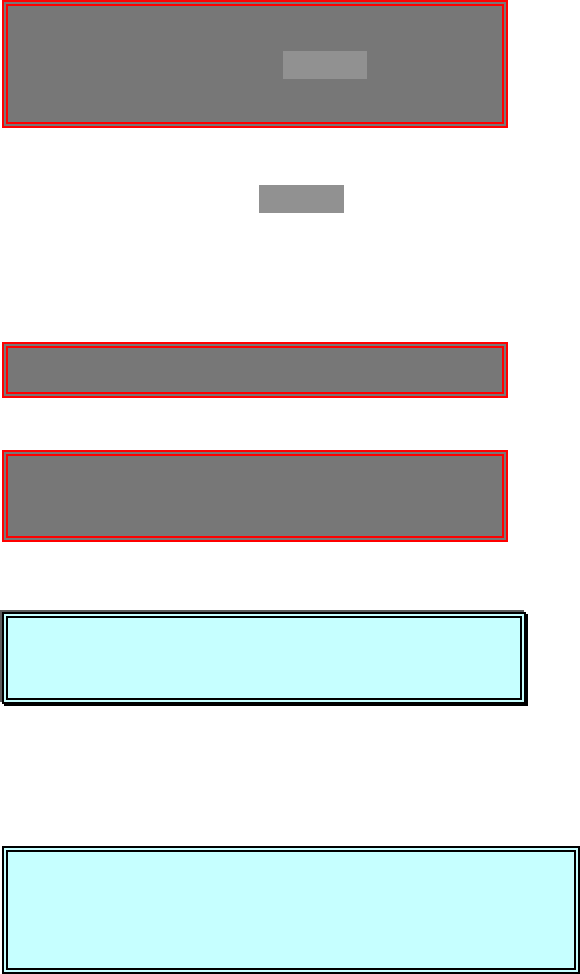
This utility will the set STENCIL height. (要開始使用偵測鋼板高度)
Press NEXT to Continue, or EXIT to Quit. (按 NEXT 繼續, 按 EXIT 離開)
你按 NEXT 之後,出現下列訊息及視窗:
CAUTION, The machine is now going to(警告,機器現在要移動,內部不能有
move. STAY CLEAR.任何東西,需清除)
Press NEXT to Continue, or EXIT to Quit. (按 NEXT 繼續, 按 EXIT 離開)
你按 NEXT 之後,出現下列訊息及視窗:
This utility will the set STENCIL height.
Press NEXT to Continue, or EXIT to Quit.
CAUTION, The machine is now going to
move. STAY CLEAR.
Press NEXT to Continue, or EXIT to Quit.
Press SELECT to JOG the sensor clear of
paste or stencil apertures,
or Press NEXT to CONTINUE.
Press SELECT or NEXT to Continue.
锡膏印刷机 www.smt11.cn
11
Press SELECT to JOG the sensor clear of(按 SELECT 移動偵測感應器,以
paste or stencil apertures, 免碰到鋼板上錫膏及鋼板上 PAD 孔)
or Press NEXT to CONTINUE. (按 NEXT 馬上開始在本位置偵測鋼板高度)
Press SELECT or NEXT to Continue. (按 SELECT 或 NEXT 繼續)
你按 SELECT 之後,出現下列訊息及視窗:
JOG ACTIVE…(移動現在刮刀行程位置)
SQUEEGEE STROKE -112.050
Press EXIT to quit. (按 EXIT 離開)
你按 NEXT 與 EXIT 之後,出現下列訊息及視窗:
(載入基板中………)
(注意:高度自動偵測進行,請稍後………)
Stencil height FOUND. (完成偵測鋼板高度)
Press NEXT to Continue. (按 NEXT 繼續下一步驟)
3. Set Stroke 設定刮刀組行程
This utility will allow you to set the (本功能可設定印刷時的刮刀行程)
SQUEEGEE STROKE used during printing.
Press NEXT to Continue, or EXIT to Quit. (按 NEXT 繼續, 按 EXIT 離開)
你按 SELECT 之後,出現下列訊息及視窗:
JOG ACTIVE…
SQUEEGEE STROKE -112.050
Press EXIT to quit.
Locating the board…
CAUTION:
::
:Auto height sensor in
progress. Please wait…
Stencil height FOUND.
Press NEXT to Continus.
This utility will allow you to set the
SQUEEGEE STROKE used during printing.
Press NEXT to Continue, or EXIT to Quit.
锡膏印刷机 www.smt11.cn