MPM UP2000印刷机中文操作手册 - 第56页
12 Jog the SQUEEGEE to the desir ed +STROKE ( 移 動刮刀到 朝 向鋼板後方 located tow ard the rear of the stencil . 的正方向 適 當位置 ) Pr ess NEXT to Continue, or EXIT to Quit. ( 按 NEXT 繼續 , 按 EXIT 離開 ) 按 NEXT 之 後 , 有一指標會 往 上 跑 到 JOG 區的 SQ…
11
Press SELECT to JOG the sensor clear of(按 SELECT 移動偵測感應器,以
paste or stencil apertures, 免碰到鋼板上錫膏及鋼板上 PAD 孔)
or Press NEXT to CONTINUE. (按 NEXT 馬上開始在本位置偵測鋼板高度)
Press SELECT or NEXT to Continue. (按 SELECT 或 NEXT 繼續)
你按 SELECT 之後,出現下列訊息及視窗:
JOG ACTIVE…(移動現在刮刀行程位置)
SQUEEGEE STROKE -112.050
Press EXIT to quit. (按 EXIT 離開)
你按 NEXT 與 EXIT 之後,出現下列訊息及視窗:
(載入基板中………)
(注意:高度自動偵測進行,請稍後………)
Stencil height FOUND. (完成偵測鋼板高度)
Press NEXT to Continue. (按 NEXT 繼續下一步驟)
3. Set Stroke 設定刮刀組行程
This utility will allow you to set the (本功能可設定印刷時的刮刀行程)
SQUEEGEE STROKE used during printing.
Press NEXT to Continue, or EXIT to Quit. (按 NEXT 繼續, 按 EXIT 離開)
你按 SELECT 之後,出現下列訊息及視窗:
JOG ACTIVE…
SQUEEGEE STROKE -112.050
Press EXIT to quit.
Locating the board…
CAUTION:
::
:Auto height sensor in
progress. Please wait…
Stencil height FOUND.
Press NEXT to Continus.
This utility will allow you to set the
SQUEEGEE STROKE used during printing.
Press NEXT to Continue, or EXIT to Quit.
锡膏印刷机 www.smt11.cn
12
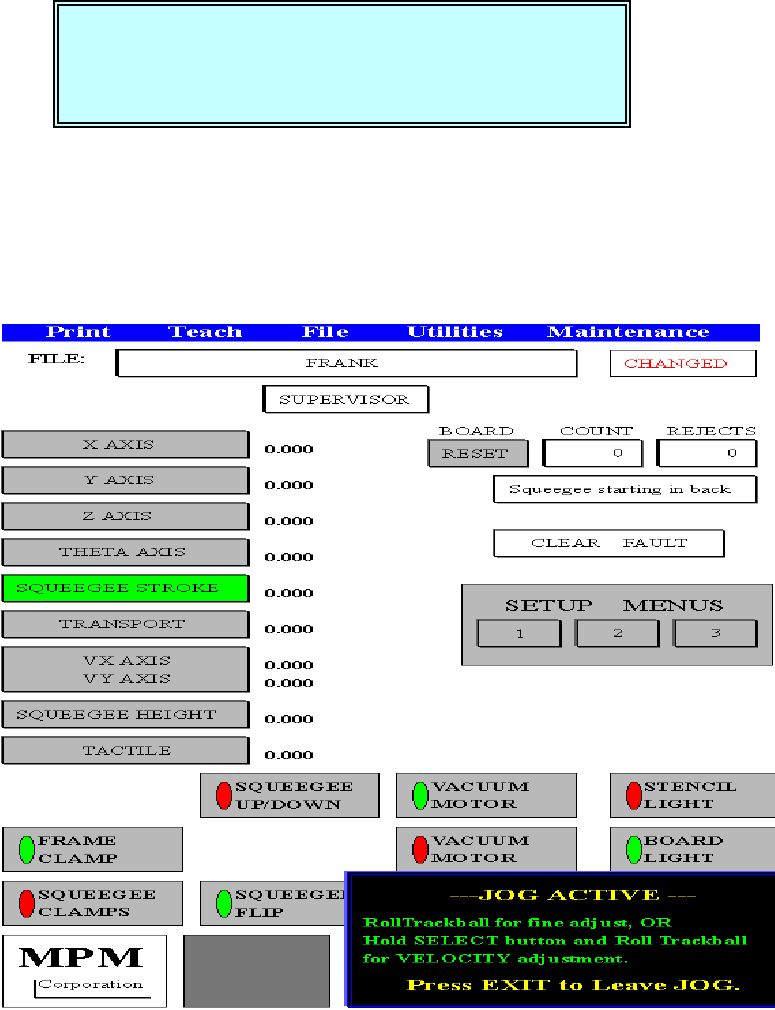
Jog the SQUEEGEE to the desired +STROKE (移動刮刀到朝向鋼板後方
located toward the rear of the stencil. 的正方向適當位置)
Press NEXT to Continue, or EXIT to Quit. (按 NEXT 繼續, 按 EXIT 離開)
按 NEXT 之後,有一指標會往上跑到 JOG 區的 SQUEEGEE STROKE
---JOG ACTIVE ---
RollTrackball for fine adjust, OR(滾動軌跡球做微調,或是按住 SELECT
Hold SELECT button and Roll Trackball 按鈕並且滾動軌跡球做快速微調)
For VELOCITY adjustment.
Press EXIT to Leave JOG. (按 EXIT 離開 JOG 模式)
你按 SELECT 之後,出現下列訊息及視窗:
Jog the SQUEEGEE to the desired +
++
+STROKE
located toward the rear of the stencil.
Press NEXT to Continue, or EXIT to Quit.
锡膏印刷机 www.smt11.cn
13
Jog the SQUEEGEE to the desired -
--
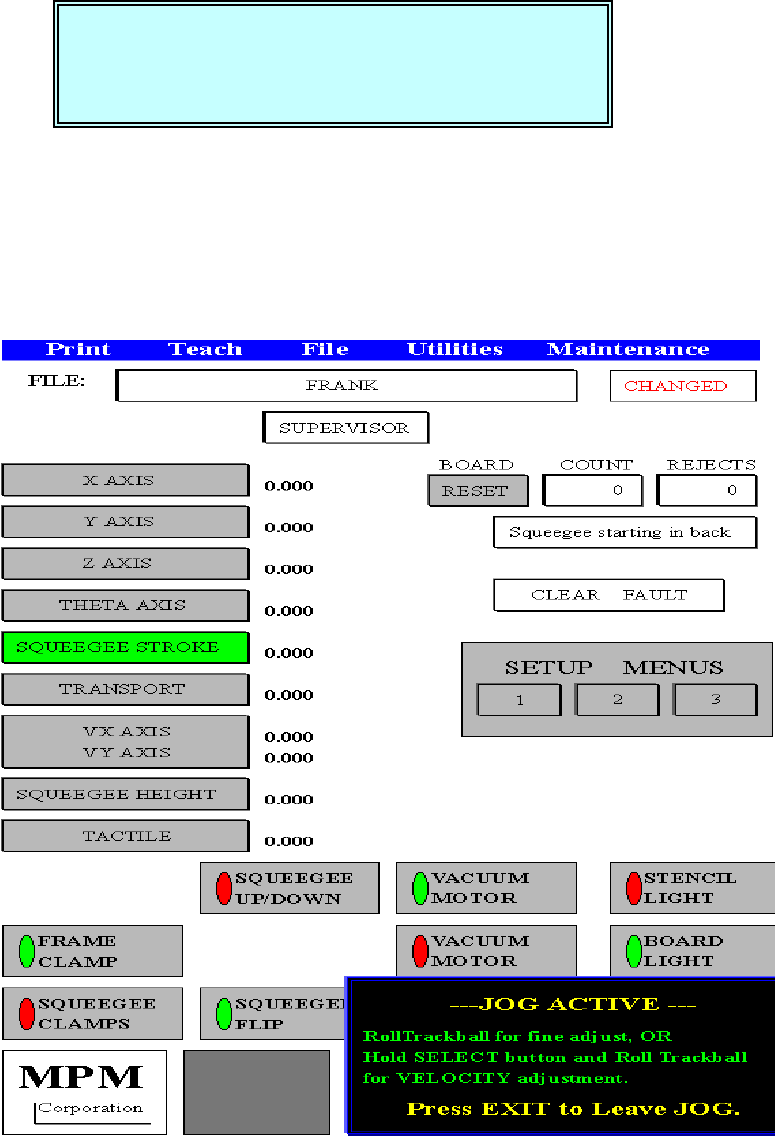
-STROKE (移動刮刀到朝向鋼板前方
located toward the front of the stencil. 的負方向適當位置)
Press NEXT to Continue, or EXIT to Quit. (按 NEXT 繼續, 按 EXIT 離開)
按 NEXT 之後,有一指標會往上跑到 JOG 區的 SQUEEGEE STROKE
---JOG ACTIVE ---
RollTrackball for fine adjust, OR(滾動軌跡球做微調,或是按住 SELECT
Hold SELECT button and Roll Trackball 按鈕並且滾動軌跡球做快速微調)
For VELOCITY adjustment.
Press EXIT to Leave JOG. (按 EXIT 離開 JOG 模式)
Jog the SQUEEGEE to the desired -
--
-STROKE
located toward the front of the stencil.
Press NEXT to Continue, or EXIT to Quit.
锡膏印刷机 www.smt11.cn