MPM UP2000印刷机中文操作手册 - 第57页
13 Jog the SQUEEGEE to the desir ed - - - - STROKE ( 移 動刮刀到 朝 向鋼板前方 located tow ard the f r ont of th e stencil. 的 負 方向 適 當位置 ) Pr ess NEXT to Continue, or EXIT to Quit. ( 按 NEXT 繼續 , 按 EXIT 離開 ) 按 NEXT 之 後 , 有一指標會 往 上 跑…
12
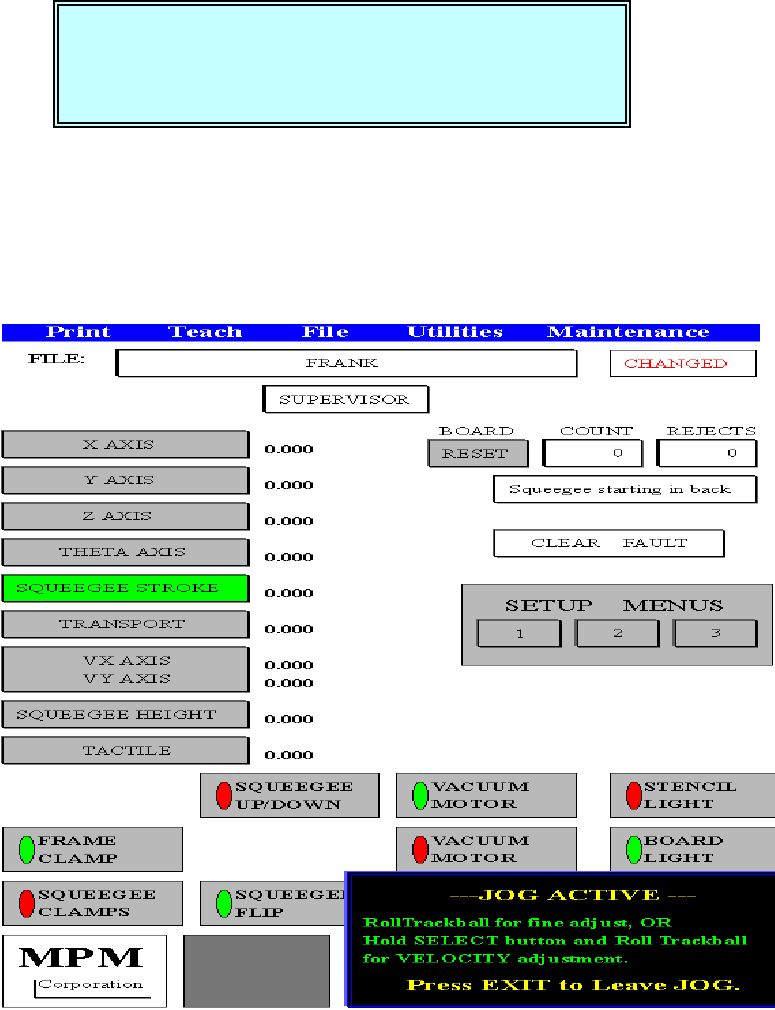
Jog the SQUEEGEE to the desired +STROKE (移動刮刀到朝向鋼板後方
located toward the rear of the stencil. 的正方向適當位置)
Press NEXT to Continue, or EXIT to Quit. (按 NEXT 繼續, 按 EXIT 離開)
按 NEXT 之後,有一指標會往上跑到 JOG 區的 SQUEEGEE STROKE
---JOG ACTIVE ---
RollTrackball for fine adjust, OR(滾動軌跡球做微調,或是按住 SELECT
Hold SELECT button and Roll Trackball 按鈕並且滾動軌跡球做快速微調)
For VELOCITY adjustment.
Press EXIT to Leave JOG. (按 EXIT 離開 JOG 模式)
你按 SELECT 之後,出現下列訊息及視窗:
Jog the SQUEEGEE to the desired +
++
+STROKE
located toward the rear of the stencil.
Press NEXT to Continue, or EXIT to Quit.
锡膏印刷机 www.smt11.cn
13
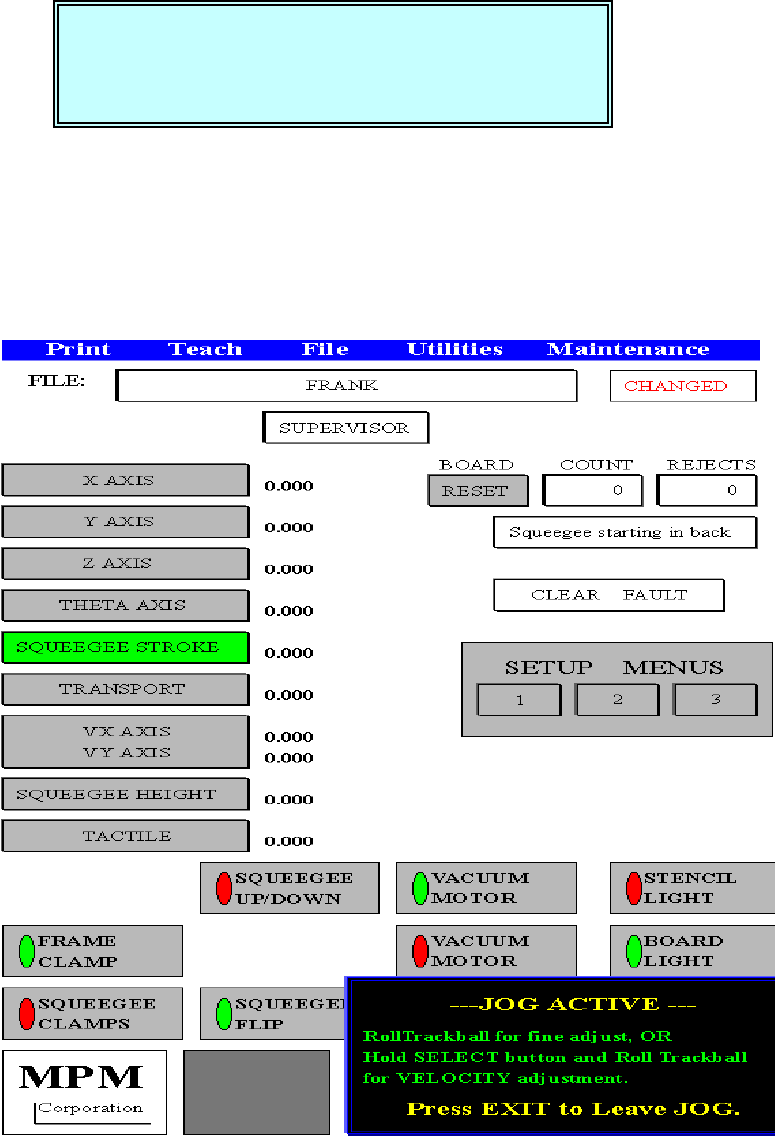
Jog the SQUEEGEE to the desired -
--
-STROKE (移動刮刀到朝向鋼板前方
located toward the front of the stencil. 的負方向適當位置)
Press NEXT to Continue, or EXIT to Quit. (按 NEXT 繼續, 按 EXIT 離開)
按 NEXT 之後,有一指標會往上跑到 JOG 區的 SQUEEGEE STROKE
---JOG ACTIVE ---
RollTrackball for fine adjust, OR(滾動軌跡球做微調,或是按住 SELECT
Hold SELECT button and Roll Trackball 按鈕並且滾動軌跡球做快速微調)
For VELOCITY adjustment.
Press EXIT to Leave JOG. (按 EXIT 離開 JOG 模式)
Jog the SQUEEGEE to the desired -
--
-STROKE
located toward the front of the stencil.
Press NEXT to Continue, or EXIT to Quit.
锡膏印刷机 www.smt11.cn

14
4.Level Squeegee
This Utility will set the SQUEEGEE height.(使用測刮刀高度)
Press NEXT to Continue, or EXIT to quit. (按 NEXT 繼續, 按 EXIT 離開)
按 NEXT 之後,出現下列訊息視窗:
Please install a stencil now. (現在請放入鋼板)
The FRAME CLAMPS will activate when(按 NEXT 之後,啟動鋼板固定夾)
you press NEXT.
Press NEXT to Continue, or EXIT to quit. (按 NEXT 繼續, 按 EXIT 離開)
按 NEXT 之後,出現下列訊息視窗:
You must now install the squeegee blade. (你現在必須安裝刮刀)
Press NEXT to Continue, or EXIT to quit. (按 NEXT 繼續, 按 EXIT 離開)
按 NEXT 之後,出現下列訊息視窗:
CAUTION, The machine is now going to(注意,機器的 Z 軸和刮刀上下將
Move the Z TOWER and cycle 會移動)
the SQUEEGEE UP and DOWN.
Press NEXT to Continue, or EXIT to Quit. (按 NEXT 繼續, 按 EXIT 離開)
按 NEXT 之後,出現下列訊息視窗:
This Utility will set the SQUEEGEE height.
Press NEXT to Continue, or EXIT to quit.
Please install a stencil now.
The FRAME CLAMPS will activate when
you press NEXT.
Press NEXT to Continue, or EXIT to quit.
You must now install the squeegee blade.
Press NEXT to Continue, or EXIT to quit.
CAUTION, The machine is now going to
Move the Z TOWER and cycle
the SQUEEGEE UP and DOWN.
Press NEXT to Continue, or EXIT to Quit.
锡膏印刷机 www.smt11.cn