00198124-02_JC_PM_WF4_TX_EN.pdf - 第60页
19 WF 4 TX-Series Maintenance Calibrating the TH 14 min 2 / 9 C A U T I O N ! R e f e r t o s a f e t y i n s t r u c t i o n s i n u s e r m a n u a l b e f o r e c o m m e n c i n g M a i n t e n a n c e Machine Stat…
19 WF 4 TX-Series Maintenance Calibrating the TH 14 min 1 / 9
CAUTION! Refer to safety instructions in user manual before commencing Maintenance
Machine Status ON Conveyor Empty
NOTICE! ESD guidelines are to be followed Tool:
T5
Wear Part: Consumables:
www.asm-smt.com
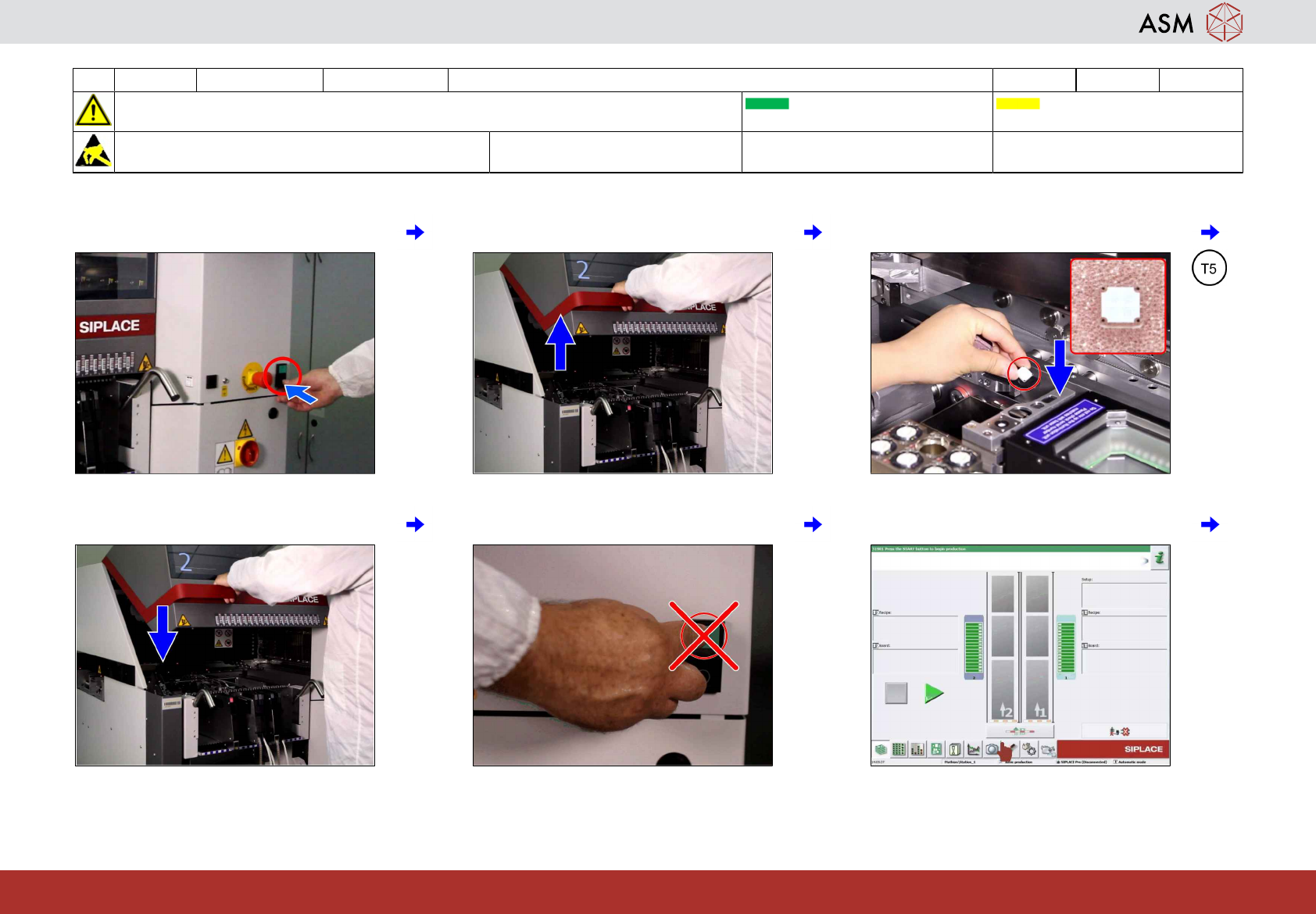
1 Press the stop button. 2 Open the cover. 3 Place the calibration tool in pocket.
4 Close the cover. 5 Do not click machine start button. 6 Click on "settings and options" icon.
19 WF 4 TX-Series Maintenance Calibrating the TH 14 min 2 / 9
CAUTION! Refer to safety instructions in user manual before commencing Maintenance
Machine Status ON Conveyor Empty
NOTICE! ESD guidelines are to be followed Tool:
T5
Wear Part: Consumables:
www.asm-smt.com
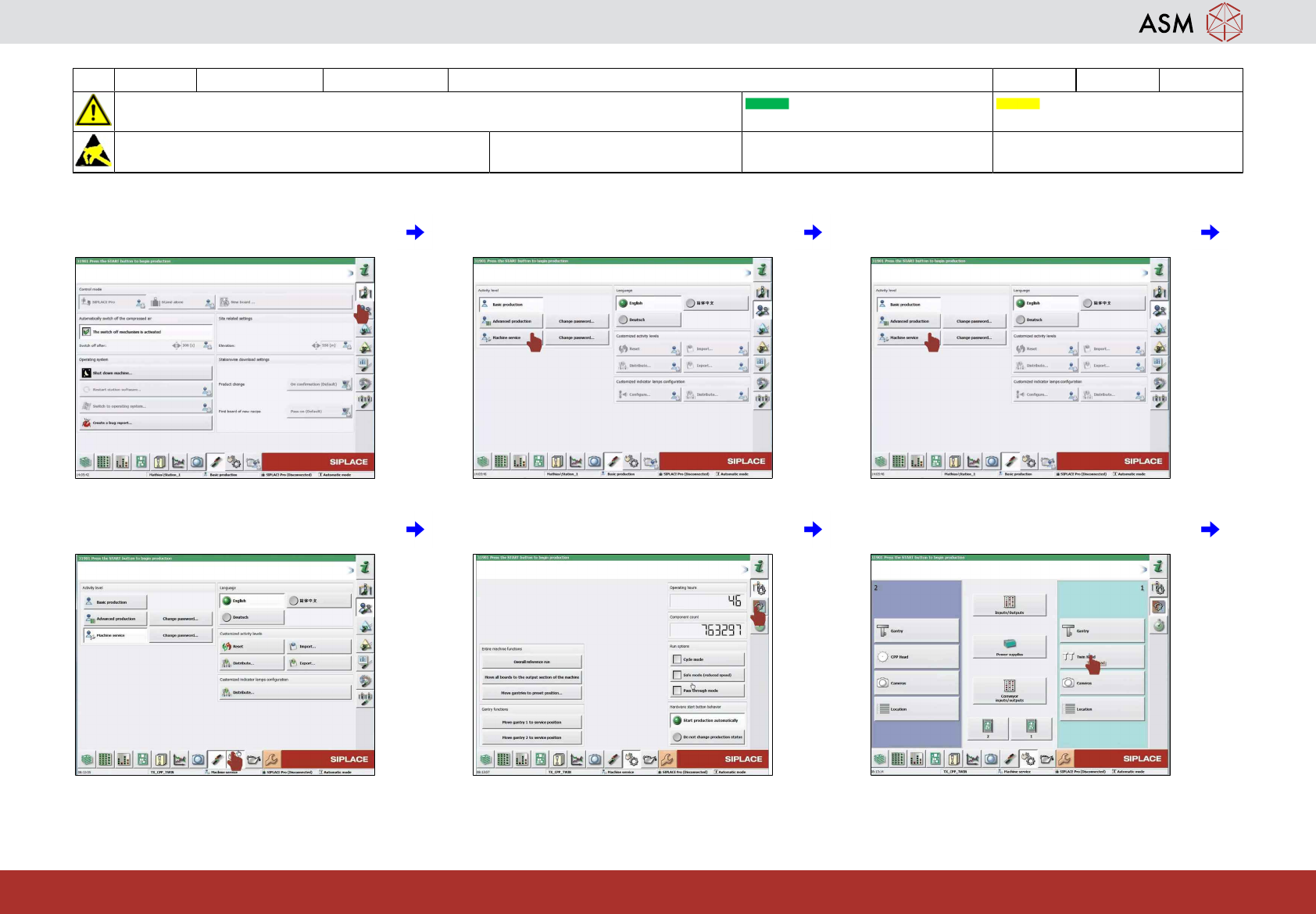
7 Click on "user settings" icon. 8 Click on "machine service" icon. 9 If you mount the same heads continue
with step 22.
10 Click on "check sensor and options" icon. 11 Click on "check sensors function of spe-
cific components" icon.
12 Click on "TH" icon.
19 WF 4 TX-Series Maintenance Calibrating the TH 14 min 3 / 9
CAUTION! Refer to safety instructions in user manual before commencing Maintenance
Machine Status ON Conveyor Empty
NOTICE! ESD guidelines are to be followed Tool:
T5
Wear Part: Consumables:
www.asm-smt.com
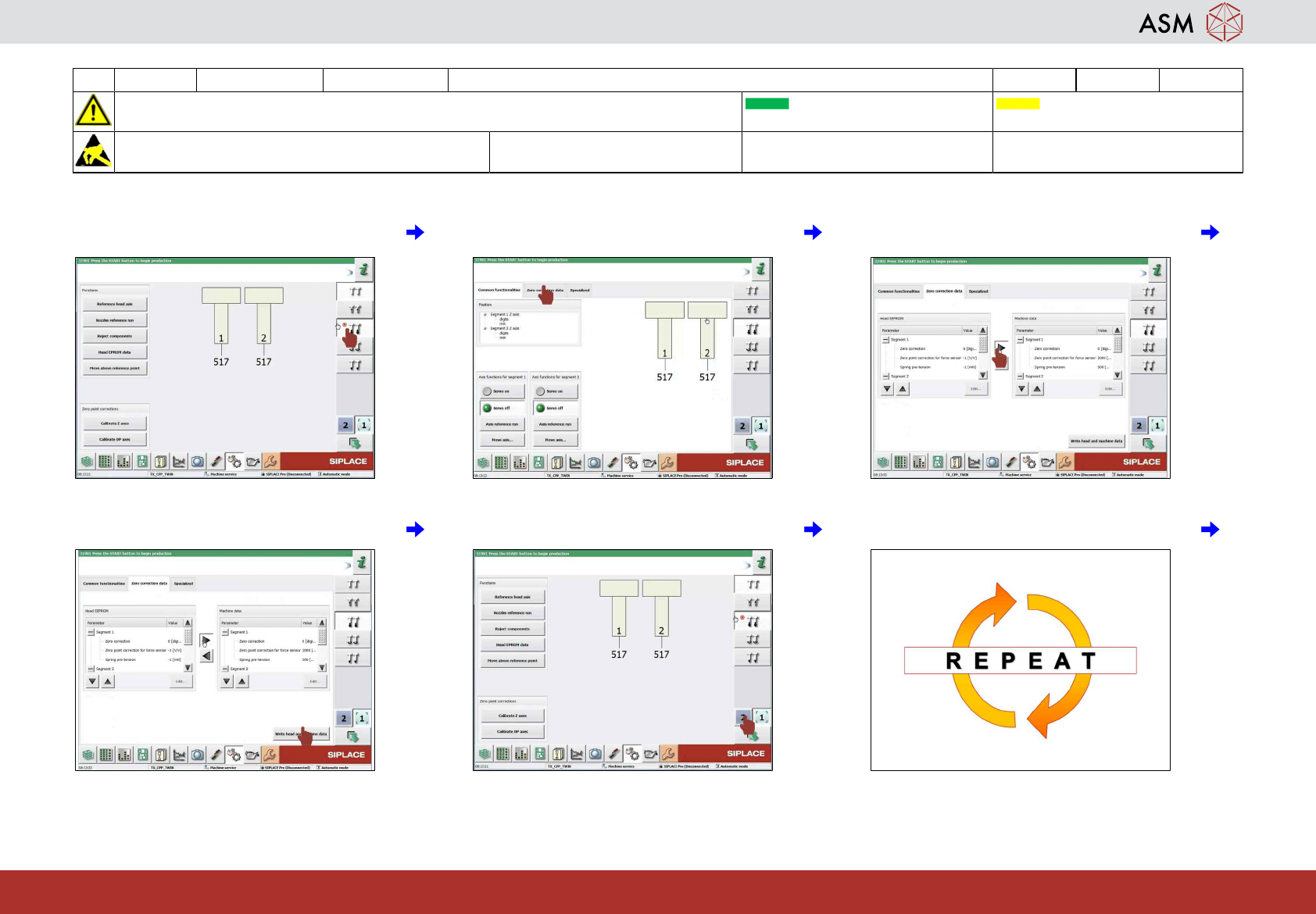
13 Click on "check positions and functions of
the Z-Axis" icon.
14 Click on zero correction data. 15 Click on "arrow right" icon to transfer data
from eprom to head
16 Click on write head and machine date. 17 Select the second head "TH" if required. 18 Repeat the steps 13 to 15.