00198124-02_JC_PM_WF4_TX_EN.pdf - 第62页
19 WF 4 TX-Series Maintenance Calibrating the TH 14 min 4 / 9 C A U T I O N ! R e f e r t o s a f e t y i n s t r u c t i o n s i n u s e r m a n u a l b e f o r e c o m m e n c i n g M a i n t e n a n c e Machine Stat…
19 WF 4 TX-Series Maintenance Calibrating the TH 14 min 3 / 9
CAUTION! Refer to safety instructions in user manual before commencing Maintenance
Machine Status ON Conveyor Empty
NOTICE! ESD guidelines are to be followed Tool:
T5
Wear Part: Consumables:
www.asm-smt.com
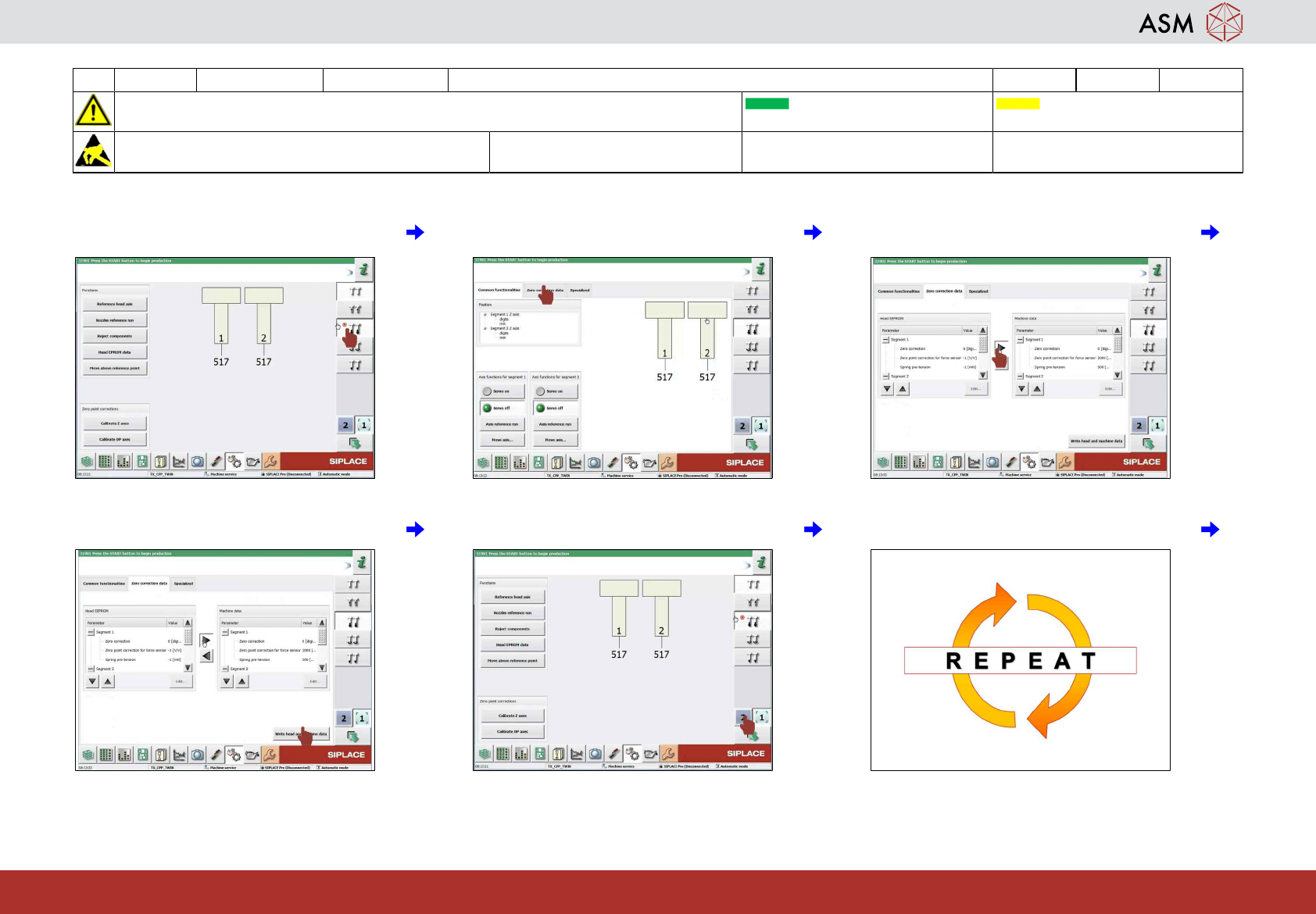
13 Click on "check positions and functions of
the Z-Axis" icon.
14 Click on zero correction data. 15 Click on "arrow right" icon to transfer data
from eprom to head
16 Click on write head and machine date. 17 Select the second head "TH" if required. 18 Repeat the steps 13 to 15.
19 WF 4 TX-Series Maintenance Calibrating the TH 14 min 4 / 9
CAUTION! Refer to safety instructions in user manual before commencing Maintenance
Machine Status ON Conveyor Empty
NOTICE! ESD guidelines are to be followed Tool:
T5
Wear Part: Consumables:
www.asm-smt.com
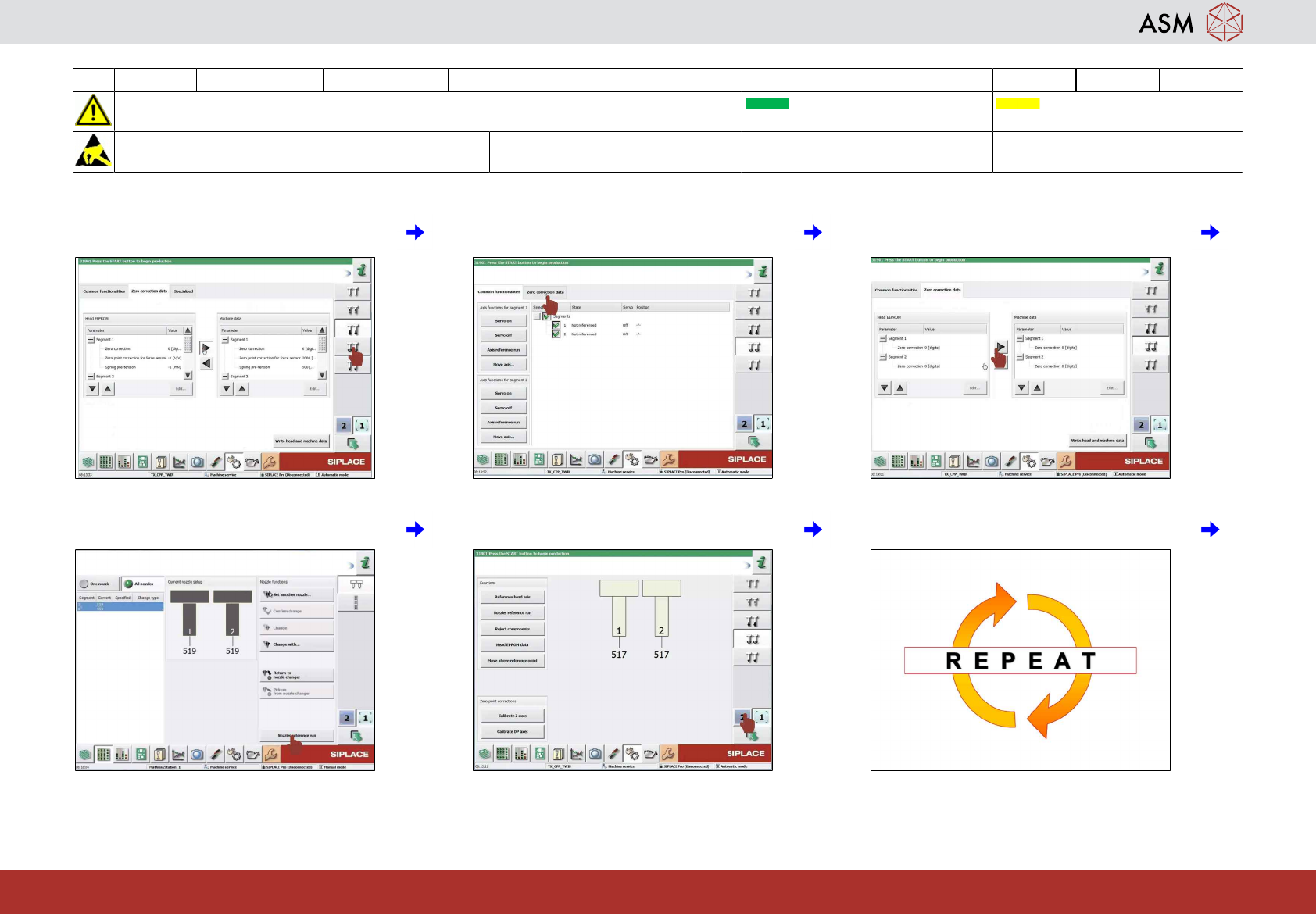
19 Click on check position and function DP
axis.
20 Click on zero correction data. 21 Click on arrow right to transfer Data from
eprom to head.
22 Click on right head and machine date. 23 Select the second head TH if required. 24 Repeat the steps 19 to 22.
19 WF 4 TX-Series Maintenance Calibrating the TH 14 min 5 / 9
CAUTION! Refer to safety instructions in user manual before commencing Maintenance
Machine Status ON Conveyor Empty
NOTICE! ESD guidelines are to be followed Tool:
T5
Wear Part: Consumables:
www.asm-smt.com
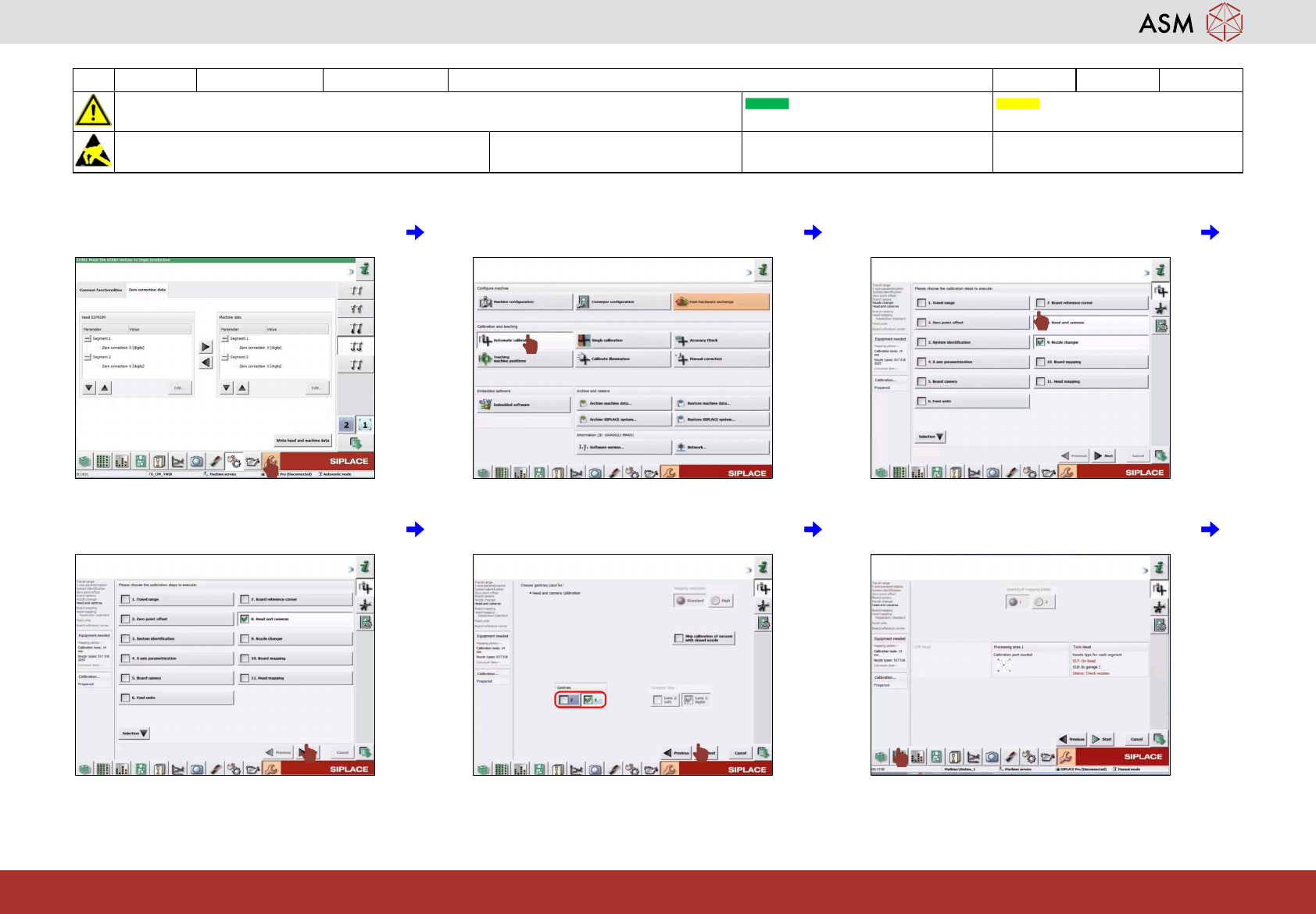
25 Click on "calibration" icon. 26 Click on "automatic calibration" icon. 27 Click on "heads and cameras" icon and
de-select all others.
28 Click on "next" icon. 29 Select gantries for heads to be calibrated
and click "next" icon.
30 Click on "display setup" icon.