00197551-01_MM_CPP-CP-Twin_Kunde_en.pdf - 第87页
Maintenance Tasks for Nozzles 8.5.1 Cleaning/Replacing the Ceramic Nozzles Performing Maintena nce Tas ks Maintenance Manual SIPLACE Placement Heads CPP, C &P20, Twin 87 ► Apply slight pressure and move the brush bac…
Maintenance Tasks for Nozzles
Performing Maintenance Tasks 8.5.1 Cleaning/Replacing the Ceramic Nozzles
86 Maintenance Manual SIPLACE Placement Heads CPP, C&P20, Twin
NOTICE
Cleaning the nozzles
► The fluid level should not exceed or undershoot the prescribed height by more than 2 mm
as this could impair the cleaning effect.
► Only the ceramic tips may come into continuous contact with the cleaning fluid. These
should reach into the fluid by approx. 2 mm.
► Make sure that the nozzle tips do not come into contact with the cleaning vessel or other
metal parts.
► Make sure that the plastic parts of the nozzle do not come into contact with the cleaning
fluid.
► The nozzle magazines may not be placed into the cleaning fluid.
► The recommended cleaning time for normal levels of nozzle dirt is 10 to 15 min. This time
may vary, depending on the type of dirt.
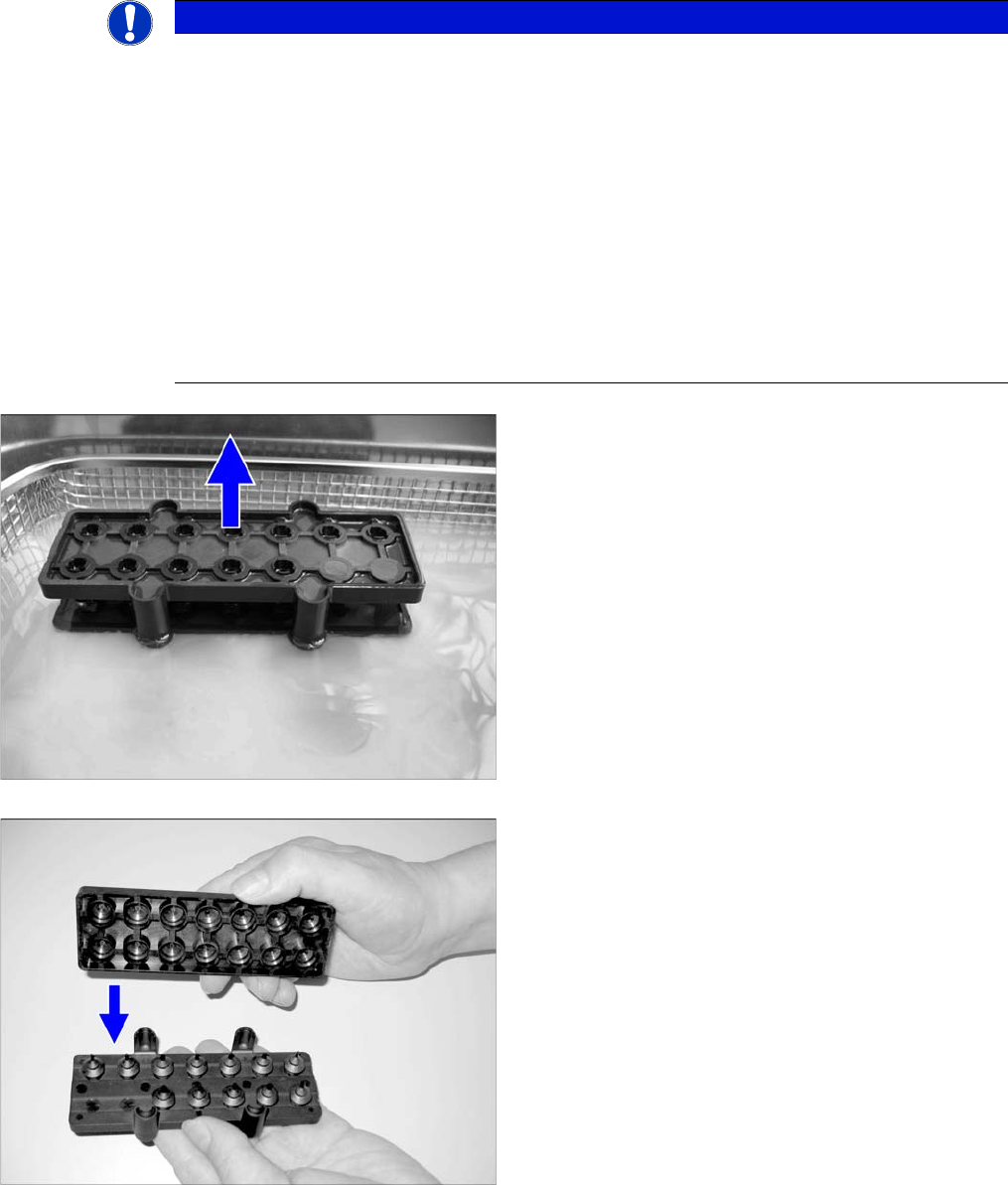
► At the end of the cleaning time, take the cleaning box
out of the ultrasonic bath.
► Turn the cleaning box so that the nozzle tips face up-
wards.
► Place the guidance for the plastic brush into the
cleaning box.
Maintenance Tasks for Nozzles
8.5.1 Cleaning/Replacing the Ceramic Nozzles Performing Maintenance Tasks
Maintenance Manual SIPLACE Placement Heads CPP, C&P20, Twin 87
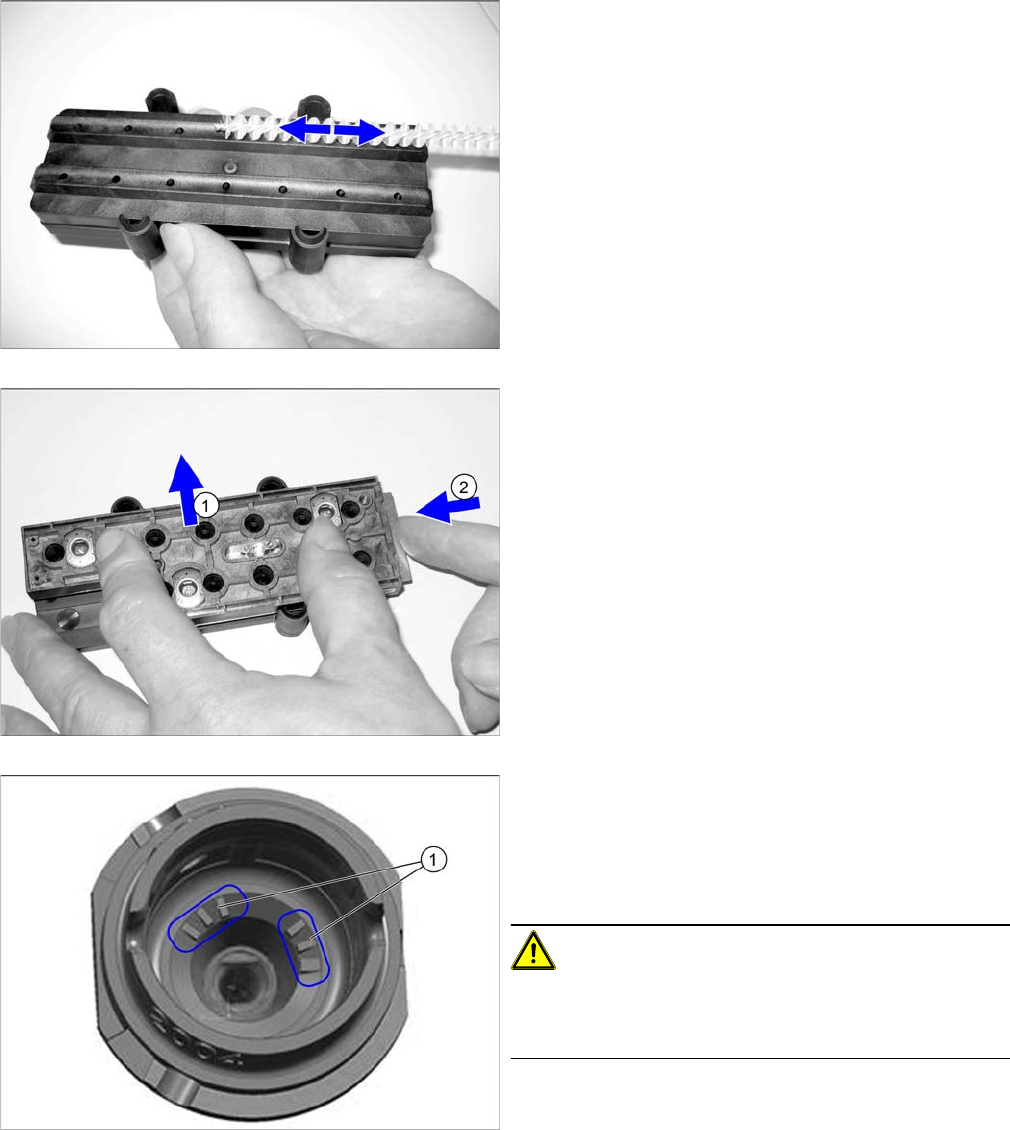
► Apply slight pressure and move the brush back and
forth to remove the partially dissolved dirt and resi-
dues.
► Check the cleaning result with a magnifying glass or
microscope.
► (1) Remove the brush guidance.
► Place the nozzles in the nozzle magazine and close
the slide (2).
► Dry the nozzles with compressed air.
► If you are using nozzles with a nozzle ID (1), vacuum
the nozzle shaft (dust, components).
If you are unable to clean here, replace the nozzle.
► Place the nozzle magazine back in the nozzle chang-
er.
CAUTION!
Reinsert the nozzle magazine into the same position in
the nozzle changer as before (when it was removed be-
fore cleaning).
Maintenance Tasks for Nozzles
Performing Maintenance Tasks 8.5.2 Replacing the Plastic Nozzles
88 Maintenance Manual SIPLACE Placement Heads CPP, C&P20, Twin
8.5.2
8.5.2 Replacing the Plastic Nozzles
Replacing the Plastic Nozzles
► Remove a full nozzle magazine from the nozzle
changer. When handling a nozzle magazine which is
not full, make a note of the orientation in the nozzle
changer, to ensure correct reinsertion later on.
► Check the nozzles.
Replace damaged nozzles.
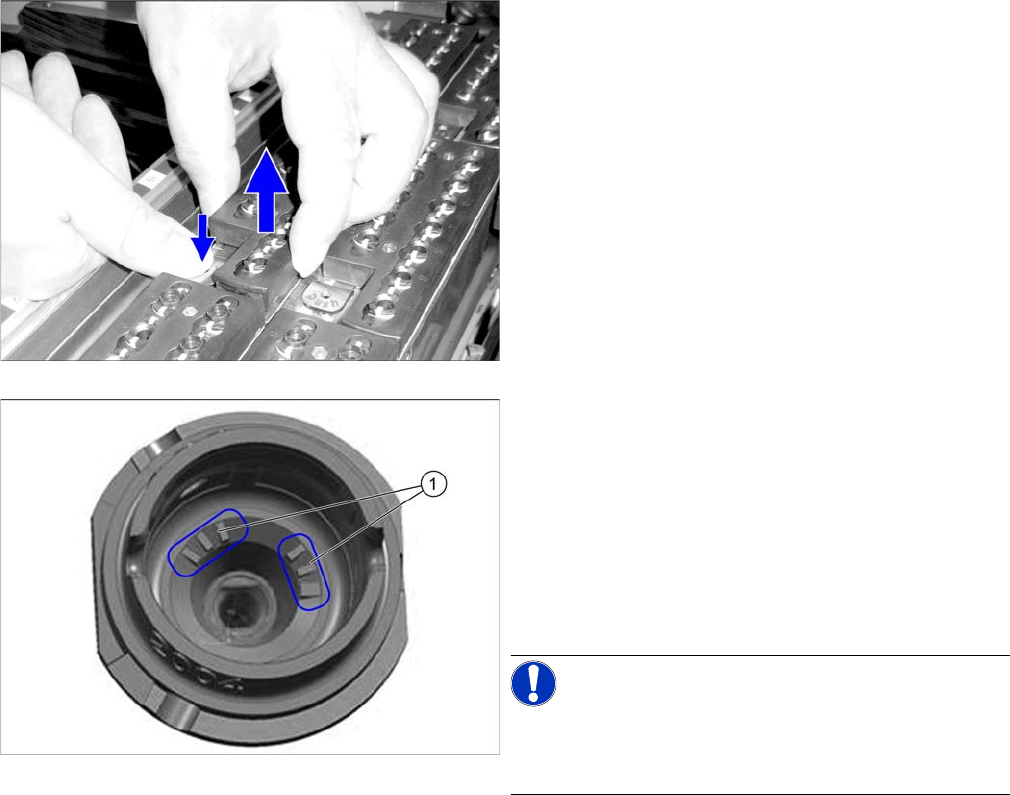
► If you are using nozzles with a nozzle ID (1), vacuum
the nozzle shaft (dust, components).
If you are unable to clean here, replace the nozzle.
► Place the nozzle magazine back in the nozzle chang-
er. When handling a nozzle magazine which is not
full, pay attention to correct orientation in the nozzle
changer.
NOTICE!
Prepare additional nozzle magazines according to the
current nozzle configuration and replace the complete
magazine.