ServiceInstruction_Vision XP - 第33页
Vision XP+ V AC Page 29 2 Maintenance 2.7 Cooling T ract Operating Instructions V ersion 1.5 2.7.3 Clean cooling module 1 VXP+ Fig. 2-3 6 Disco nnect po wer suppl y Fig. 2-3 7 Low er nozzle field Fig. 2-3 8 Unl atch, rem…
Page 28 Vision XP+ VAC
2 Maintenance
2.7 Cooling Tract
Operating Instructions
Version 1.5
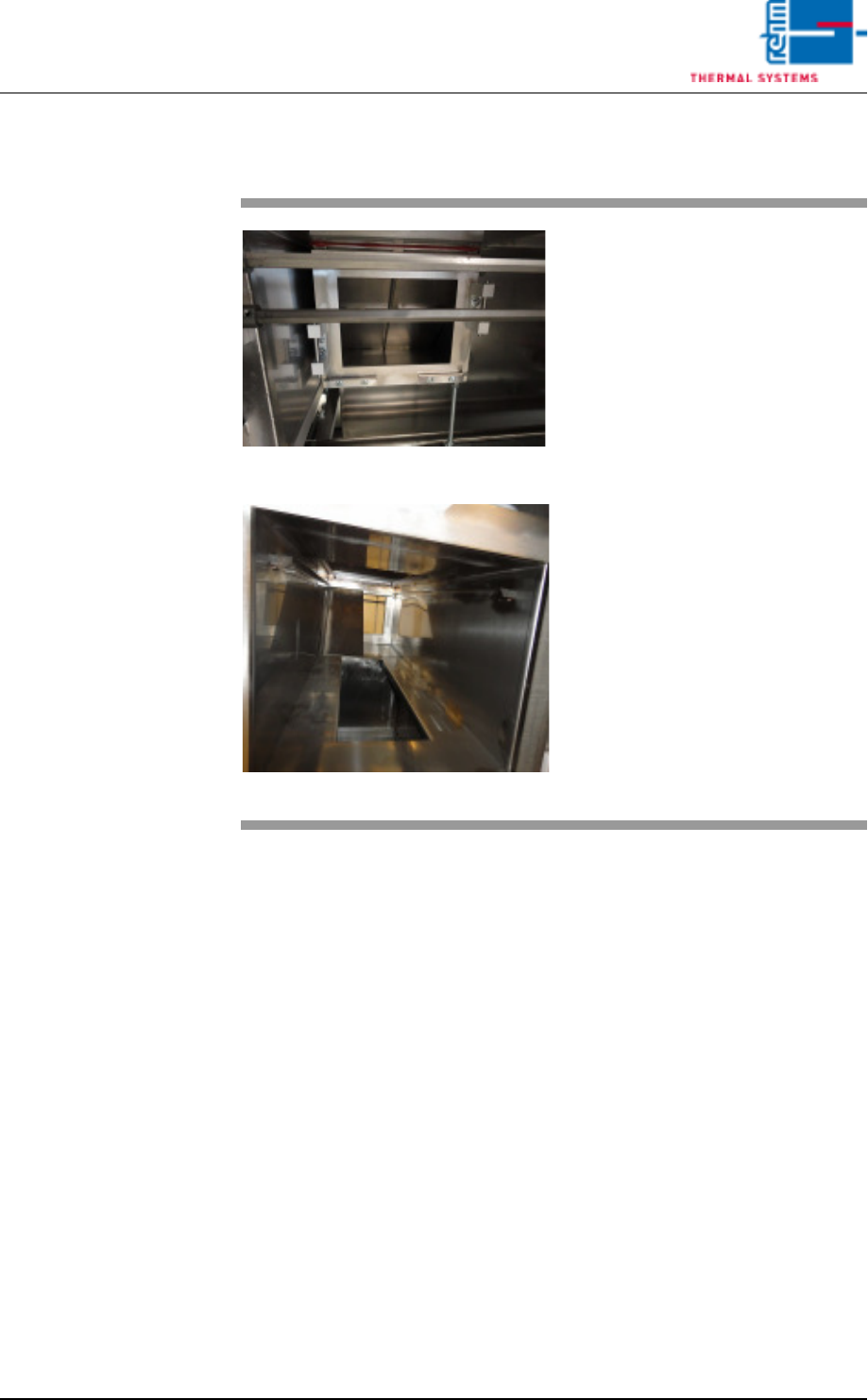
2.7.2 Additional cleaning chute VXP+
Fig. 2-34 Additional cleaning chute
Fig. 2-35 Additional cleaning chute 1
Consumables:
• Oven cleaner
• Cleaning rags
• Cleaning bath
An additional cleaning chute for the
cooling section is fitted at the front of
the plant.
This chute simplifies cleaning of the
cooling chute; the partitioning plates
may be individually removed and
placed in a suitable cleaning bath.
The cooling chute may now be
cleaned on both sides.
Thereafter reassemble everything
in reverse order.
Vision XP+ VAC Page 29
2 Maintenance
2.7 Cooling Tract
Operating Instructions
Version 1.5
2.7.3 Clean cooling module 1 VXP+
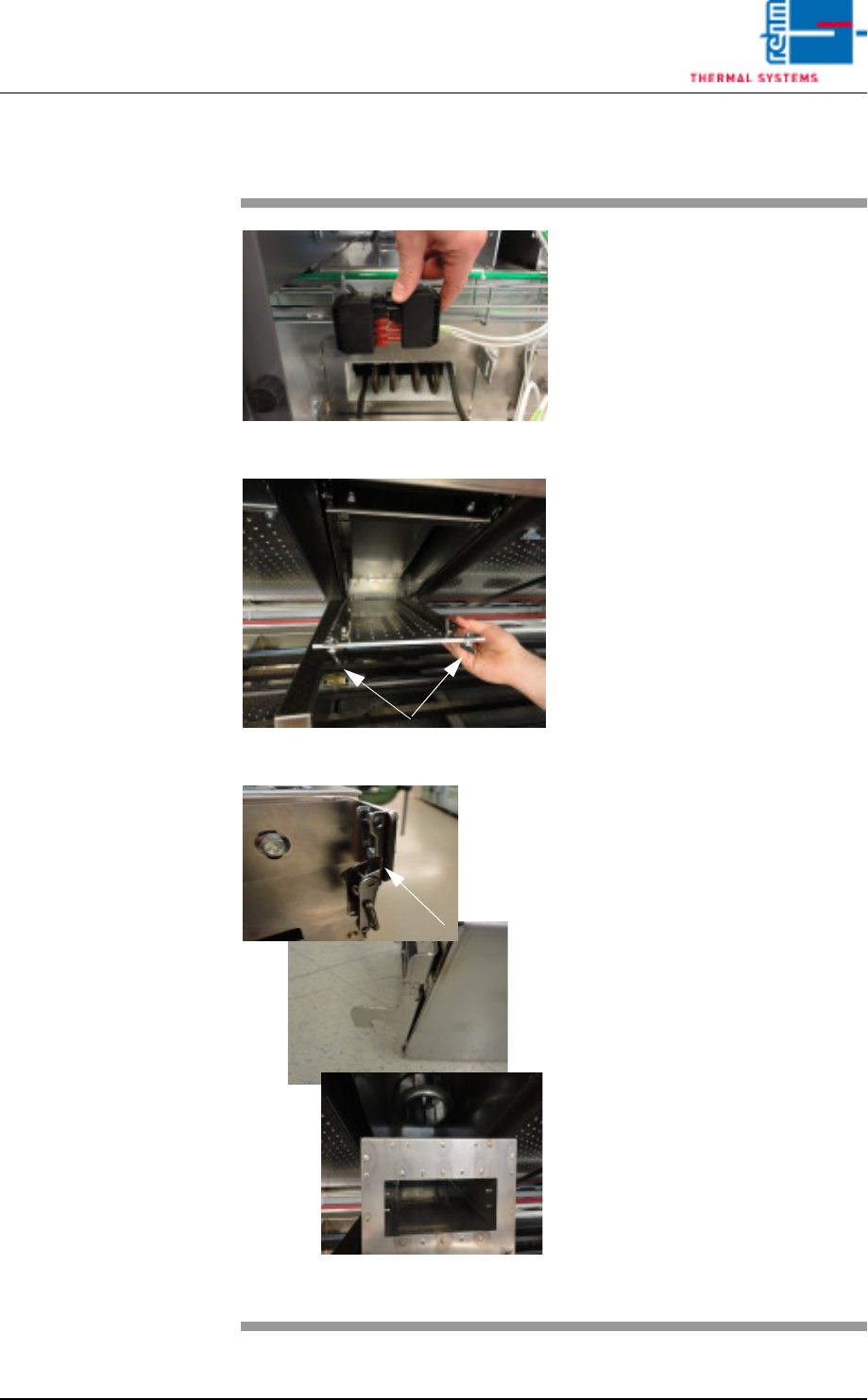
Fig. 2-36 Disconnect power supply
Fig. 2-37 Lower nozzle field
Fig. 2-38 Unlatch, remove the cooling mod-
ule
Consumables, tools:
• Oven cleaner
• Cleaning rags
• Cleaning bath
Procedure:
1. First disconnect the electric
heater supply at the back of
the plant. Then pull out the
heater at the back.
Now remove cooling module 1
at the front of the machine for
cleaning, as follows.
2. Rotate the wing screws at the
right and left at the nozzle field
by 90°, remove the metal safety
plate with a knurled screw and
lower the nozzle field for
cleaning.
3. Release the cooling cartridge’s
tension lock, raise the cartridge
and lift it forwards and out.
4. Place the cooler cassette in the
cleaning bath.
5. Also clean the inside area as
well as the fan wheel.
6. Re-fit the cleaned cooler
cassette.
7. Push the heater at the back of
the machine back in and plug in
the power supply.
Page 30 Vision XP+ VAC
2 Maintenance
2.7 Cooling Tract
Operating Instructions
Version 1.5
2.7.4 Clean trapped heat cooler
2.7.5 Inspecting and Cleaning the Fan Impeller
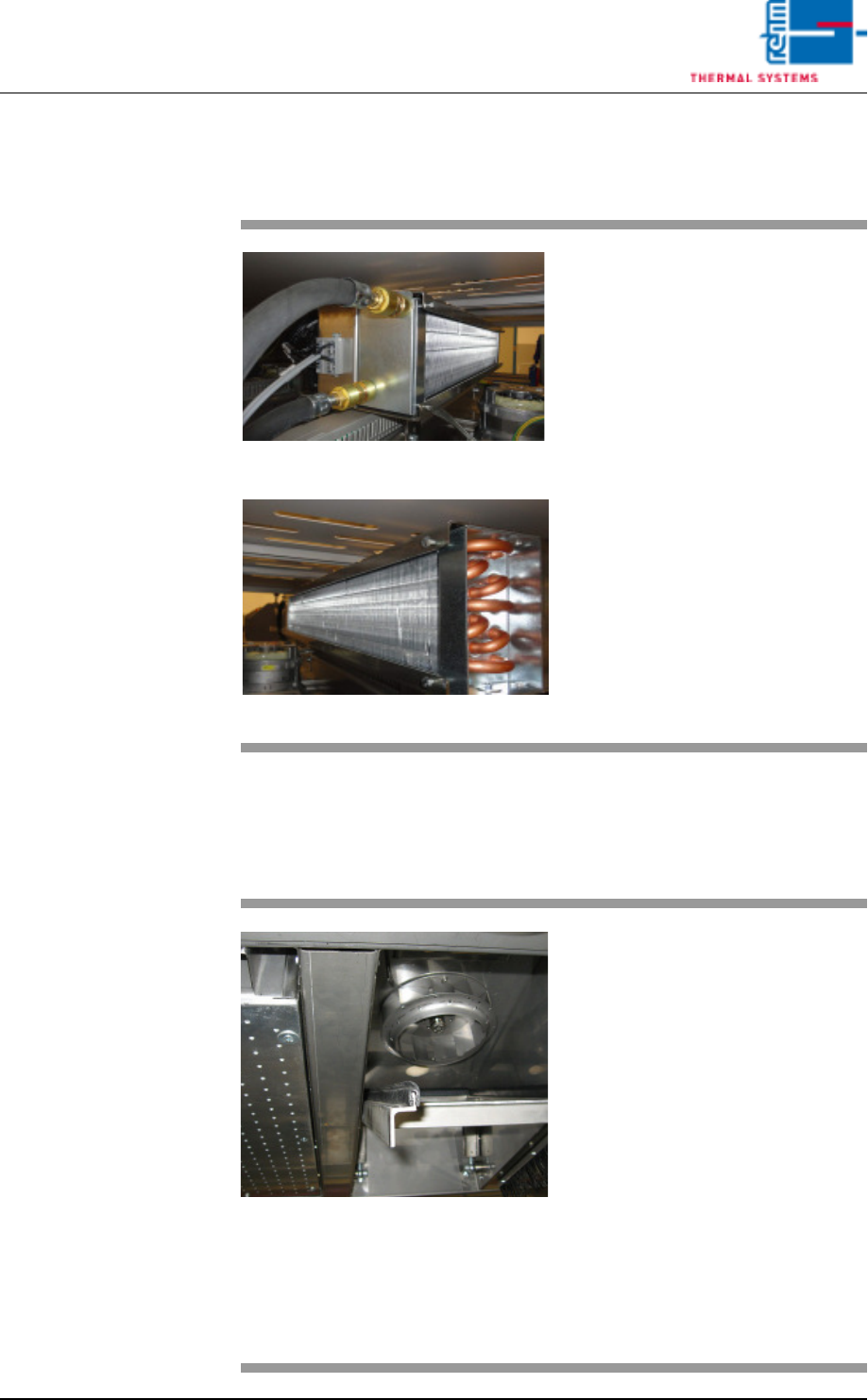
Fig. 2-39 Trapped heat cooler
Fig. 2-40 Trapped heat cooler
Consumable materials, tools:
• Vacuum cleaner
• Brush
Procedure:
1. Occasionally check the cooling
fins of the trapped heat cooler
for dirt
2. Vacuum the cooling fins as
soon as they are covered with
dust and dirt. Also use a brush,
if necessary.
Fig. 2-41 Cleaning the Fan Impeller
The fan impellers are located in the
process chamber behind the cooler
cartridges. (optional for undercool-
ing)
Consumable materials, tools:
• Oven cleaner
• Rags
Procedure:
1. Remove the cooler cartridge
(see instructions in chapter
2.7.2).
2. Inspect the fan impellers for
contamination, and clean with
oven cleaner and rags if
necessary.