ServiceInstruction_Vision XP - 第37页
Vision XP+ V AC Page 33 2 Maintenance 2.8 V acuum Unit Operating Instructions V ersion 1.5 2.8.2 Check that the vacuum chamber is sealed 2.8.3 V acuum chamber transfer height Fig. 2-4 8 V acuu m chamb er transfer height …
Page 32 Vision XP+ VAC
2 Maintenance
2.8 Vacuum Unit
Operating Instructions
Version 1.5
2.8 Vacuum Unit
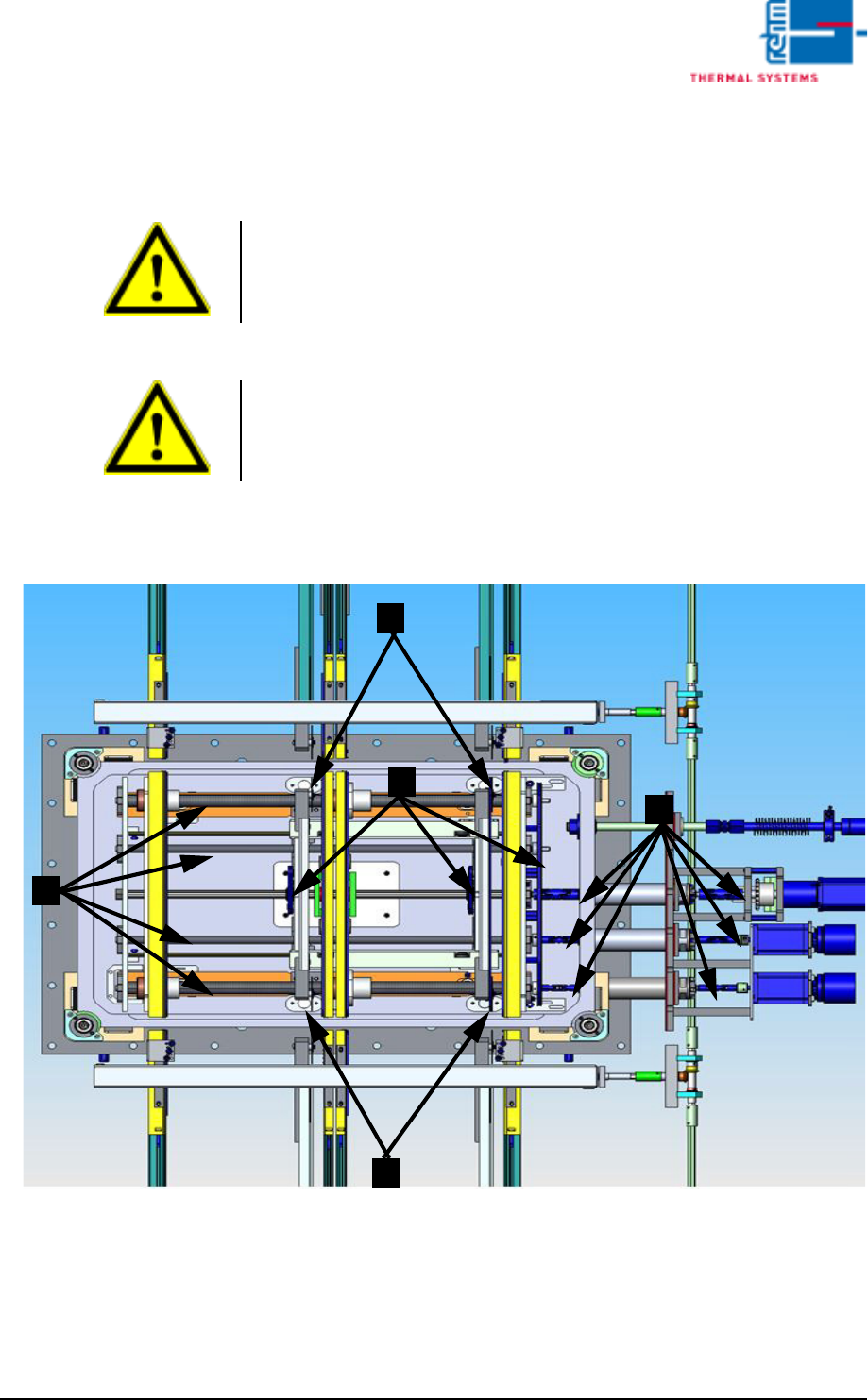
2.8.1 Detail view of the vacuum chamber
Fig. 2-46 Detail view of the vacuum chamber
1. Clean the sensor glass.
2. Clean and lubricate splined shaft and spindles.
3. Grease the articulated shaft.
4. Clean or grease the transport chains
Note!
The emergency stop function must first be deactivated before undertaking
any maintenance work in the vacuum chamber.
Note!
After the maintenance the chamber seal should be lubricated with
vacuum grease.
1
1
3
2
4
Vision XP+ VAC Page 33
2 Maintenance
2.8 Vacuum Unit
Operating Instructions
Version 1.5
2.8.2 Check that the vacuum chamber is sealed
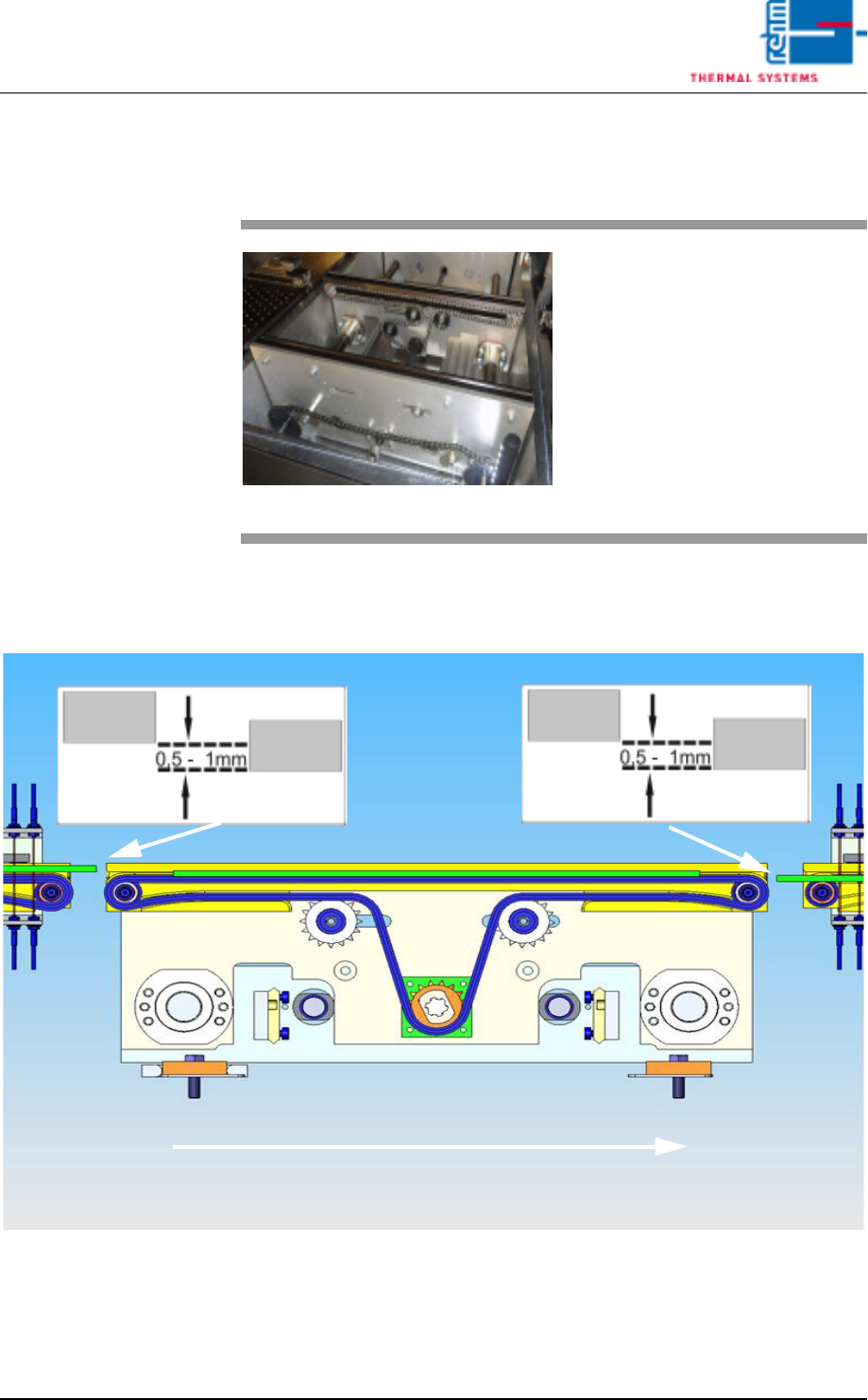
2.8.3 Vacuum chamber transfer height
Fig. 2-48 Vacuum chamber transfer height
Detailed data for adjusting the transfer height into or out of the vacuum
chamber.
Fig. 2-47 vacuum chamber
To check that the vacuum unit is
sealed, a vacuum cycle should be
run. If the cycle finishes in the spec-
ified time and with the preset pres-
sure (approx. 10 mbar), the vacuum
unit is sealed.
However, if the preset time is ex-
ceeded or the pressure not reached,
the vacuum unit has a leak, which
must be addressed.
pass-through direc-
tion
Page 34 Vision XP+ VAC
2 Maintenance
2.8 Vacuum Unit
Operating Instructions
Version 1.5
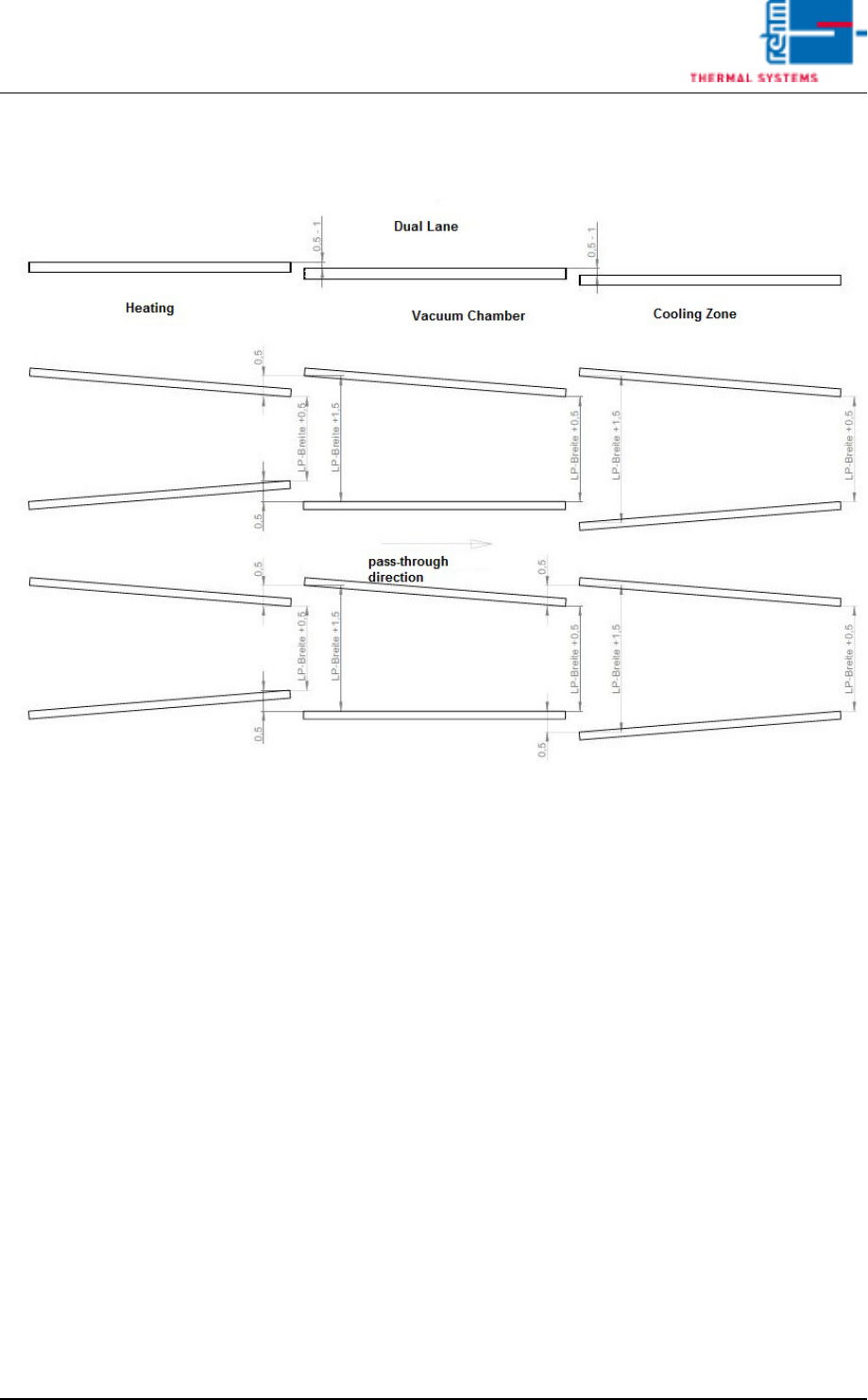
2.8.4 Dual track vacuum chamber settings
Fig. 2-49 Dual track vacuum chamber settings
Detailed adjustment data for dual track vacuum chambers