ServiceInstruction_Vision XP - 第42页
Page 38 Vision XP+ V AC 2 M aintenance 2.8 V acu um Unit Operating Instructions V ersion 1.5 2.8.8 Sensors in the vacuum chamber Fig. 2-5 3 Sensors for the vacuum chambe r Fig. 2-5 4 Sensors for the vacuum chambe r The s…
Vision XP+ VAC Page 37
2 Maintenance
2.8 Vacuum Unit
Operating Instructions
Version 1.5
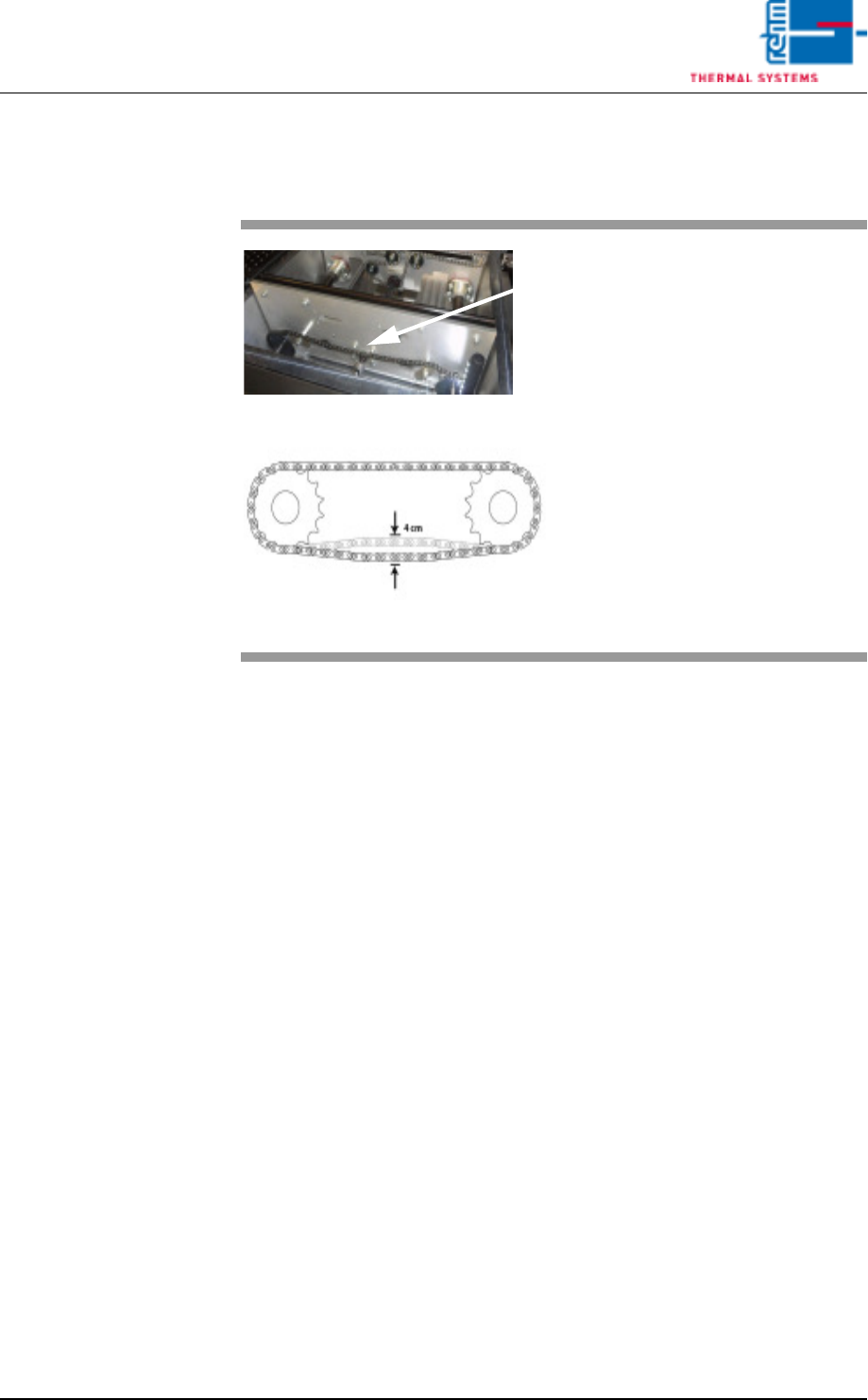
2.8.7 Check the chain slack
Fig. 2-52 Check the chain slack
Slack in the transport chain in the
vacuum chamber must be checked
from time to time.
The chain should have no more
than 4 cm slack.
The chain can be adjusted using the
chain tensioner.
Page 38 Vision XP+ VAC
2 Maintenance
2.8 Vacuum Unit
Operating Instructions
Version 1.5
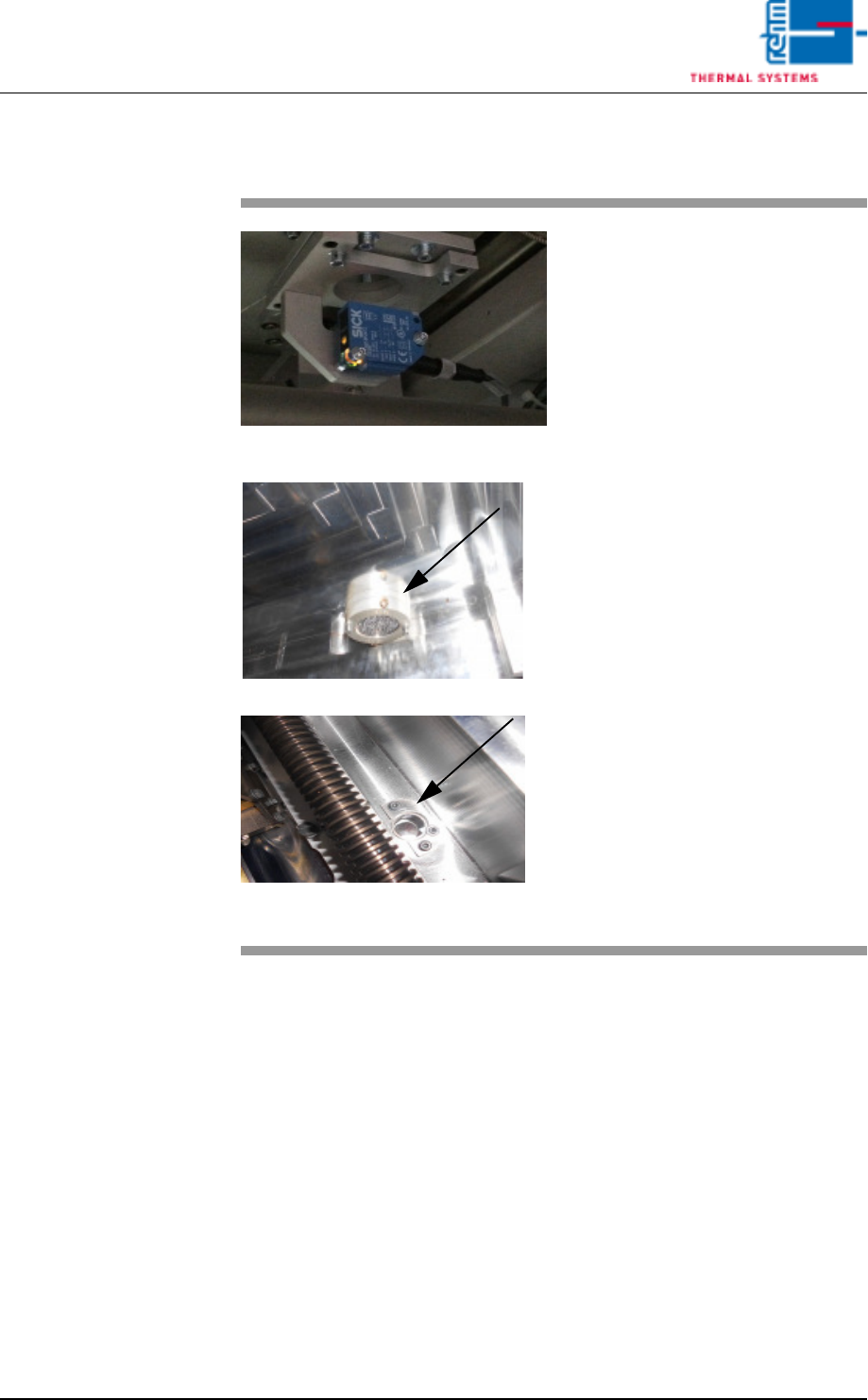
2.8.8 Sensors in the vacuum chamber
Fig. 2-53 Sensors for the vacuum chamber
Fig. 2-54 Sensors for the vacuum chamber
The sensor amplifiers for the vacu-
um unit are located at the back of
the system.
The sensor for the vacuum chamber
sits below the chamber. In the vacu-
um chamber, only the reflector and
sensor window are visible.
These sensors should be checked
from time to time to check the de-
gree of dirt.
Consumables, tools:
• Oven cleaner CF 1
• Cleaning cloths
• Vacuum cleaner
Procedure:
1. The transport system in the
vacuum chamber must be
moved apart.
2. Use a suitable cleaning cloth to
clean the viewing area of the
sensors as well as the vacuum
chamber.
3. Suck any dirt from the chamber
using a vacuum cleaner.
Vision XP+ VAC Page 39
2 Maintenance
2.8 Vacuum Unit
Operating Instructions
Version 1.5
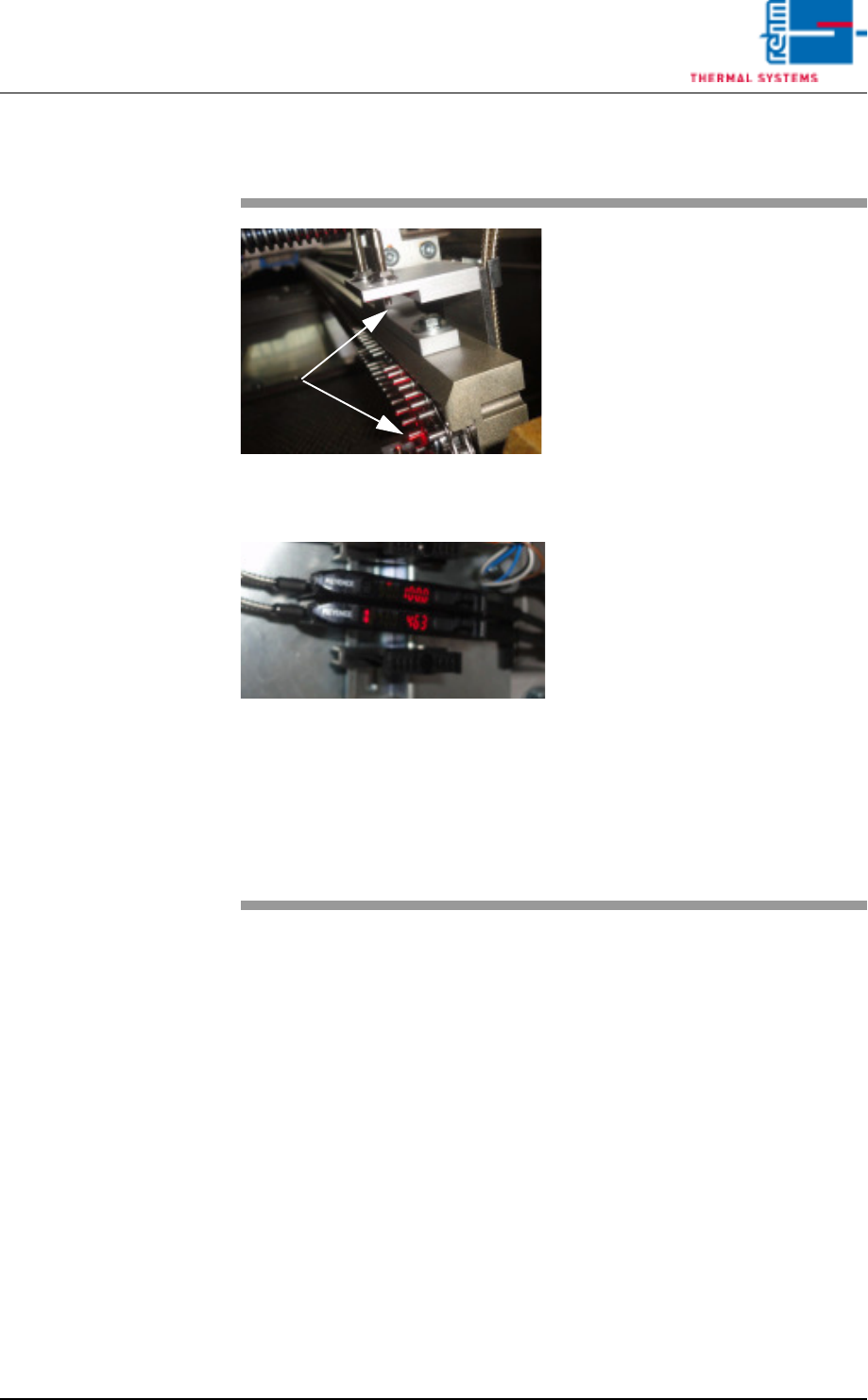
2.8.9 Optical fibre sensors before and after the vacuum chamber
Fig. 2-55 Optical fibre sensors at the vacuum
chamber
Fig. 2-56 Optical fibre sensors at the vacuum
chamber
Optical fibre sensors are located be-
fore and after the vacuum chamber.
These optical fibre sensors are used
for PC board identification.
The specified as-is value of these
sensors is 4 000 digits (shown in
red).
Rehm Thermal Systems techni-
cians preset the switching threshold
to 2 700 digits (shown in yellow).
The PC board will be detected when
the threshold level is exceeded.
The contamination level is given as
a percentage. An alarm will in addi-
tion be triggered in the display
should this approach the threshold
level.
To continue proper operation, the
sensor should then be cleaned as
soon as possible, using an appropri-
ate cleaning agent.
The settings are based on Rehm
Thermal Systems experience.