ServiceInstruction_Vision XP - 第64页
Page 60 Vision XP+ V AC 2 Maintenance 2.16 Cleaning the Control Cabinets Operating Instructions V ersion 1.5 2.16 Cleaning the Contro l Cabinet s Attention! The system must be turned off at the mains switch. Compone nts …
Vision XP+ VAC Page 59
2 Maintenance
2.15 Conveyor System
Operating Instructions
Version 1.5
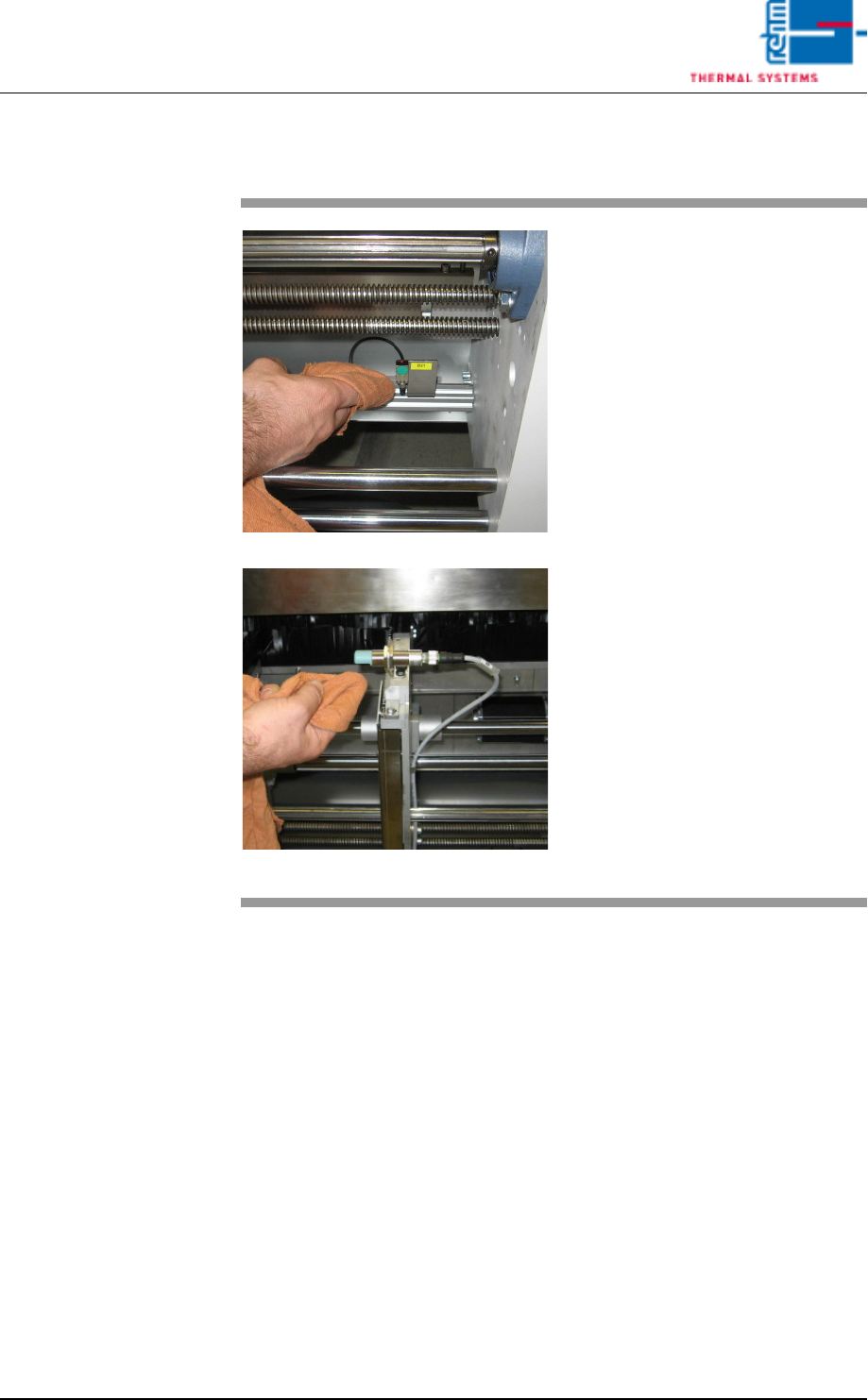
2.15.3 Cleaning the Sensors
Fig. 2-101 Cleaning the Sensors
Consumable materials, tools:
• appropriate cleaning agent
• Rags
Procedure:
1. Carefully wipe the sensors with
appropriate cleaning agent and
a rag.
Caution!
Do not press the sensors too firmly,
and do not bend them. Do not use
any sharp objects for cleaning.
Note!
The sensors are to be cleaned only
with alcohol and solvent-free clean-
ing agent.
Page 60 Vision XP+ VAC
2 Maintenance
2.16 Cleaning the Control Cabinets
Operating Instructions
Version 1.5
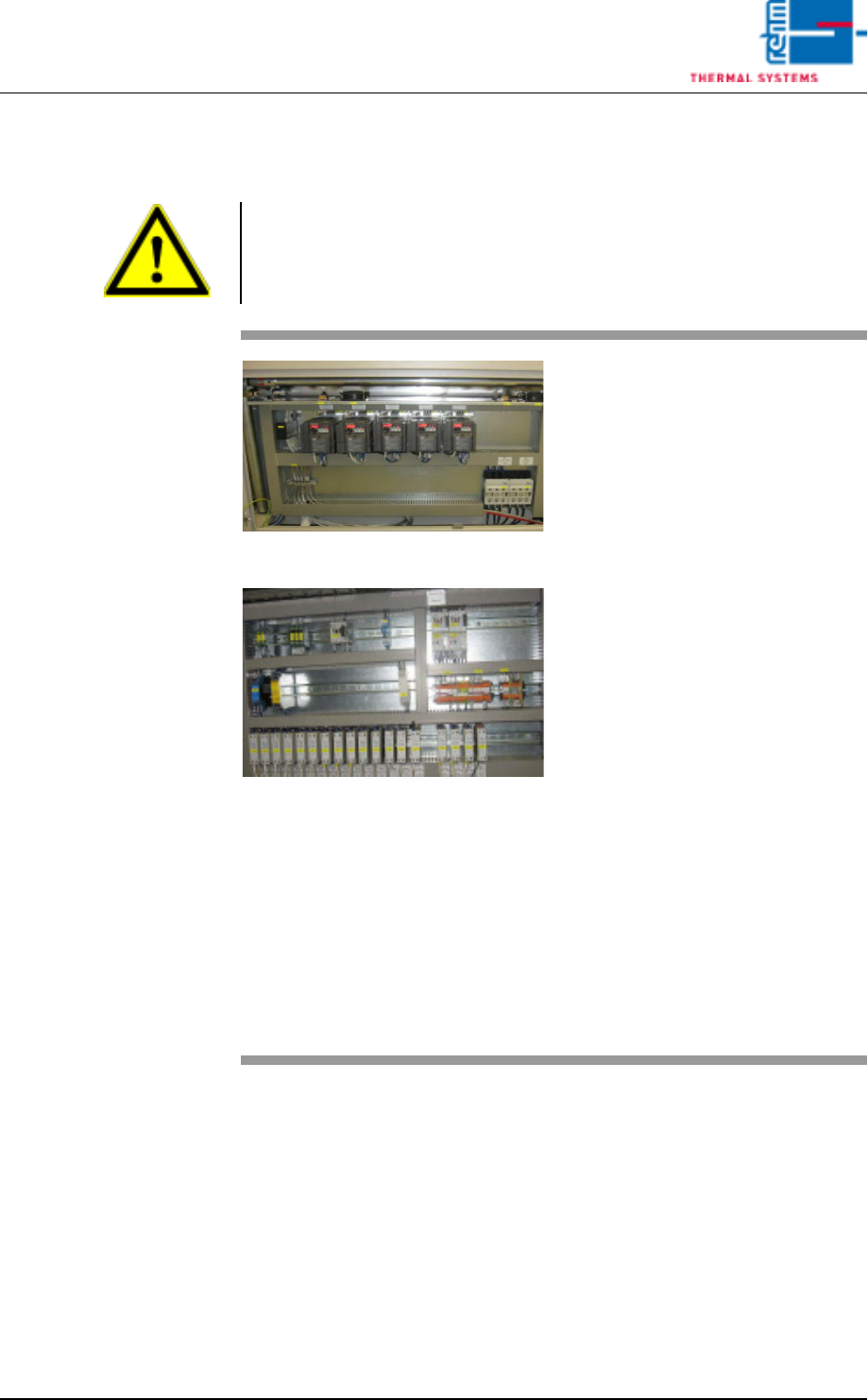
2.16 Cleaning the Control Cabinets
Attention!
The system must be turned off at the mains switch. Components may nev-
ertheless be electrically charged.
Fig. 2-102 Control Cabinet 1
Fig. 2-103 Control Cabinet 2
Tools:
• Vacuum cleaner
Procedure:
1. Carefully clean all of the com-
ponents in the control cabinet
with the vacuum cleaner.
Note!
The components must not be
allowed to pop out of their re-
tainers.
2. Vacuum the fans in the control
cabinet doors as well (above
the components).
3. The frequency converters have
to be de-energized before suc-
tion.
Now, exhaust the fans in the fre-
quency converters up and
down.
Note!
In order to assure cooling of the
electrical components, all fans
included with the system must
be vacuum cleaned on a regu-
lar basis.
Vision XP+ VAC Page 61
2 Maintenance
2.17 Overall System
Operating Instructions
Version 1.5
2.17 Overall System
2.17.1 Electrical Safety Inspection
Can be arranged for by the safety expert.
2.17.2 Complete Maintenance Check
A complete maintenance check can be ordered from Rehm Thermal Sys-
tems. Please schedule an appointment with our service hotline.
2.17.3 Service Department Address
Rehm Thermal Systems GmbH
Leinenstrasse 7
D-89143 Blaubeuren-Seissen
Germany
Service Hotline
Phone: +49 7344-9606-511
e-mail: service@rehm-group.com
Opening Times
Monday to Thursday7 a.m. to 4:30 p.m.
Friday 7 a.m. to 12:15 p.m.
Standby Duty
1
Friday 12:15 to 10 p.m.
Saturday, Sunday8 a.m. to 10 p.m.
1. Standby duty is only available via the hotline operated by Rehm Thermal Systems GmbH.