ServiceInstruction_Vision XP - 第87页
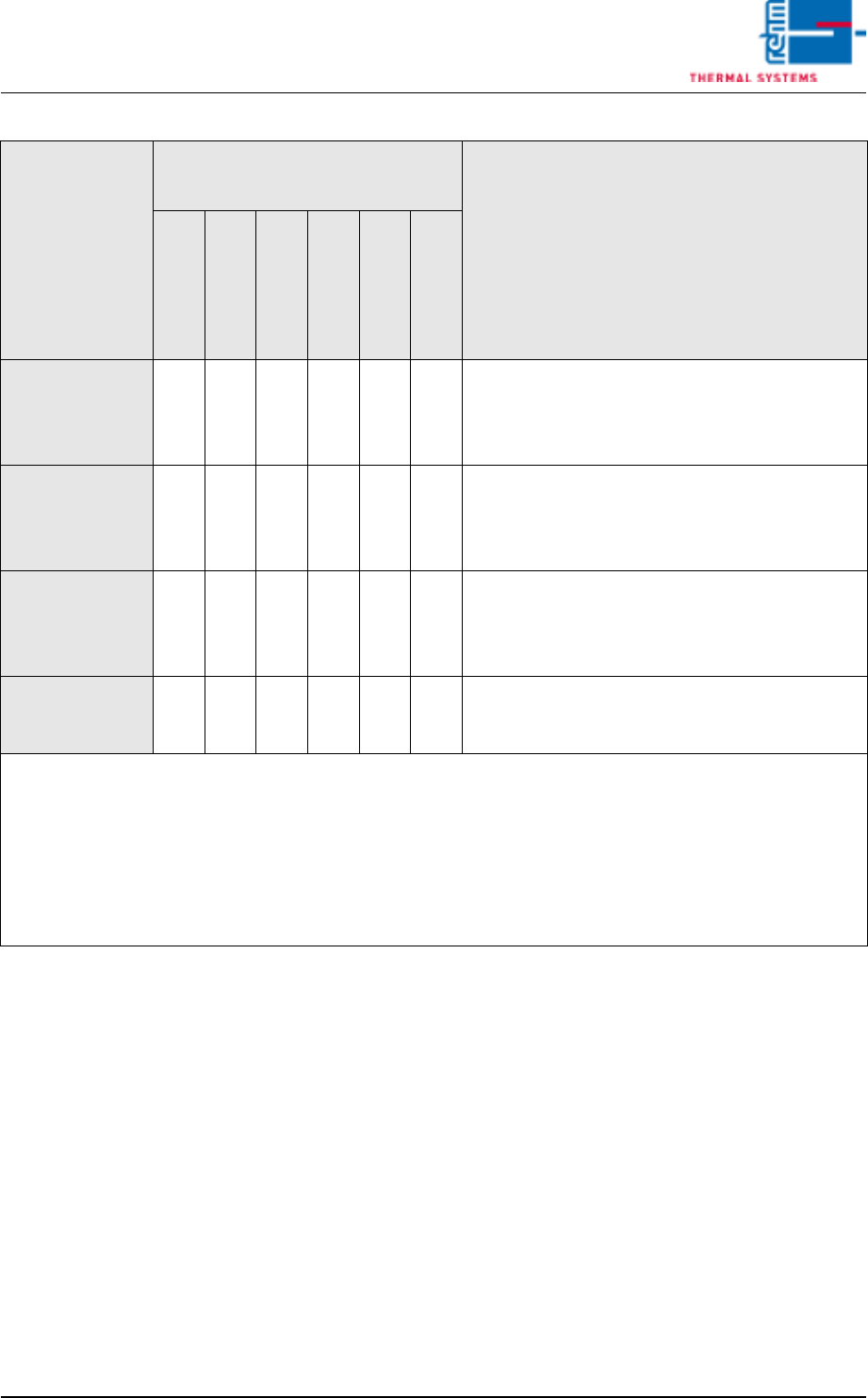
Vision XP+ V AC Page 83 3 Setup Instructions 3.4 Alarm Configuration Operating Instructions V ersion 1.5 T ab. 3-1 Alarm Types 24 -- -- t1 t1 t1 t1 T ype 23 + red after t1 Can be acknowl edged manually afte r t1 has elap…

Page 82 Vision XP+ VAC
3 Setup Instructions
3.4 Alarm Configuration
Operating Instructions
Version 1.5
3.4.1 Possible Alarm Types
Response After Warning Time (t1) or
Response Time (t2)
Response Type
Heat
Drive Unit
Red lamp
Horn
Yellow lamp
Display
Comment
0
-- -- -- -- -- -- Alarm and display deactivated
1
-- -- -- -- -- t1 Alarm message after t1, self-acknowledging, no
action after t2
2
-- -- -- -- t1 t1 Type 1 + yellow after t1, self-acknowledging, no
action after t2
3
-- -- -- t1 t1 t1 Type 2 + horn after t1, self-acknowledging, no
action after t2
4
-- -- t1 t1 t1 t1 Type 3 + red after t1, self-acknowledging, no
action after t2
5 + service
-- -- -- t1 t1 t1 Same as type 2
5 + automatic
t2 -- t1 t1 t1 t1 Type 4 + heat off after t2
11
-- -- -- -- -- t1 Alarm message after t1, self-acknowledging,
can be acknowledged with reset after t2
12
-- -- -- -- t1 t1 Type 11 + yellow after t1, self-acknowledging,
can be acknowledged with reset after t2
13
-- -- -- t1 t1 t1 Type 12 + horn after t1, self-acknowledging, can
be acknowledged with reset after t2
14
-- -- t1 t1 t1 t1 Type 13 + red after t1, self-acknowledging, can
be acknowledged with reset after t2
15 + service
-- -- -- t1 t1 t1 Same as type 12
15 + automatic
t2 -- t1 t1 t1 t1 Same as type 16
16
t2 -- t1 t1 t1 t1 Type 14 + heat off after t2
17
t2 t2 t1 t1 t1 t1 Type 16 + heat and conveyor off after t2
23
-- -- -- t1 t1 t1 Type 12 + horn after t1
Can be acknowledged manually after t1 has
elapsed, and the error must be eliminated after
t2 has elapsed.
Vision XP+ VAC Page 83
3 Setup Instructions
3.4 Alarm Configuration
Operating Instructions
Version 1.5
Tab. 3-1 Alarm Types
24
-- -- t1 t1 t1 t1 Type 23 + red after t1
Can be acknowledged manually after t1 has
elapsed, and the error must be eliminated after
t2 has elapsed.
26
t2 -- t1 t1 t1 t1 Type 24 + heat off after t2
Can be acknowledged manually after t1 has
elapsed, and the error must be eliminated after
t2 has elapsed.
27
t2 t2 t1 t1 t1 t1 Type 26 + heat and conveyor off after t2
Can be acknowledged manually after t1 has
elapsed, and the error must be eliminated after
t2 has elapsed.
33 -- -- -- t1 t1 t1 Type 3
Can be acknowledged manually after t1 has elapsed
no action after t2
Seconds are entered for t1 and t2. Minutes are only entered for t2 in the case of alarm types 23,
24, 26 and 27.
If the horn is acknowledged during t2, it sounds once again after t2 has elapsed. With an alarm type 33 never
enter Zero in t2.
Two-digit response types must be acknowledged in any event after t2 has elapsed and the error
has been eliminated, even if the horn has been previously acknowledged.
If response types other than those shown above are entered, the same response is triggered as
for response type 17!
Response After Warning Time (t1) or
Response Time (t2)
Response Type
Heat
Drive Unit
Red lamp
Horn
Yellow lamp
Display
Comment
Page 84 Vision XP+ VAC
3 Setup Instructions
3.5 Frequency Converter
Operating Instructions
Version 1.5
3.5 Frequency Converter
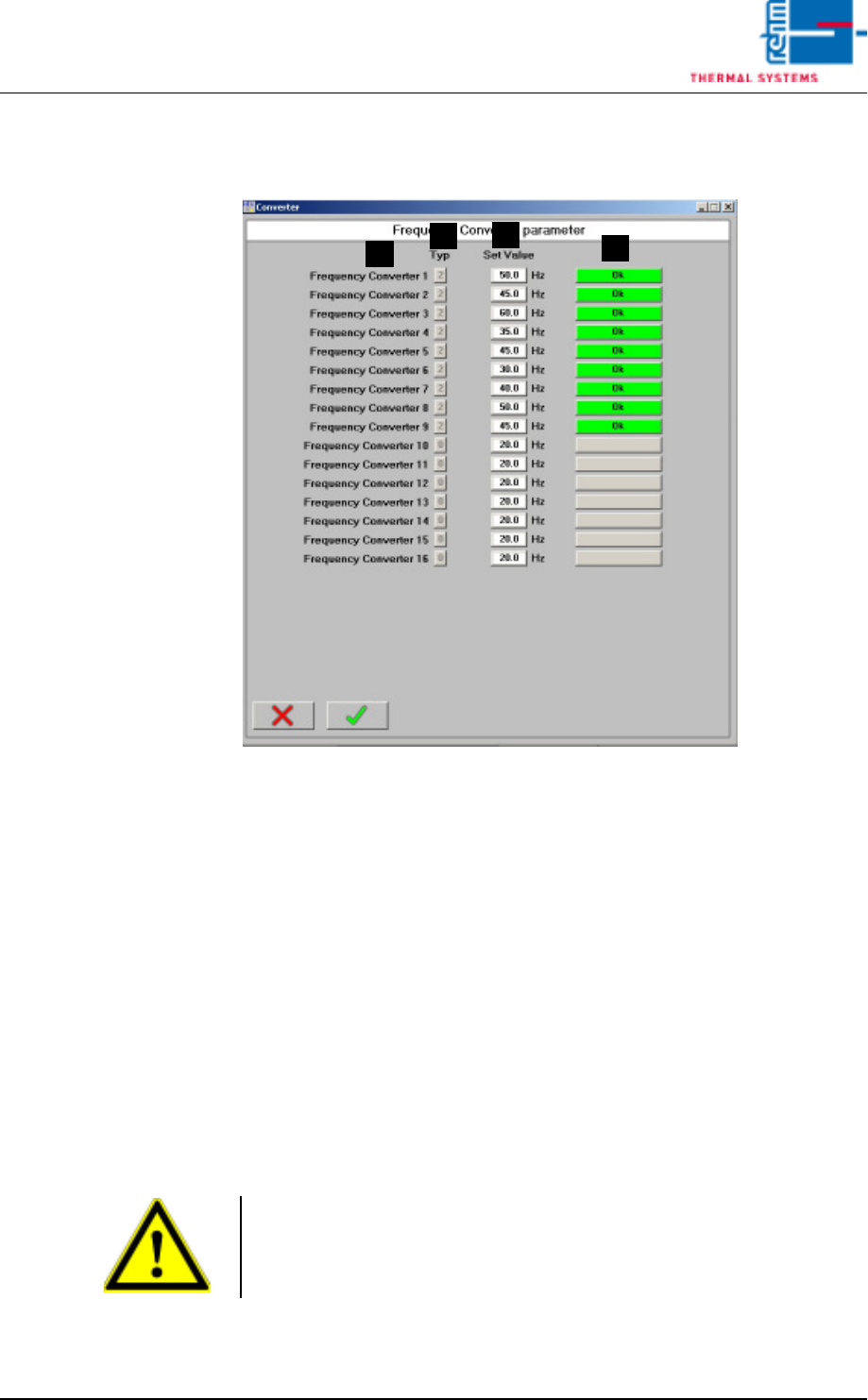
Fig. 3-10 Frequency Converter Parameters
Frequency converter parameters are entered to this window.
A) Designation of the frequency converter
B) Type
Only relevant if a B&R controller is used in combination with a Mitsubishi
frequency converter
0 = no frequency converter
1 = frequency converter, inactive
2 = frequency converter, active
3 = parameters configuration
C) Setpoint
Frequency setpoint for the respective converter
D) Status
Only relevant if a B&R controller is used in combination with a Mitsubishi
frequency converter
A
C
B
D
Note!
Frequency converters 13 to 16 are operated with their own set values in
standby mode and not with the values given by the standby mode. This is
necessary for example on machines with MRS-P.