系统软件安装程序-.pdf - 第5页
SMT Software Engineering Group IM Opera tions YAMAHA M OTOR CO., LTD. MDOC-SOFT5011 1 The Proced ure of Syst em Software Ins tall YAMAHA ENG LISH. 5/16 List 3. 2 Part N o, and Part Na me (F LASH D ISK) Series Part No. / …
SMT Software Engineering Group
IM Operations
YAMAHA MOTOR CO., LTD.
MDOC-SOFT50111 The Procedure of System Software Install YAMAHA ENGLISH. 4/16
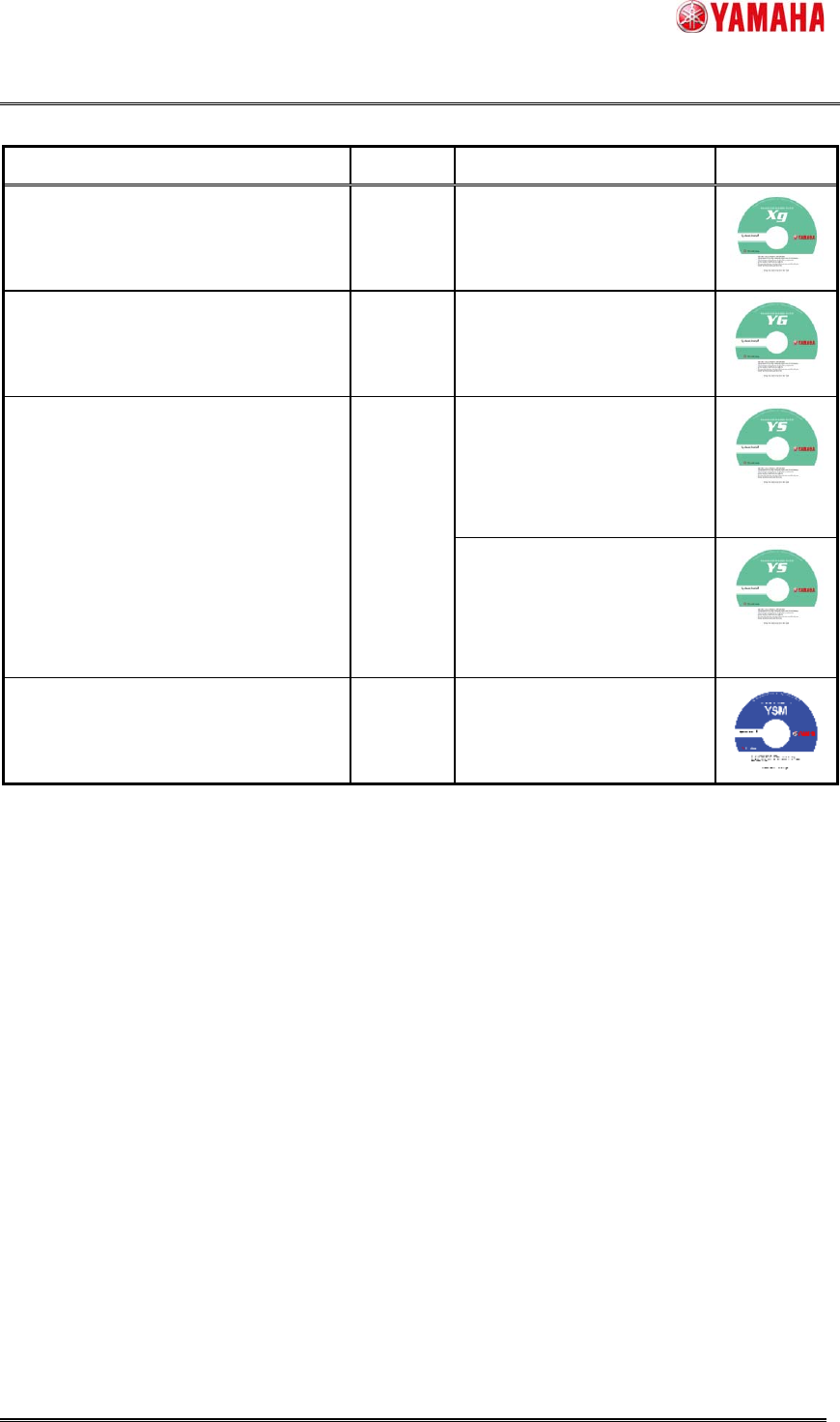
List 3.1 Target Machine and System Install Disk
Target Machine Series Part No. / Part Name Label
YV88XG, YV100XG, YV100XTG,
YV180XG, THREEM, THREEM2,
HSD-XG, YVP-XG, YCP, YCPⅡ
XG KGA-M4964-31x (*1)
/ VGOS-V10 SYSTEM (DVD)
YG88, YG88R, YG100, YG100R,
YG200, YG200L, I-Cube2,
YGP, YGP CE, YGD
YG KGK-M4964-41x (*1)
/ VGOS-V21 SYSTEM (DVD)
YS88, YS100, YS12, YS12F, YS12P,
YS24, YS24X, YSP, YSH20, YSC1,
YG300, YG12, YG12F, YC8, YSP20
YS
KHN-M4964-01x (*1) (*2)
/ VGOS-V30 SYSTEM (DVD)
(Only for KHL-M4209-00x
System Board)
KHN-M4964-10x (*1) (*2)
/ DVD,VGOS-V30 SYSTEM
(Only for KLA-M4209-00x
System Board )
YSM40 YSM KLF-M4964-01x (*1)
/VGOS-V40 SYSTEM(DVD)
The system software version is printed on the label.
(*1) The end X is a revision number. (0~9)
(*2) The number of the install disks of YS Series is two.
A disk changes with part numbers of the system board to be used.
Refer to the 『6.1 How to recognize a System Board (YS Series)』of this manual for how to recognize a system board.
SMT Software Engineering Group
IM Operations
YAMAHA MOTOR CO., LTD.
MDOC-SOFT50111 The Procedure of System Software Install YAMAHA ENGLISH. 5/16
List 3.2 Part No, and Part Name (FLASH DISK)
Series Part No. / Part Name. Size
XG KHL-M4255-00x (*1) / FLASH DISK 1 [GB]
YG KHL-M4255-00x (*1) / FLASH DISK 1 [GB]
YS KHL-M4255-00x (*1) / FLASH DISK
(Only for KHL-M4209-00x System
Board)
1 [GB]
YS KLA-M4255-00x (*1) / FLASH DISK
(Only for KLA-M4209-00x System
Board )
2 [GB]
YSM KLA-M4255-10x (*1) / FLASH DISK 4 4 [GB]
(*1) The end X is a revision number. (0~9)
(*2) A flash disk changes with part numbers of the system board to be used.
Refer to the 『6.1 How to recognize a System Board (YS Series)』of this manual for how to recognize a system board.
List 3.3 OS and Peripheral equipment
OS Windows® Xp Professional (32bit) / Vista (32bit) / 7 (32bit / 64bit)
Peripheral
equipment
DVD Drive (-R is required.)
Memory Card Reader/Writer (USB) or Memory Card Adapter (PC Card)
List 3.4 Typical Measure to connect FLASH DISK to PC
Device (Bus) PC
Memory Card Reader / Writer (USB) Desktop, Note
Memory Card Adapter (PC Card) Note
SMT Software Engineering Group
IM Operations
YAMAHA MOTOR CO., LTD.
MDOC-SOFT50111 The Procedure of System Software Install YAMAHA ENGLISH. 6/16
3.2 Installation
If the FLASH DISK is connected to the PC, remove the FLASH DISK from the PC.
1) Start the software
Insert the System Install Disk to the PC, and the System Installation Software will start.
If the software does not appear automatically, please start manually.
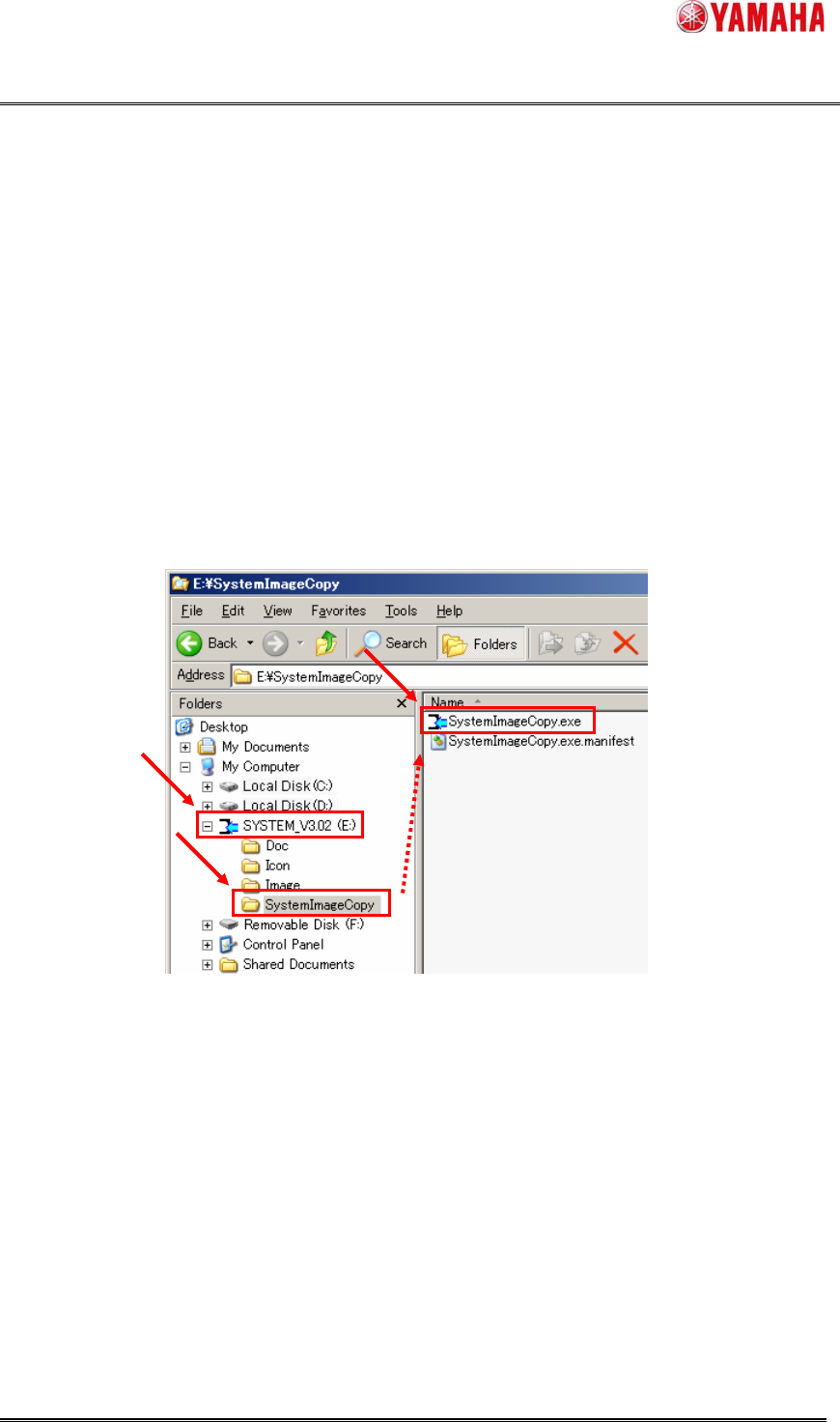
Execute File is ($DVD Drive):\SystemImageCopy\SystemImageCopy.exe
Figure 3.1 Execute File
2) End User License Agreement
Use of the software on the enclosed media or installed on the system is subject to the terms of
the end user license agreement. You should not use the software until you have read the end user
license agreement. By using the software, you signify that you have read the end user license
agreement and accept its terms.