ERR-LIST-ACM - 第51页
3235 %1 : Wafer handler not able to release requested dies Production cycle command ( Release Die ) cannot be executed by wafer handler Wafer handler is in wrong state or its production sequence is not correct - Check wa…
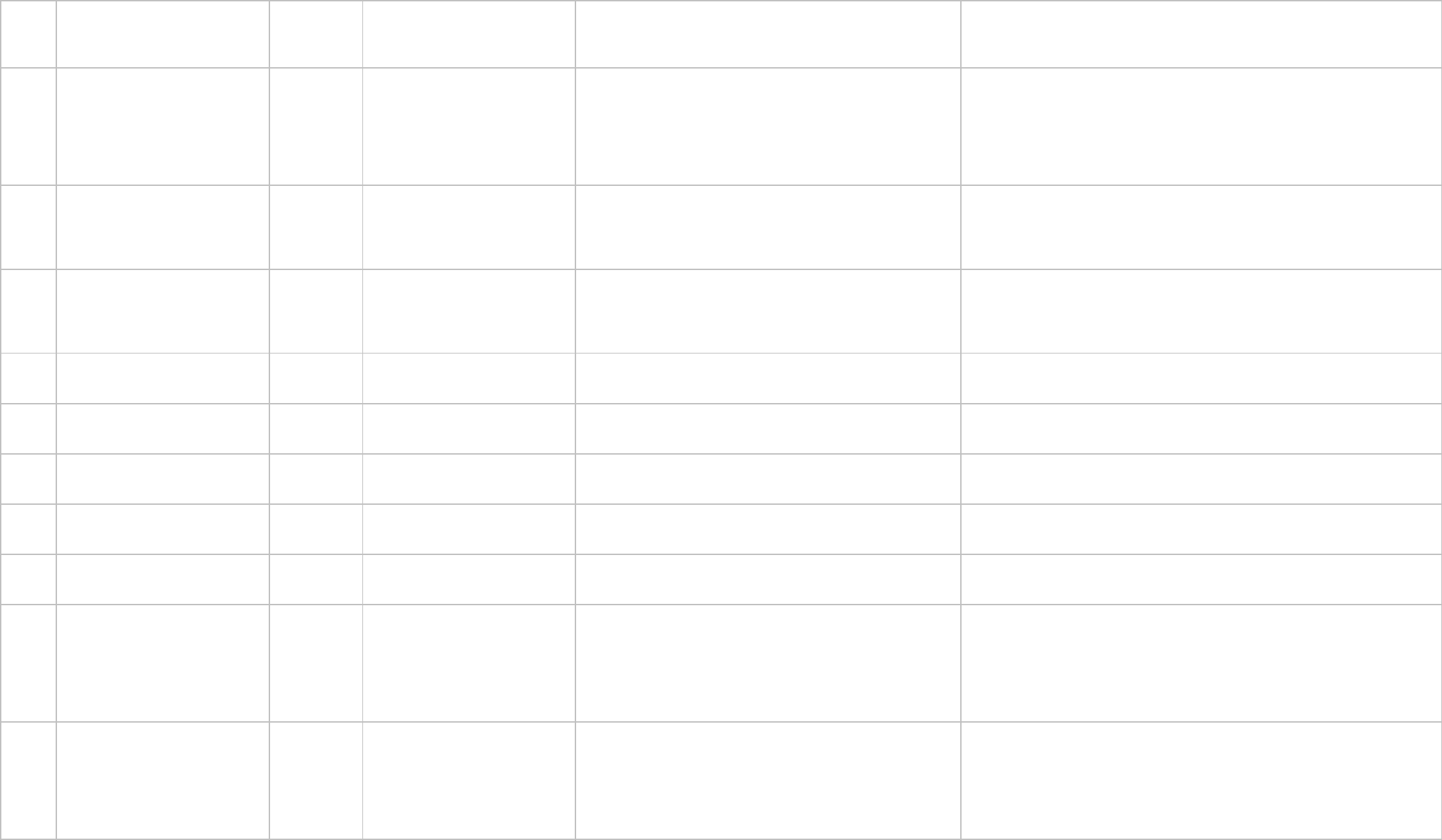
3224
%1 : No parts available of selected
die type
Wafer handler feedsection cannot
offer the requested dies No pickable dies of the required type left on the wafer(s)
- Replace the empty or bad wafer(s) in the wafer handler cassette
- Retry the operation
3225
%1 : Operational wafer handler
error
A machine malfunction occurred
on the wafer handler feedsection Wafer handler is in wrong state
- Check wafer handler module for errors, warnings, etc.
- Retry the operation
- If not correct, make a logdisk as described in the Service Manual
- Restart the system
3226
%1 : Unable to home wafer
handler axes
Wafer handler feedsection cannot
home all axes Wafer handler is in wrong state
- Check wafer handler module for errors, warnings, etc.
- Retry the operation
- If not correct, restart the system
3227
%1 : Wafer handler die setup
changeover failed
Wafer handler feedsection does
not accept current die setup
- Wafer handler is in wrong state
- Invalid die setup in action spec of current order
- Check wafer handler module for errors, warnings, etc.
- Check die setup in machine action spec
- Retry the operation
3228
%1 : Unable to enter normal offline
state on wafer handler
Not possible to change the wafer
handler state to OFFLINE -
NORMAL Wafer handler is in wrong state
- Check wafer handler module for errors, warnings, etc.
- Retry the operation
3229
%1 : Unable to enter abnormal
offline state on wafer handler
Not possible to change the wafer
handler state to OFFLINE -
ABNORMAL Wafer handler is in wrong state
- Check wafer handler module for errors, warnings, etc.
- Retry the operation
3230
%1 : Unable to enter normal
production state on wafer handler
Not possible to change the wafer
handler state to PRODUCTION -
NORMAL Wafer handler is in wrong state
- Check wafer handler module for errors, warnings, etc.
- Retry the operation
3231
%1 : Unable to enter dry
production state on wafer handler
Not possible to change the wafer
handler state to PRODUCTION -
DRY Wafer handler is in wrong state
- Check wafer handler module for errors, warnings, etc.
- Retry the operation
3232
%1 : Unable to shutdown wafer
handler
Waffer handler feed section does
not accept shutdown command Wafer handler is in wrong state
- Check wafer handler module for errors, warnings, etc.
- Retry/skip the operation
3233
%1 : Wafer handler not able to
prepare requested dies
Production cycle command ( Pick
Die ) cannot be executed by wafer
handler
Wafer handler is in wrong state or its production sequence is
not correct
- Check wafer handler module for errors, warnings, etc.
- Retry the operation
- If not correct, make a logdisk as described in the Service Manual
- Restart the system
3234
%1 : Wafer handler not able to
transfer requested shuttle
Production cycle command (
Request Die ) cannot be executed
by wafer handler
Wafer handler is in wrong state or its production sequence is
not correct
- Check wafer handler module for errors, warnings, etc.
- Retry the operation
- If not correct, make a logdisk as described in the Service Manual
- Restart the system

3235
%1 : Wafer handler not able to
release requested dies
Production cycle command (
Release Die ) cannot be executed
by wafer handler
Wafer handler is in wrong state or its production sequence is
not correct
- Check wafer handler module for errors, warnings, etc.
- Retry the operation
- If not correct, make a logdisk as described in the Service Manual
- Restart the system
3236
%1 : Wafer handler not able to
finish shuttle
Production cycle command ( Die
Transfer Complete ) cannot be
executed by wafer handler
Wafer handler is in wrong state or its production sequence is
not correct
- Check wafer handler module for errors, warnings, etc.
- Retry the operation
- If not correct, make a logdisk as described in the Service Manual
- Restart the system
3237 %1:\t No duplo nozzle attached
The current attached toolbit is no
duplo nozzle
- An attempt was made to use an inner nozzle, the current
toolbit however has no inner nozzle - Correct action spec
3238 %1 :\tZ-position tolerance Z calibration is out of tolerance. - The measured Z-level is out of tolerance - Check module Z-level
3239
Feeder position: %1\x0A
3240
RETRY
INFORMATION\x0AFeeder
position: %1\x0A
3300
RVS :\tSetup error for feeder
%1.%2
RVS detected a mismatch
between current feeder setup and
setup requested by action spec - A new order with different action spec is started.
- Place requested feeders on requested positions.
- Go to RVS and select 'setup - running order'
3301
RVS :\tFeeder %1.%2 (%3) is
empty!
A feeder has run out of
components. - The feeder is not refilled in time. - Refill feeder.
3302
RVS :\tVerification in progress
RVS is verifying the setup.
- Try again in a few moments.
3303
RVS :\tEmpty feeder inserted on
feeder %1.%2
A feeder with actual quantity=0
inserted. - Feeder quantity is zero. - Refill feeder.
3304 RVS :\tSetup needed
RVS needs to be activated to
perform a setup. - Activate RVS-setup.
3305
RVS :\tFeeder %1.%2 was
removed
A feeder used by a running order
was removed. - Operator action. - Put feeder back in system.
3306
RVS :\tFeeder with wrong
component inserted on %1.%2
(%3 expected)
A feeder was inserted with the
wrong components on it. - Operator action. - Replace components with correct ones.
3307
RVS :\tFeederbank %1 was
removed
A feederbank, which is currently
used by an order, was removed. - Operator action. - Put removed feederbank back in machine.
3308 RVS :\tSMF local directory is full SMF local directory is full.
3309 RVS :\tUndefined error The RVS error is not defined yet.
- Retry and continue.
- Report error to your service representative.
3310 RVS :\tUndefined warning
The RVS warning is not defined
yet.
- Retry and continue.
- Report warning to your service representative.
3311 The error recovery action failed.
One or more errors (possible the
same one(s) as the original
one(s)) occurred during the error
recovery action. - Recover again.
3350
RVS :\tFeeder %1.%2 (%3) almost
empty!! (Quantity: %4)
The specified feeder is almost
empty. The feeder has not been refilled recently. - Refill feeder with components.
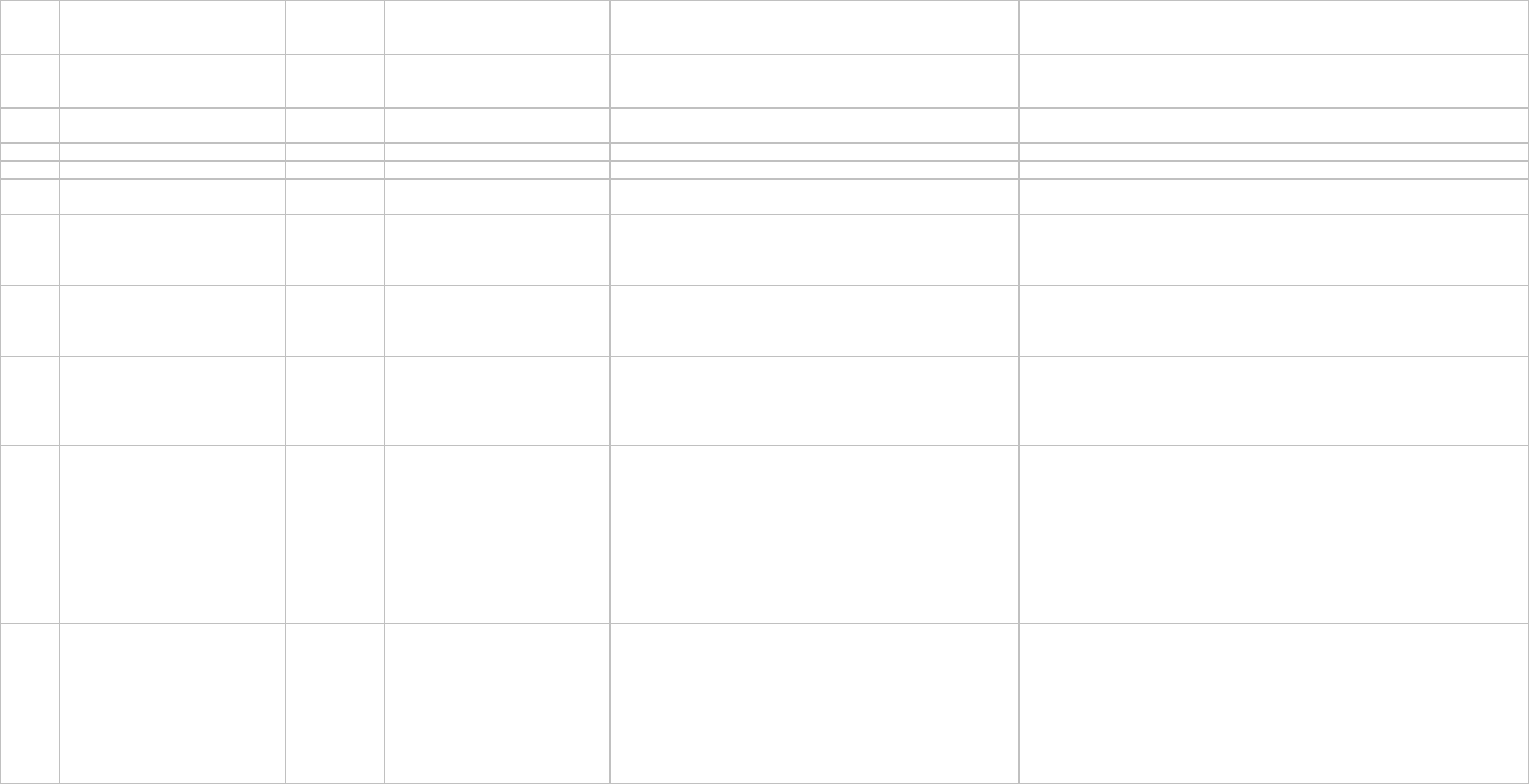
3351
RVS :\tBarcode reader connected
to non-existent COM-port
The barcode reader is connected
to a non-existent COM-Port. - Wrong configuration. - Modify COM-port.
3352 RVS :\tSMF disabled
The SMF configuration file was not
found. Therefore SMF will be
disabled for this session.
3353 RVS :\tRemote disk path not found
The RVS-system did not find the
remote disk path. - Network software not started. - Start network software.
3354
RVS :\tAccess on disk denied
RVS cannot access disk.
3355
RVS :\tNo DOS disk
The disk is not DOS formatted.
3356 RVS :\tUnknown error copying file
An unknown error occurred while
copying a file.
3357 RVS :\tError reason unknown
RVS signalized errors, but no
errors where reported, so the
reason of the error is unknown.
- Make logdisk.
- Continue.
- Report error to your service representative.
3358 RVS :\tWarning reason unknown
RVS signalized warnings, but no
warnings where reported, so the
reason of the warning is unknown.
- Make logdisk.
- Continue.
- Report warning to your service representative.
3400
The verification board must be
connected
After the verification board is
clamped in the work-area it must
be connected to the machine via
air tubes and an electrical cable.
- This error always occurs if you are using the verification
board.
- The error instructs you to connect the board to the machine. - Connect the board to the machine and select retry.
3401
Verification board must be
removed manually
After completion of the verification
action spec, the verification board
has to be disconnected from the
machine and then removed
manually from the work-area of
the machine.
- This error always occurs when you are using the verification
set.
- The error instructs you to remove the air tubes and electrical
cable between the machine and the verification board.
Furthermore you must remove the verification board manually
from th
- Disconnect the verification board from the machine by removing the air tubes
and electrical cable.
- Remove the verification set board from the machine.
3500
Check if the components are still
correct positioned in the feeder
section(s).
Because of exchanging the feeder
section(s), the components may
be out of position. To prevent
possible repicks, errors or bad
placement quality, check if the
components are still positioned
correctly in the feeder section(s)
and make corrections if not.