EdisonStandardOwnersManual-RevA-20170818B.pdf - 第100页
P RINTER O PERATIONS Edison Printer User Manual (Part Number 1023838) 100 Rev. A Copyright © 2017 ITW EAE All rights reserved. No part of the contents of thi s manual may be reproduced, copied or transmitted in any form …
Edison Printer User Manual (Part Number 1023838) PRINTER OPERATIONS
Rev. A 99
Copyright © 2017 ITW EAE
All rights reserved. No part of the contents of this manual may be reproduced, copied or transmitted in any form or by any
means including graphic, electronic, or mechanical methods or photocopying, recording, or information storage and
retrieval systems without the written permission of ITW EAE, unless for purchaser's personal use.
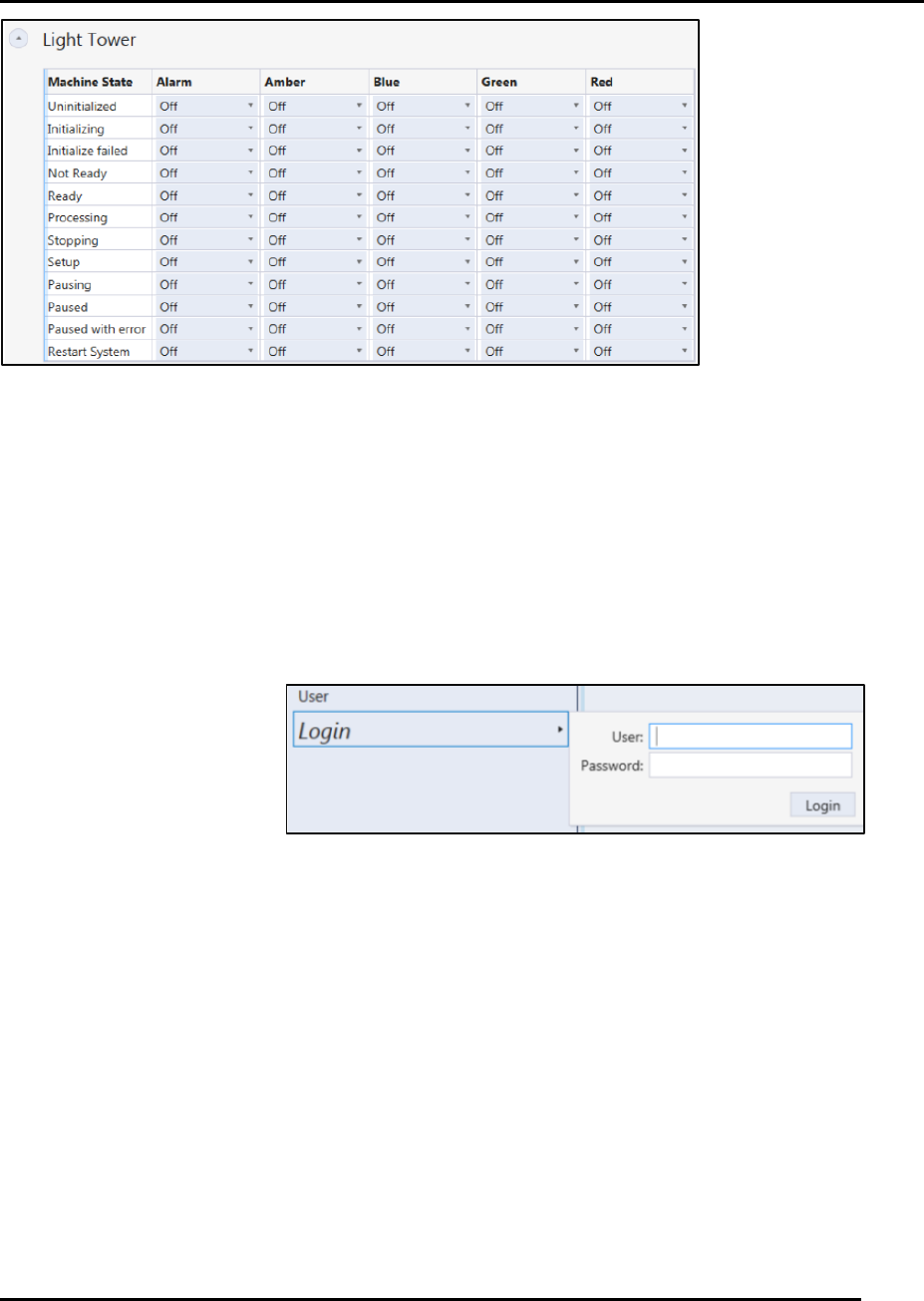
Figure 79. Light Tower Configuration Options use pull-down menus.
5.3. Start-up Operations
Starting the Edison printer involves initializing the printer and logging in as a valid user. For full
power up instructions, refer to Section 3.5.2 Power Up and Initialization.
5.3.1. Logging In and Out
5.3.1.1. Login
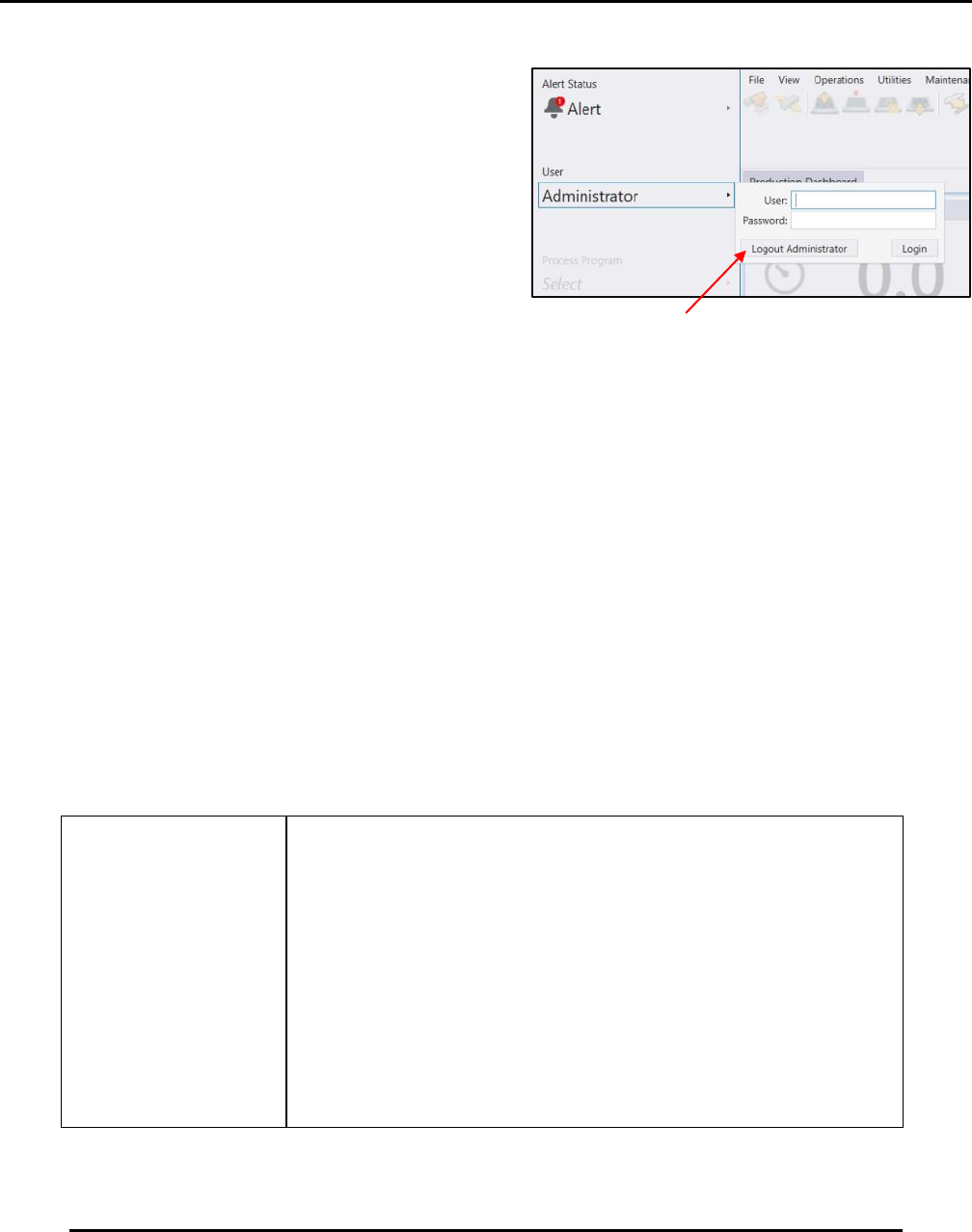
Navigate to the User
panel and click Login
(Figure 80).
Enter User name
Enter Password
Click Login
Figure 80. Login Screen.
PRINTER OPERATIONS Edison Printer User Manual (Part Number 1023838)
100 Rev. A
Copyright © 2017 ITW EAE
All rights reserved. No part of the contents of this manual may be reproduced, copied or transmitted in any form or by any
means including graphic, electronic, or mechanical methods or photocopying, recording, or information storage and
retrieval systems without the written permission of ITW EAE, unless for purchaser's personal use.
5.3.1.2. Logout
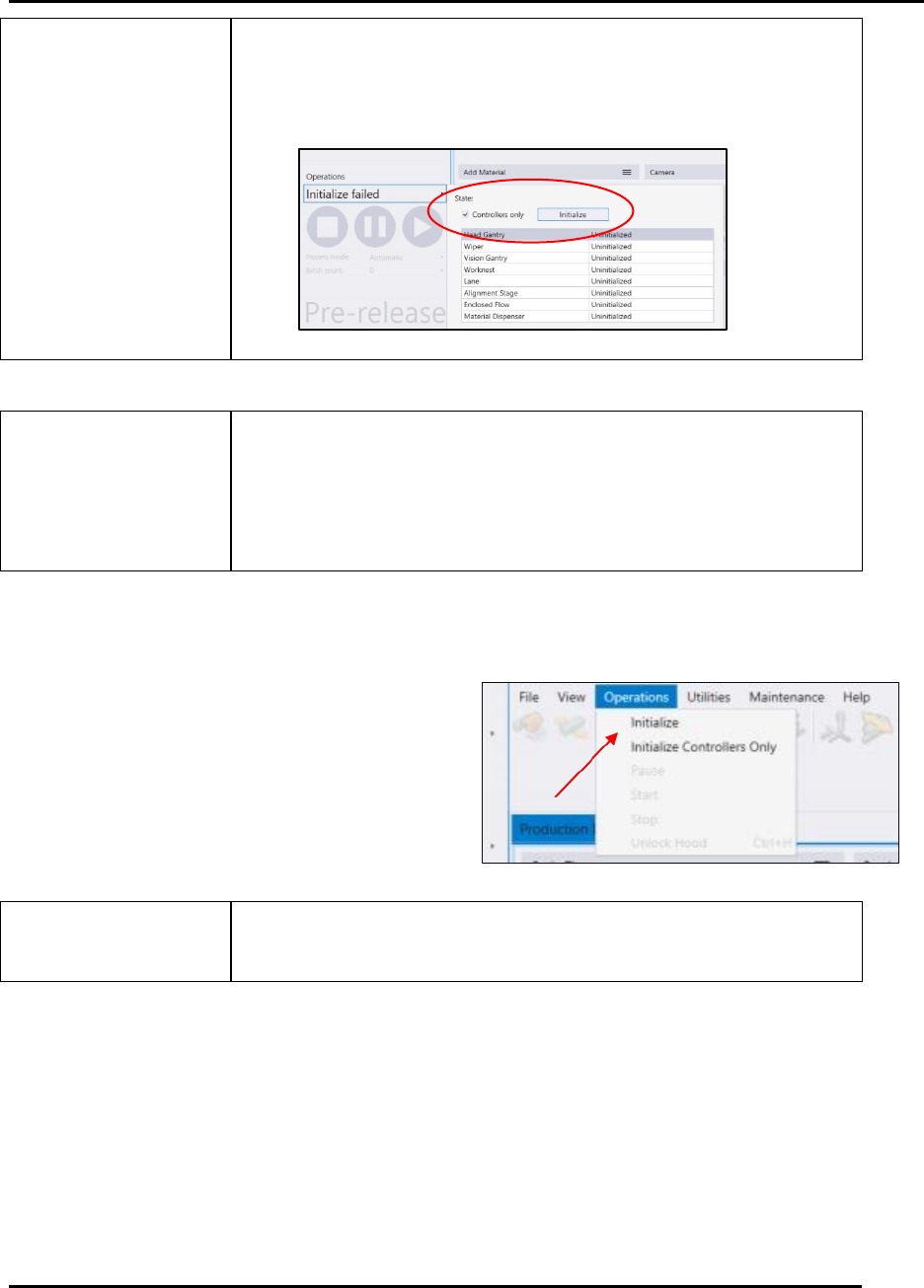
Navigate to the User panel and click on select
current user. (Figure 81).
Click Logout
5.3.2. Initializing the Printer
Edison motion-controlled equipment always has one (or more) axis positioned somewhere in
space. The positions of these axes are largely unknown—especially after a printer power up or
during motion-driven calibration routines.
Because of these unknown positions, any axis move could come in contact with another printer
element, potentially causing damage.
The initialization process moves the printer axes (either individually or in conjunction) in a
predetermined sequence from their unknown positions to their individual home or sensor
positions.
In most initialization procedures, an axis moves to the negative sensor (for instance, in the X-axis,
the axis moves left) and then away from that sensor to clear it. This procedure establishes a fixed
reference for all motion-controlled movement from that point, with the sensor acting as a limit
sensor.
Some features and/or axes may not be licensed or enabled for
your Edison printer. The list of initialized items will vary
depending upon configuration.
Figure 81. Logout Screen.
Edison Printer User Manual (Part Number 1023838) PRINTER OPERATIONS
Rev. A 101
Copyright © 2017 ITW EAE
All rights reserved. No part of the contents of this manual may be reproduced, copied or transmitted in any form or by any
means including graphic, electronic, or mechanical methods or photocopying, recording, or information storage and
retrieval systems without the written permission of ITW EAE, unless for purchaser's personal use.
Initialize Controllers Only mode allows the system to be fully
operational without the forced initialization requirement.
Use this mode only for maintenance and troubleshooting only.
Ensure the printer is free of objects that may interfere with or
obstruct movement before initializing or jog any printer
component.
Failure to comply may result in printer damage.
5.3.2.1. Access the Initialization Process
Log in to Intueri software (Section 5.3.1.1).
Navigate to Operations (Figure 82).
Navigate to Initialize (or Initialize
Controllers Only) (Figure 82).
Use Initialize Controllers Only solely for troubleshooting
purposes.
Figure 82. Gain access to the Initialization Process.