EdisonStandardOwnersManual-RevA-20170818B.pdf - 第105页
Edison Printer User Manual (Part Number 1023838) P RINTER O PERATIONS Rev. A 105 Copyright © 2017 ITW EAE All rights reserved. No part of the contents of this manual ma y be reproduced, copied or transmitted in any form …
PRINTER OPERATIONS Edison Printer User Manual (Part Number 1023838)
104 Rev. A
Copyright © 2017 ITW EAE
All rights reserved. No part of the contents of this manual may be reproduced, copied or transmitted in any form or by any
means including graphic, electronic, or mechanical methods or photocopying, recording, or information storage and
retrieval systems without the written permission of ITW EAE, unless for purchaser's personal use.
5.4.2.2. Create a New Group
1. Navigate to Security > Create Users and Groups.
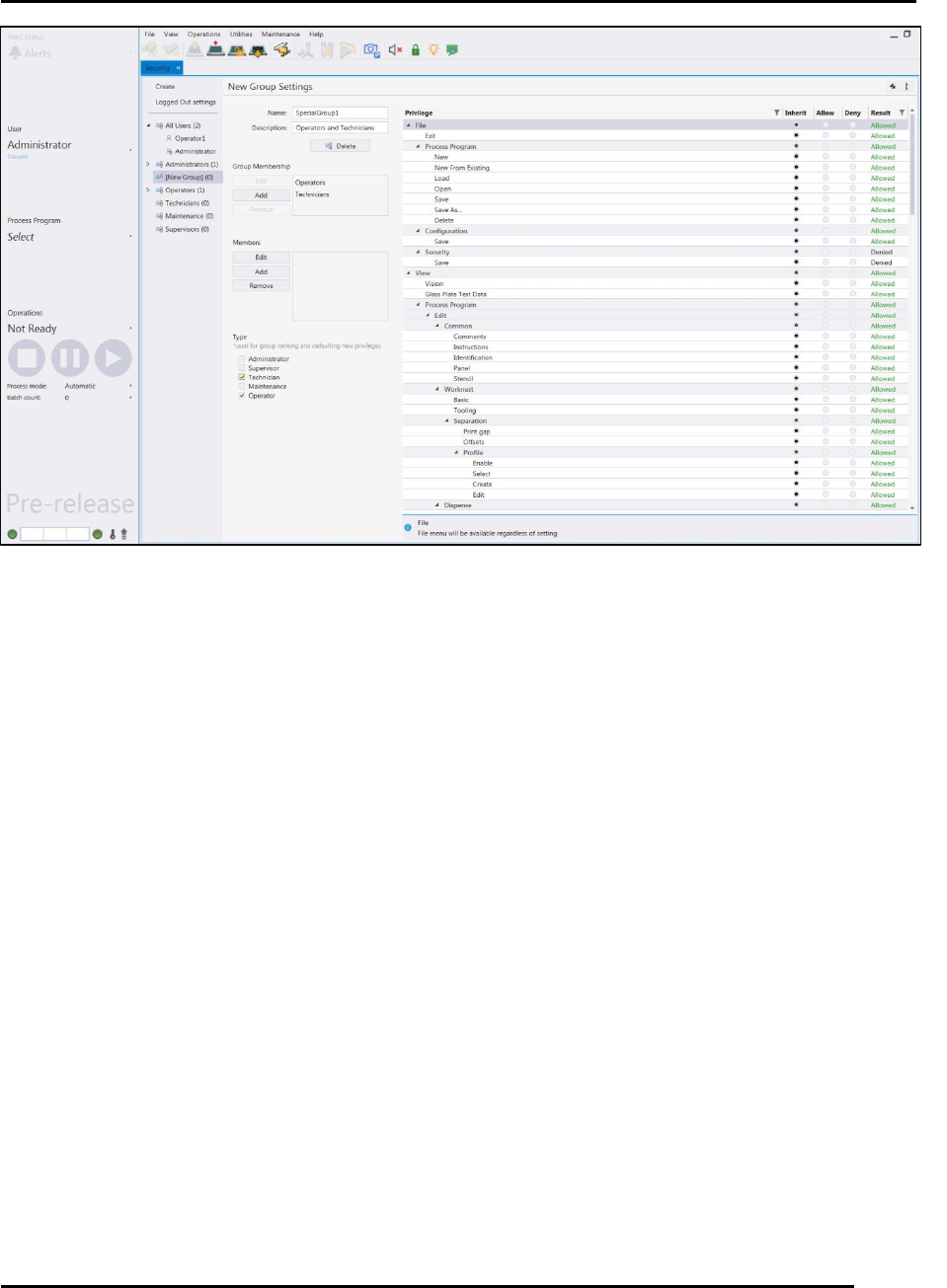
2. Click on New Group (Figure 89).
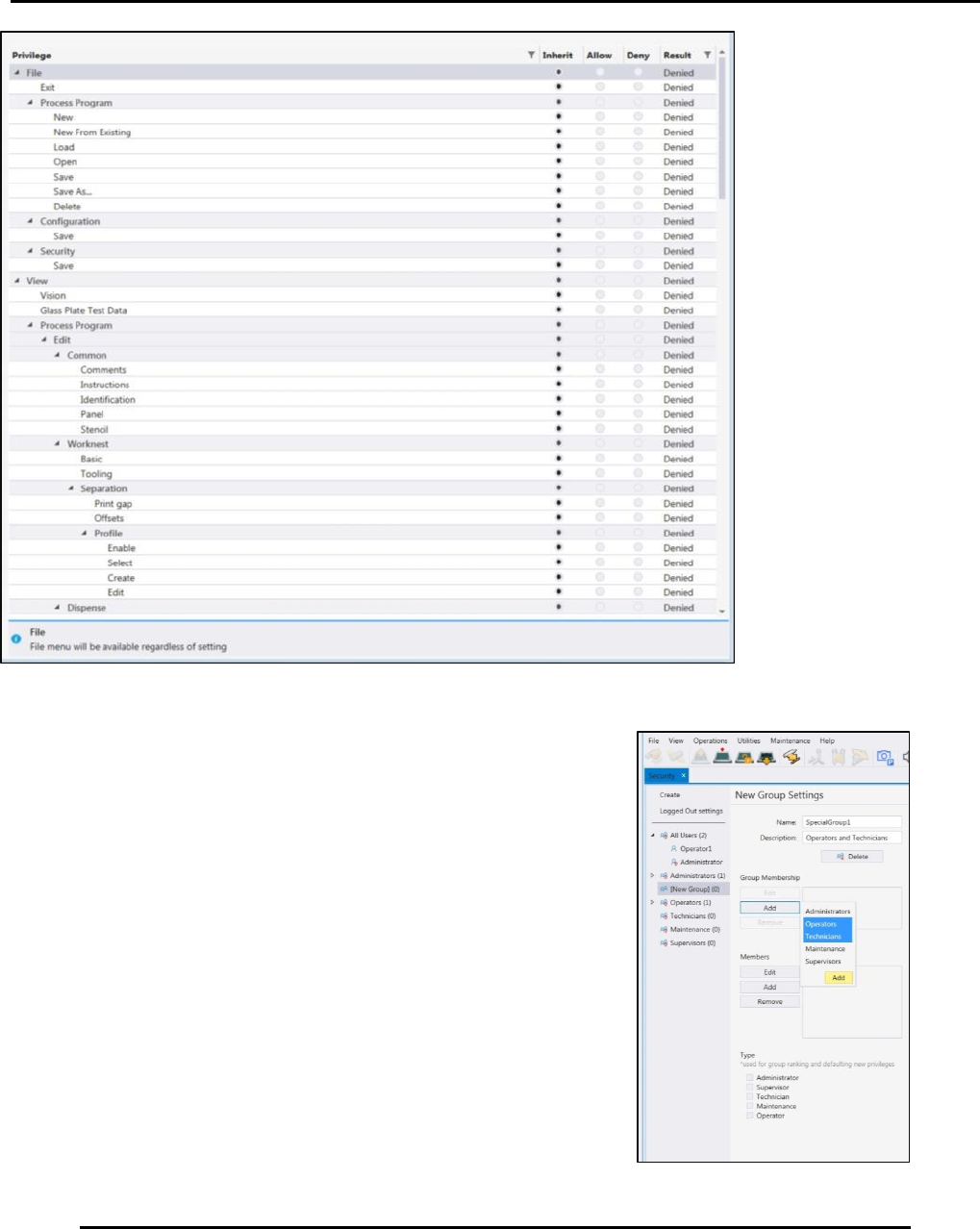
5. On the New Group Settings screen (Figure 89), enter:
a. Enter the name and Description of the new group.
b. Edit, Add, and Remove members as needed under the
Group Membership section (Figure 88).
c. Set group privileges as necessary (Figure 88).
Figure 87. Setting Privileges
Edison Printer User Manual (Part Number 1023838) PRINTER OPERATIONS
Rev. A 105
Copyright © 2017 ITW EAE
All rights reserved. No part of the contents of this manual may be reproduced, copied or transmitted in any form or by any
means including graphic, electronic, or mechanical methods or photocopying, recording, or information storage and
retrieval systems without the written permission of ITW EAE, unless for purchaser's personal use.
5.4.2.3. Elevate Privileges
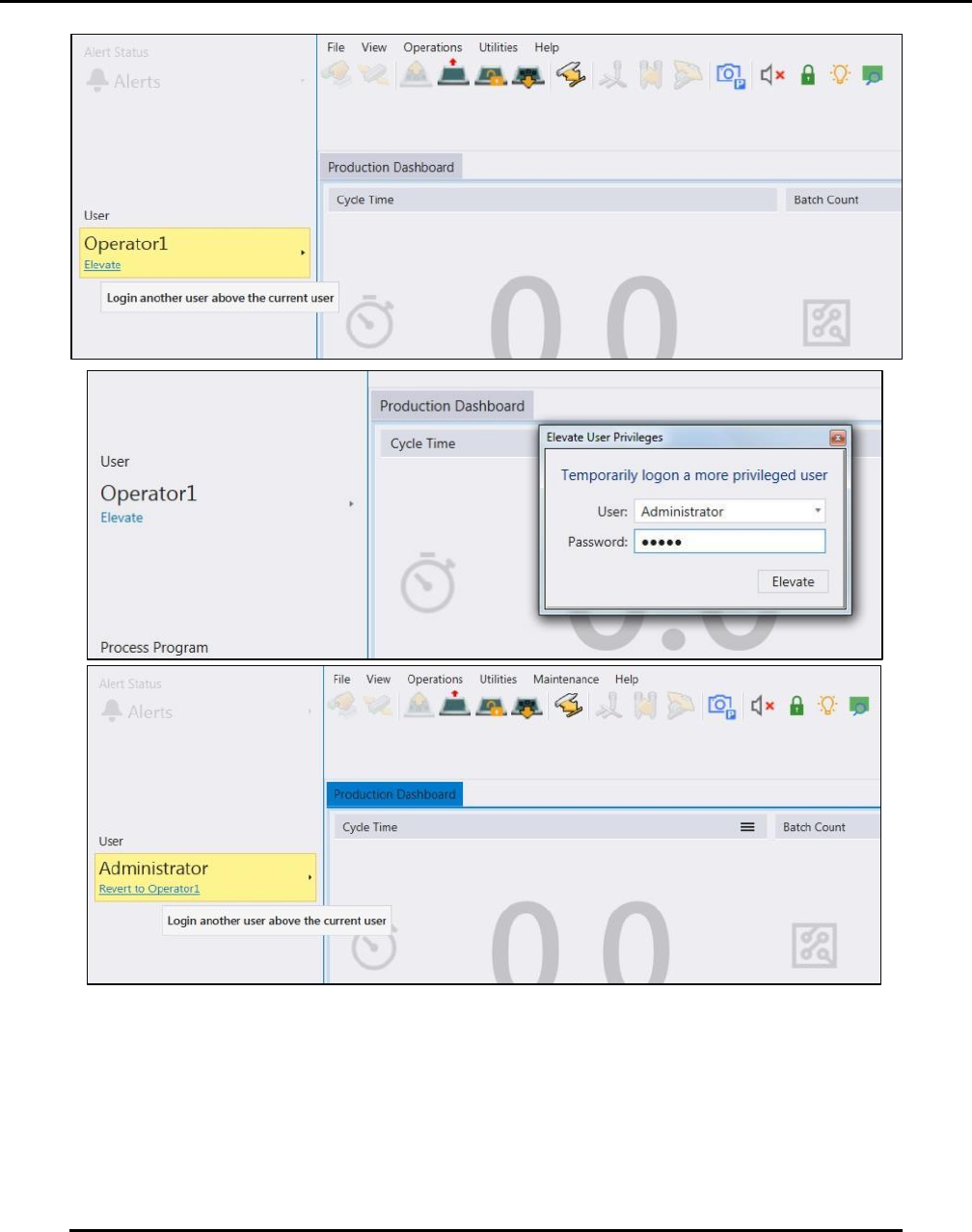
Intueri software allows an administrator to temporarily login an operator as a more privileged
user:
1. From the Production Dashboard, press Elevate to display the elevate login screen (Figure
90).
2. Enter the administrator username and password. (Figure 90).
3. When the administrator logs out the previous person logged in gets logged in again but with
elevated privileges.
4. To revert to the previous privileges, press Revert to Operator1. (Figure 90).
Figure 89. Create a New Group.
Figure 88. Set Group Privileges.
PRINTER OPERATIONS Edison Printer User Manual (Part Number 1023838)
106 Rev. A
Copyright © 2017 ITW EAE
All rights reserved. No part of the contents of this manual may be reproduced, copied or transmitted in any form or by any
means including graphic, electronic, or mechanical methods or photocopying, recording, or information storage and
retrieval systems without the written permission of ITW EAE, unless for purchaser's personal use.
Figure 90. Elevate Privileges Dialogue Screens.