EdisonStandardOwnersManual-RevA-20170818B.pdf - 第123页
Edison Printer User Manual (Part Number 1023838) P RINTER O PERATIONS Rev. A 123 Copyright © 2017 ITW EAE All rights reserved. No part of the contents of this manual ma y be reproduced, copied or transmitted in any form …
PRINTER OPERATIONS Edison Printer User Manual (Part Number 1023838)
122 Rev. A
Copyright © 2017 ITW EAE
All rights reserved. No part of the contents of this manual may be reproduced, copied or transmitted in any form or by any
means including graphic, electronic, or mechanical methods or photocopying, recording, or information storage and
retrieval systems without the written permission of ITW EAE, unless for purchaser's personal use.
3. When the Payout roll is empty, open the hood.
a. Note that the work light inside the Edison printer cabinet comes on when the hood is
open.
5.7.2. Remove Take-Up Shaft
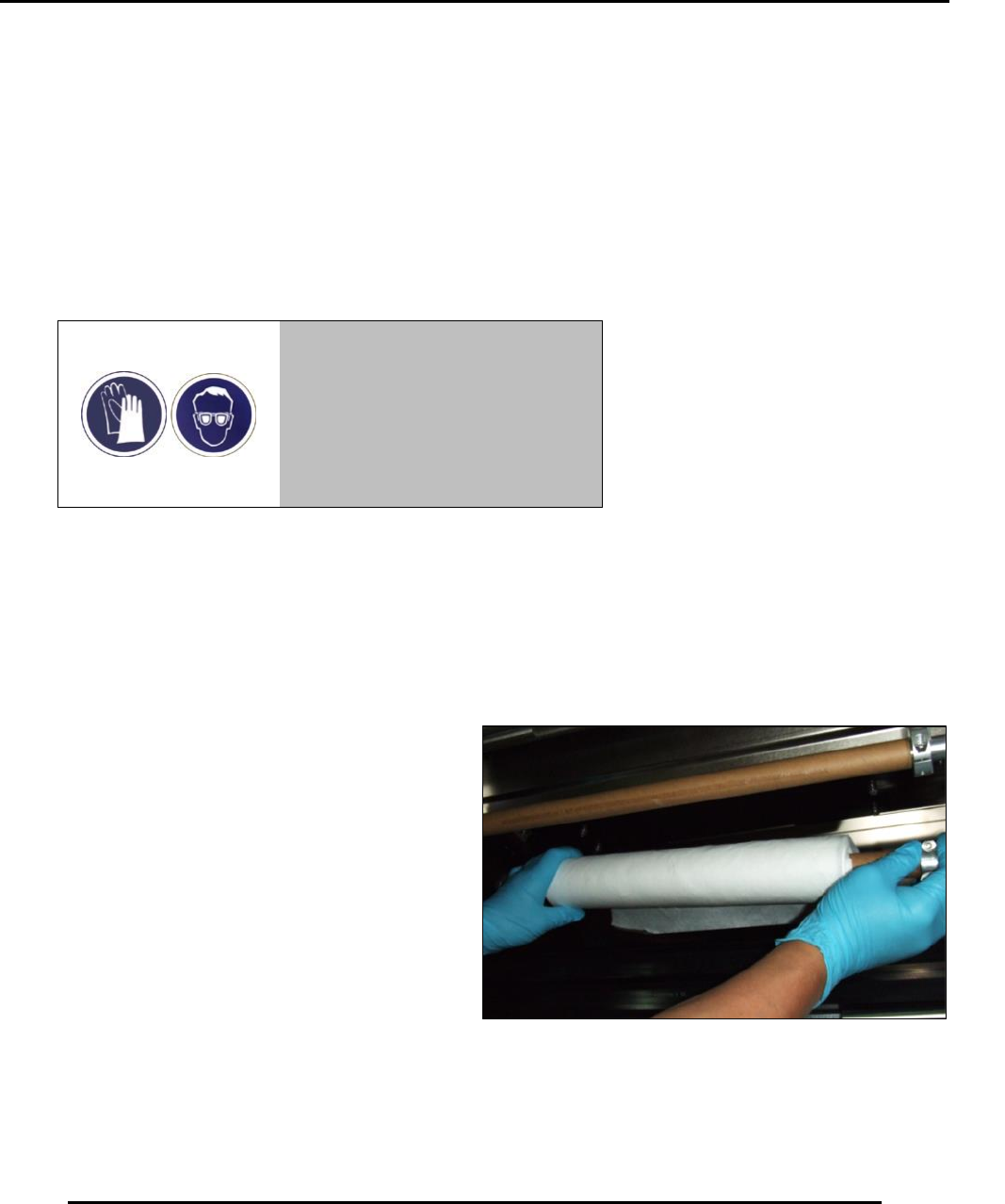
4. Remove take-up shaft (Figure 119).
Warning!
Wear proper protection (gloves
and safety glasses) when
handling the contaminated wiper
paper roll.
Figure 118. Change Paper Wizard screen.
Figure 119. Remove take-up shaft.
Edison Printer User Manual (Part Number 1023838) PRINTER OPERATIONS
Rev. A 123
Copyright © 2017 ITW EAE
All rights reserved. No part of the contents of this manual may be reproduced, copied or transmitted in any form or by any
means including graphic, electronic, or mechanical methods or photocopying, recording, or information storage and
retrieval systems without the written permission of ITW EAE, unless for purchaser's personal use.
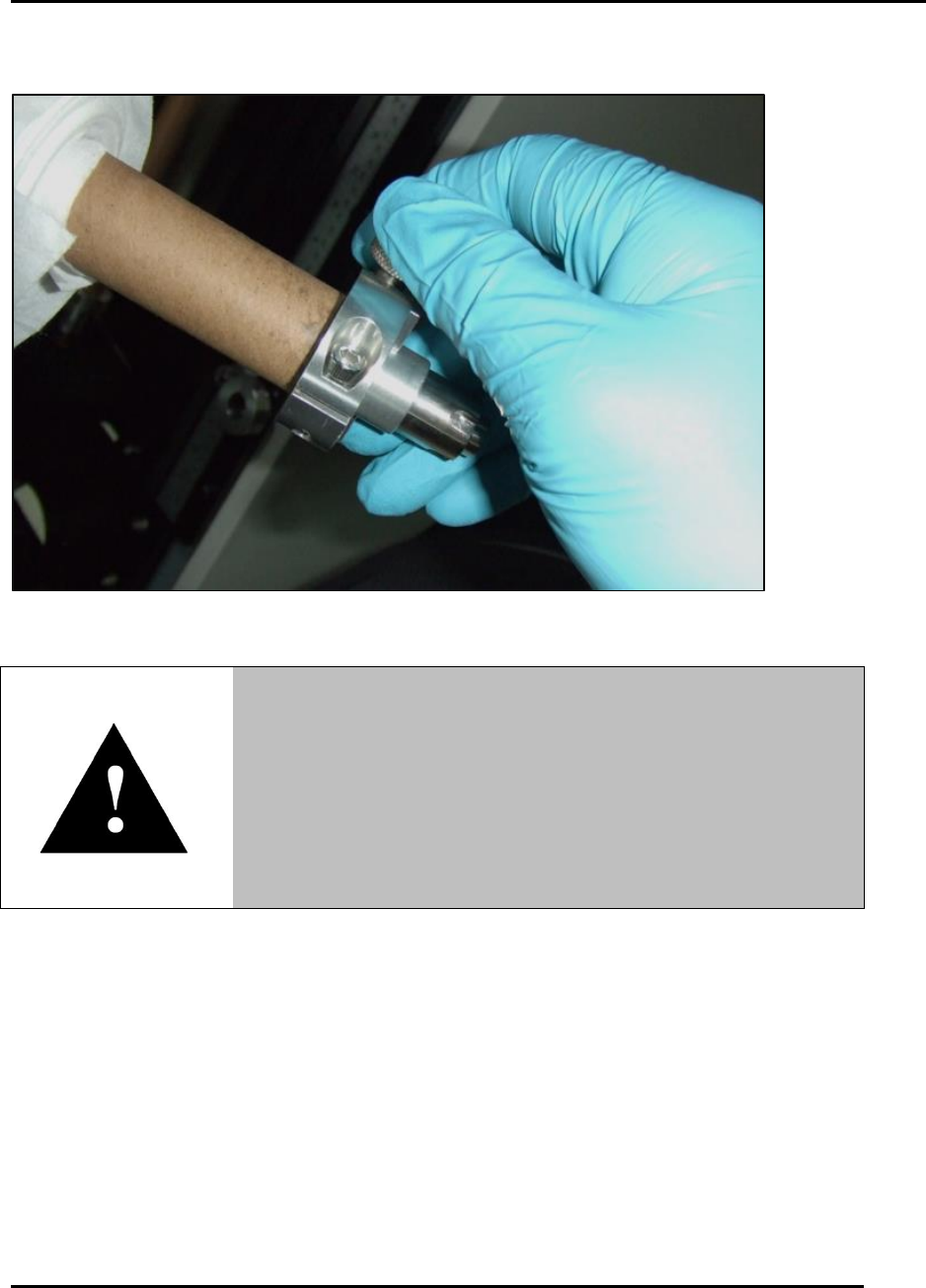
5. Loosen and remove the shaft collar from the right end of the take-up shaft (Figure 120).
Figure 120. Loosen and remove take-up shaft collar.
6. Carefully remove the used wiper paper roll from the take-up shaft:
a. Hold the shaft while quickly twisting (counterclockwise) the used paper roll.
b. This twist is necessary to disengage toothed spurs from inside the paper core.
c. Discard the used wiper paper roll in appropriate waste container.
5.7.3. Remove Roller Shaft
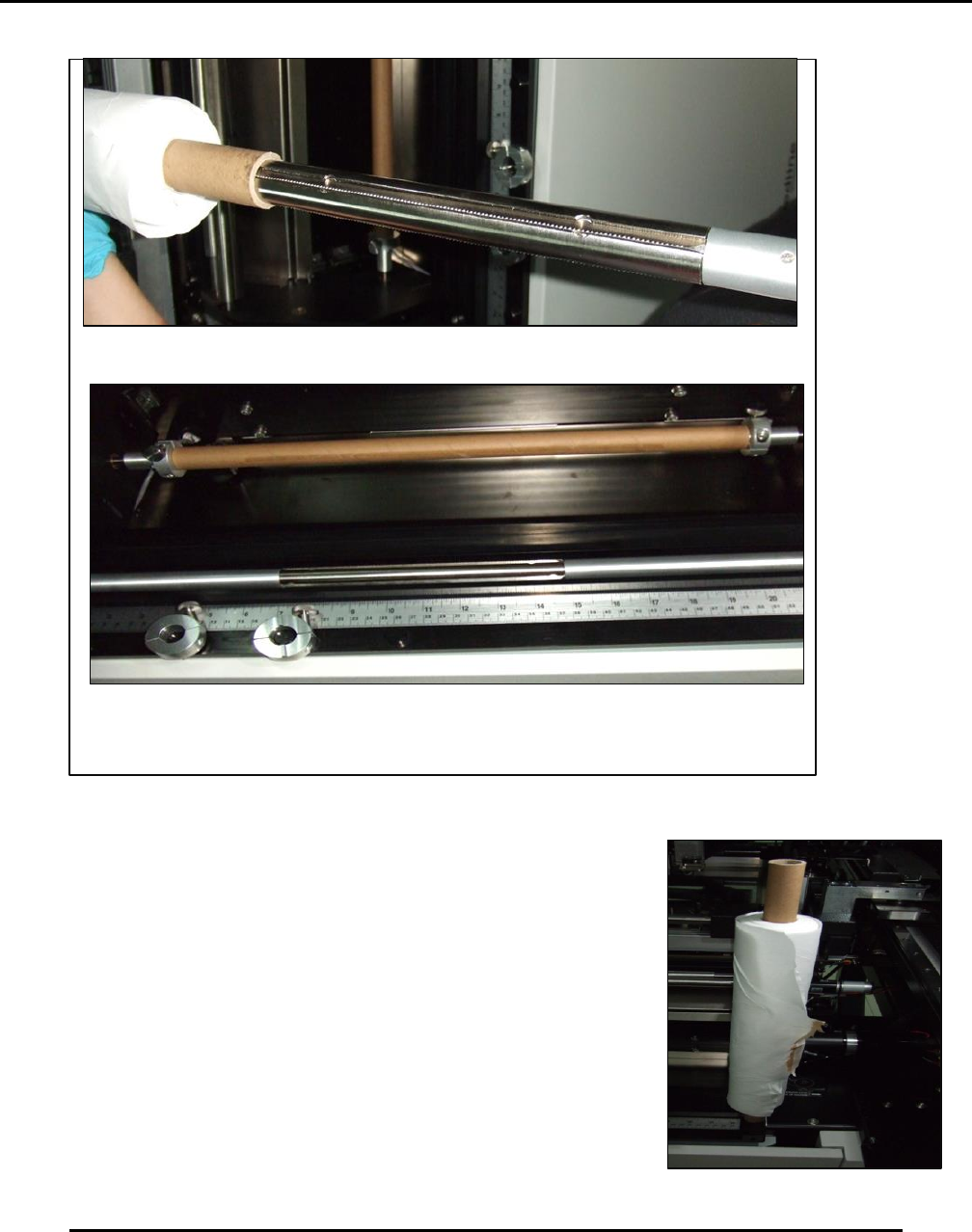
7. Remove the roller shaft (the shaft with the diamond-knurl pattern) and store in the exchange
tray (Figure 121).
8. Place the take up shaft and the collar in the holding locations on the exchange tray (Figure
121).
Warning!
Use caution when removing the wiper paper roll.
Three toothed spurs on the take-up and pay-out shafts can
cause hand injury.
Take care to grasp only the paper and the shaft away from the
toothed spurs when removing or installing paper rolls.
PRINTER OPERATIONS Edison Printer User Manual (Part Number 1023838)
124 Rev. A
Copyright © 2017 ITW EAE
All rights reserved. No part of the contents of this manual may be reproduced, copied or transmitted in any form or by any
means including graphic, electronic, or mechanical methods or photocopying, recording, or information storage and
retrieval systems without the written permission of ITW EAE, unless for purchaser's personal use.
Figure 121. Remove roller shaft and place it temporarily in the exchange tray.
9. Place a new wiper paper roll on the flip-up shaft (Figure 122).
The roller shaft has a diamond-knurl pattern.
Use the exchange tray as a convenient resting place for the roller shaft, take-
up shaft, and collar.
Figure 122. Place new wiper roll on
flip-up shaft.