EdisonStandardOwnersManual-RevA-20170818B.pdf - 第127页
Edison Printer User Manual (Part Number 1023838) P RINTER O PERATIONS Rev. A 127 Copyright © 2017 ITW EAE All rights reserved. No part of the contents of this manual ma y be reproduced, copied or transmitted in any form …
PRINTER OPERATIONS Edison Printer User Manual (Part Number 1023838)
126 Rev. A
Copyright © 2017 ITW EAE
All rights reserved. No part of the contents of this manual may be reproduced, copied or transmitted in any form or by any
means including graphic, electronic, or mechanical methods or photocopying, recording, or information storage and
retrieval systems without the written permission of ITW EAE, unless for purchaser's personal use.
5.7.6. Install Payout Shaft
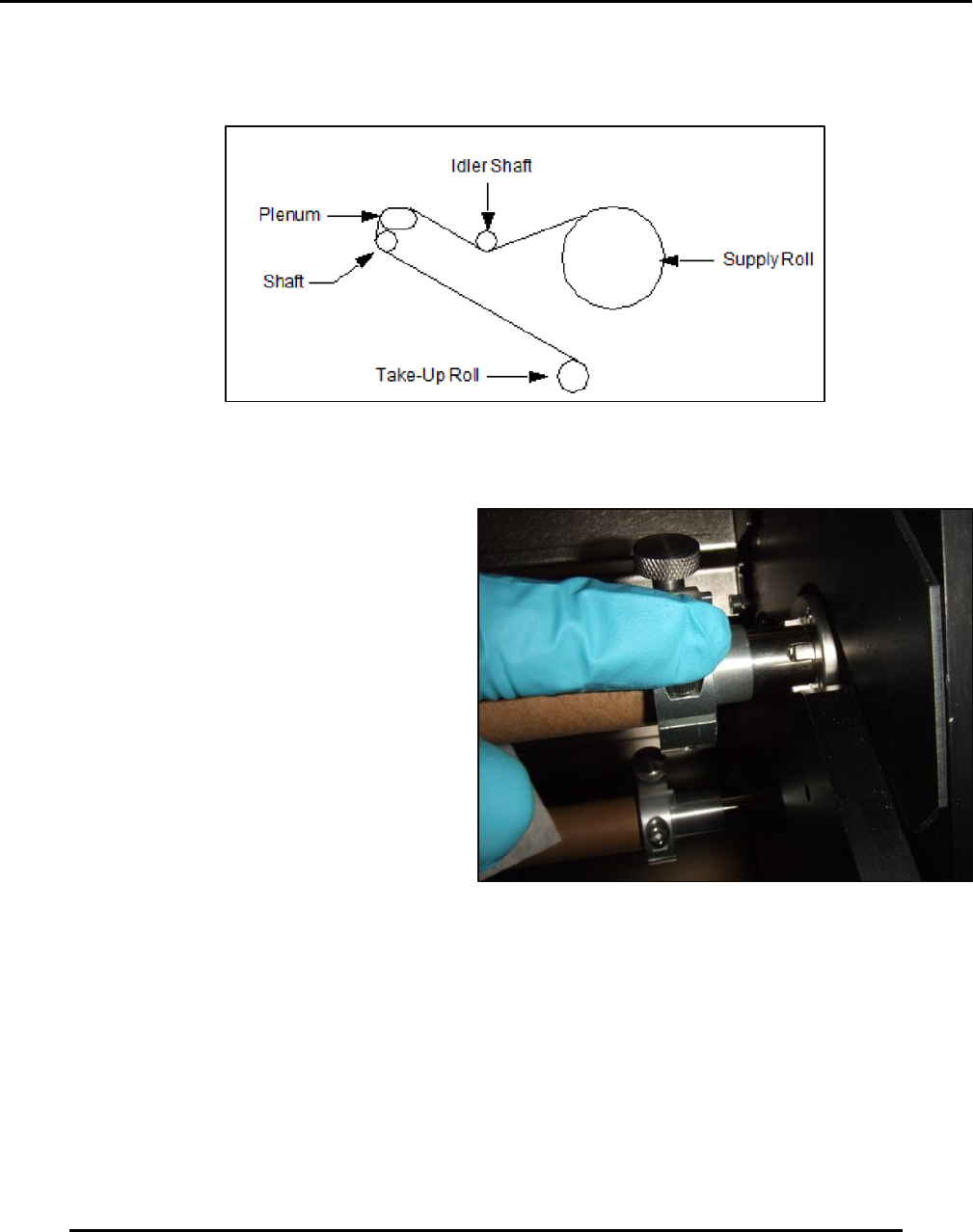
13. Set the payout shaft into position and
watch for proper engagement of the drive
teeth (Figure 127).
5.7.7. Spool Out Wiper Paper
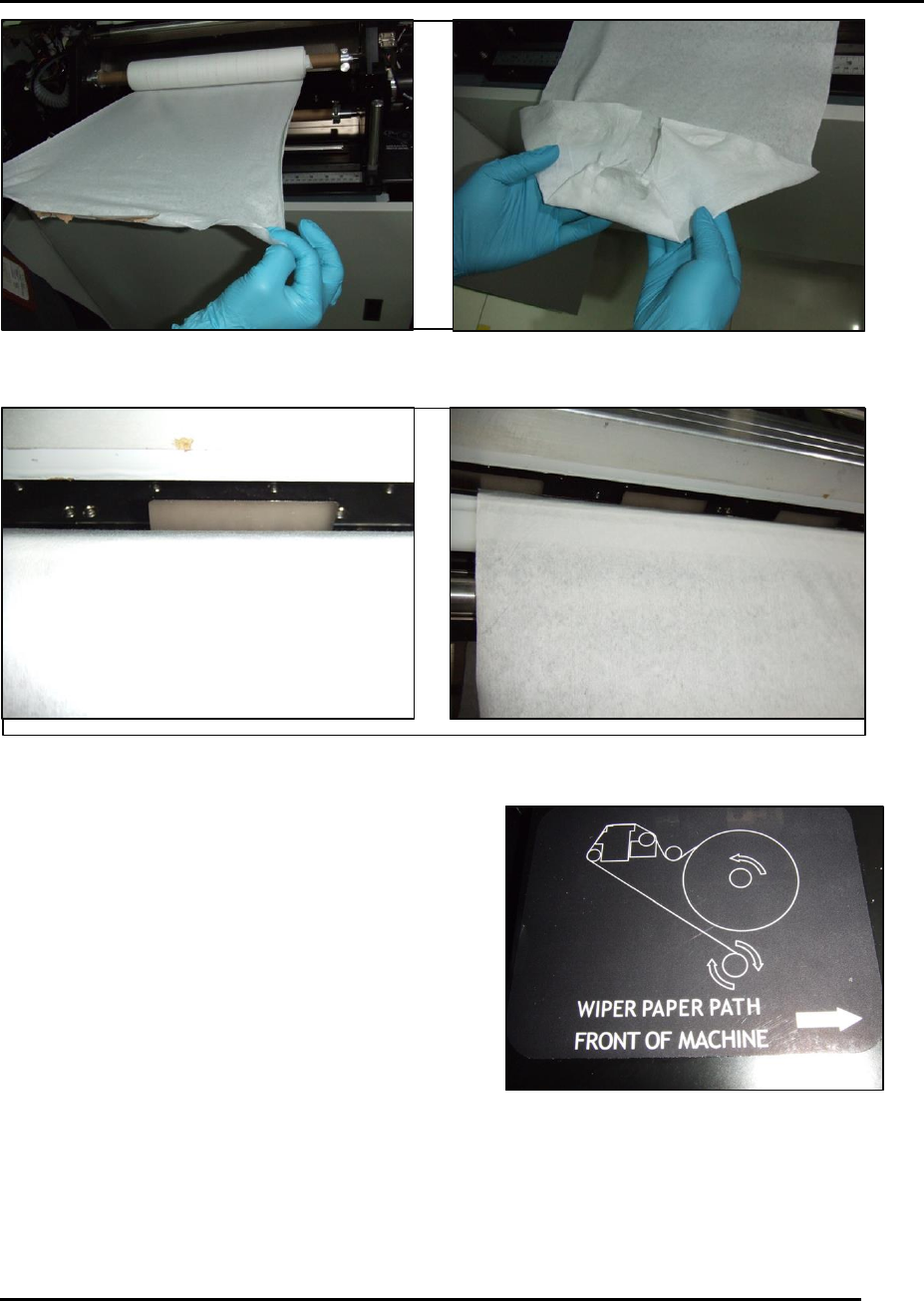
14. Spool out approximately 1 meter (3 feet) of paper as shown and then fold leading edge of
paper into an arrow point (Figure 128).
15. Feed arrow point over and behind the white wiper plenum (Figure 128).
Figure 127. Ensure proper engagement with Payout shaft drive
teeth.
Figure 126. Wiper paper spools out from top of roll and away from operator.
Edison Printer User Manual (Part Number 1023838) PRINTER OPERATIONS
Rev. A 127
Copyright © 2017 ITW EAE
All rights reserved. No part of the contents of this manual may be reproduced, copied or transmitted in any form or by any
means including graphic, electronic, or mechanical methods or photocopying, recording, or information storage and
retrieval systems without the written permission of ITW EAE, unless for purchaser's personal use.
Figure 128. Spool and feed wiper paper.
Figure 129. If wiper paper is properly routed, the notches of the back splash will be visible.
16. Secure the paper to the take-up roll cardboard
using either the pre-adhesive strip attached or
tape.
17. Re-install the roller shaft with the diamond knurl
pattern.
18. Verify the wiper paper is routed in accordance
with the routing label affixed near the wiper
assembly (Figure 130).
Figure 130. Wiper paper path label.
PRINTER OPERATIONS Edison Printer User Manual (Part Number 1023838)
128 Rev. A
Copyright © 2017 ITW EAE
All rights reserved. No part of the contents of this manual may be reproduced, copied or transmitted in any form or by any
means including graphic, electronic, or mechanical methods or photocopying, recording, or information storage and
retrieval systems without the written permission of ITW EAE, unless for purchaser's personal use.
5.7.8. Final Steps
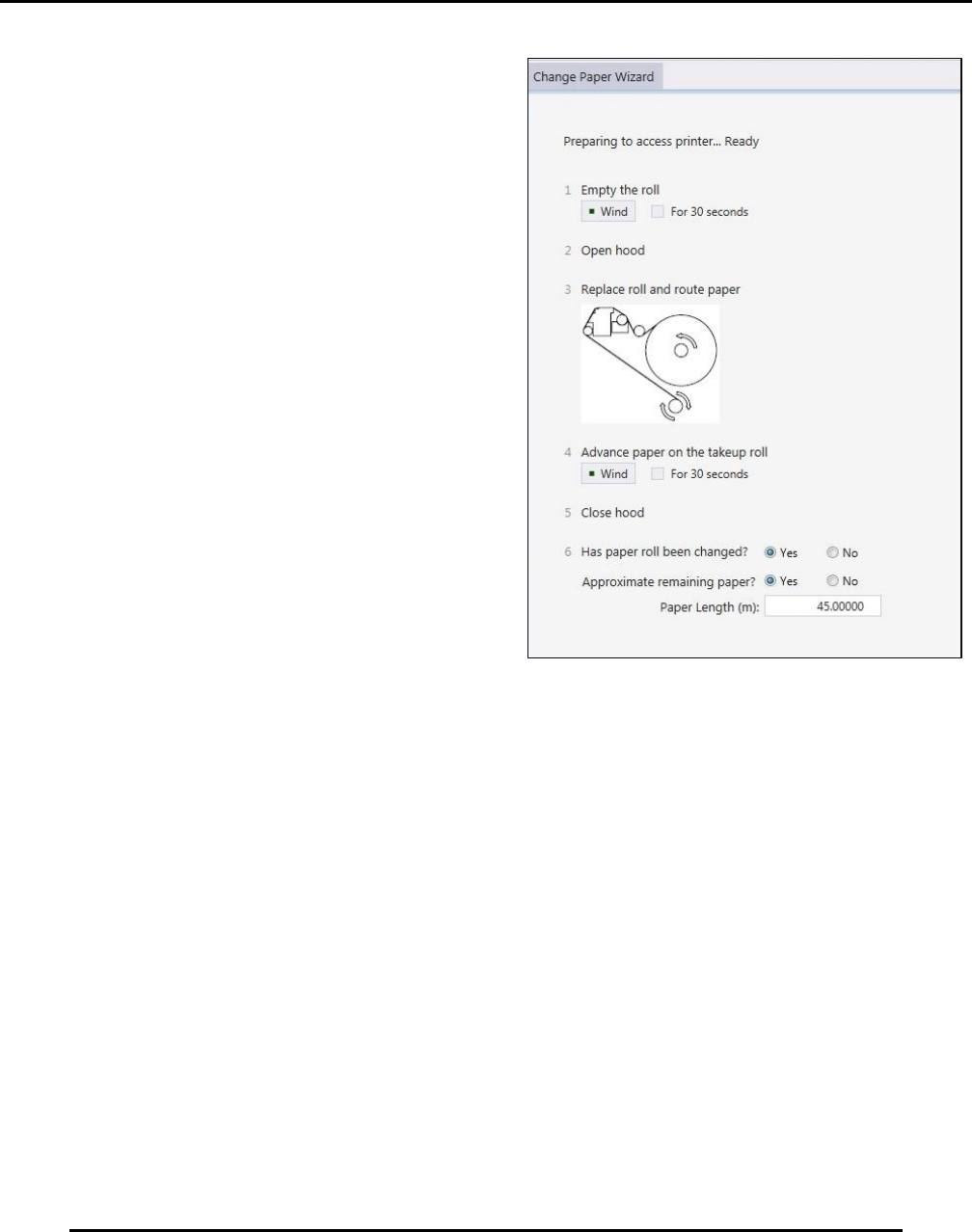
19. Using the Change Paper Wizard, use 4
Advance paper on the takeup roll to ensure
proper winder payout/take up action (Figure
131).
20. Close the hood.
21. Verify radio buttons (Figure 131):
a. Has paper roll been changed?
b. Approximate remaining paper? Enter
approximate remaining paper length.
22. Click Finish
Figure 131. Advance paper on the takeup roll to ensure
proper payout/takeup action.