EdisonStandardOwnersManual-RevA-20170818B.pdf - 第134页
M AINTENANCE Edison Printer User Manual (Part Number 1023838) 134 Rev. A Copyright © 2017 ITW EAE All rights reserved. No part of the contents of thi s manual may be reproduced, copied or transmitted in any form or by an…
Edison Printer User Manual (Part Number 1023838) MAINTENANCE
Rev. A 133
Copyright © 2017 ITW EAE
All rights reserved. No part of the contents of this manual may be reproduced, copied or transmitted in any form or by any
means including graphic, electronic, or mechanical methods or photocopying, recording, or information storage and
retrieval systems without the written permission of ITW EAE, unless for purchaser's personal use.
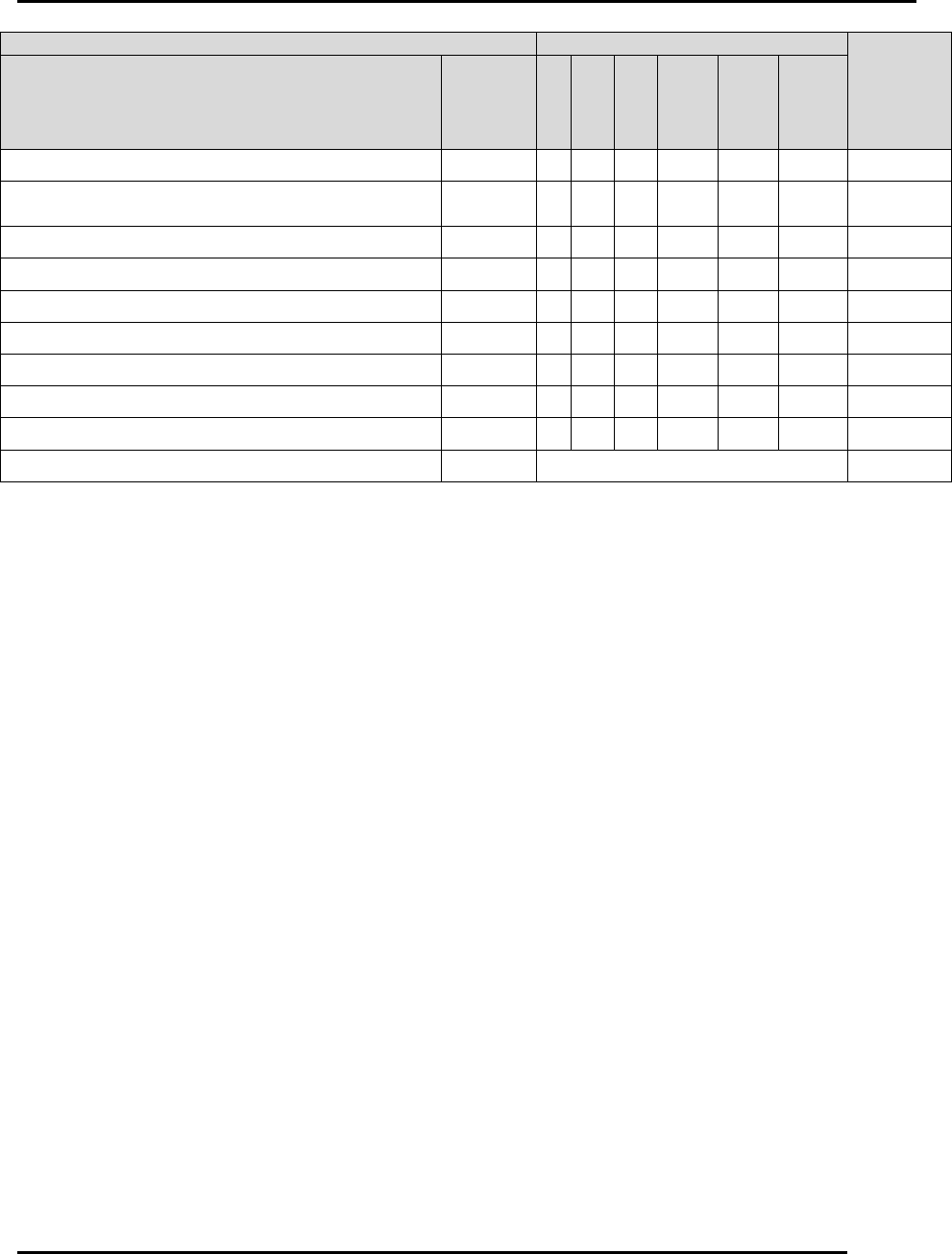
Preventive Maintenance
Days
Time
Required
(Minutes)
Activity
See
Section
(Click
hyperlink
below)
1
7
30
120
180
360
Inspect Vacuum Plenum and Chamber
6.2.26
X
5
Inspect, Clean, and Verify Functionality of the
Hard Stop
6.2.27
X
5
Inspect Front and Rear Transport Belts
6.2.28
X
30
Inspect Squeegee Z Belt and Tensioners
6.2.29
X
5
Inspect Squeegee Z Springs
6.2.30
X
5
Inspect Vision X Motor Drive Belt
6.2.31
X
5
Inspect Hood To Hoop Roll Ground Strap
6.2.32
X
5
Clean Work Table
6.2.33
X
5
Clean Stencil Shelves
6.2.34
X
5
Clean Solvent Pan
6.2.35
As Necessary
30
MAINTENANCE Edison Printer User Manual (Part Number 1023838)
134 Rev. A
Copyright © 2017 ITW EAE
All rights reserved. No part of the contents of this manual may be reproduced, copied or transmitted in any form or by any
means including graphic, electronic, or mechanical methods or photocopying, recording, or information storage and
retrieval systems without the written permission of ITW EAE, unless for purchaser's personal use.
6.2. Preventive Maintenance Procedures
6.2.1. Paste Dispenser Preventive Maintenance
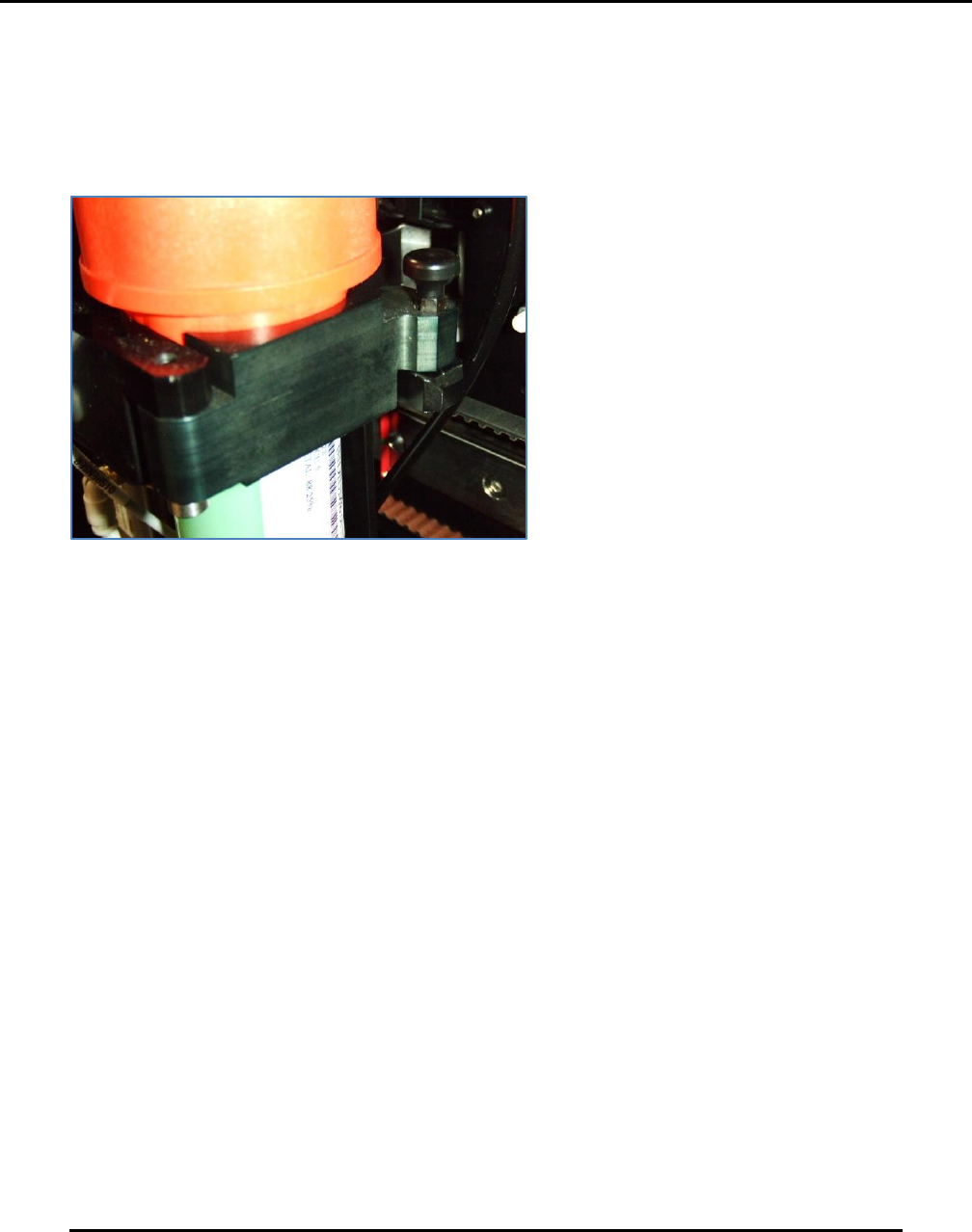
6.2.1.1. Inspect Paste Dispenser Cartridge Latch—Maintain Monthly
Figure 134. Inspect Paste Dispenser Cartridge Latch.
Introduction
Inspect and clean the paste dispenser cartridge latch monthly (Figure 134).
Estimated Completion Time
Less than 5 minutes.
Procedure
The paste dispenser cartridge latch is an area where paste build up can cause latch failure.
Remove any solder paste present.
Remove the cartridge from the paste dispenser assembly.
Examine the swing latch assembly
o Open and close the assembly to ensure proper security to the cartridge when
installed.
Clear using isopropyl alcohol.
Apply two drops of light oil (such as 3-in-One oil) to the latch pivot for smooth operation.
Edison Printer User Manual (Part Number 1023838) MAINTENANCE
Rev. A 135
Copyright © 2017 ITW EAE
All rights reserved. No part of the contents of this manual may be reproduced, copied or transmitted in any form or by any
means including graphic, electronic, or mechanical methods or photocopying, recording, or information storage and
retrieval systems without the written permission of ITW EAE, unless for purchaser's personal use.
6.2.1.2. Inspect Paste Dispenser Empty Sensor–Monthly
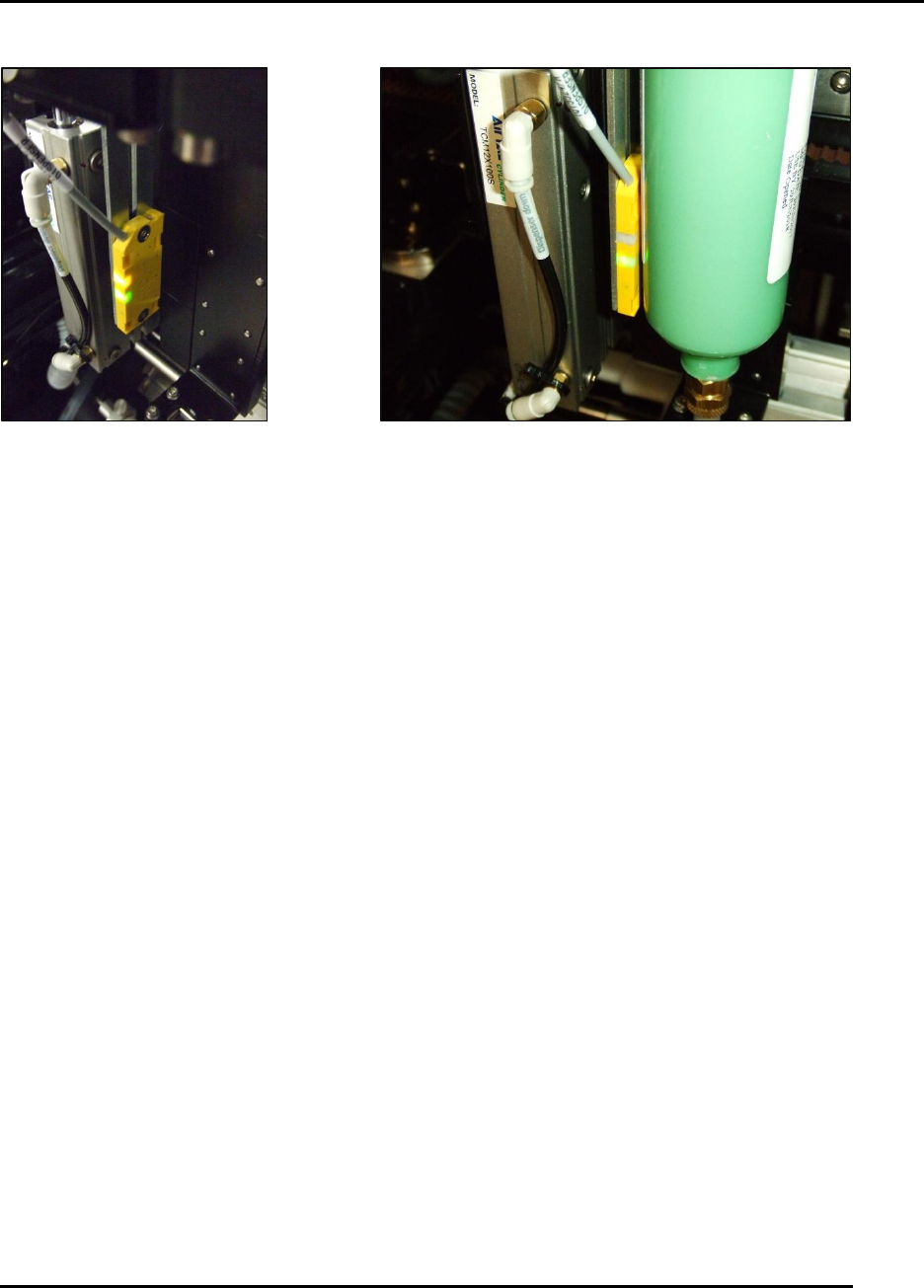
Figure 135. Inspect Paste Dispenser Empty Sensor.
Introduction
Inspect and clean the paste dispenser empty sensor (SQ9).
Estimated Completion Time
Less than 5 minutes.
Procedure
Remove all paste from the surface of the sensor to prevent false triggers
With a full cartridge, the sensor should have only a green light illuminated (Figure 135).
Position the sensor downward to ensure the cartridge is empty and the plunger is bottomed
out before the yellow light illuminates
To ensure proper operation:
o Use a full cartridge and then move the cartridge to the right away from the sensor.
o At approximately 6 mm (.250 In) the yellow light should come on.