EdisonStandardOwnersManual-RevA-20170818B.pdf - 第141页
Edison Printer User Manual (Part Number 1023838) M AINTENANCE Rev. A 141 Copyright © 2017 ITW EAE All rights reserved. No part of the contents of this manual ma y be reproduced, copied or transmitted in any form or by an…
MAINTENANCE Edison Printer User Manual (Part Number 1023838)
140 Rev. A
Copyright © 2017 ITW EAE
All rights reserved. No part of the contents of this manual may be reproduced, copied or transmitted in any form or by any
means including graphic, electronic, or mechanical methods or photocopying, recording, or information storage and
retrieval systems without the written permission of ITW EAE, unless for purchaser's personal use.
If the light comes ON but the goes OFF, check the circuitry associated with the system
power. Reference the electrical drawing.
If the light does not come ON but the printer power is ON, replace the switch because the
switch lamp is defective.
6.2.5. Verify Cover Interlock Active/Bypass Key Switch Operator Switch
Functionality—Monthly
Figure 139. Check Cover Interlock Bypass.
Introduction
Verify Cover Interlock Active / Bypass Key switch operator switch functionality
monthly routine.
Estimated Completion Time
Less than 5 minutes
Procedure
Navigate to View > Diagnostics > IO View.
Click on System Group in Groups.
Turn the Cover Interlock key from Active to Bypass (Figure 138).
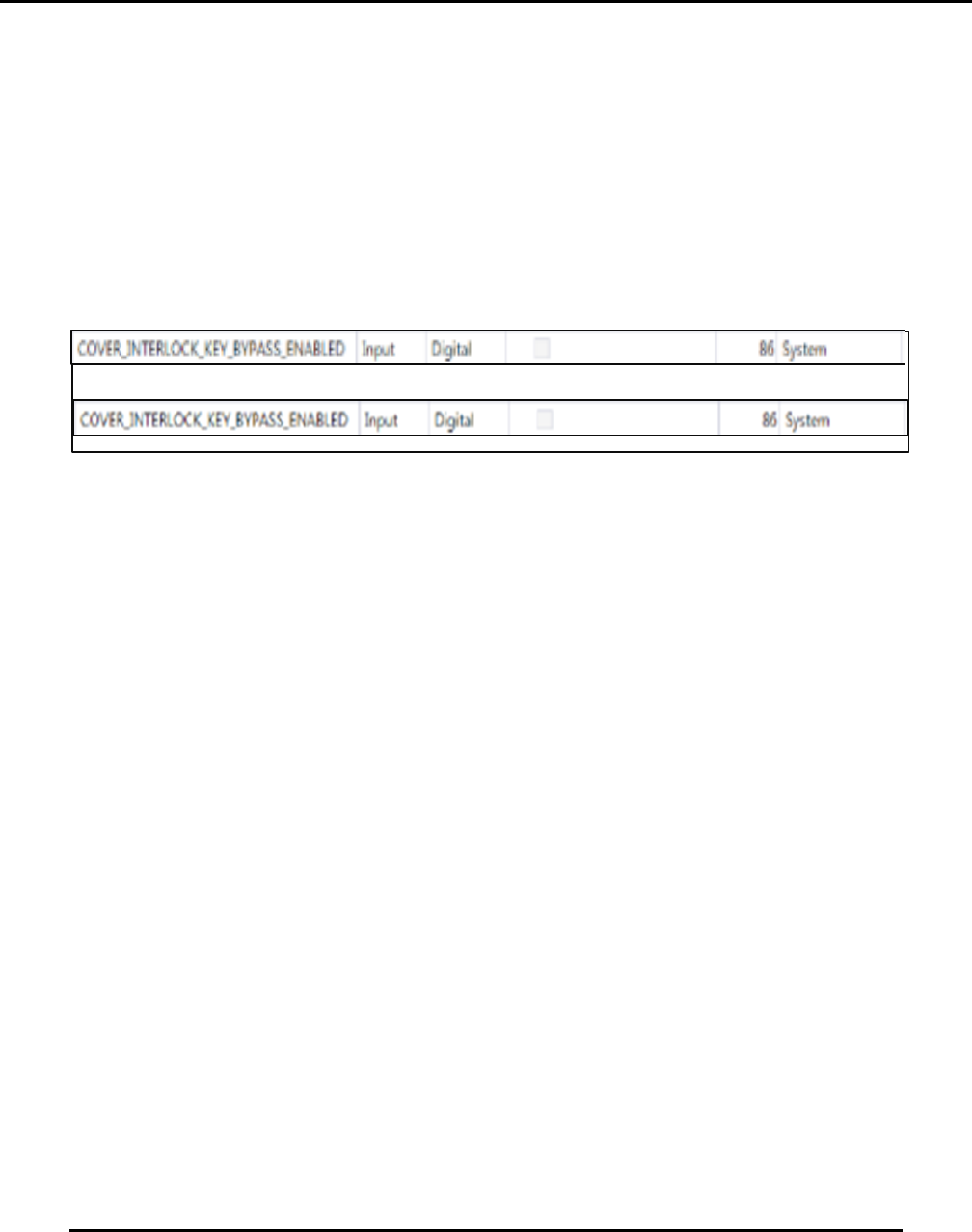
o The checkbox associated with COVER_INTERLOCK_KEY_BYPASS_ ENABLED
will go from unchecked to checked (Figure 139).
Open hood.
Examine the back side of the switch:
o Verify wire connections to the switch are secure.
o Verify the operator block is properly fastened.
NOTE:
The Cover Interlock key is for used by properly trained technical personnel for maintenance
purposes such as calibrations.
After verifying Cover Interlock key functionality, remove and secure the key. Do not leave
the Cover Interlock in the printer.
X
Edison Printer User Manual (Part Number 1023838) MAINTENANCE
Rev. A 141
Copyright © 2017 ITW EAE
All rights reserved. No part of the contents of this manual may be reproduced, copied or transmitted in any form or by any
means including graphic, electronic, or mechanical methods or photocopying, recording, or information storage and
retrieval systems without the written permission of ITW EAE, unless for purchaser's personal use.
6.2.6. Verify Hood Lock Cylinder Functionality—Monthly
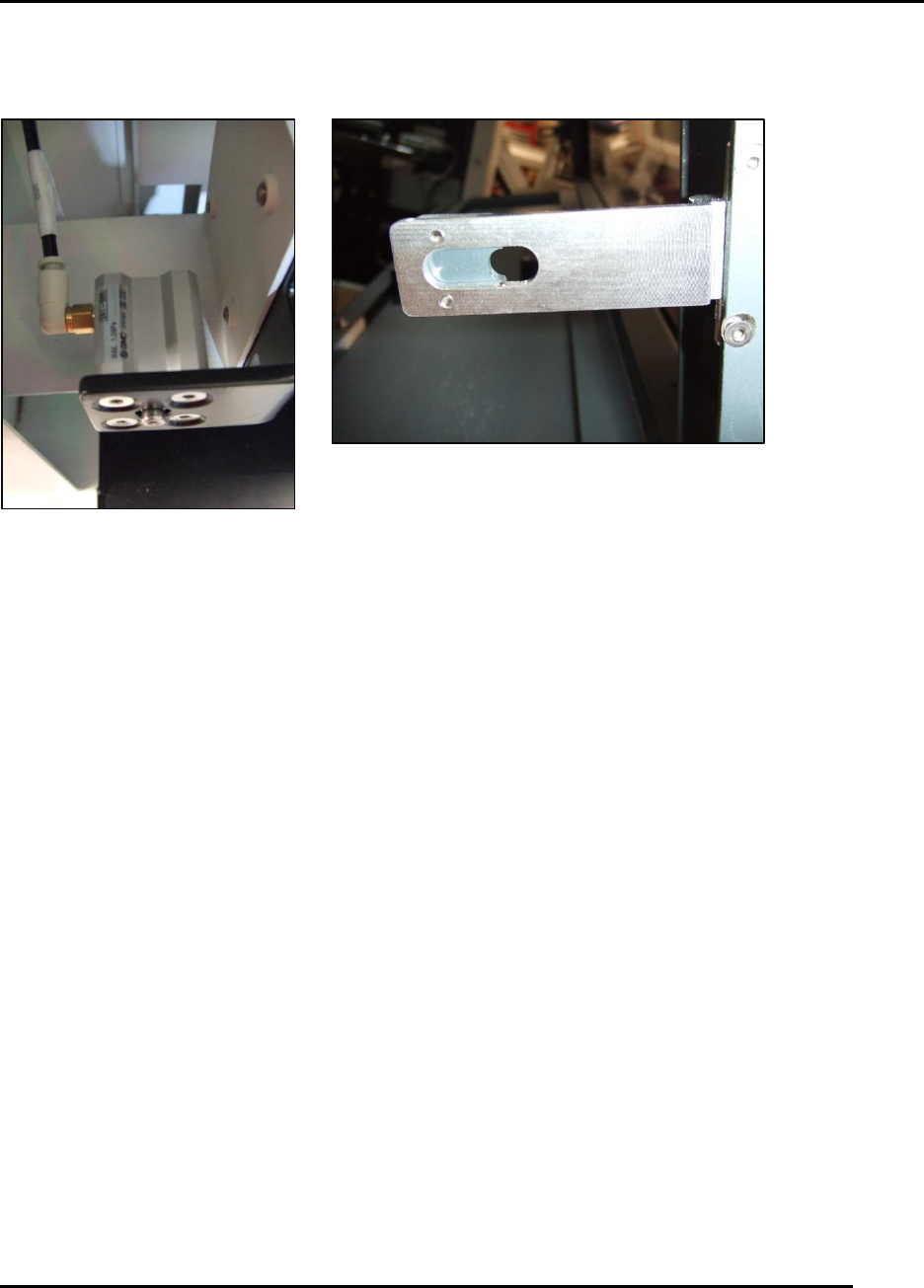
Figure 140. Hood lock adjustments.
Introduction
Verify hood lock cylinder functionality.
Estimated Completion Time
Less than 5 minutes
Procedure
Start from printer power ON.
Set in Initialize Controllers Only condition.
Close hood.
Observe icon at the top of the display change from a subdued state to a yellow open lock
state.
o Click on the icon to lock the hood.
o The lock icon should go green.
Attempt to open the hood manually by lifting and by vigorous shaking from left to right.
o If the hood can be opened, adjust the pneumatic cylinder on the left side (Figure 140).
o If the hood cannot be opened but the printer shuts down with a Hood State Changed
Unexpectedly fault, adjust the S1 safety switch.
MAINTENANCE Edison Printer User Manual (Part Number 1023838)
142 Rev. A
Copyright © 2017 ITW EAE
All rights reserved. No part of the contents of this manual may be reproduced, copied or transmitted in any form or by any
means including graphic, electronic, or mechanical methods or photocopying, recording, or information storage and
retrieval systems without the written permission of ITW EAE, unless for purchaser's personal use.
6.2.7. Inspect and Clean the Anti-Static Brushes–Monthly
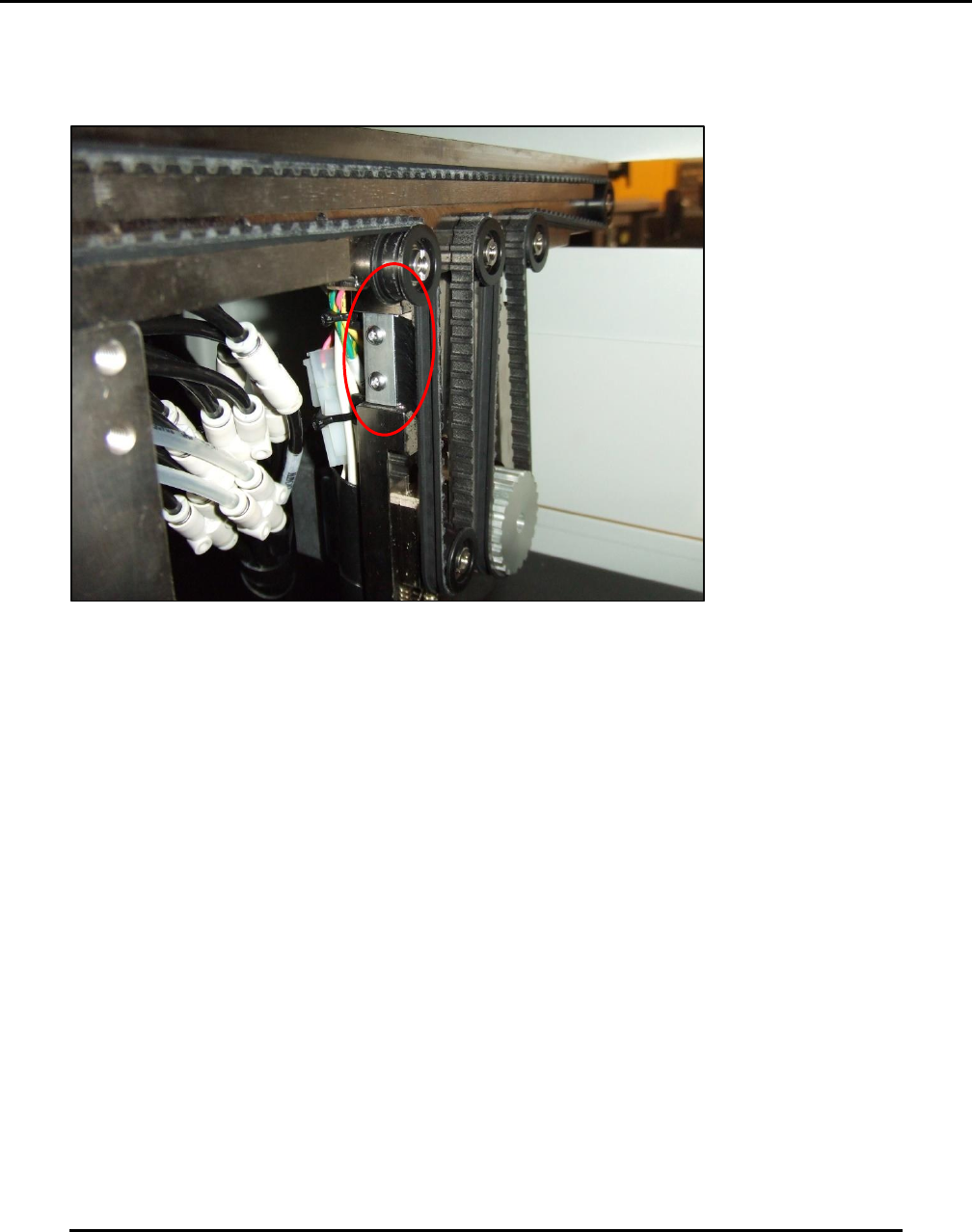
Figure 141. Inspect and clean Anti-static Brushes.
Introduction
Inspect and clean the Anti-Static Brushes on Transport belts front and rear.
Estimated Completion Time
Less than 5 minutes
Procedure
Start from printer power ON.
Set in Initialize Controllers Only condition.
Open hood.
Each transport belt has on anti-static brush.
o Brushes are mounted vertically near the belt drive motor system for each belt front
and rear (Figure 141).
o Brushes should be clean and flexible and free of solder paste contamination.
Examine the area beneath each brushes for belt debris.
o Belt debris may indicate potential belt wear.
Adjust or replace brushes as required
NOTE: Brushes need not be in contact with the belt to function properly. Brushes must be
within 1 mm of the belt.