EdisonStandardOwnersManual-RevA-20170818B.pdf - 第143页
Edison Printer User Manual (Part Number 1023838) M AINTENANCE Rev. A 143 Copyright © 2017 ITW EAE All rights reserved. No part of the contents of this manual ma y be reproduced, copied or transmitted in any form or by an…
MAINTENANCE Edison Printer User Manual (Part Number 1023838)
142 Rev. A
Copyright © 2017 ITW EAE
All rights reserved. No part of the contents of this manual may be reproduced, copied or transmitted in any form or by any
means including graphic, electronic, or mechanical methods or photocopying, recording, or information storage and
retrieval systems without the written permission of ITW EAE, unless for purchaser's personal use.
6.2.7. Inspect and Clean the Anti-Static Brushes–Monthly
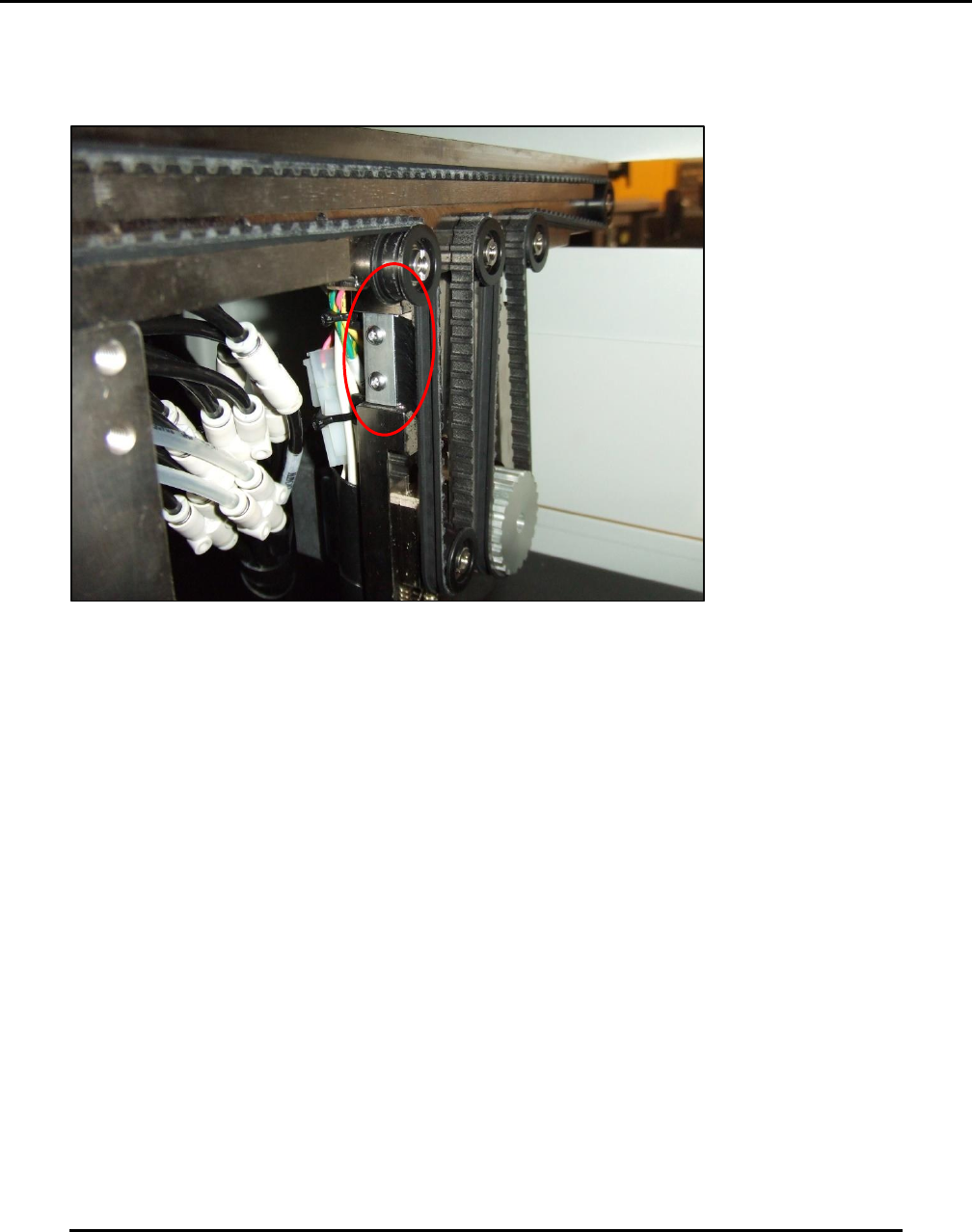
Figure 141. Inspect and clean Anti-static Brushes.
Introduction
Inspect and clean the Anti-Static Brushes on Transport belts front and rear.
Estimated Completion Time
Less than 5 minutes
Procedure
Start from printer power ON.
Set in Initialize Controllers Only condition.
Open hood.
Each transport belt has on anti-static brush.
o Brushes are mounted vertically near the belt drive motor system for each belt front
and rear (Figure 141).
o Brushes should be clean and flexible and free of solder paste contamination.
Examine the area beneath each brushes for belt debris.
o Belt debris may indicate potential belt wear.
Adjust or replace brushes as required
NOTE: Brushes need not be in contact with the belt to function properly. Brushes must be
within 1 mm of the belt.
Edison Printer User Manual (Part Number 1023838) MAINTENANCE
Rev. A 143
Copyright © 2017 ITW EAE
All rights reserved. No part of the contents of this manual may be reproduced, copied or transmitted in any form or by any
means including graphic, electronic, or mechanical methods or photocopying, recording, or information storage and
retrieval systems without the written permission of ITW EAE, unless for purchaser's personal use.
6.2.8. Inspect Wiper Paper Shafts–Monthly
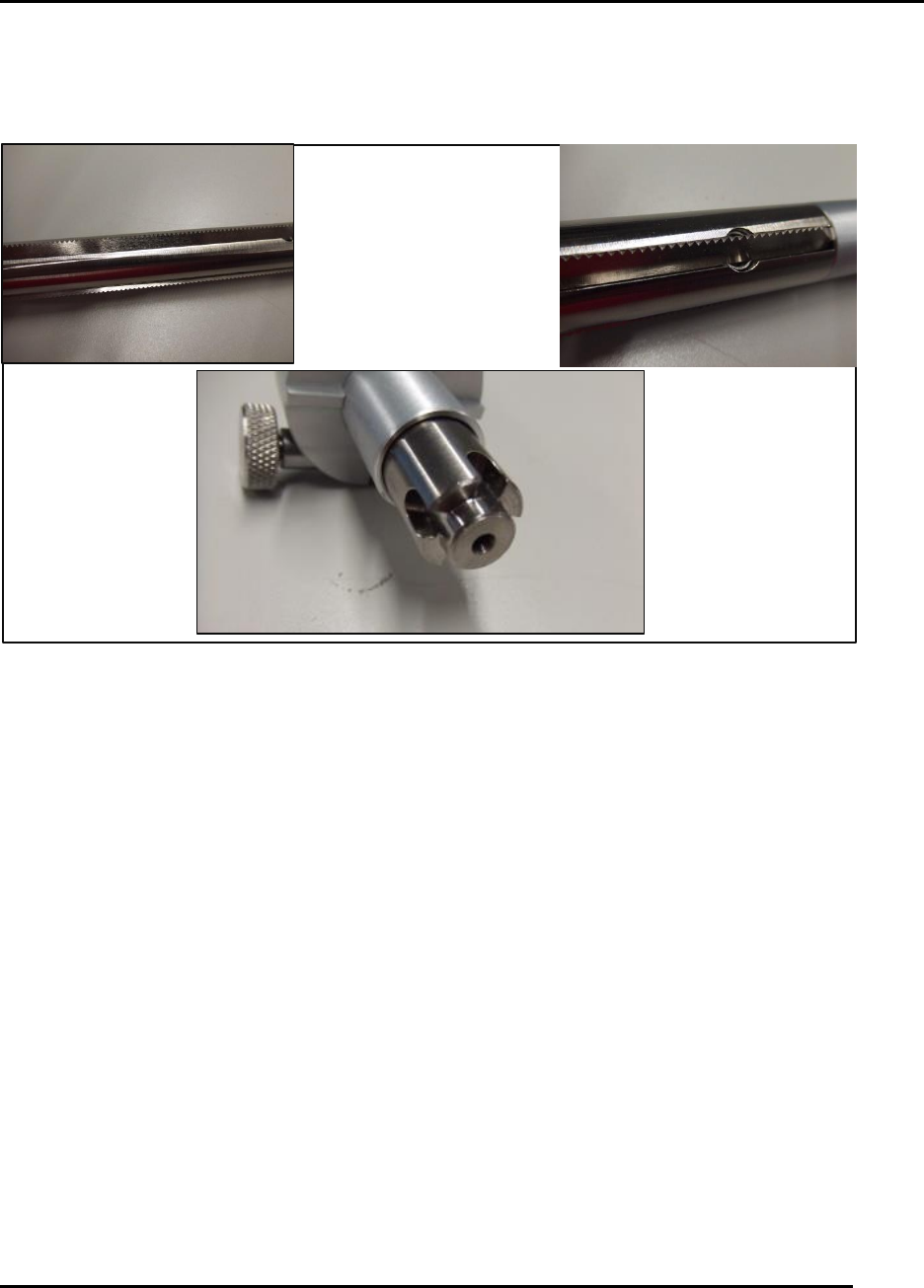
Figure 142. Inspect the drive shaft end for wear or damage.
Introduction
Inspect the wiper paper shafts for function of the toothed spurs and condition of the drive end.
Estimated Completion Time
Less than 5 minutes
Procedure
Remove the two shafts from the wiper assembly.
o Verify the toothed spurs (three per shaft) have freedom of movement and are not
clogged with paper.
o The toothed spurs are spring-loaded and should be able to return to position easily
Inspect the drive end to ensure for wear or damage would affect shaft performance (Figure
142).
Clean with a stiff brush and solvent as required.
NOTE: Take care when handling these assemblies to prevent injury, as the toothed spurs are
sharp.
MAINTENANCE Edison Printer User Manual (Part Number 1023838)
144 Rev. A
Copyright © 2017 ITW EAE
All rights reserved. No part of the contents of this manual may be reproduced, copied or transmitted in any form or by any
means including graphic, electronic, or mechanical methods or photocopying, recording, or information storage and
retrieval systems without the written permission of ITW EAE, unless for purchaser's personal use.
6.2.9. Inspect the Knurled Shaft–Monthly
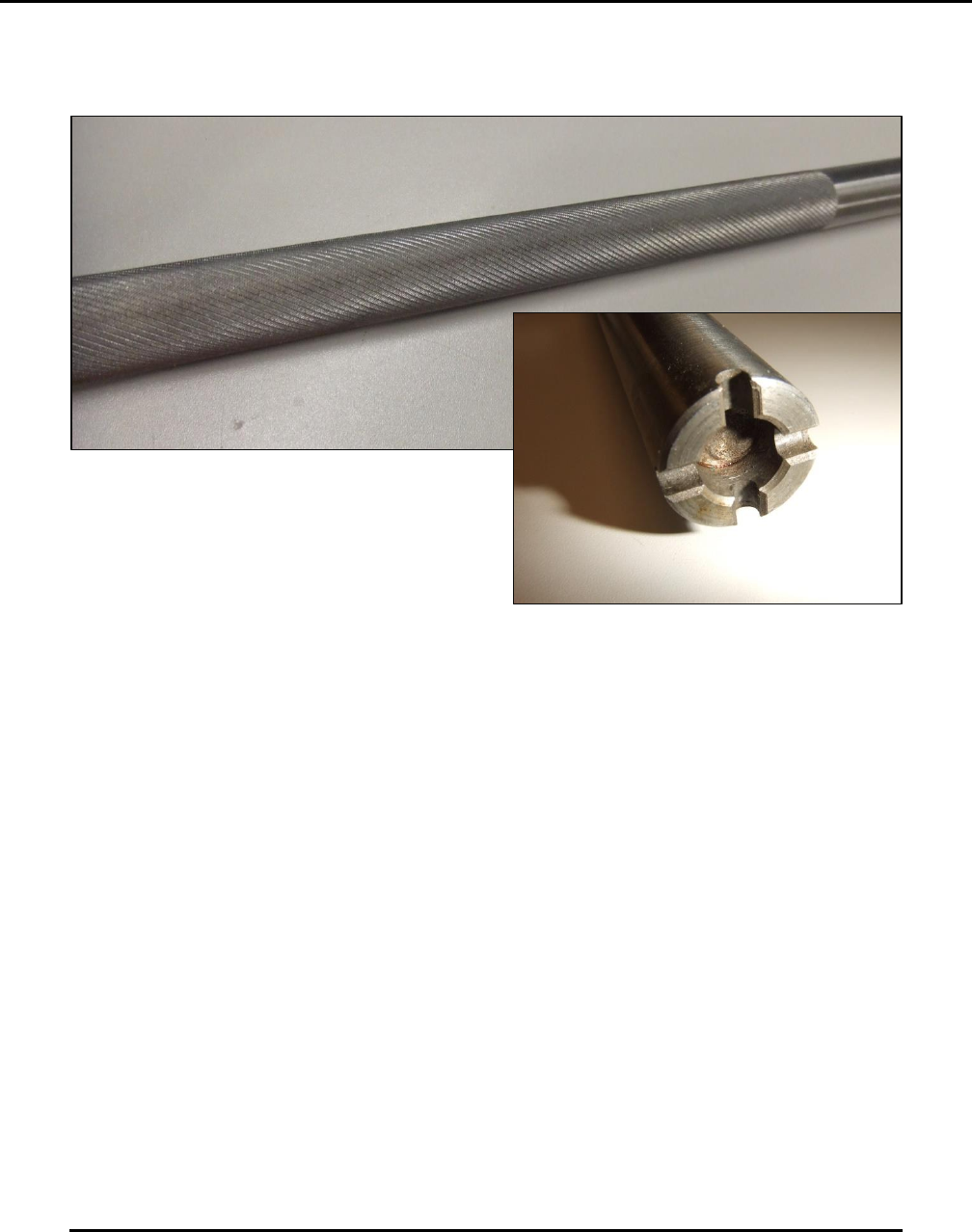
Figure 143. Inspect the knurled shaft and the drive end.
Introduction
Inspect the knurled shaft for cleanliness and for the condition of the knurl and drive end.
Estimated Completion Time
Less than 5 minutes
Procedure
Remove the shaft from the wiper assembly.
Inspect the diamond knurl pattern (Figure 143).
o If contaminated with solder paste, clean the surface.
o It may be necessary to soak the shaft or use an ultrasonic cleaning method to properly
condition the surface.
o The condition of this diamond knurl patter surface is important for the wiper paper
tensioning system to work effectively.
Check the condition of the drive end to ensure no excess wear.