EdisonStandardOwnersManual-RevA-20170818B.pdf - 第147页
Edison Printer User Manual (Part Number 1023838) M AINTENANCE Rev. A 147 Copyright © 2017 ITW EAE All rights reserved. No part of the contents of this manual ma y be reproduced, copied or transmitted in any form or by an…
MAINTENANCE Edison Printer User Manual (Part Number 1023838)
146 Rev. A
Copyright © 2017 ITW EAE
All rights reserved. No part of the contents of this manual may be reproduced, copied or transmitted in any form or by any
means including graphic, electronic, or mechanical methods or photocopying, recording, or information storage and
retrieval systems without the written permission of ITW EAE, unless for purchaser's personal use.
6.2.11. Inspect Trackball Condition–Monthly
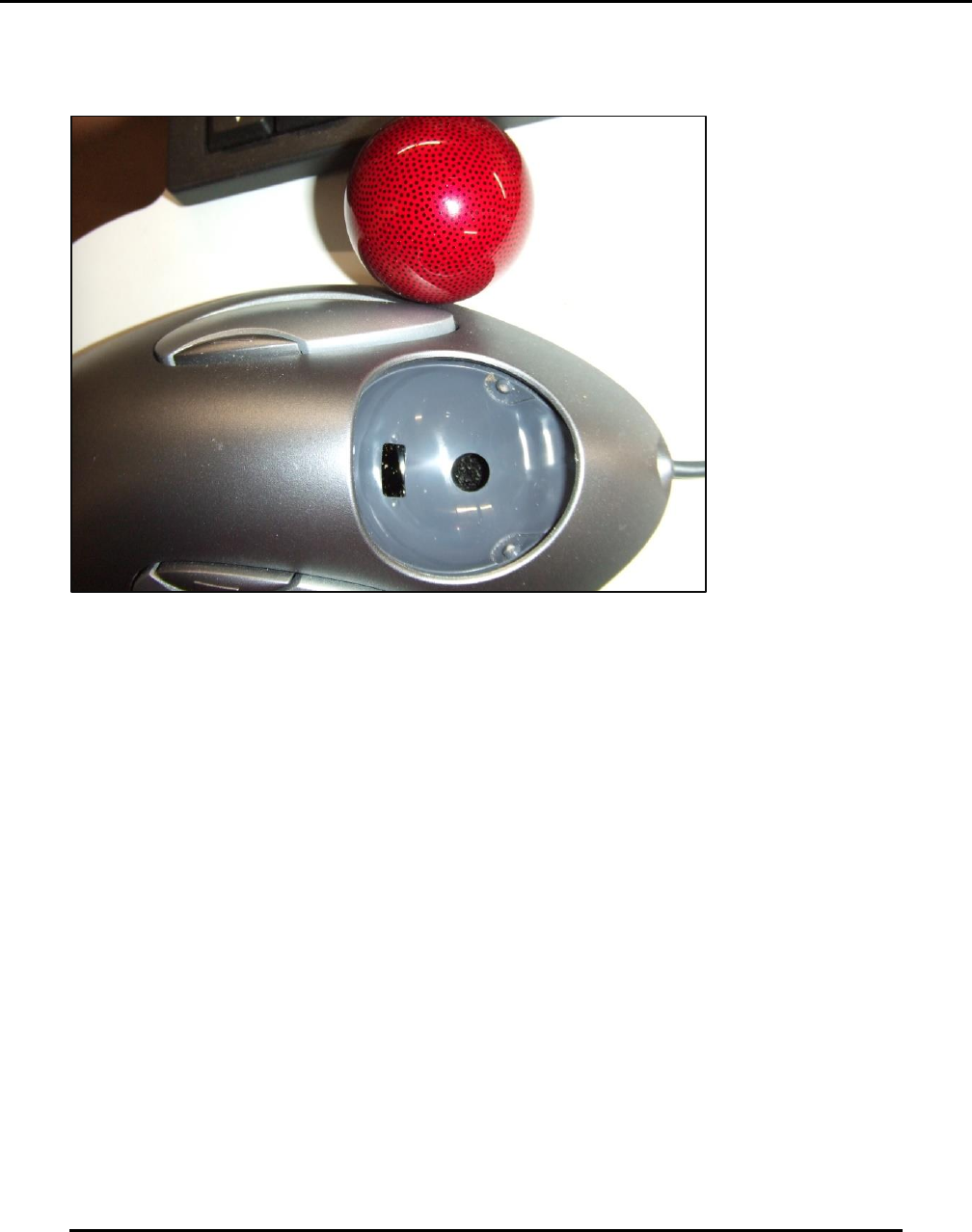
Figure 145. Inspect Trackball.
Introduction
Inspect the condition of the trackball and clean the pocket and marble.
Estimated Completion Time
Less than 5 minutes
Procedure
The trackball will become less responsive and harder to roll when contaminated with debris or
solder paste.
Clean the trackball in place and using Q-tips and a soft cloth.
o Pop the marble out by pressing gently through the hole in the bottom of the pocket.
o Ensure the small window that scans the marble is free of dust and all contamination.
o The white points support the marble. Clean the white points of all dust and all
contamination.
Clean the marble using isopropyl alcohol
Edison Printer User Manual (Part Number 1023838) MAINTENANCE
Rev. A 147
Copyright © 2017 ITW EAE
All rights reserved. No part of the contents of this manual may be reproduced, copied or transmitted in any form or by any
means including graphic, electronic, or mechanical methods or photocopying, recording, or information storage and
retrieval systems without the written permission of ITW EAE, unless for purchaser's personal use.
6.2.12. Inspect and Clean Keyboard–Monthly
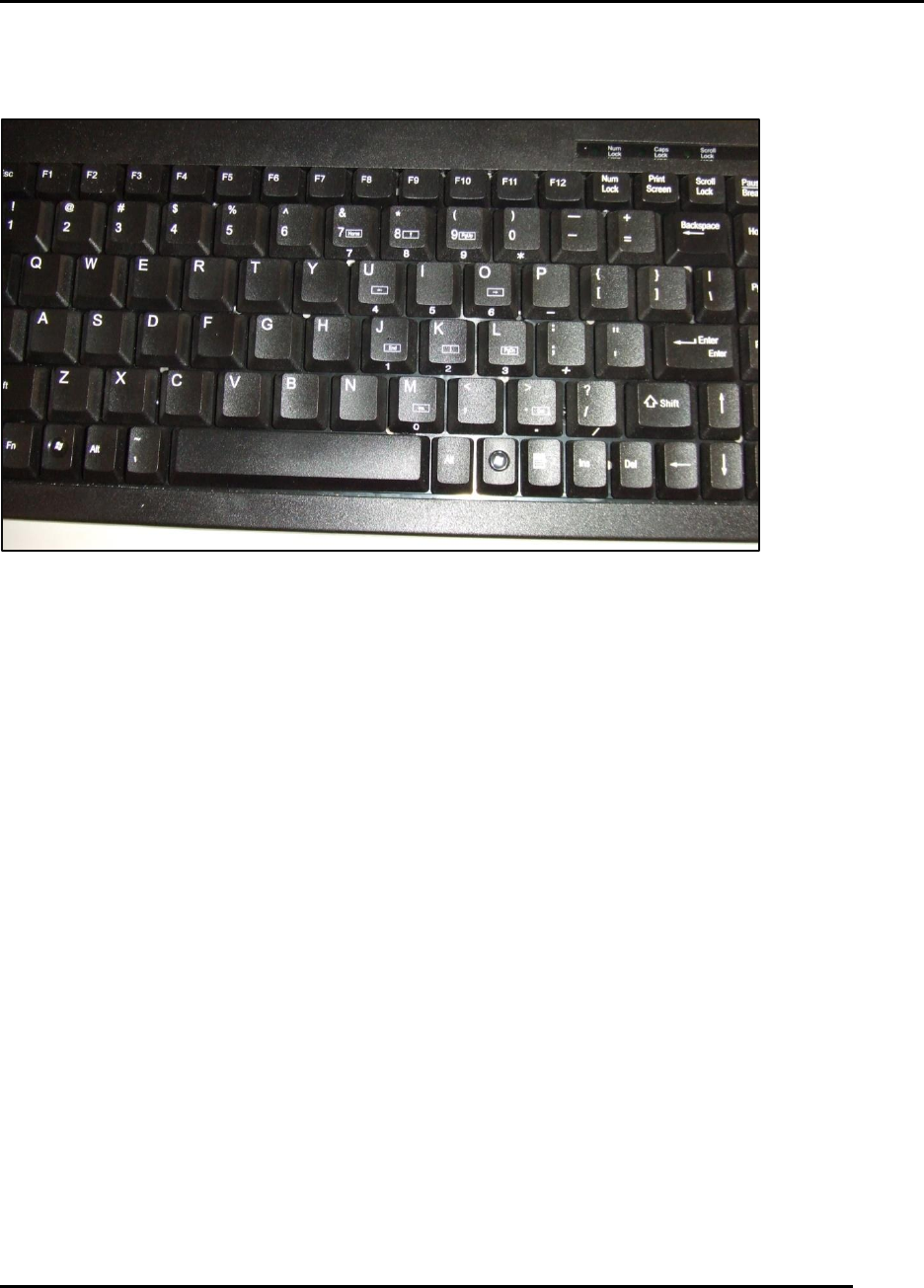
Figure 146. Clean the keyboard in place.
Introduction
Inspect the condition of the keyboard and clean surface.
Estimated Completion Time
Less than 5 minutes
Procedure
The keyboard is subject to contamination and debris build-up. It will become less responsive and
harder to enter data when contaminated with debris or solder paste,
Clean the keyboard in place, using stiff bristle brush and a vacuum cleaner (Figure 146).
Contamination with solder paste may be harder to remove. Replace the keyboard if it too
contaminated to clean and use.
MAINTENANCE Edison Printer User Manual (Part Number 1023838)
148 Rev. A
Copyright © 2017 ITW EAE
All rights reserved. No part of the contents of this manual may be reproduced, copied or transmitted in any form or by any
means including graphic, electronic, or mechanical methods or photocopying, recording, or information storage and
retrieval systems without the written permission of ITW EAE, unless for purchaser's personal use.
6.2.13. Inspect Stencil Stager Clamp Plates–Monthly
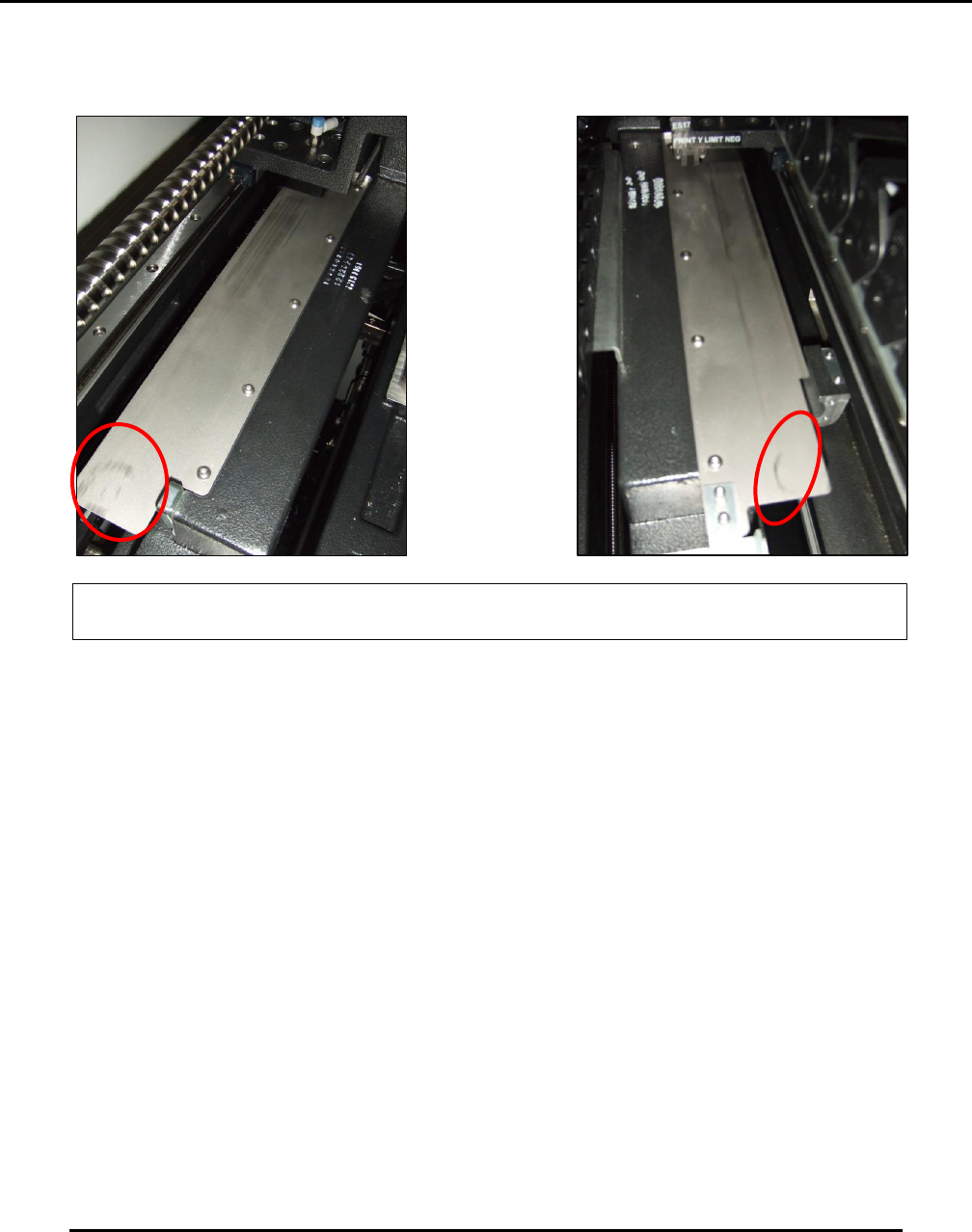
Figure 147. Inspect Stencil Stager Clamp Plates.
Introduction
Inspect the condition of the stencil stager clamp plates
Estimated Completion Time
Less than 5 minutes
Procedure
Inspect and clean the two horizontally-mounted stencil stage clamp plates (Figure 147).
o Clean the plate surfaces using isopropyl alcohol and a brush.
Normal plate wear indications:
o Round circles, slightly black in color.
o Circles about 30 mm size.
Streaking indicates required clamp maintenance. If plates are streaked:
o Maintain the clamp assembly on the side showing streaking.
o Contact the Technical Support Center (see Section 1.2) for the proper clamp assembly
maintenance procedure.
Normal plate wear indicators: Black circles, roughly 30mm diameter.