EdisonStandardOwnersManual-RevA-20170818B.pdf - 第156页
M AINTENANCE Edison Printer User Manual (Part Number 1023838) 156 Rev. A Copyright © 2017 ITW EAE All rights reserved. No part of the contents of thi s manual may be reproduced, copied or transmitted in any form or by an…
Edison Printer User Manual (Part Number 1023838) MAINTENANCE
Rev. A 155
Copyright © 2017 ITW EAE
All rights reserved. No part of the contents of this manual may be reproduced, copied or transmitted in any form or by any
means including graphic, electronic, or mechanical methods or photocopying, recording, or information storage and
retrieval systems without the written permission of ITW EAE, unless for purchaser's personal use.
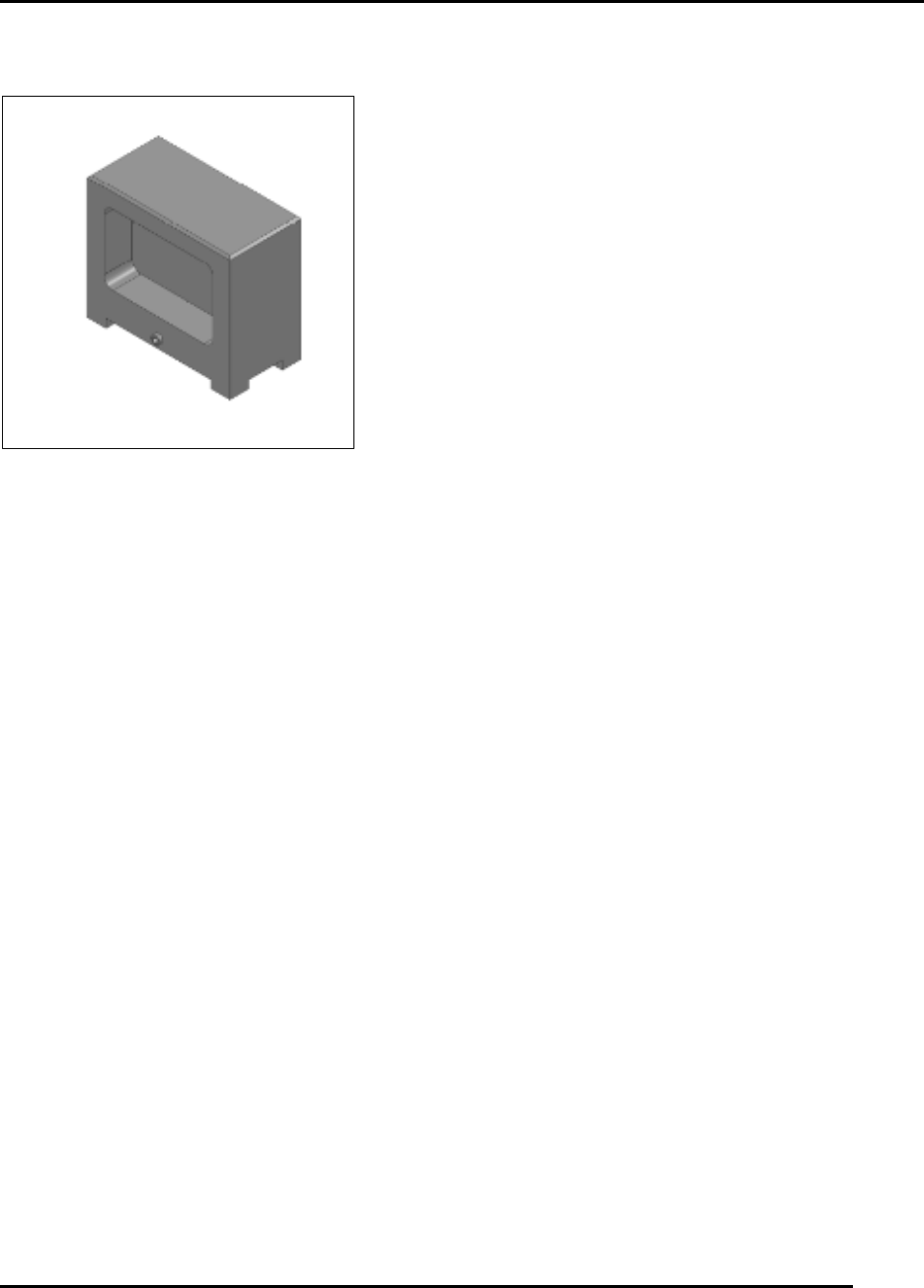
6.2.19. Inspect Tooling Bridge Kits–Daily
Figure 153. Inspect Tooling Bridge Kits.
Introduction
Inspect the tooling bridge kits (89 mm height) monthly for contamination and condition and clean
accordingly. Solder paste contamination of the top surface of the bridge or on the feet the magnet
will adversely affect print quality (height of the tooling pin may be out of specification).
Estimated Completion Time
Less than 10minutes.
Procedure
Inspect each tooling pin bridge (Figure 153):
o Check condition of the magnet assembly.
Nicks and dings to the surfaces of the assembly will affect print quality.
File out nicks and dings.
o Check for (and remove) foreign matter attached to the magnet.
o Check that magnets must be secure in the bridge.
Clean tooling bridges ultrasonically or by immersion and then brushing.
MAINTENANCE Edison Printer User Manual (Part Number 1023838)
156 Rev. A
Copyright © 2017 ITW EAE
All rights reserved. No part of the contents of this manual may be reproduced, copied or transmitted in any form or by any
means including graphic, electronic, or mechanical methods or photocopying, recording, or information storage and
retrieval systems without the written permission of ITW EAE, unless for purchaser's personal use.
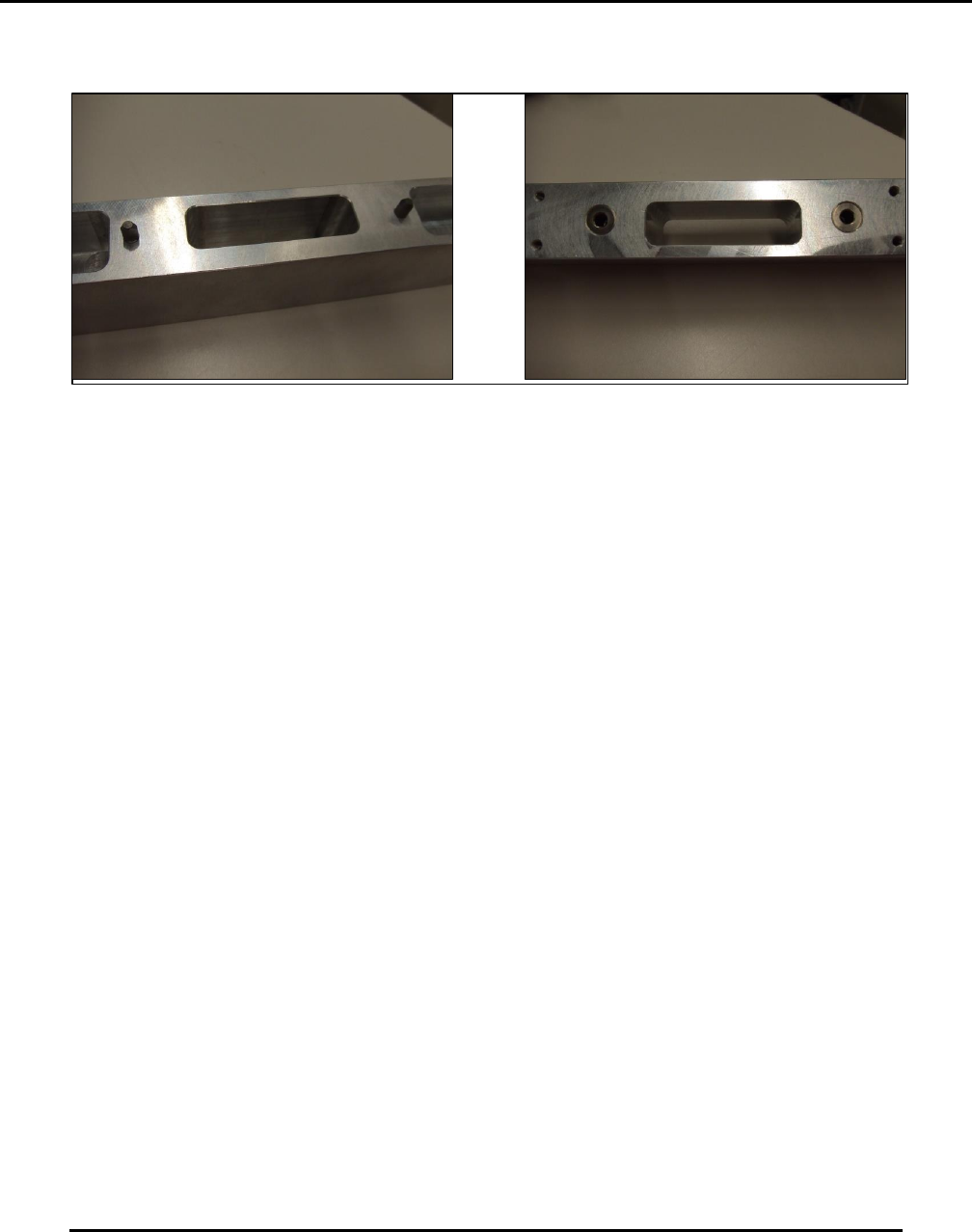
6.2.20. Inspect Locating Pins and Bushings–Daily
Figure 154. Inspect locating pins and bushings.
Introduction
Inspect the condition of locating pins and bushings on dedicated support tooling towers.
Estimated Completion Time
Less than 5 minutes.
Procedure
The support towers receive quite a bit of abuse, so it is important to check the condition of the
locating pins used to mount to the table and the bushings to receive pins from the dedicated work
holder
Inspect locating pins and bushings for wear and tear (Figure 154).
Inspect surfaces for general condition and for contamination.
Clean the magnet areas and ensure they are free from contamination.
NOTE :
Locating pins are special purpose pins.
o Replace the pins if they do not allow easy placement of the tower on the worktable.
Test the tower by placing it on the table properly located in the work area.
o Do not rock the tower.
Clean the surfaces using isopropyl alcohol as necessary.
Edison Printer User Manual (Part Number 1023838) MAINTENANCE
Rev. A 157
Copyright © 2017 ITW EAE
All rights reserved. No part of the contents of this manual may be reproduced, copied or transmitted in any form or by any
means including graphic, electronic, or mechanical methods or photocopying, recording, or information storage and
retrieval systems without the written permission of ITW EAE, unless for purchaser's personal use.
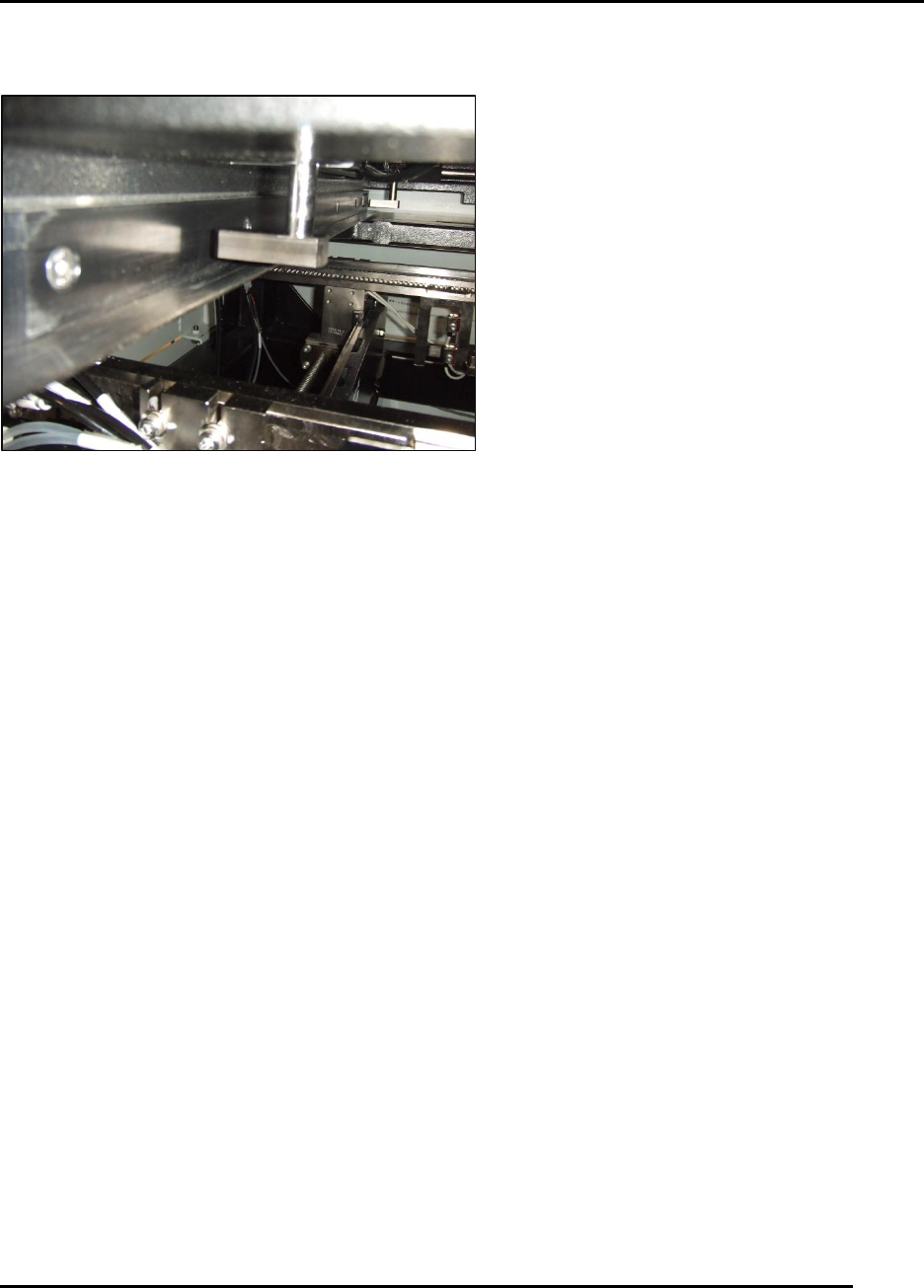
6.2.21. Inspect Stencil Frame Clamps–Monthly
Figure 155. Inspect Stencil Frame Clamp.
Introduction
Inspect, clean and verify operation of stencil frame clamps (Figure 155).
Estimated Completion Time
Less than 5 minutes.
Procedure
Inspect the pads at the bottom of each cylinder to ensure they are properly secure.
Open the adjustable stencil shelf to a maximum opening.
With a standard stencil chase or 29 Inches x 29 Inches load a stencil as per the utility from the
pull-down menu.
Open the hood.
Attempt to pull the stencil out of the printer.
o If the stencil moves, then the holding force of the system is suspect.
o One or more clamps are suspect.