EdisonStandardOwnersManual-RevA-20170818B.pdf - 第24页
S AFETY Edison Printer User Manual (Part Number 1023838) 24 Rev. A Copyright © 2017 ITW EAE All rights reserved. No part of the contents of thi s manual may be reproduced, copied or transmitted in any form or by an y mea…
Edison Printer User Manual (Part Number 1023838) SAFETY
Rev. A 23
Copyright © 2017 ITW EAE
All rights reserved. No part of the contents of this manual may be reproduced, copied or transmitted in any form or by any
means including graphic, electronic, or mechanical methods or photocopying, recording, or information storage and
retrieval systems without the written permission of ITW EAE, unless for purchaser's personal use.
2.2.3.1.1. International Hazard Symbols
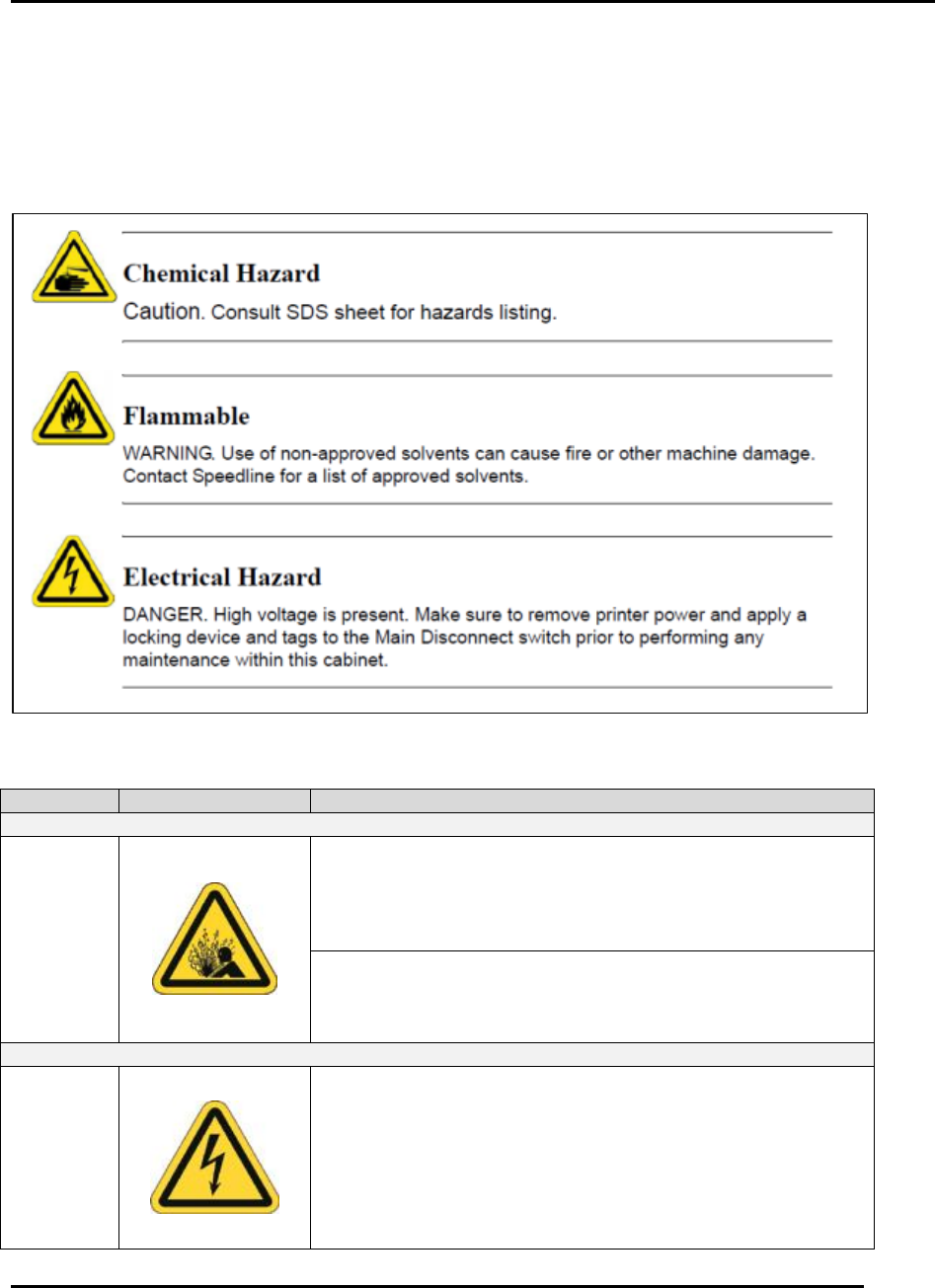
Each caution, warning, and danger listed in this manual is accompanied by the international
symbol which best represents the hazard. Leading text indicates whether the hazard is a caution,
warning, or danger (Figure 3). Table 3 lists the hazard information used in this manual.
Figure 3. Example Hazard Warnings.
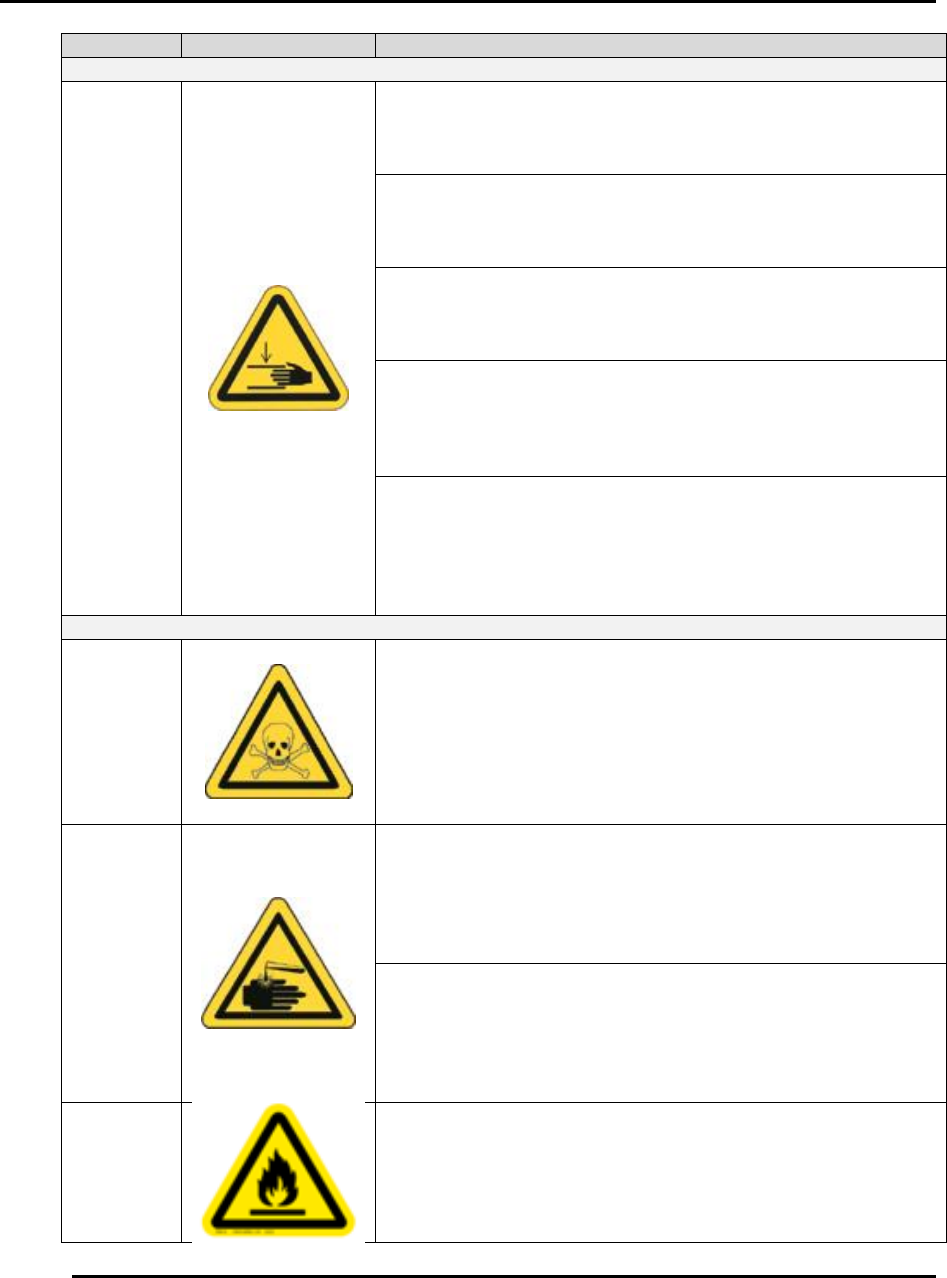
Table 3. International Hazard Symbols and Text.
Hazard
Symbol
Signal Word & Label Text
Compressed Air Hazards
Air
Pressure
Caution. Compressed air can cause dirt/debris to dislodge
under pressure. Airborne particles and solvents may be
hazardous to your health. Do not use compressed air to clean
or to dry printer components. Failure to comply may result in
personal injury.
Caution. The impact of pressurized air can injure skin and
eyes. Be sure to remove air pressure to the printer before
servicing air pressure components. Failure to comply may
result in personal injury.
Electrical Hazards
Electrical
Hazard
WARNING. High voltage is present on the line (supply) side
of the printer main disconnect switch when the switch is in the
OFF position. Turn OFF the main disconnect switch, lock-out
and tag-out the main disconnect switch, and remove the
power cable from its power source before servicing.
Failure to comply could result in serious injury or death.
SAFETY Edison Printer User Manual (Part Number 1023838)
24 Rev. A
Copyright © 2017 ITW EAE
All rights reserved. No part of the contents of this manual may be reproduced, copied or transmitted in any form or by any
means including graphic, electronic, or mechanical methods or photocopying, recording, or information storage and
retrieval systems without the written permission of ITW EAE, unless for purchaser's personal use.
Hazard
Symbol
Signal Word & Label Text
Printer Movement Hazards
Hand
Crush
Hazards
WARNING. Before performing maintenance procedures, you
may need to reposition printer components to gain better
access. Stay clear as components move. Failure to comply
may result in personal injury.
Caution. Remove power from the printer before you perform
maintenance on internally mounted components. Moveable
axes are present that move quickly with force. Serious injury
can occur.
WARNING. Moving parts, capable of causing injury, are
accessible through the printer input/output conveyor track
openings. Keep hands clear of input/output conveyor track
openings. Failure to comply could result in serious injury.
WARNING. Moving Input/Output conveyor rails can cause
injury. Conveyor rails move during initialization, jogging,
process changeover, or teaching operations. Keep hands
clear of conveyor rails under these circumstances. Failure to
comply could result in serious injury.
WARNING. Moving parts can cause injury. Certain types of
motion may be available with the printer interlocked hood in
the open position for the purposes of setup and
troubleshooting. Keep hands clear of moving parts when
setting up or troubleshooting the printer with the hood
opened. Failure to comply could result in serious injury.
Chemical Hazards
Poison
WARNING. Solder paste and other printing medium contain
lead and are hazardous to your health and the environment.
Review the Safety Data Sheet before use. Always wear
protective gloves and safety glasses when handling printing
medium and make sure you properly dispose of all waste
material according to manufacturer’s instructions. Failure to
comply could result in personal injury and/or damage to the
environment.
Chemical
Hazard
Caution. Solvent may cause skin irritation or eye injury.
Always wear protective gloves and safety glasses when
handling solvent, and be careful not to spill the solvent when
filling the solvent tank. Review solvent’s Safety Data Sheet
before use. Failure to comply may result in personal injury
and/or damage to the environment.
Caution. Remove power from the printer before you use an
approved solvent to clean the printer’s components. Be
careful when using solvents as they are combustible. Use
personal protective equipment when cleaning with solvents to
prevent personal injury. Review solvent’s Safety Data Sheet
before use.
Flammable
WARNING. Isopropyl alcohol is extremely flammable and
must not be used in your solvent system. Use ONLY
approved solvents. Failure to comply could result in personal
injury and equipment damage. Contact MPM Technical
Support for a current list of approved solvents.
Edison Printer User Manual (Part Number 1023838) SAFETY
Rev. A 25
Copyright © 2017 ITW EAE
All rights reserved. No part of the contents of this manual may be reproduced, copied or transmitted in any form or by any
means including graphic, electronic, or mechanical methods or photocopying, recording, or information storage and
retrieval systems without the written permission of ITW EAE, unless for purchaser's personal use.
Hazardous Material Disposal
The following items are considered hazardous material and must
be disposed of in accordance with local regulations:
Lubricant-contaminated wipes
Empty paste cartridges
All hazardous materials must be disposed of in accordance with
National and Local regulatory requirements.
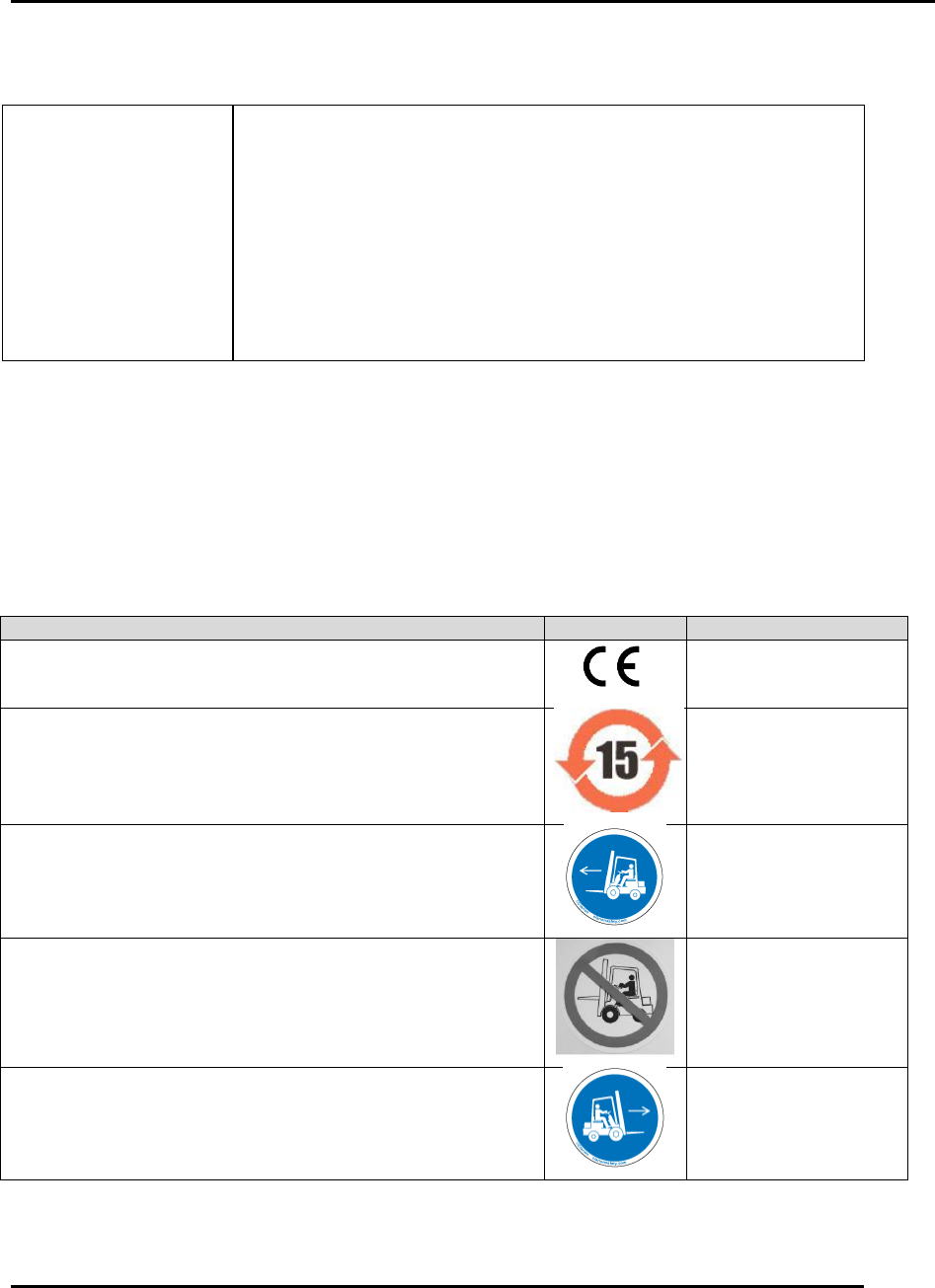
2.2.3.2. Common Labels Used
Safety labels are commonly used to draw attention to potentially unsafe conditions. Table 4 lists
the labels commonly used on the Edison printer.
Table 4. Common Edison Printer Safety Labels.
Description
Label
Part Number
CE certified
002213
ROHS certified
P10389
Left fork here
P12273
Do not use forklift
P12274
Right fork here
P12289