EdisonStandardOwnersManual-RevA-20170818B.pdf - 第53页
Edison Printer User Manual (Part Number 1023838) I NSTALLATION AND I NITIA L S T A RT - U P Rev. A 53 Copyright © 2017 ITW EAE All rights reserved. No part of the contents of this manual may be reproduced, copi ed or tra…
INSTALLATION AND INITIAL START-UP Edison Printer User Manual (Part Number 1023838)
52 Rev. A
Copyright © 2017 ITW EAE
All rights reserved. No part of the contents of this manual may be reproduced, copied or transmitted in any form or by any
means including graphic, electronic, or mechanical methods or photocopying, recording, or information storage and
retrieval systems without the written permission of ITW EAE, unless for purchaser's personal use.
3.3.3. Positioning, Leveling and Alignment
Attention
Make sure all leveling surfaces are clean prior to leveling
procedure.
Attention
The printer must be leveled in both the X and Y directions.
1. Move the printer into close proximity to the existing panel loader and pick and place
machine, as necessary.
2. Orient two machinist levels on the worknest table assembly to ensure the printer is level in
both the X and Y directions.
3. Using a 30mm open end wrench on the lower hex nut (adjusting hex nut) on the leveling pad,
adjust each corner until the printer:
a. Is at the correct height
b. Is level in both the X and Y direction
c. Is at the same panel transport height as the downstream machine.
Notice
Level upstream machines to the Edison after an ITW EAE
representative has verified final track and printer positioning.
4. Once the printer is level, tighten the top hex nuts (locking hex nuts) against the leg support at
all four corners.
Edison Printer User Manual (Part Number 1023838) INSTALLATION AND INITIAL START-UP
Rev. A 53
Copyright © 2017 ITW EAE
All rights reserved. No part of the contents of this manual may be reproduced, copied or transmitted in any form or by any
means including graphic, electronic, or mechanical methods or photocopying, recording, or information storage and
retrieval systems without the written permission of ITW EAE, unless for purchaser's personal use.
3.3.4. Power, Air and Interface Connections
Connect power, air and line interfaces after the printer is properly positioned in the intended area
of operation
3.3.4.1. Electrical Connections
1. Ensure the Main Circuit Breaker/Disconnect switch is set to OFF (Figure 12).
2. Measure the facility power source and verify it meets printer power specifications (Table 14).
3. Connect the supplied power cable (located at the rear of the printer) to the facility power
source.
3.3.4.2. Pneumatic Connections
Attention
The standard connection accommodates ½ in. OD tubing.
The shipping kit contains a fitting to adapt this connection to
a factory metric air connection.
1. Before connecting the air supply, purge the air supply to remove all contaminants (for
instance, condensation or dirt).
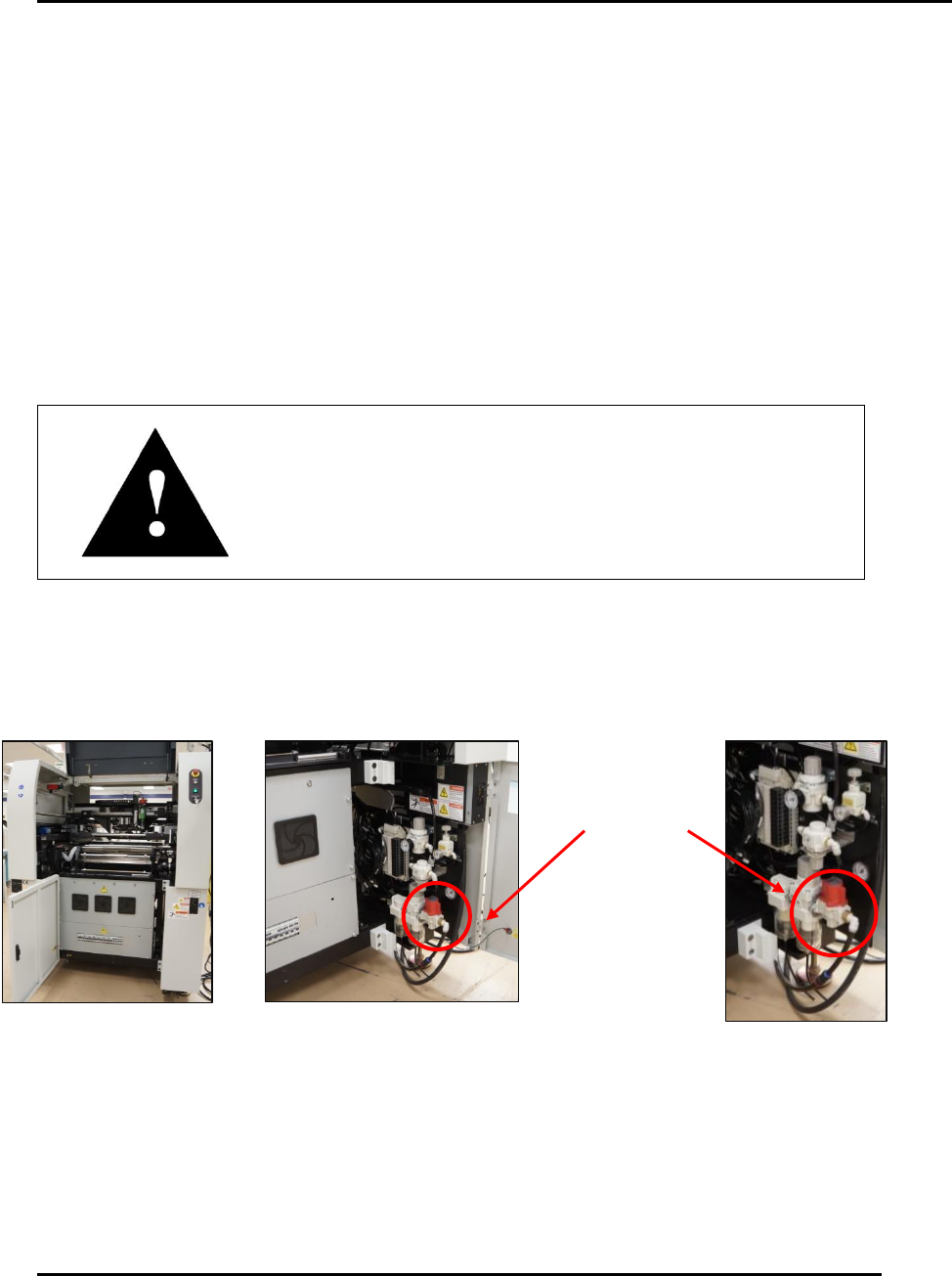
2. Open the middle front door of the printer (Figure 27).
3. Open the right front door to access the pneumatics panel.
4. Connect the facility air line to the printer connection (Figure 27).
Connect
facility air line
to printer
Figure 27. Connecting facility air.
INSTALLATION AND INITIAL START-UP Edison Printer User Manual (Part Number 1023838)
54 Rev. A
Copyright © 2017 ITW EAE
All rights reserved. No part of the contents of this manual may be reproduced, copied or transmitted in any form or by any
means including graphic, electronic, or mechanical methods or photocopying, recording, or information storage and
retrieval systems without the written permission of ITW EAE, unless for purchaser's personal use.
3.3.4.3. Interface Cable Installation
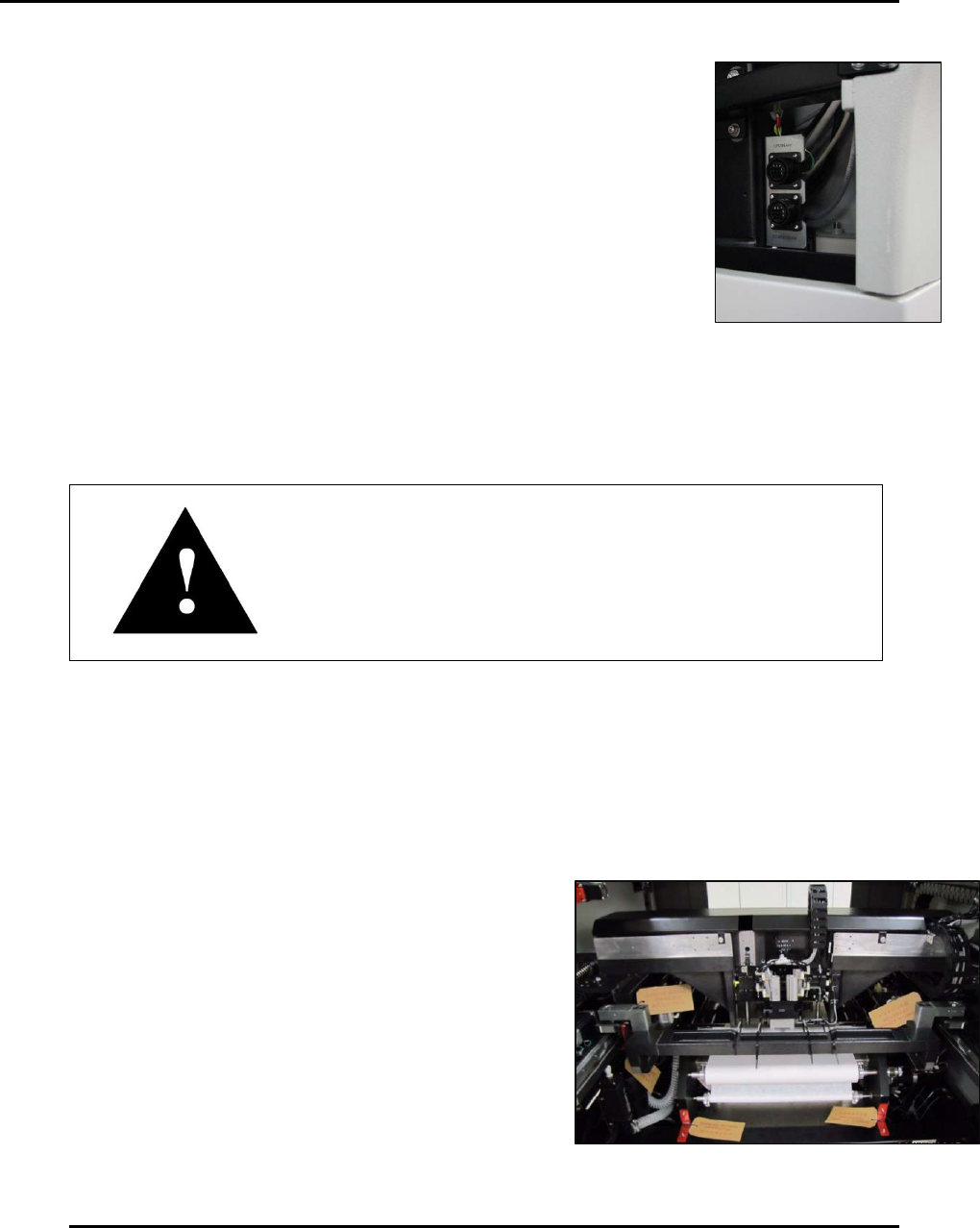
Follow this procedure to install printer SMEMA (Surface Mount
Equipment Manufacturers Association) interface cables. Review the
Interface Schematic (1021368) for the interface of preceding (Upstream)
and succeeding (Downstream) machines.
1. Set printer power to OFF.
2. Remove the two interface cables (Qty. 2 of P/N: CA-1004) from the shipping kit
supplied with the printer.
3. Plug the cables (Upstream and Downstream) into the SMEMA
connectors located inside the hood just above the pneumatics door.
4. Route both cables out through the bottom of the printer and to their
destination machines.
Attention
Before the installation is considered complete and the printer
fully operation, an ITW EAE representative must calibrate the
printer and complete the installation checklist.
3.4. Remove Transit Material
Edison printer assemblies may be secured with cable ties, packing material, and shipping brackets
to protect them during transit. Remove these materials and associated Remove Before Operation
(RBO) tags prior to printer operation (Figure 29).
Figure 28. Upstream and
Downstream SMEMA
connectors
Figure 29. Remove Before Operation Tags.