EdisonStandardOwnersManual-RevA-20170818B.pdf - 第69页
Edison Printer User Manual (Part Number 1023838) P ROCESS P ROGRA M C REATION Rev. A 69 Copyright © 2017 ITW EAE All rights reserved. No part of the contents of this manual may be reproduced, copi ed or transmi tted in a…
PROCESS PROGRAM CREATION Edison Printer User Manual
68 Rev. A
Copyright © 2017 ITW EAE
All rights reserved. No part of the contents of this manual may be reproduced, copied or transmitted in any form or by any
means including graphic, electronic, or mechanical methods or photocopying, recording, or information storage and
retrieval systems without the written permission of ITW EAE, unless for purchaser's personal use.
Modify Units on Process Program Window.
Switch Display Units between Imperial and Metric using the
System Preferences page (Navigate from View > Configuration >
System Preferences).
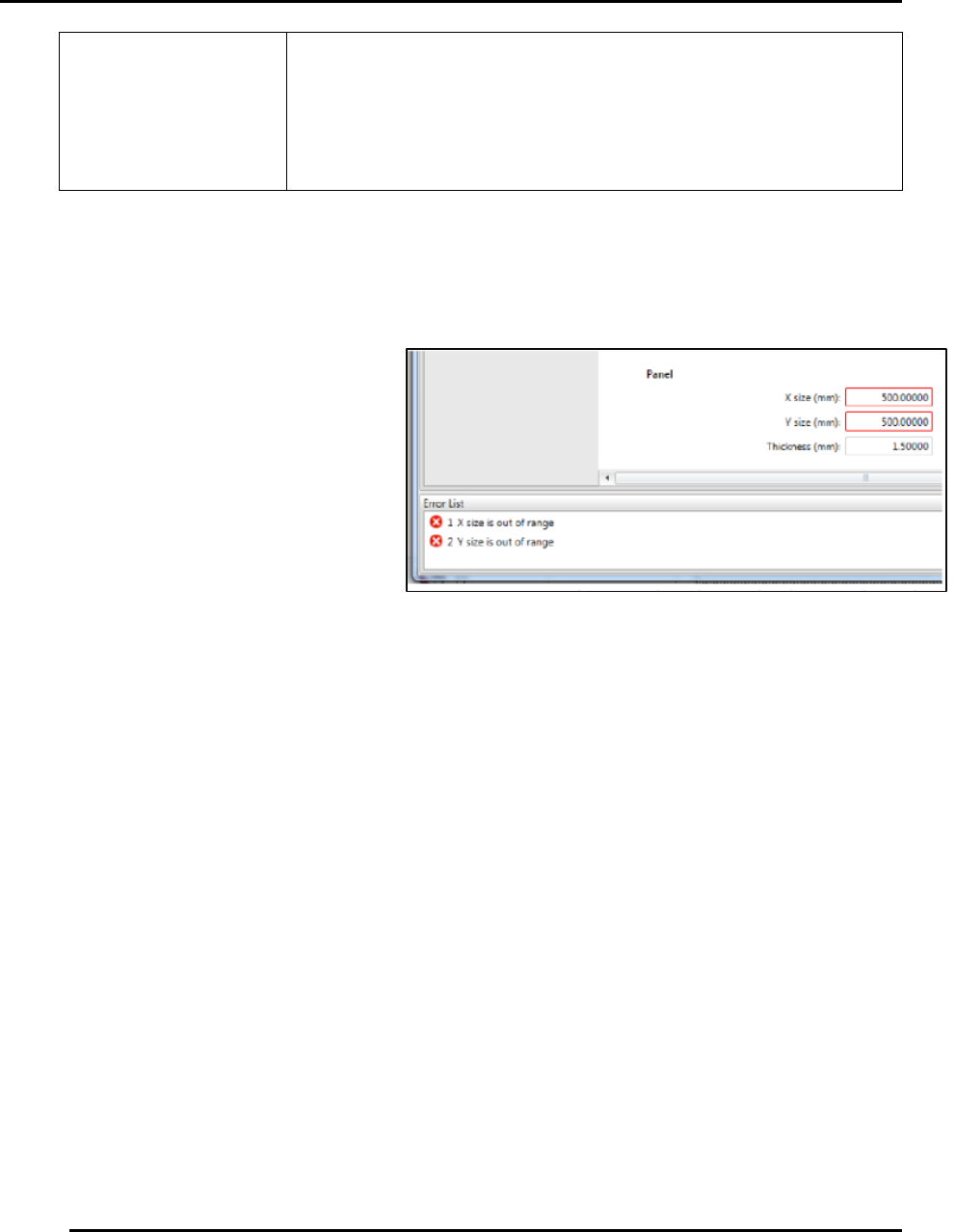
4.1.1.4. Out of Range Parameters & Error List
Out of range parameters are identified by a red border around the parameter input field. Specific
errors are displayed in an Error List
at the bottom of the page.
Double-click an error in the Error
List to selects the associated input
field for editing. Correct the input to
remove the error from the Error List.
If you attempt to save a file with out
of range parameters, Intueri software
displays all parameters that must be
changed prior to successfully saving
the file.
4.2. Create a New Process Program
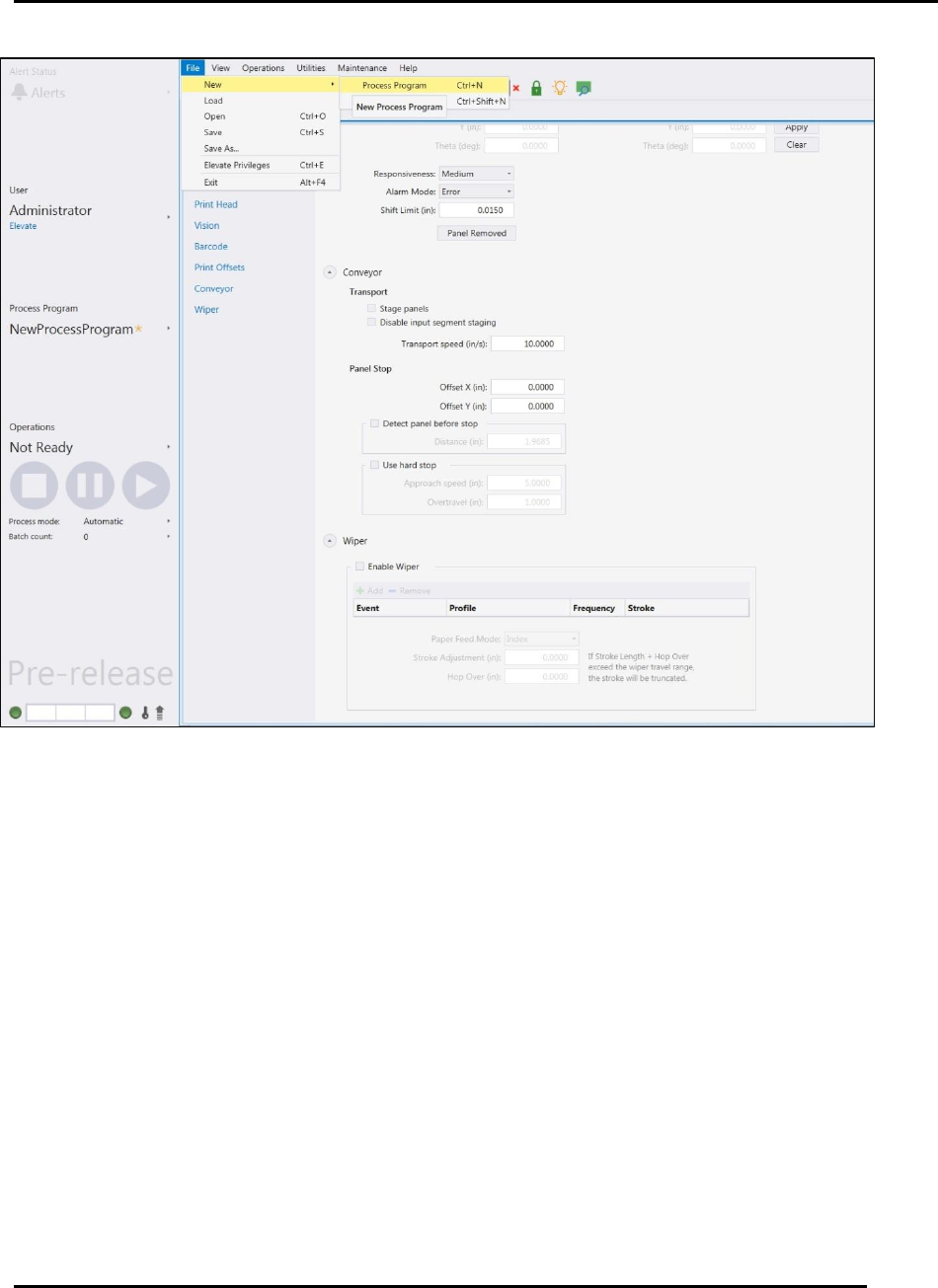
Access the process program page to create a new process program by navigating to File > New >
Process Program (Figure 43). The new process program will be entirely blank.
1. Change the name of the program before saving it
2. Enter values as required by your program.
3. Save the new process program file using either:
a. Select File > Save to save as the existing file name.
b. Select File > Save As and enter a new program name.
Figure 42. Out of range Parameters and Error List. X and Y both
identified as out of range.
Edison Printer User Manual (Part Number 1023838) PROCESS PROGRAM CREATION
Rev. A 69
Copyright © 2017 ITW EAE
All rights reserved. No part of the contents of this manual may be reproduced, copied or transmitted in any form or by any
means including graphic, electronic, or mechanical methods or photocopying, recording, or information storage and
retrieval systems without the written permission of ITW EAE, unless for purchaser's personal use.
4.2.1. Common Program Data
User information typically includes these fields, which populate automatically (Figure 44):
Creation Date
Created By
Last Modified
Modified By
In the Comments section, add specific information to aid the operator during a program
changeover. This field is not populated automatically.
In the Instructions section, add instruction details that may help the operator during a program
changeover. This field is not populated automatically.
Figure 43. Create a New Process Program.
PROCESS PROGRAM CREATION Edison Printer User Manual
70 Rev. A
Copyright © 2017 ITW EAE
All rights reserved. No part of the contents of this manual may be reproduced, copied or transmitted in any form or by any
means including graphic, electronic, or mechanical methods or photocopying, recording, or information storage and
retrieval systems without the written permission of ITW EAE, unless for purchaser's personal use.
In the Identification section, manually enter text describing:
Tooling ID
Squeegee ID
Stencil ID
Pump ID
Pump Size
Material
Do not use Identification fields for barcodes.
Barcodes are entered later using the Teach Board Barcode
Wizard.
In the Panel section, manually enter:
Figure 44. Process Program Page--Common Section.