EdisonStandardOwnersManual-RevA-20170818B.pdf - 第70页
P ROCESS P ROGRA M C REATION Edison Printer User Manual 70 Rev. A Copyright © 2017 ITW EAE All rights reserved. No part of the contents of thi s manual may be reproduced, copied or transmitted in any form or by an y mean…
Edison Printer User Manual (Part Number 1023838) PROCESS PROGRAM CREATION
Rev. A 69
Copyright © 2017 ITW EAE
All rights reserved. No part of the contents of this manual may be reproduced, copied or transmitted in any form or by any
means including graphic, electronic, or mechanical methods or photocopying, recording, or information storage and
retrieval systems without the written permission of ITW EAE, unless for purchaser's personal use.
4.2.1. Common Program Data
User information typically includes these fields, which populate automatically (Figure 44):
Creation Date
Created By
Last Modified
Modified By
In the Comments section, add specific information to aid the operator during a program
changeover. This field is not populated automatically.
In the Instructions section, add instruction details that may help the operator during a program
changeover. This field is not populated automatically.
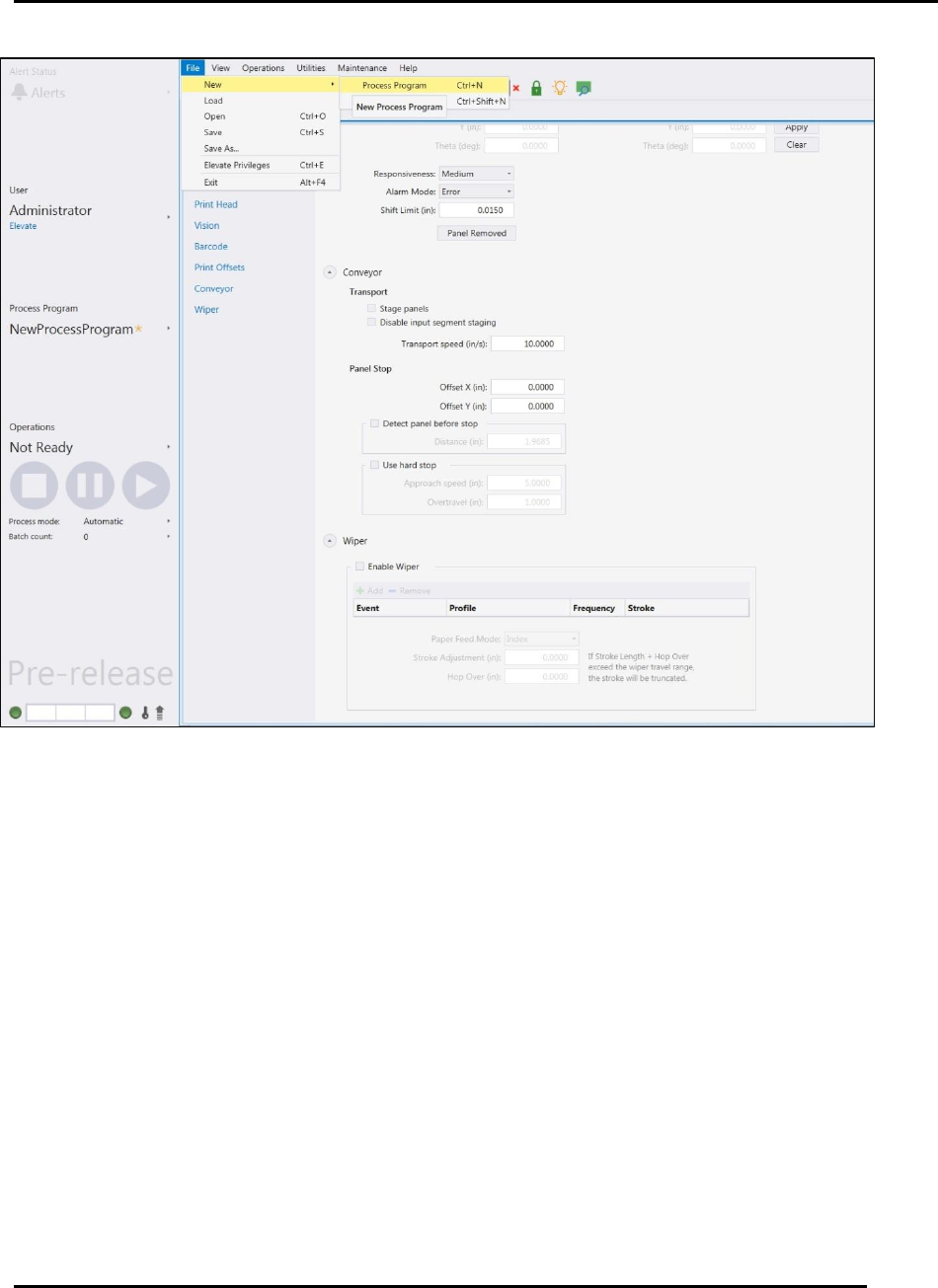
Figure 43. Create a New Process Program.
PROCESS PROGRAM CREATION Edison Printer User Manual
70 Rev. A
Copyright © 2017 ITW EAE
All rights reserved. No part of the contents of this manual may be reproduced, copied or transmitted in any form or by any
means including graphic, electronic, or mechanical methods or photocopying, recording, or information storage and
retrieval systems without the written permission of ITW EAE, unless for purchaser's personal use.
In the Identification section, manually enter text describing:
Tooling ID
Squeegee ID
Stencil ID
Pump ID
Pump Size
Material
Do not use Identification fields for barcodes.
Barcodes are entered later using the Teach Board Barcode
Wizard.
In the Panel section, manually enter:
Figure 44. Process Program Page--Common Section.
Edison Printer User Manual (Part Number 1023838) PROCESS PROGRAM CREATION
Rev. A 71
Copyright © 2017 ITW EAE
All rights reserved. No part of the contents of this manual may be reproduced, copied or transmitted in any form or by any
means including graphic, electronic, or mechanical methods or photocopying, recording, or information storage and
retrieval systems without the written permission of ITW EAE, unless for purchaser's personal use.
Panel Size X
Panel Size Y
Thickness of the panel to be printed
In the Stencil section, manually enter:
Stencil X dimensions
Stencil Y dimensions
Inner Dimension of the stencil
Stencil image offsets
4.2.2. Worknest Program Data
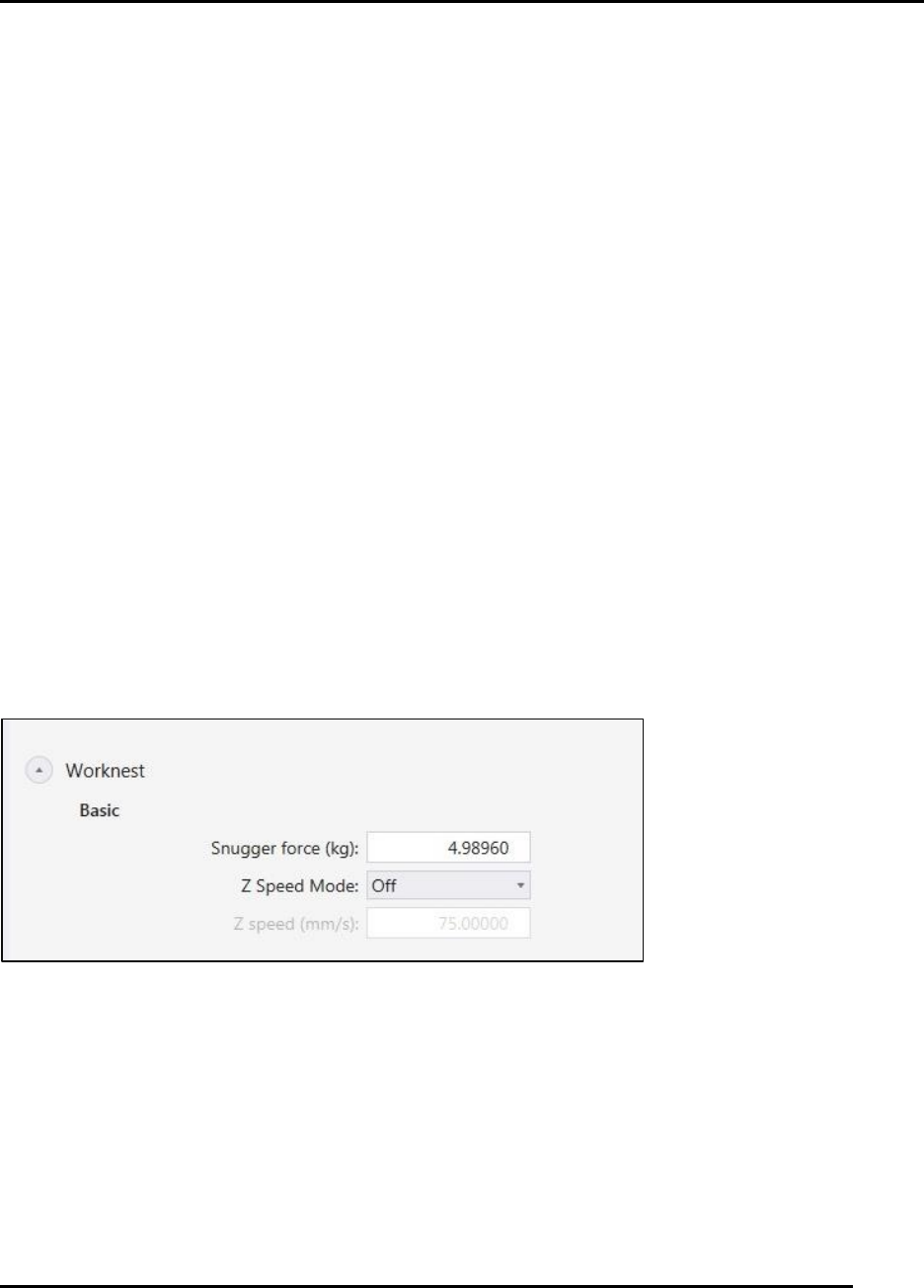
Worknest program data establishes the force and movement specifics for controlling the
worknest. Enter specifics required to operate the worknest (Figure 45)
In the Basic section, choose between:
Snugger Force (Range varies from 0 to 22 Lbs. or 0 to 10 Kg.)
Z Speed mode. Choose between
o Off
o Snug
o Release
o Snug and Release
o Full Print cycle
Z speed (Range varies from 0.00492 to 10 inch / sec or 0.125 to 254.0 mm / sec)
Figure 45. Process Program Page--Worknest Section.
4.2.3. Tooling Program Data
Tooling program data sets up the tooling pin layout diagram to use as reference when manually
placing pins for board support on the worknest. Enter specifics required to operate the tooling
(Figure 48)
In the Types of Tooling section choose between:
No tooling