EdisonStandardOwnersManual-RevA-20170818B.pdf - 第88页
P ROCESS P ROGRA M C REATION Edison Printer User Manual 88 Rev. A Copyright © 2017 ITW EAE All rights reserved. No part of the contents of thi s manual may be reproduced, copied or transmitted in any form or by an y mean…
Edison Printer User Manual (Part Number 1023838) PROCESS PROGRAM CREATION
Rev. A 87
Copyright © 2017 ITW EAE
All rights reserved. No part of the contents of this manual may be reproduced, copied or transmitted in any form or by any
means including graphic, electronic, or mechanical methods or photocopying, recording, or information storage and
retrieval systems without the written permission of ITW EAE, unless for purchaser's personal use.
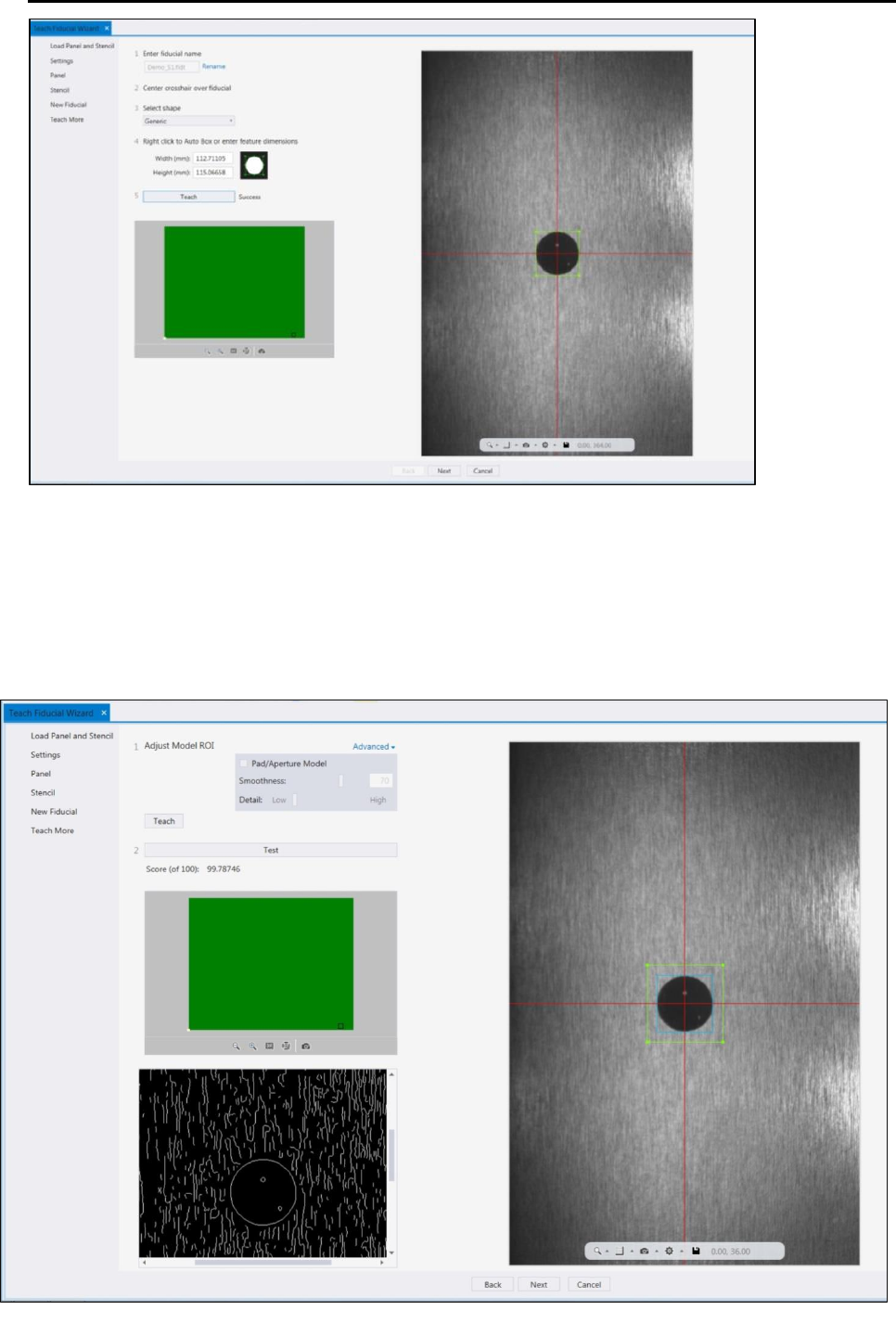
Figure 63. Teach Fiducial Wizard: Position fiducial on stencil
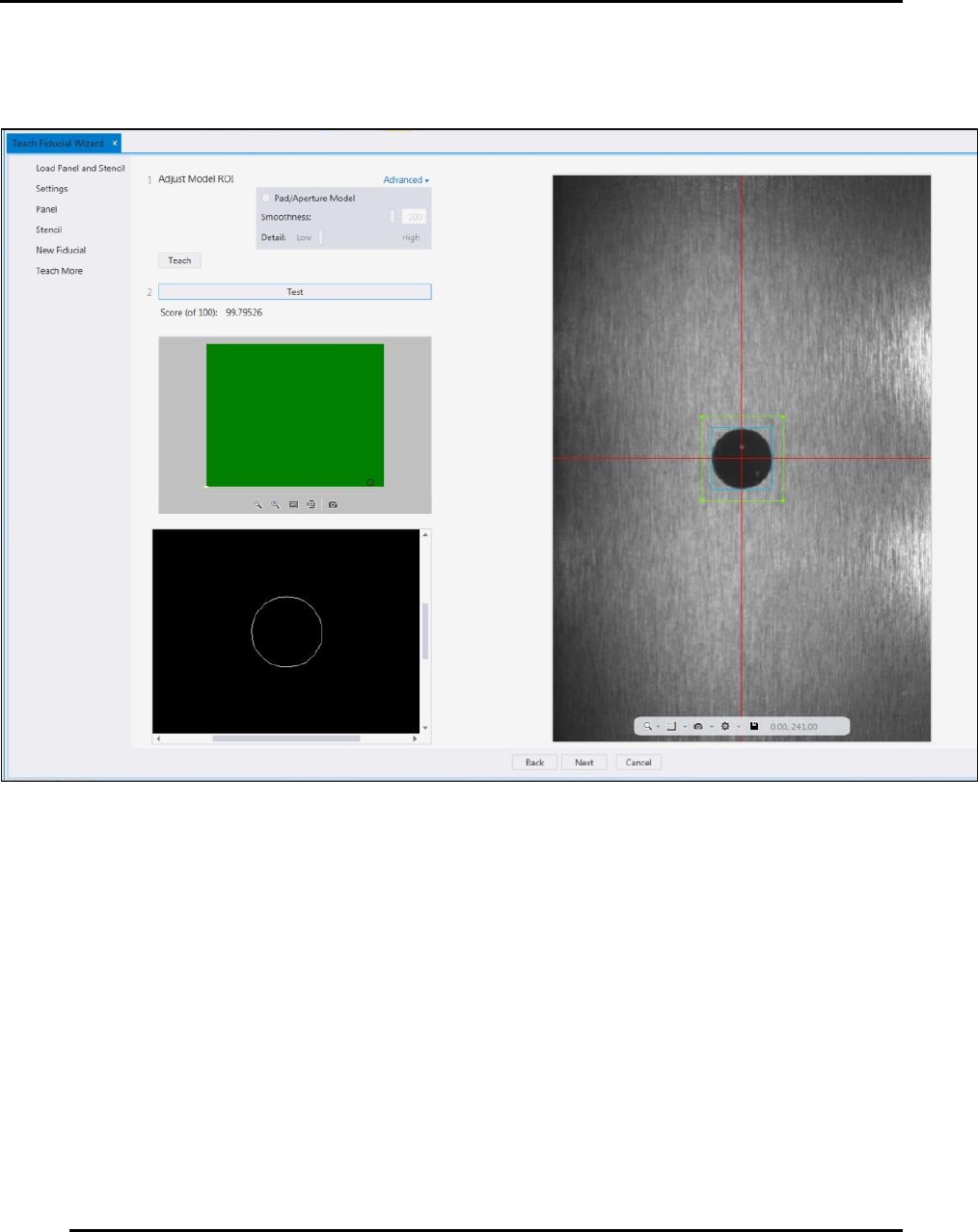
14. After teaching the software, use the next screen to Test, to ensure alignment is adequate
(Figure 64).
a. Press Test
b. If the score is less than 80%, adjust the brightness, exposure, and contrast (Figure
60).
c. Press Test again.
d. Figure 65 displays a stencil with test with excellent results.
Figure 64. Teach Fiducial Wizard: Test Stencil (with noise and smoothness 70).
PROCESS PROGRAM CREATION Edison Printer User Manual
88 Rev. A
Copyright © 2017 ITW EAE
All rights reserved. No part of the contents of this manual may be reproduced, copied or transmitted in any form or by any
means including graphic, electronic, or mechanical methods or photocopying, recording, or information storage and
retrieval systems without the written permission of ITW EAE, unless for purchaser's personal use.
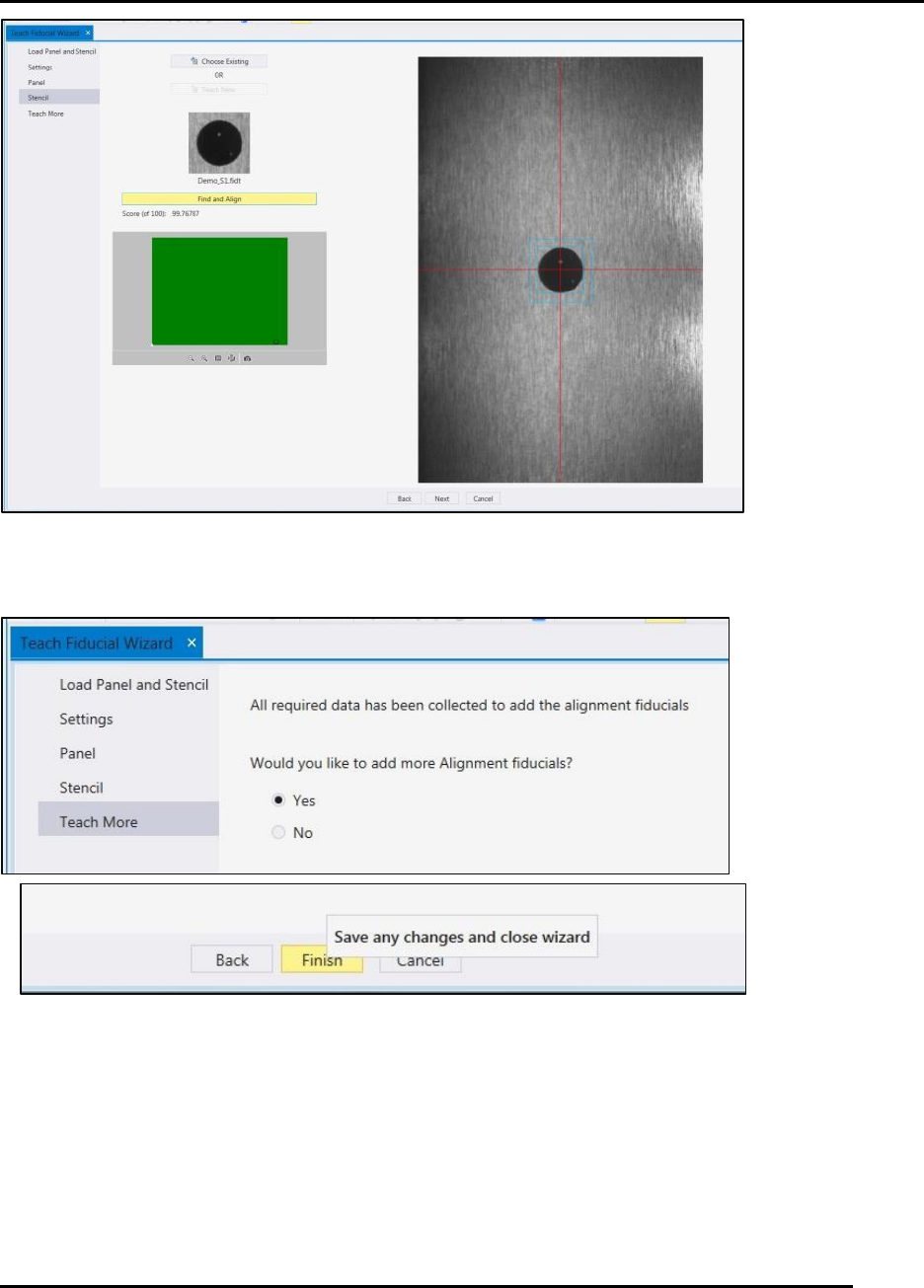
15. After a successful panel test, click Find and Align to record the fiducial in the software
(Figure 66).
Edison Printer User Manual (Part Number 1023838) PROCESS PROGRAM CREATION
Rev. A 89
Copyright © 2017 ITW EAE
All rights reserved. No part of the contents of this manual may be reproduced, copied or transmitted in any form or by any
means including graphic, electronic, or mechanical methods or photocopying, recording, or information storage and
retrieval systems without the written permission of ITW EAE, unless for purchaser's personal use.
Figure 66. Teach Fiducial Wizard: Find and Align Stencil.
16. Use the Teach More screen to add additional alignment fiducials (Figure 67).
Figure 67. Teach More Fiducials.