EdisonStandardOwnersManual-RevA-20170818B.pdf - 第91页
Edison Printer User Manual (Part Number 1023838) P ROCESS P ROGRA M C REATION Rev. A 91 Copyright © 2017 ITW EAE All rights reserved. No part of the contents of this manual may be reproduced, copi ed or transmi tted in a…
PROCESS PROGRAM CREATION Edison Printer User Manual
90 Rev. A
Copyright © 2017 ITW EAE
All rights reserved. No part of the contents of this manual may be reproduced, copied or transmitted in any form or by any
means including graphic, electronic, or mechanical methods or photocopying, recording, or information storage and
retrieval systems without the written permission of ITW EAE, unless for purchaser's personal use.
4.2.8. Barcode
Barcode scanners provide for panel and stencil verification and traceability.
• Verification helps ensure the proper process materials (solder paste, stencil, tooling, squeegee
blades and, if equipped, EnclosedFlow
©
Pump) are used for production.
• Traceability is the real-time documentation of the process steps that occur during the
manufacturing of a product.
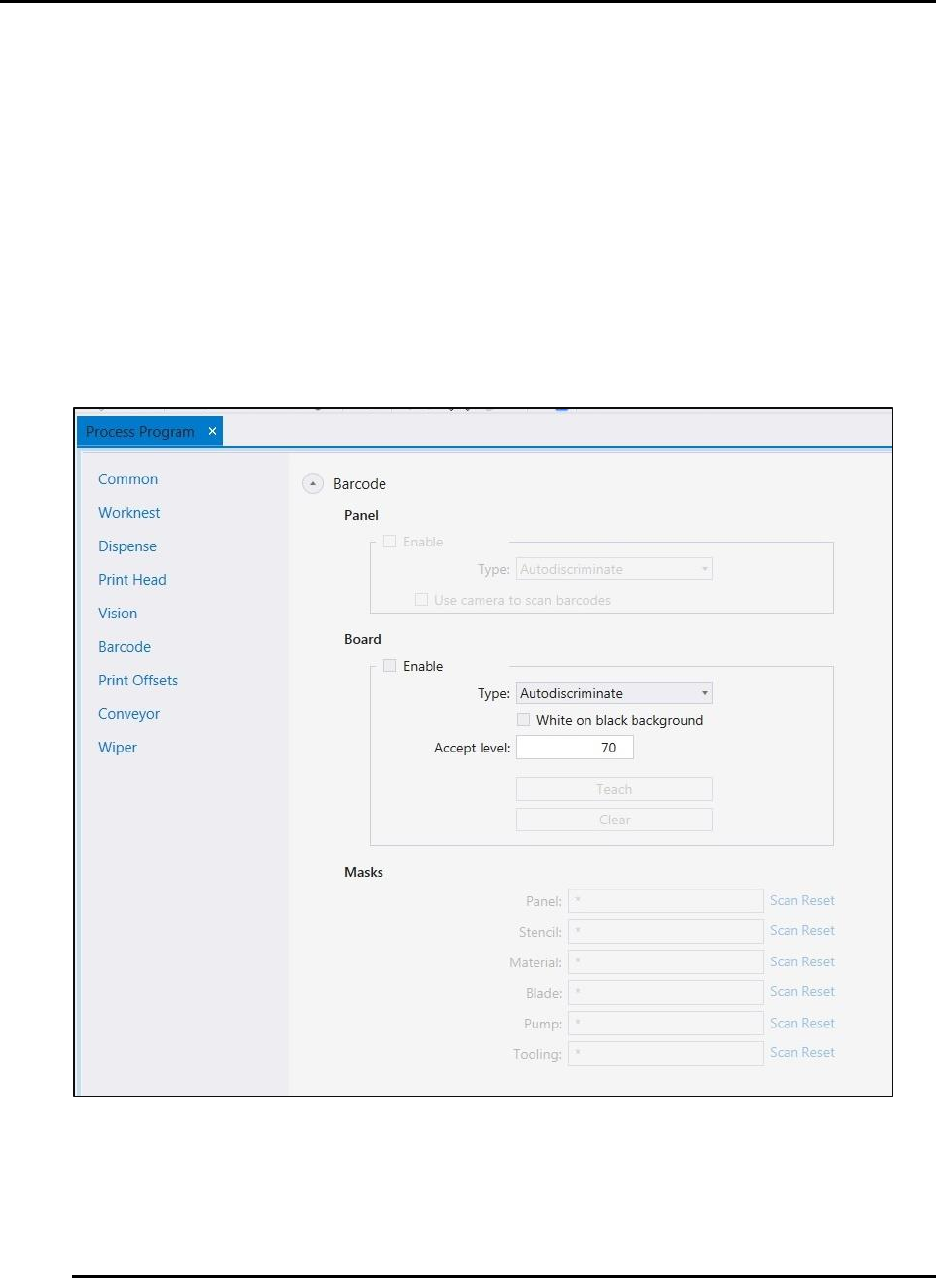
On the barcode section of the screen, enable Panel and Board, and set the type of configuration
(Figure 68).
Figure 68. Barcode Configuration.
Edison Printer User Manual (Part Number 1023838) PROCESS PROGRAM CREATION
Rev. A 91
Copyright © 2017 ITW EAE
All rights reserved. No part of the contents of this manual may be reproduced, copied or transmitted in any form or by any
means including graphic, electronic, or mechanical methods or photocopying, recording, or information storage and
retrieval systems without the written permission of ITW EAE, unless for purchaser's personal use.
4.2.9. Print Offsets
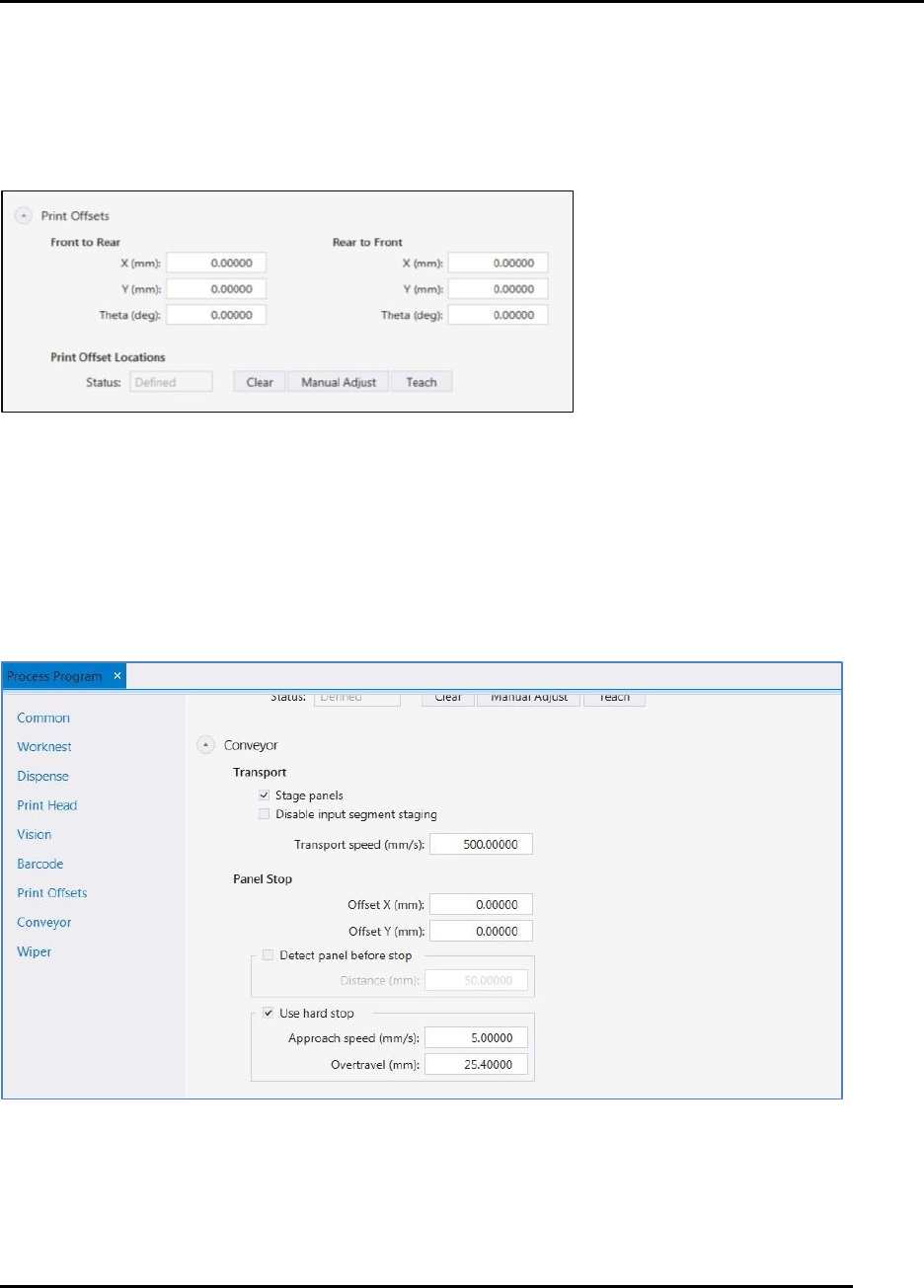
Print Offsets are calculated using dimensions from a printed panel (Figure 69). Skip the Print
Offsets section if not using a printed panel. Once taught and saved, a panel can then be printed
and used to adjust print offsets.
Figure 69. Process Program: Print Offsets.
4.2.10. Conveyor
Figure 70 shows the setup screen for the conveyor. Set transport speeds and coordinates for panel
stops as desired.
Figure 70. Process Program: Conveyor
PROCESS PROGRAM CREATION Edison Printer User Manual
92 Rev. A
Copyright © 2017 ITW EAE
All rights reserved. No part of the contents of this manual may be reproduced, copied or transmitted in any form or by any
means including graphic, electronic, or mechanical methods or photocopying, recording, or information storage and
retrieval systems without the written permission of ITW EAE, unless for purchaser's personal use.
4.2.11. Wiper
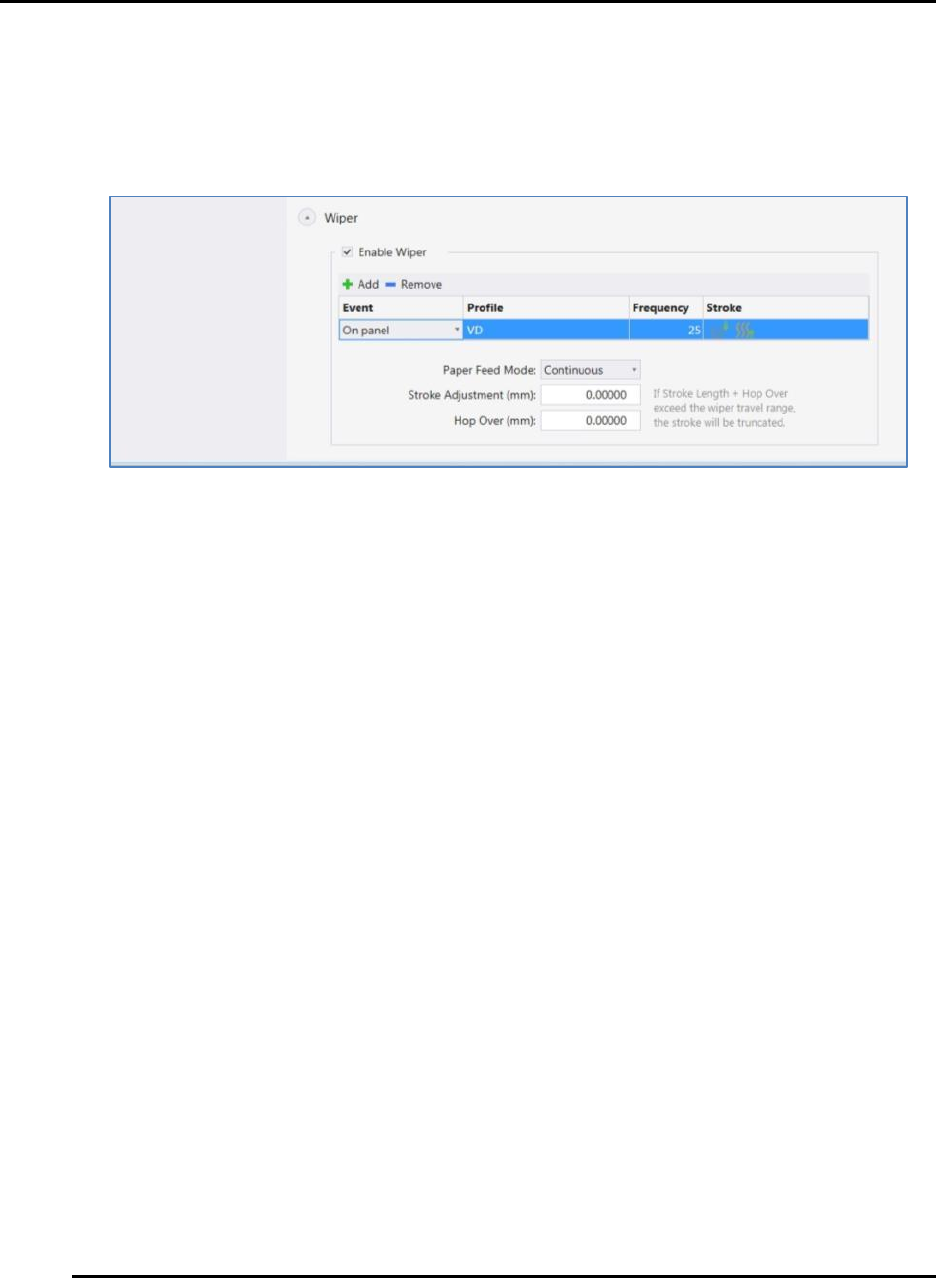
Figure 71 shows the wiper configuration screen
Figure 71. Process Program: Wiper Configuration.