EdisonStandardOwnersManual-RevA-20170818B.pdf - 第95页
Edison Printer User Manual (Part Number 1023838) P ROCESS P ROGRA M C REATION Rev. A 95 Copyright © 2017 ITW EAE All rights reserved. No part of the contents of this manual may be reproduced, copi ed or transmi tted in a…
PROCESS PROGRAM CREATION Edison Printer User Manual
94 Rev. A
Copyright © 2017 ITW EAE
All rights reserved. No part of the contents of this manual may be reproduced, copied or transmitted in any form or by any
means including graphic, electronic, or mechanical methods or photocopying, recording, or information storage and
retrieval systems without the written permission of ITW EAE, unless for purchaser's personal use.
3. Revise and replace values as desired, when following the prompts
4. The Edison printer software will walk you through the rest of the steps, which include
cleaning and removing blades, unloading the stencil and removing tooling
5. Follow the Changeover prompts (or select Cancel at the bottom of the Changeover screen to
load the file without completing the changeover routine).
6. Select View > Process Program.
7. Modify the file as required, then rename by selecting File > Save As...
4.4. Choose Existing Fiducial
Navigate to the Teach Fiducial Wizard screen
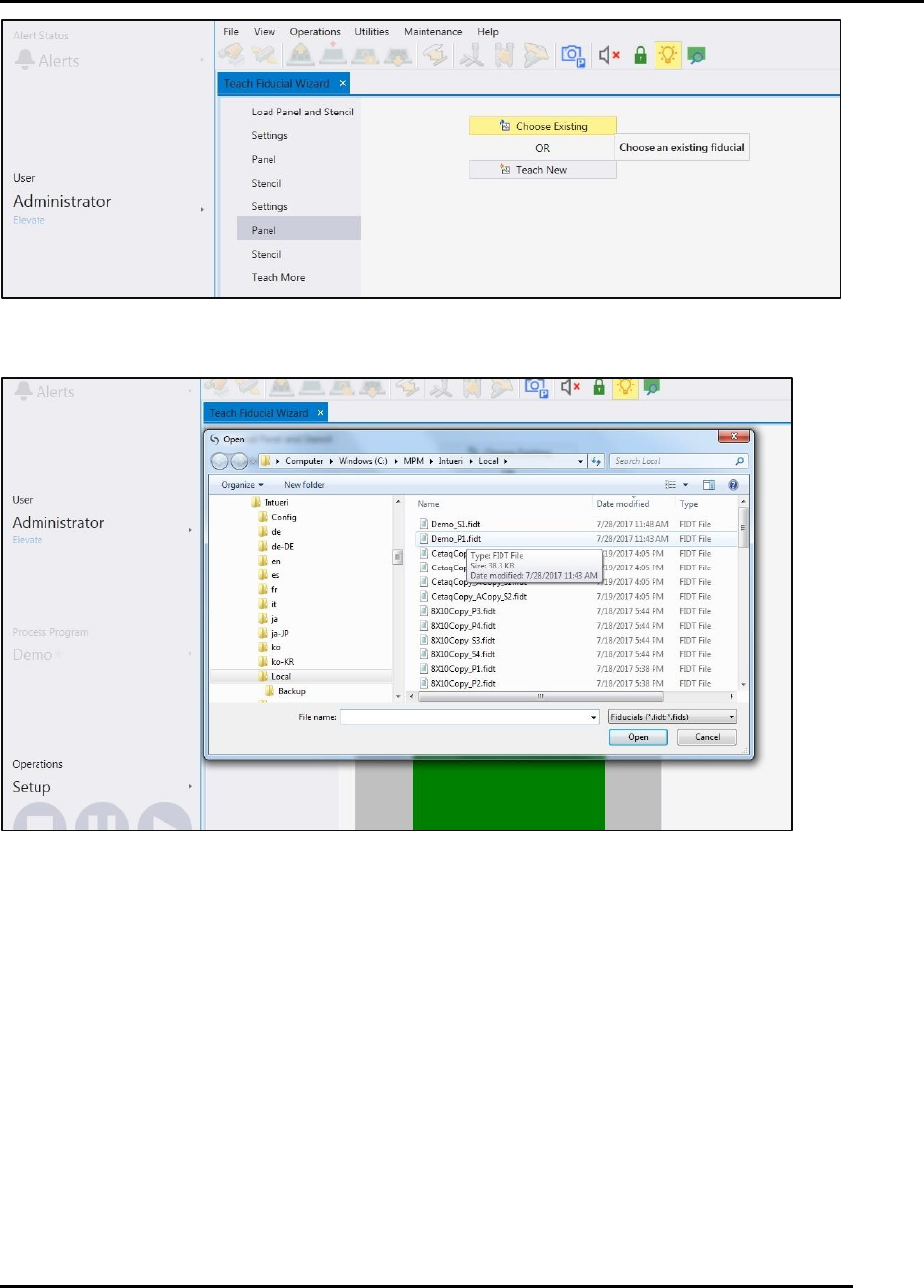
Click on Choose Existing to select an existing fiducial alignment program (Figure 52).
Select the desired fiducial (Figure 52).
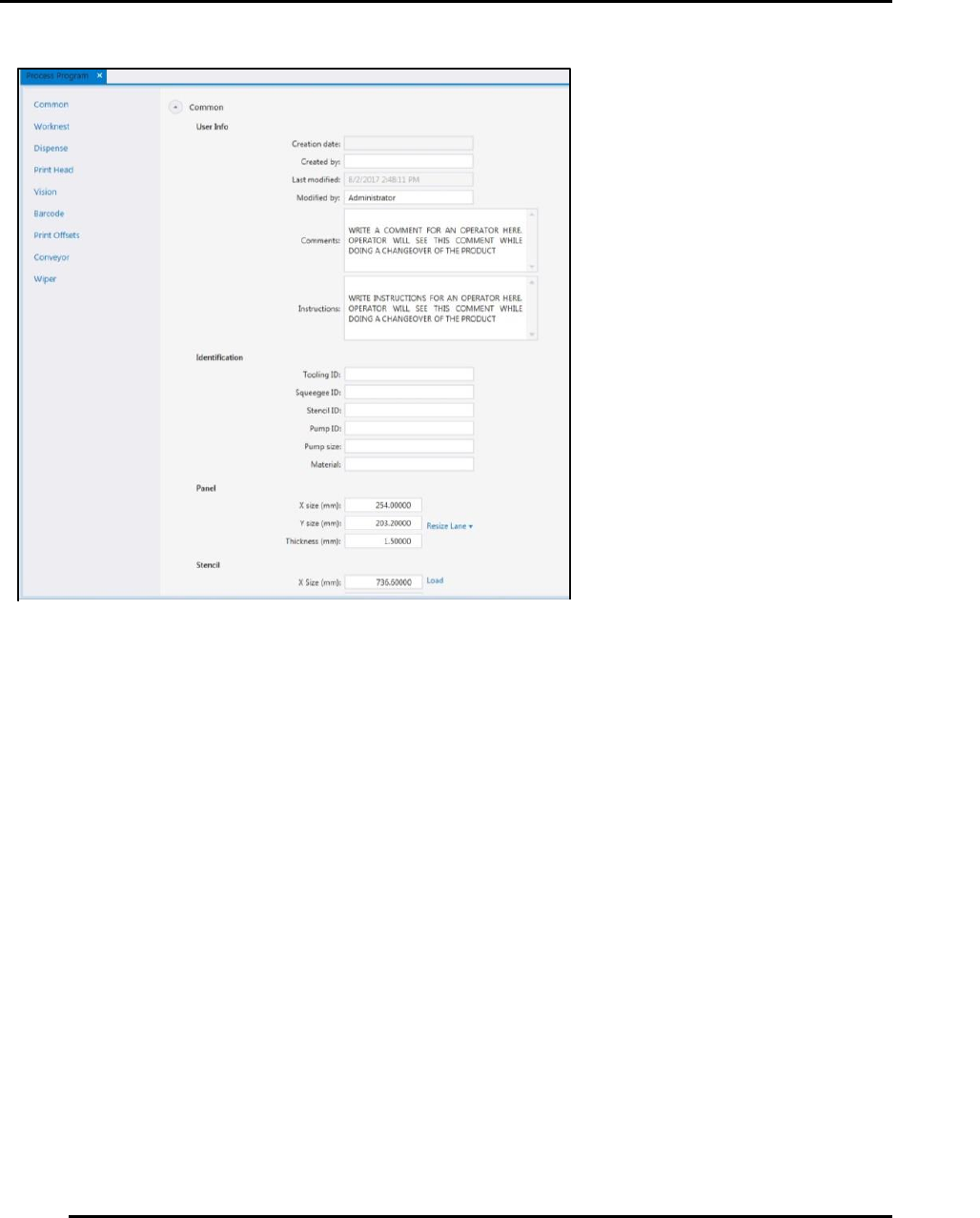
Figure 74. Add instructions and comments as necessary.
Edison Printer User Manual (Part Number 1023838) PROCESS PROGRAM CREATION
Rev. A 95
Copyright © 2017 ITW EAE
All rights reserved. No part of the contents of this manual may be reproduced, copied or transmitted in any form or by any
means including graphic, electronic, or mechanical methods or photocopying, recording, or information storage and
retrieval systems without the written permission of ITW EAE, unless for purchaser's personal use.
Figure 75. Fiducials: Choose Existing or Teach New
Figure 76, Choose existing fiducial.

PRINTER OPERATIONS Edison Printer User Manual (Part Number 1023838)
96 Rev. A
Copyright © 2017 ITW EAE
All rights reserved. No part of the contents of this manual may be reproduced, copied or transmitted in any form or by any
means including graphic, electronic, or mechanical methods or photocopying, recording, or information storage and
retrieval systems without the written permission of ITW EAE, unless for purchaser's personal use.
5. Printer Operations
5.1. Operation Overview
Operation provides information for logging in, working with screens, system security, preparing
for production and production.
5.2. Printer Controls and Indicators
5.2.1. Operation Uses Intueri Software
The Edison Stencil Printer uses Intueri software, a simple, intuitive operator interface with a
flexible, wide array of configuration variables.
Danger!
Read and understand the Safety section in this manual before
installing, operating, adjusting, or maintaining any component in
the Edison Stencil Printer.