Galaxy EX ProFlow Module.pdf - 第17页
PR O FLO W MO DU LE REPLACEMENT PRO CEDURES Ch apte r Issue 4, Jun 18 Tech nical Ref erenc e Ma nual 11. 17 10. R emo ve the P roFlo w pre s sure mec ha nism a nd t rans fer h ead . 1 1. Loosen the f our captive screws s…
PROFLOW MODULE
REPLACEMENT PROCEDURES
11.16 Technical Reference Manual Chapter Issue 4, Jun 18
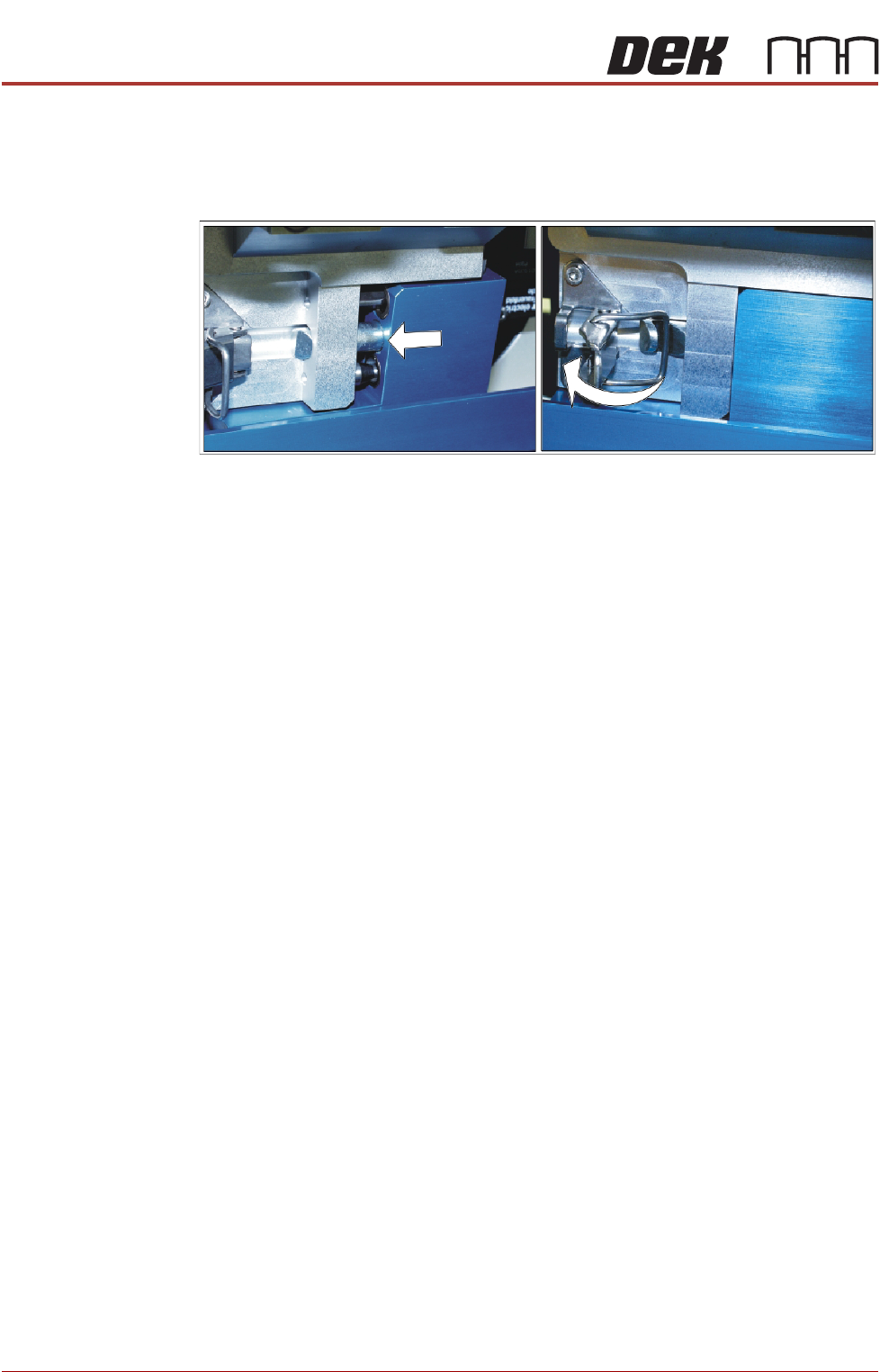
5. Locate and fit the ProFlow transfer head unit to the pressure mechanism
by means of the two locating dowels. Slide the unit onto the pressure
mechanism. Once the unit is slid fully home, it is secured by closing the
locking clip.
6. Connect both curly air lines to the self-seal pneumatic connectors situated
either side of the ProFlow printhead mechanism, figure in Step 2 refers.
7. Connect the ProFlow Paste Level connector to the print carriage, left hand
side, figure in Step 2 refers.
NOTE
a If the squeegee paste dispenser is fitted to the print carriage, before
using ProFlow, ensure that the paste dispenser regulator gauge reads '0'
pressure.
b. This electrical connection informs the machine of ProFlow fitment and
must always be connected whilst the ProFlow unit is fitted otherwise
damage may occur if machine is run.
8. Switch the mains isolator to ON and ensure that the machine recognizes
the ProFlow module fit by displaying ProFlow Uninitialised during the
machine initialisation sequence.
9. Carry out the ProFlow Contact Position Setup in the Calibrations section
later in this chapter.
Drive Belt
Replacement
1. Select Open Cover Commands.
2. Select Carriage To Front.
3. Select Back.
4. Select Shut Down.
5. Select Continue.
6. Switch the mains isolator to OFF.
7. Open the front printhead cover.
8. Disconnect both curly air lines from the self-seal pneumatic connectors sit-
uated either side of the ProFlow printhead mechanism.
9. Disconnect the following connectors from the print carriage, left hand side
(figure in Step 8 of Squeegees to ProFlow section refers):
• ProFlow Motor
• Home Sensor
• ProFlow Paste Level
PROFLOW MODULE
REPLACEMENT PROCEDURES
Chapter Issue 4, Jun 18 Technical Reference Manual 11.17
10. Remove the ProFlow pressure mechanism and transfer head.
11. Loosen the four captive screws securing the ProFlow printhead mecha-
nism to the print carriage using a 4mm Allen key. Carefully remove the
mechanism from the print carriage.
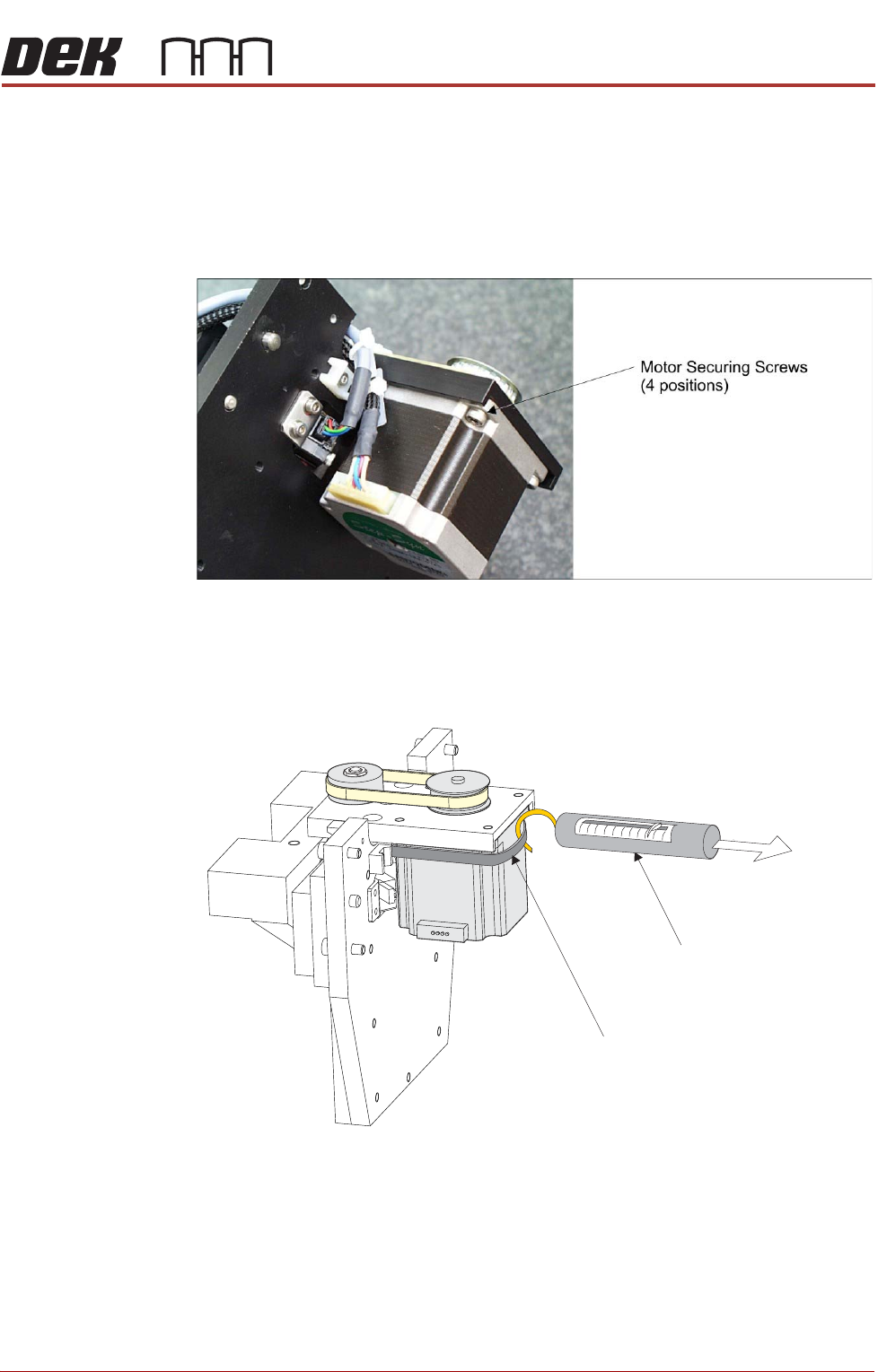
12. Placing the unit on a secure surface, slacken off the four screws securing
the stepper motor to the support plate.
13. Remove the old belt and fit the new belt in position.
14. Using a cable tie wrap or similar, provide a loop around the top of the
motor body enabling the motor to be pulled using a force meter. Ensure
that the force meter is pulled in the direction which the drive belt is fitted.
15. Pull the force meter until a tension of 3kgs to 4kgs is monitored on the
meter. Tighten the four screws whilst the motor is under tension.
16. On completion re-fit the printhead mechanism to the print carriage and re-
connect all leads to the print carriage.
17. Re-fit pressure mechanism and transfer head to printhead mechanism.
Force Meter
Tie-wrap
3kgs to 4kgs
Tension
PROFLOW MODULE
CALIBRATIONS
11.18 Technical Reference Manual Chapter Issue 4, Jun 18
CALIBRATIONS
ProFlow Contact
Position Setup
To set up the ProFlow contact height position carry out the following
procedure:
1. Select Open Cover Commands.
2. Select Carriage To Front.
3. Select Back.
4. Open the front printhead cover.
5. Load the calibration screen into the chase.
6. Fit an empty transfer head to the ProFlow pressure mechanism and
remove the ProFlow cover.
7. Position a 0.1mm shim on the stencil under the transfer head.
8. Close the front printhead cover.
9. Press the System button.
10. Select Load Screen.
11. Select Maintenance.
12. Select Calibrations.
13. Select ProFlow.
14. Select ProFlow Heights.
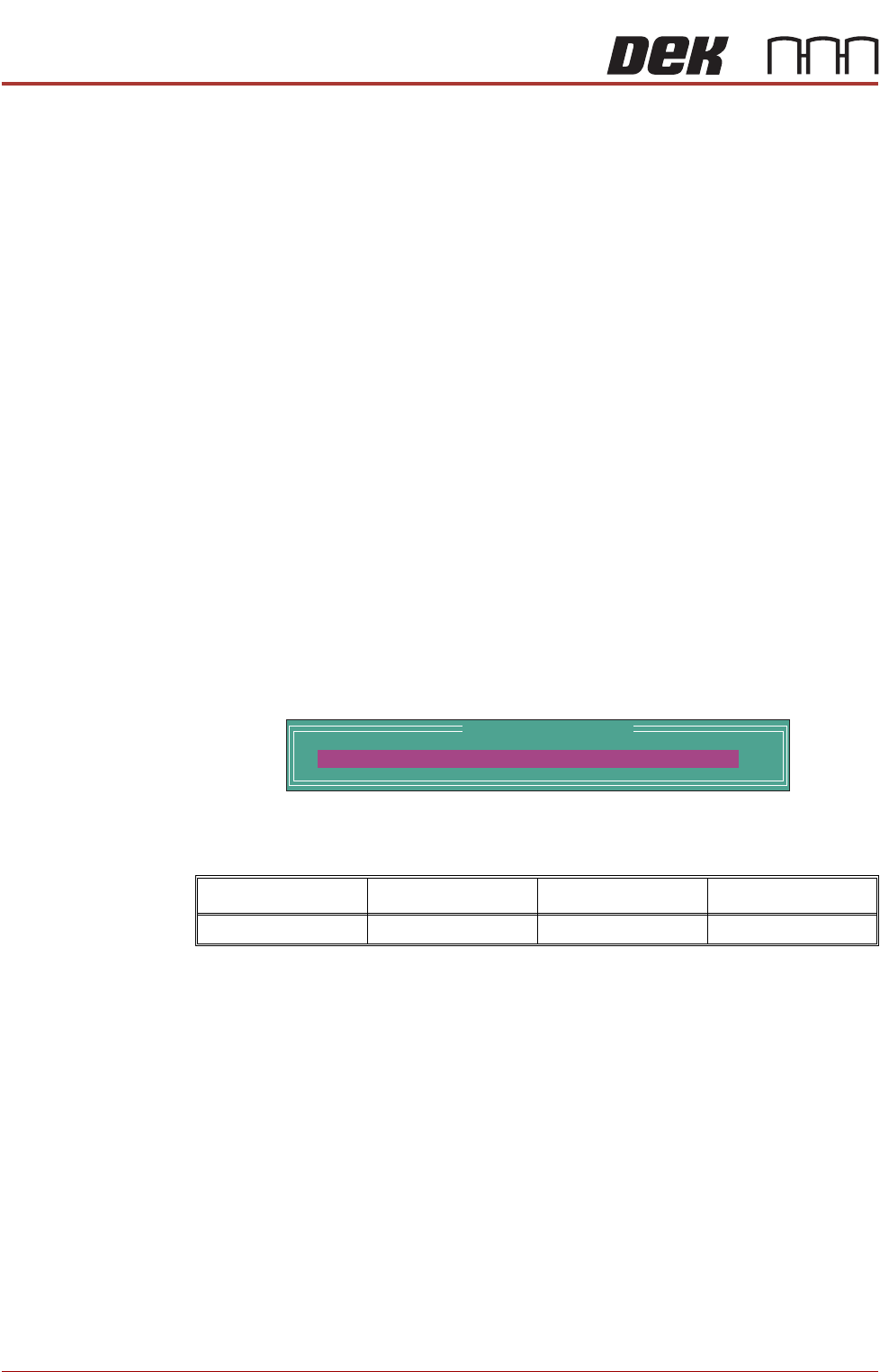
The following window and menu bar is displayed:
This parameter sets the height of the ProFlow printhead so that it just
touches the screen surface.
15. Using the Incr. or Decr. keys, set the Contact Position to 5.5mm.
16. Select Move to Position, the ProFlow unit is driven to the position set.
17. Open the front printhead cover.
NOTE
Correct contact height is when the shim is just held between the transfer
head wipers and stencil. At this position it is not possible to slide the shim
sideways past the transfer head skis.
18. If correct contact height is achieved go to Step 24.
19. Close the front printhead cover.
20. Press the System button.
21.Using the Incr. or Decr. buttons, increase or decrease the Contact Position
set height by 0.5mm (eg 5.0mm or 6.0mm).
Minimum Maximum Increment Default
- 10mm +10mm 0.1mm 0.0mm
ProFlow Calibrations
PFLOW CONTACT POS.
0.0
mm